

Latest Version
February 27, 2026
out thinking private limited
Word
iOS
0
Report a Problem
More About :game
Key Features
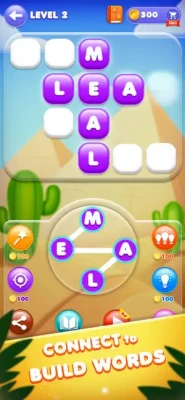
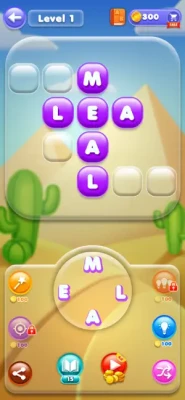
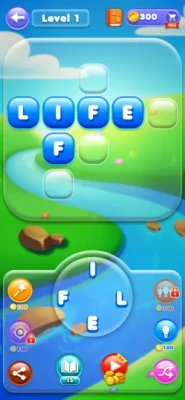
Crossword-Style Puzzles: Fill blocks with the correct words by connecting scrambled letters.
Vocabulary Enrichment: The game includes a feature that provides the meanings of all words found, turning gameplay into an educational tool.
Progressive Difficulty: Levels start with simple three-letter words and scale up to complex puzzles with more letters and intersections.
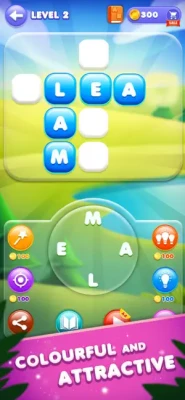
Unlockable Themes: Clear levels to access various calming background graphics designed to reduce eye strain.
Personal Piggy Bank: A feature that allows users to accumulate extra coins while playing, which can be collected once the bank is full.
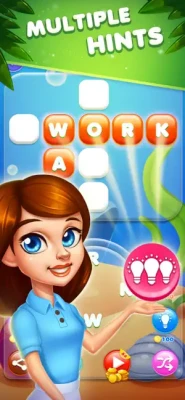
Hint & Power-up Systems: Includes hint boosters to reveal letters and power-ups to assist with difficult levels without depleting your coin reserve.
Offline Playability: Completely playable without WIFI or an active data connection.
How to Play
Connecting Letters: Tap and drag your finger (swipe) from one letter to another in the letter circle to form a word.
Grid Completion: If the word formed is part of the puzzle, it will automatically populate the corresponding boxes in the grid above.
Extra Words: Finding valid words that are not part of the main grid will earn you "Extra Word" bonus coins, often stored in the Piggy Bank.
Using Hints: If you are stuck, tap the hint (bulb) icon to reveal a single letter in one of the blank boxes.
How to Win: Strategy and Tips
Start with the Longest Word: Identifying the word that uses all the letters in the circle first often makes it much easier to deduce the shorter words through the intersections.
Shuffle the Letters: If you are stuck, use the shuffle button. Changing the visual arrangement of the letters can often help your brain recognize patterns you missed.
Hunt for Bonus Words: Don't just focus on the grid. Find as many valid words as possible to fill your Piggy Bank and earn coins for hints.
Use Word Meanings: Since the game provides definitions, use them to learn new words as you go. This helps you recognize those same words when they reappear in higher levels.
Conserve Hints: Save your hint boosters for levels with 5 or more letters. The simpler 3-4 letter puzzles can usually be solved by systematically trying different letter combinations.
Technical Details
Developer: out thinking limited
Category: Word / Puzzle
Size: ~171.1 MB
Compatibility: Requires iOS 12.0 or later (iPhone, iPad, and iPod touch) or macOS 11.0 with an M1 chip or later.
Languages: Supports 15 languages, including English, Arabic, French, German, Japanese, and Simplified Chinese.
Age Rating: 4+ (Everyone)
Monetization: Free-to-play with In-App Purchases (Premium Features and Coin Bundles ranging from $5.99 to $79.99). Includes a subscription model for unlimited access.
Privacy: Collects purchases, identifiers, and usage data for third-party advertising and analytics.
Rate the Game
User Reviews






Popular Games




















 Android
 iOS
iOS Windows
 Xbox
Xbox