

QR Code
Word Connect

Word Connect

by ZenLife Games Ltd
(0 Reviews) March 07, 2024
Word Connect Word Connect Word Connect Word Connect Word Connect Word Connect

Latest Version

Update
March 07, 2024
Developer
ZenLife Games Ltd
Categories
Word
Platforms
Android Windows
Views
13
Package Name
com.wordgame.words.connect
Visit Page

More About :game

Word Connect is a highly popular and addictive word puzzle game developed by ZenLife Games, known for its classic "swipe-to-build" mechanics and extensive dictionary integration.

1. Description

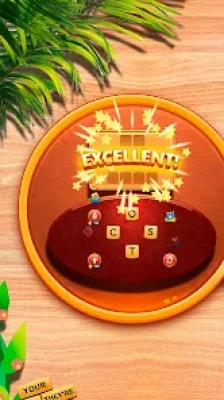
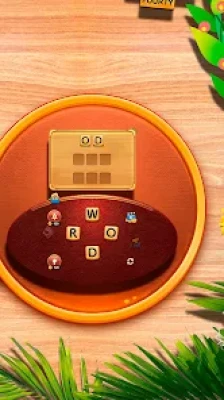
Word Connect is designed to challenge your vocabulary and improve your brainpower through thousands of crossword-style puzzles. The game presents players with a set of scrambled letter blocks in a circle, and the goal is to swipe across them to form words that fill a crossword grid. Its aesthetic is characterized by a nostalgic, vintage wooden block style, making it a favorite for casual gamers and word enthusiasts alike.

2. Key Features

  • Massive Vocabulary Database: Powered by the authoritative Oxford Dictionaries, ensuring a high-quality word list.

  • Tons of Levels: Features over 20,000+ levels, ensuring that even the most dedicated players always have something new to solve.

  • Game Modes:

    • Normal Mode: Traditional swipe-and-build gameplay.

    • Crossword Mode: Fill in a classic crossword layout.

    • Daily Challenges: Special puzzles that offer larger rewards and bonuses.

  • Customization: Includes up to 11 different themes to change the visual look of the game.

  • Social Play: Connect via Facebook to ask friends for help or send/receive free coins.

  • Offline Access: Fully playable without a Wi-Fi or data connection.

3. How to Play

  • Swipe to Connect: Use your finger to swipe through letters on the wheel to form a word.

  • Fill the Grid: If the word you find is part of the puzzle, it will automatically fill its position in the grid.

  • Extra Words: Finding words that are valid but not in the grid earns you "Extra Word" points, which accumulate to provide bonus coins.

  • Shuffle & Hints: Use the "Shuffle" button to rearrange letters for a new perspective, or use the "Hint" button (magnifying glass) to reveal a letter in the grid.

4. How to Win: Strategy & Tips

  • Target the Small Words First: Often, finding the 3-letter words first will reveal the beginning letters of the longer, more complex words, making them easier to guess.

  • Farm Extra Words: Before finishing a level, try to find every possible variation of the letters. These "extra words" are a primary source of free coins, which are needed for hints later.

  • Use Shuffling Frequently: If you are stuck, the shuffle button is free. Sometimes seeing the letters in a different order (such as placing a vowel between two consonants) will instantly reveal a word you missed.

  • Daily Logins: The daily bonuses and "Lucky Draw" events provide the highest return of coins. Even if you don't plan to play a full level, logging in to spin the wheel is highly recommended.

  • Identify Suffixes/Prefixes: Look for common endings like "-ED," "-ING," or "-S." Often, if you find one word, you can instantly find 1-2 more just by adding these suffixes.

5. Technical Details

  • Developer: ZenLife Games Ltd

  • Category: Word / Puzzle

  • Platform: Android, iOS, Windows (via PC Google Play Store)

  • File Size: ~150 MB (initial download)

  • User Base: Over 100 million downloads on Google Play alone.

  • Monetization: Free-to-play; includes ads between levels and in-app purchases for coin packs and an "Ad-Free" experience.

  • Requirements: Android 4.4+; also compatible with tablets and Chromebooks.

Rate the Game

Add Comment & Review

User Reviews

Based on 0 reviews
5 Star
0
4 Star
0
3 Star
0
2 Star
0
1 Star
0
Add Comment & Review
We'll never share your email with anyone else.