


Latest Version
February 17, 2026
Pavel Ilyin
Word
Android
0
com.ilyin.projectfillword
Report a Problem
More About :game
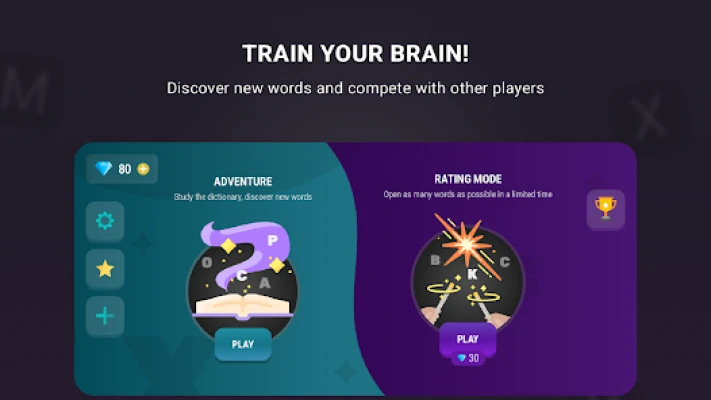
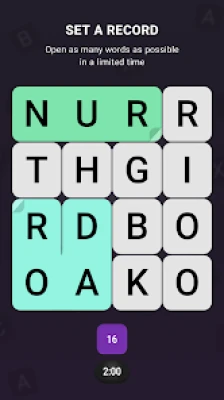
Welcome to Word Search Puzzle: Fillword, a modern take on the classic word-finding genre.
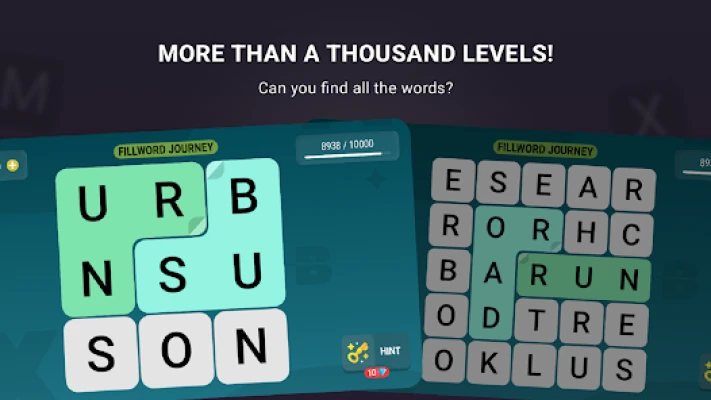
Step into a world where letters aren't just characters—they are the keys to unlocking thousands of unique levels. In Fillword, your task is to find hidden words on a grid and connect them with a single swipe.
5. Key Features
10,000+ Words to Discover: Explore a massive library of the most common and challenging English words.
Dynamic Grid System: Experience evolving difficulty as grids grow from small squares to massive letter soups.
True Offline Play: No Wi-Fi?
No problem. Enjoy every level without an internet connection. Multi-Directional Connecting: Swipe vertically, horizontally, or diagonally to form words.
Minimalist 3D Aesthetic: A clean, user-friendly design that keeps the focus entirely on the puzzle.
Daily Rewards: Log in every day to collect free coins and hints to help with tougher levels.
6. How to Play
Analyze the Grid: Look at the jumble of letters on your screen.
Find the Word: Identify a hidden word from the letters provided.
Connect & Swipe: Tap the first letter and drag your finger across the others to highlight the word.
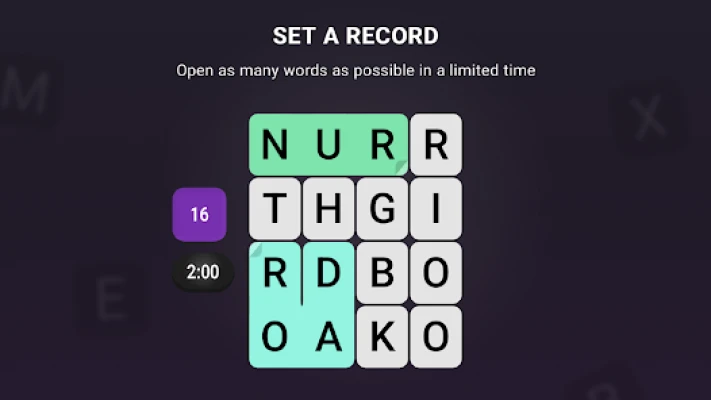
Fill the Board: The level is complete once every letter on the grid has been used to form a word.
Use Hints: If you're stuck, tap the lightbulb icon to reveal the first letter of a missing word.
7. How to Win: Strategy
Corner First: Most players find success by checking the corners and edges of the grid first, as these letters have fewer connection possibilities.
Syllable Hunting: Look for common prefixes (like RE-, UN-) or suffixes (like -ING, -ED) to quickly identify longer words.
The "Vowel Search": Locate vowels (A, E, I, O, U) and see which consonants are surrounding them; this is the fastest way to spot hidden nouns and verbs.
8. Tips & Tricks
Word Bucket: Found a word that isn't part of the main puzzle? It goes into your "Extra Words" bucket, which earns you bonus coins!
Save Your Hints: Don't use hints on smaller grids. Save your coins for levels 100+ where the boards become significantly more complex.
Dictionary Logic: If a word seems too obscure, it probably isn't in the puzzle. The game focuses on common vocabulary to keep the experience fair.
9. Player Experience
Players describe Word Search Puzzle: Fillword as "meditative and addictive." The satisfying animation of letters lighting up when a word is found provides instant positive feedback. It is widely praised for its low battery consumption and fast loading times, making it the go-to app for commutes or short breaks.
10. Tech Details
Developer: Pavel Ilyin
App ID:
com.ilyin.projectfillwordCategory: Word / Puzzle
Requirements: Android 5.0+
APK Size: ~9MB (Ultra-lightweight)
Last Update: April 2026 (Performance & Design Overhaul)
11. Comparison Section: Why Choose Fillword?
| Feature | Word Search Puzzle: Fillword | Competitor Apps |
| Word Count | 10,000+ Curated Words | Often < 2,000 |
| File Size | 9MB (Very Light) | 50MB+ |
| Offline Support | 100% Functional | Limited / Required Wi-Fi |
| Directions | All directions (8-way) | Usually only 2 or 4 ways |
12. FAQ
Q: What do the numbers next to the words mean?
A: They indicate the number of letters in each hidden word you need to find to clear the current grid.
Q: Is the game free to play?
A: Yes! You can enjoy thousands of levels for free, with optional rewarded ads to earn extra coins.
Q: Can I suggest new words?
A: Yes, the developer frequently reviews user suggestions to expand the dictionary in monthly updates.
Q: How do I earn more coins for hints?
A: You earn coins by completing levels, finding "Extra Words," or watching optional short videos.
Rate the Game
User Reviews







Popular Games



















 Android
 iOS
iOS Windows
 Xbox
Xbox