


Latest Version
August 25, 2026
Oakever Games
Card
iOS
0
Report a Problem
More About :game
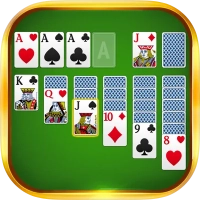
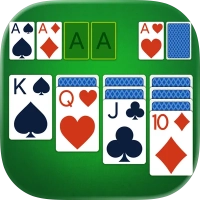
Solitaire Classic Puzzle Game is a traditional card puzzle designed for players who enjoy the familiar rules of classic solitaire while wanting a modern mobile experience.
The game features 9,000+ solitaire games, multiple visual themes, customizable card and table styles, different scoring options, daily challenges, trophies, statistics, and offline play.
The U.S. App Store currently lists the game with a 4.7-star rating from approximately 129,000 ratings, making it a well-established solitaire title on Apple's platform. It is developed by Oakever Games.
How to Play Solitaire Classic
The goal is the familiar objective of Klondike Solitaire: organize the cards into the four foundation piles by suit, beginning with the Aces and building upward toward the Kings.
During the game, cards are moved between the tableau, stock, waste pile, and foundations according to classic solitaire rules.
The game keeps the familiar card mechanics while adding mobile-friendly controls and customization options.
Draw 1 Solitaire
Draw 1 is the more accessible version of the classic solitaire format.
One card is revealed from the stock at a time, giving you more opportunities to find playable moves.
It's a good choice when you want a relaxed solitaire session or are still getting comfortable with the game.
Draw 3 Solitaire
Draw 3 increases the challenge by revealing three cards at a time.
Planning becomes more important because the order of cards can determine whether you can reach the card you need.
Experienced solitaire players can use Draw 3 as a more demanding test of strategy and decision-making.
Standard and Vegas Scoring
Solitaire Classic Puzzle Game provides two scoring options:
- Standard Scoring
- Vegas Scoring
This gives players flexibility in how they approach their games and adds variety for people who enjoy tracking their performance.
9,000+ Solitaire Games
One of the game's biggest strengths is its large collection of playable deals.
The App Store listing advertises more than 9,000 solitaire games, providing substantial variety for regular players.
Rather than playing the same puzzle repeatedly, you can continue working through different random deals and try to improve your results.
Daily Challenges
Solitaire Classic includes a Daily Challenge designed to give players a fresh reason to return each day.
The daily challenge uses a harder format and allows players to earn a special mark for completing the challenge.
This creates a simple daily routine for solitaire fans who enjoy having a specific goal beyond ordinary games.
Trophy Collection
The game includes a trophy system where players can build their own Trophies Display Rack.
Trophies provide another way to track accomplishments beyond simply winning individual games.
For long-term players, collecting trophies can make each new achievement feel more meaningful.
Customize Your Solitaire Experience
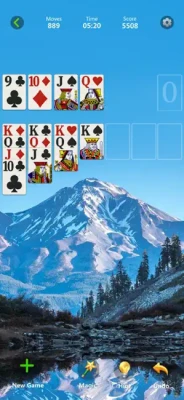
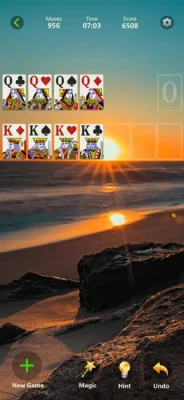
Solitaire Classic isn't limited to one visual appearance.
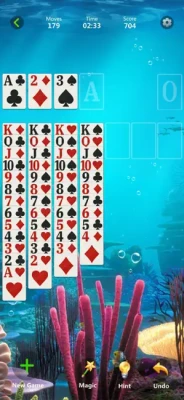
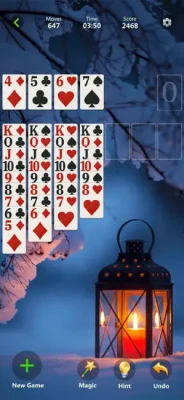
Players can choose from 90+ themes and customize the game's background, table, and card styles.
This allows you to create a visual setup that feels more personal rather than playing every session with the same design.
90+ Themes
The large selection of themes is one of the game's most noticeable customization features.
You can change the appearance of the playing environment to keep the classic card game feeling fresh.
Whether you prefer a simple traditional look or something more decorative, the theme system gives you plenty of options.
Custom Card and Table Styles
In addition to changing the overall theme, you can customize the card and table appearance.
This is especially useful for players who spend a lot of time with solitaire and want a playing environment that matches their preferences.
Offline Solitaire
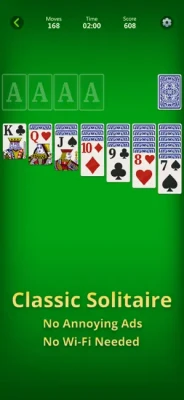
Solitaire Classic supports offline gameplay, allowing you to play random deals without needing a constant internet connection.
This makes the game useful for:
- Flights
- Commuting
- Travel
- Waiting rooms
- Breaks
- Playing without Wi-Fi
- Relaxing away from online distractions
Statistics Tracker
The game includes a Stats Tracker that records your achievements and progress.
Tracking your results gives you a clearer picture of how your solitaire skills develop over time.
Instead of simply winning or losing individual games, you can look back at your overall performance.
Left-Handed Play
Solitaire Classic supports left-handed play, making the interface more comfortable for players who prefer using their left hand.
This is a useful accessibility-oriented option that doesn't fundamentally change the gameplay but can make the controls feel more natural.
Pause and Resume
Mobile games are often played in short sessions, and Solitaire Classic is designed with that in mind.
The App Store description notes that you can put the game in the background and resume it later.
That makes it easy to fit a solitaire game into a busy day.
Beginner's Guide
Start With Draw 1
If you're new to classic solitaire, Draw 1 is generally the easiest place to begin.
It gives you more flexibility when searching for playable cards.
Look for Aces
Moving Aces to the foundation early can open up opportunities to build the foundation piles.
Expose Hidden Cards
Whenever possible, prioritize moves that reveal face-down cards in the tableau.
Don't Move Cards Automatically
Before making a move, consider whether it will help reveal another card or create a better sequence.
Use the Empty Tableau Spaces Carefully
Empty spaces can be strategically valuable. Avoid filling them without considering what you'll need later.
Advanced Solitaire Strategy
Prioritize Face-Down Cards
Revealing hidden tableau cards should often be a major priority because it increases the number of available options.
Build Long Tableau Sequences
Long descending sequences can help you reorganize the board and expose hidden cards.
Don't Rush to the Foundation
Sometimes moving a card to the foundation immediately can remove a useful option from the tableau.
Think about whether keeping the card available could create a stronger move.
Plan Around the Stock
This becomes especially important in Draw 3. The order of cards in the waste pile can determine whether an important card becomes accessible.
Think Several Moves Ahead
The best solitaire players aren't only looking for the next legal move. They're considering what that move will make possible afterward.
Game Difficulty
Solitaire Classic offers different levels of challenge naturally through its game modes.
Beginner: Draw 1 with straightforward deals.
Intermediate: More complex tableau arrangements.
Advanced: Draw 3 games requiring careful planning.
Challenge: Daily hard-mode puzzles and difficult deals.
The game is easy to learn but can become surprisingly strategic when you aim to improve your win rate and scoring performance.
Features
- Classic Klondike solitaire gameplay
- 9,000+ solitaire games
- Draw 1 mode
- Draw 3 mode
- Standard scoring
- Vegas scoring
- Daily challenges
- Hard daily challenge mode
- Trophy system
- Trophy Display Rack
- 90+ themes
- Custom card styles
- Custom table styles
- Custom backgrounds
- Statistics tracker
- Left-handed play
- Offline gameplay
- Random deals
- Pause and resume support
- iPhone support
- iPad support
- Mac compatibility on supported Apple Silicon Macs
- Apple Vision compatibility
- Free download
- Advertising
- In-app purchases
Controls and Interface
The controls are designed around familiar mobile card-game interactions.
You can move cards using touch controls and arrange them across the tableau and foundation areas.
The clean interface keeps the focus on the cards rather than complicated menus.
The game also supports left-handed play, giving users another way to adjust the experience to their preferred setup.
Progression System
Solitaire Classic does not use a traditional character-level progression system.
Instead, progression comes through:
- Winning more solitaire games
- Completing daily challenges
- Collecting trophies
- Improving statistics
- Increasing your familiarity with Draw 3
- Improving your scoring results
The trophy display and statistics tracker give experienced players longer-term goals beyond individual games.
Game Atmosphere
The game maintains the traditional atmosphere associated with classic solitaire while adding modern visual customization.
With dozens of themes and customizable card and table designs, players can create a look that ranges from simple and traditional to more decorative.
The result is a relaxed card-puzzle experience suitable for both quick sessions and extended play.
Why Solitaire Classic Remains Popular
Solitaire has survived across generations because its basic rules are easy to understand while the strategic possibilities remain surprisingly deep.
You can learn the fundamentals quickly, yet improving your decisions takes time.
Solitaire Classic builds on that familiar appeal by making the game portable and adding features such as daily challenges, statistics, trophies, customizable themes, and offline play.
Player Experience
The current U.S. App Store listing shows 4.7 out of 5 stars from about 129,000 ratings.
Players have praised the game's presentation, backgrounds, progression tracking, and overall solitaire experience. One long-standing review specifically highlighted the pleasant layout, backgrounds, and progress information.
There are also criticisms. Some recent feedback complains about advertising, while another player reported that card movements can sometimes feel too fast. The developer responded that pacing feedback would be considered.
This suggests that while the core solitaire experience is well received, advertising and certain interface behaviors can affect individual player satisfaction.
Pros and Cons
Pros
- Classic Klondike gameplay
- 9,000+ games
- Draw 1 and Draw 3
- Standard and Vegas scoring
- Daily challenges
- Trophy collection
- 90+ themes
- Custom cards and tables
- Statistics tracking
- Offline gameplay
- Left-handed support
- Easy-to-learn controls
- Strong App Store rating
- iPhone and iPad support
Cons
- Contains advertising
- In-app purchases are available
- Some players dislike the frequency of advertisements
- Card animations may feel fast for some users
- The large number of customization options may be unnecessary for players seeking an ultra-minimal solitaire app
Solitaire Classic vs Traditional Card Solitaire
The core rules remain familiar, but the mobile version adds features that aren't available with a physical deck.
Instead of manually shuffling cards, players can instantly start a new deal, change the visual theme, track statistics, complete daily challenges, and collect trophies.
The result is essentially the classic solitaire experience adapted for modern mobile devices.
Solitaire Classic vs Draw 1 and Draw 3
Draw 1 provides a more forgiving experience because one card is revealed at a time.
Draw 3 adds more planning and makes the stock sequence more important.
Players who want an easier casual experience can start with Draw 1, while experienced players may prefer Draw 3 for its additional strategic challenge.
Technical Details
Game: Solitaire Classic Puzzle Game
Developer: Oakever Games
Seller: OAKEVER GAMES PTE. LTD.
Category: Card
Platforms: iPhone, iPad, iPod touch, Mac, Apple Vision
Age Rating: 4+
App Store Rating: 4.7/5
Ratings: 129K+
App Size: 325.1 MB
iOS Requirement: iOS 15.0 or later
iPad Requirement: iPadOS 15.0 or later
Mac Requirement: macOS 12.0 or later with Apple M1 chip or later
Languages: English + 42 additional languages
Business Model: Free with advertising and in-app purchases
Latest Updates
The current App Store version history lists version 1.92.0, released July 17, with bug fixes and performance improvements. The game has continued receiving frequent maintenance releases throughout 2026.
Recent releases have consistently focused on improving stability and performance, indicating that the developer continues to maintain the game actively.
Privacy and Data Safety
According to the developer's privacy information shown by Apple, the app may use purchases, location, identifiers, usage data, diagnostics, and other information for purposes including advertising, analytics, personalization, and app functionality. Apple notes that these privacy practices are provided by the developer and have not been independently verified by Apple.
Is Solitaire Classic Puzzle Game Worth Playing?
Yes, especially if you want a traditional solitaire experience with plenty of customization.
The fundamentals remain simple and familiar, but the addition of thousands of games, Draw 1 and Draw 3, different scoring systems, daily challenges, trophies, statistics, themes, and offline play gives the app considerably more depth than a basic digital deck of cards.
Its biggest weakness is the advertising experience, which some players have criticized.
For fans of classic solitaire, Klondike card games, offline card puzzles, and relaxing brain games, however, it remains a solid choice.
Expert Rating
Gameplay: 9.3/10
Classic Feel: 9.6/10
Customization: 9.4/10
Challenge: 9.1/10
Controls: 9.2/10
Replay Value: 9.5/10
Overall: 9.3/10
Final Verdict
Solitaire Classic Puzzle Game delivers the familiar Klondike experience while adding enough modern features to keep it interesting for long-term players.
With 9,000+ solitaire games, Draw 1 and Draw 3 modes, Standard and Vegas scoring, daily challenges, 90+ themes, customizable cards and tables, trophies, statistics, and offline gameplay, it provides a substantial amount of content without changing the fundamentals that make solitaire enjoyable.
If you're searching for a classic solitaire game for iPhone, Klondike solitaire puzzle, offline card game, or relaxing solitaire game for iPad, this is a strong option.
Frequently Asked Questions
What is Solitaire Classic Puzzle Game?
It is a mobile version of classic solitaire featuring Draw 1 and Draw 3 modes, multiple scoring systems, daily challenges, themes, trophies, statistics, and offline gameplay.
Is Solitaire Classic free?
Yes. The app is free to download but contains advertising and optional in-app purchases.
Does Solitaire Classic work offline?
Yes. The App Store listing specifically advertises offline play with random deals.
Does the game have Draw 1?
Yes. Draw 1 is one of the two main solitaire modes.
Does Solitaire Classic have Draw 3?
Yes. Draw 3 is available for players who want a more challenging classic solitaire experience.
Does Solitaire Classic have daily challenges?
Yes. The game includes daily challenges with a harder mode and special daily marks.
How many solitaire games are available?
The developer's App Store description advertises 9,000+ solitaire games.
Can I customize the cards?
Yes. You can customize the card style, table, and background. The game also advertises more than 90 themes.
Does the game have trophies?
Yes. Players can build a personal trophy collection through the game's Trophy Display Rack.
Does Solitaire Classic track statistics?
Yes. A statistics tracker records your achievements and progress.
Can left-handed players use the game comfortably?
Yes. Left-handed play is specifically listed among the game's features.
Who developed Solitaire Classic Puzzle Game?
The game was developed by Oakever Games.
Is Solitaire Classic available on iPad?
Yes. The game supports both iPhone and iPad.
What is the current version?
The App Store version history currently lists version 1.92.0, released July 17, with bug fixes and performance improvements.
Rate the Game
User Reviews






Popular Games



















 Android
 iOS
iOS Windows
 Xbox
Xbox