

Latest Version
September 29, 2026
UNICO STUDIO
Puzzle
iOS
0
Report a Problem
More About :game
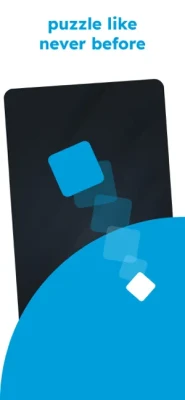
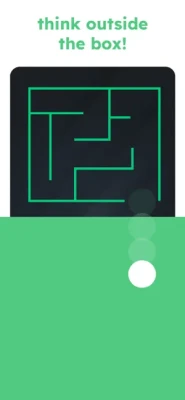
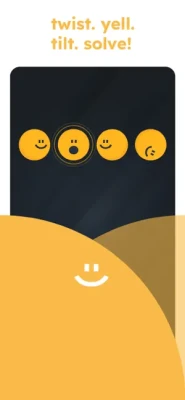
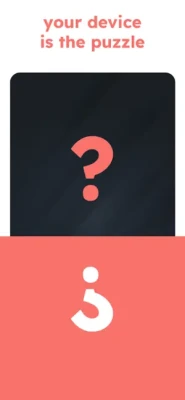
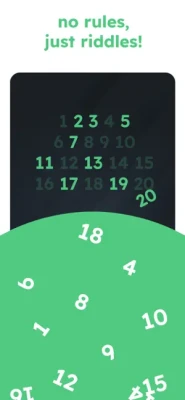
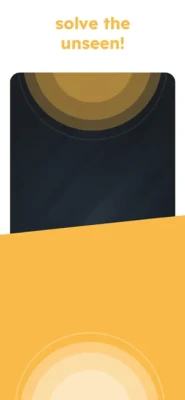
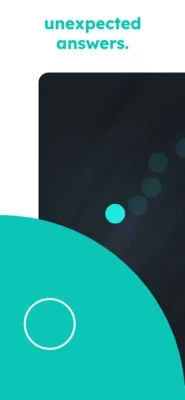
The game combines logic puzzles, brain teasers, lateral thinking and unusual mobile interactions into short challenges that can look simple at first but require careful observation. The App Store describes it as a puzzle experience built around touch, motion and sound-based mechanics, with no traditional timers or scores in its core puzzle experience.
What Is Game is Hard?
Game is Hard is a mobile puzzle game designed to make players question their first assumption.
A level may appear to ask for a straightforward answer, but the real solution can be hidden somewhere else. A button might need to be dragged instead of tapped. A puzzle may react to tilting the phone. Another challenge can require sound or a different way of interacting with an object.
That makes Game is Hard different from a conventional trivia or IQ test game. Success depends less on memorizing information and more on noticing what the game is actually asking you to do.
The puzzles are intentionally compact, making the game suitable for short sessions, while the unusual mechanics encourage experimentation.
The App Store currently lists the game as free with in-app purchases, designed for iPhone and iPad, with support for English plus additional languages.
Game is Hard Gameplay
The main gameplay loop is simple:
- Open a puzzle.
- Read everything on the screen.
- Examine the objects and interface.
- Try the obvious interaction.
- If it fails, question the assumption behind the puzzle.
- Experiment with different gestures or device interactions.
- Solve the puzzle and continue.
The important part is that the game does not always behave like a traditional puzzle.
Instead of asking only “What answer is correct?”, you often need to ask:
“What does the game expect me to interact with?”
That change in mindset is one of the biggest keys to making progress.
Main Features
Clever Brain Puzzles
The game contains handcrafted challenges built around unusual solutions rather than repetitive matching or conventional trivia questions.
Unexpected Interactions
Some puzzles use interactions that are easy to overlook, including movement, dragging, multiple touches, sound and other device-related mechanics.
Minimalist Presentation
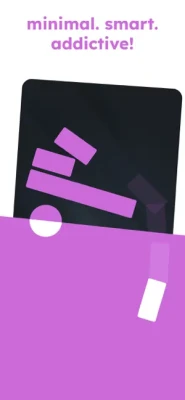
The clean visual design keeps attention on the puzzle itself rather than filling the screen with unnecessary effects.
No Traditional Time Pressure
The core experience emphasizes solving the puzzle rather than racing against a countdown.
Hint System
Hints can help when a solution is difficult to discover. However, the best strategy is to use them after you have tested the most obvious possibilities yourself.
Offline Play
The App Store description states that the game supports offline play, making it suitable for travel and situations without a reliable internet connection.
Master Challenge
A recent major update introduced a Master Challenge featuring 460 challenge levels, along with trophies and global, local and monthly leaderboards.
Game is Hard Strategy Guide
The most important strategy is to stop treating every puzzle like a normal question.
The game frequently rewards players who experiment instead of repeatedly choosing the same obvious answer.
1. Read the Entire Screen
Before touching anything, read every word.
Look at:
- The question
- Buttons
- Numbers
- Labels
- Icons
- Objects
- Background elements
- Small symbols
- Anything that looks slightly unusual
Sometimes the wording itself contains the clue.
A word can be an instruction rather than an explanation.
2. Don't Assume the Obvious Button Is the Answer
If a puzzle tells you to press something, try interacting with it differently.
For example:
- Tap it.
- Hold it.
- Drag it.
- Move it.
- Try another object first.
- Try interacting with two objects together.
Some puzzles deliberately make the obvious action fail.
3. Test Dragging
One of the most useful habits in Game is Hard is checking whether apparently static objects can move.
If tapping does nothing, drag the object.
Try moving:
- Buttons
- Shapes
- Numbers
- Pictures
- Panels
- Objects near the edges of the screen
A puzzle can hide an important interaction behind something that looks like ordinary interface decoration.
4. Try Multi-Touch
If a normal tap does not work, try using two fingers.
Experiment with:
- Two simultaneous taps
- Holding one object while touching another
- Pinching
- Spreading two fingers
- Moving two objects at once
This is especially useful when a puzzle appears to require manipulating several elements simultaneously.
5. Test the Device, Not Just the Screen
This is one of the defining ideas behind Game is Hard.
The App Store specifically describes touch, motion and sound-based mechanics.
When a level seems impossible, consider whether the phone itself is part of the puzzle.
Possible interactions can include:
- Tilting the device
- Rotating the device
- Moving the phone
- Shaking the phone
- Using sound
- Waiting
- Changing the way you hold the device
Don't immediately assume that everything happens through tapping.
6. Check Microphone Permissions When Necessary
Some puzzles can depend on sound or microphone interaction.
If a sound-based puzzle does not respond:
- Check whether microphone permission is enabled.
- Make sure the device is not blocking microphone access.
- Try the required sound again.
- Keep the phone reasonably close to the sound source.
- If it still fails, restart the level and test again.
The game's unusual device interactions are part of its puzzle design, so a permission problem can sometimes look like a puzzle-solving problem.
7. Experiment With Movement
If an object behaves strangely, try moving the phone.
Tilt it:
- Left
- Right
- Forward
- Backward
Some levels use device movement to influence objects on the screen.
A good rule is:
If the puzzle looks impossible to solve with your fingers, try moving the phone.
8. Try Waiting
Not every puzzle requires immediate action.
If nothing appears to happen:
- Stop touching the screen.
- Wait several seconds.
- Watch for changes.
- Look for objects that move automatically.
- Check whether the puzzle is reacting to inactivity.
Sometimes the correct action is deliberately doing nothing.
9. Question the Wording
Game is Hard frequently rewards literal thinking.
If a puzzle says something unusual, don't automatically interpret it in the conventional way.
Ask:
What exactly does the sentence say?
Then ask:
What would happen if I followed those words literally?
This is particularly useful for puzzles that resemble brain teasers or trick questions.
10. Inspect the Edges of the Screen
Do not concentrate only on the central puzzle.
Check:
- Corners
- Borders
- Buttons near the edge
- Small objects
- Hidden panels
- Areas that appear empty
A puzzle may deliberately place an interactive element where players normally would not look.
11. Try the Opposite Action
When a puzzle repeatedly rejects the obvious solution, reverse your thinking.
For example:
- If you are trying to open something, try closing it.
- If you are trying to move an object, try leaving it alone.
- If you are trying to tap something, try dragging it.
- If the game seems to demand speed, try waiting.
- If an object appears irrelevant, try interacting with it.
The game's trick-puzzle structure means the first interpretation is not always reliable.
12. Don't Randomly Tap Everything
Experimentation is important, but random tapping can make the puzzle harder to understand.
Instead, use a systematic process:
Read → Observe → Test → Change one variable → Test again.
This lets you understand why a solution works rather than simply stumbling across it.
Game is Hard Walkthrough Method
When you are completely stuck, use this checklist.
Step 1: Read the question again
Look for unusual wording.
Step 2: Tap every obvious object
Test the normal interaction first.
Step 3: Drag suspicious objects
Especially buttons, shapes and objects near the edges.
Step 4: Try multiple fingers
Test two-finger interactions.
Step 5: Move the phone
Tilt, rotate or gently shake it when appropriate.
Step 6: Test sound
If the puzzle suggests noise, voice or silence, check the microphone and audio behavior.
Step 7: Wait
Give the puzzle a few seconds without touching the screen.
Step 8: Try the opposite
Reverse your previous assumption.
Step 9: Use a hint
If experimentation has failed, use the available hint rather than spending a long time repeating the same action.
How to Solve Hard Levels Faster
The biggest improvement comes from recognizing puzzle patterns.
Instead of thinking:
“What is the answer to this level?”
think:
“What type of trick is this level using?”
Possible categories include:
- Wordplay
- Hidden objects
- Dragging
- Multi-touch
- Timing
- Device movement
- Sound
- Waiting
- Visual observation
- Reverse logic
Once you identify the category, the number of possible actions becomes much smaller.
Tips for Difficult Game is Hard Levels
Look before touching
Take a few seconds to understand the entire screen.
Read literally
Don't add meaning that isn't actually written.
Test unusual interactions
Try gestures that a conventional puzzle would never require.
Keep your phone available for motion-based levels
A flat surface or comfortable grip can make device movement easier.
Don't rush
There is no reason to panic when a puzzle doesn't immediately make sense.
Use hints strategically
A hint is most valuable when you have already eliminated the obvious possibilities.
Remember successful tricks
If one level teaches you that an object can be dragged, remember that behavior. Similar ideas may appear later.
Restart if an interaction seems broken
A level can occasionally fail to register an input correctly. Restarting it can help distinguish a puzzle trick from a technical issue.
Game is Hard Difficulty
The difficulty comes less from complex mathematics and more from misdirection.
A puzzle may look extremely simple but require an unexpected action.
That creates a distinctive difficulty curve:
Simple appearance → obvious attempt → failure → experimentation → discovery → solution.
Some players will solve a puzzle immediately because they notice the hidden clue, while another player may spend several minutes testing possibilities.
That is intentional to the game's design.
Game is Hard Master Challenge
The newer Master Challenge expands the experience with 460 challenge levels, trophies and leaderboard competition across global, local and monthly rankings.
For these challenges, consistency becomes more important.
A useful approach is to:
- Read carefully before acting.
- Identify the puzzle mechanic.
- Avoid unnecessary attempts.
- Remember successful patterns.
- Use hints only when needed.
- Track which types of puzzles cause you the most trouble.
The additional challenge structure gives experienced players another reason to revisit the game after learning its basic tricks.
Game is Hard Tips for Beginners
If you're starting the game for the first time, remember these five rules:
1. The obvious solution may be wrong.
2. The screen is not necessarily the entire puzzle.
3. Your phone can become part of the gameplay.
4. Words can be clues.
5. Experimentation is more useful than guessing.
Once these ideas become natural, many seemingly impossible levels become easier to approach.
Common Mistakes Players Make
Tapping Too Quickly
Repeated tapping rarely solves a puzzle that requires a different interaction.
Ignoring Small Details
Tiny objects or pieces of text can be important.
Assuming Every Level Uses the Same Controls
One puzzle may require dragging while another may require movement or sound.
Ignoring Device Permissions
A sensor-based puzzle cannot always work if the required permission is blocked.
Searching for the Answer Too Soon
Try understanding the trick first. The satisfaction of Game is Hard comes from discovering why the solution works.
Game is Hard Review
Game is Hard stands out because it turns familiar mobile controls into part of the puzzle.
Instead of relying only on traditional logic questions, it asks players to examine the screen, question instructions and experiment with the device itself.
The current App Store listing shows a 4.8/5 rating from approximately 39K ratings, indicating a large amount of player feedback.
Player feedback also highlights an important part of the experience: some people enjoy the clever puzzles while others have raised concerns about things such as hint clarity, advertising frequency and occasional confusing levels. These are player-reported experiences rather than universal characteristics of every version or player experience.
Pros and Cons
Pros
- Clever trick puzzles
- Unusual solutions
- Simple controls
- Minimalist presentation
- Touch and motion-based challenges
- Sound-based interactions
- Large collection of puzzles
- Offline play
- Master Challenge content
- Trophies and leaderboards
Cons
- Some solutions can be difficult to discover without hints
- Certain puzzles may feel confusing on the first attempt
- Players may need to experiment with device permissions or movement
- The difficulty can feel unpredictable from one puzzle to another
Who Should Play Game is Hard?
Game is Hard is a good fit for players who enjoy:
- Brain teaser games
- Trick puzzles
- Logic games
- Lateral-thinking challenges
- IQ-style puzzles
- Puzzle walkthroughs
- Short mobile games
- Creative problem solving
- Games that challenge assumptions
It is particularly interesting for players who enjoy the style of puzzle where the solution makes sense only after someone explains the trick.
Game is Hard vs Traditional Puzzle Games
Traditional puzzle games often teach players a fixed rule and ask them to apply it repeatedly.
Game is Hard takes a different approach.
| Traditional Puzzle | Game is Hard |
|---|---|
| Fixed mechanics | Mechanics can change |
| Obvious interaction | Hidden interaction |
| Mostly screen-based | Can involve the device |
| Rules are usually clear | Rules may be deliberately misleading |
| Logic is often mathematical | Logic can be visual or physical |
| Predictable controls | Experimental controls |
This difference is what gives Game is Hard its distinctive identity.
Frequently Asked Questions
What is Game is Hard?
Game is Hard is a challenging mobile puzzle game developed by UNICO STUDIO. It uses trick questions, logic puzzles and unexpected interactions involving touch, movement and sound.
Is Game is Hard difficult?
Yes. The game is specifically designed around tricky puzzles where the obvious solution may not work. Difficulty depends heavily on how quickly you recognize the intended interaction.
How do you solve Game is Hard puzzles?
Start by reading the entire screen, then test normal taps, dragging, multi-touch, movement, waiting and other possible interactions. The key is to change your assumption when the obvious solution fails.
Does Game is Hard use phone movement?
Some puzzles use motion-based interactions. The game's App Store description specifically mentions motion among its puzzle mechanics.
Does Game is Hard use sound?
Yes, sound-based mechanics are part of the game's design, according to its App Store description.
Does Game is Hard work offline?
The App Store description states that the game supports offline play.
Does Game is Hard have hints?
Yes. The game includes hints for players who become stuck.
How many levels does Game is Hard have?
The game's content has expanded through updates. A recent Master Challenge announcement lists 460 challenge levels, while third-party walkthrough resources currently document hundreds of individual levels.
Is Game is Hard free?
The iOS App Store lists Game is Hard as free with in-app purchases.
Who developed Game is Hard?
Game is Hard was developed by UNICO STUDIO, the studio behind the Brain Test series and other puzzle games.
Is Game is Hard available on iPhone and iPad?
Yes. The App Store listing supports iPhone and iPad.
Final Strategy: Think Differently
The most important lesson in Game is Hard is simple:
When the obvious solution doesn't work, don't keep repeating it. Change the way you look at the puzzle.
Read the words again. Inspect the entire screen. Drag objects. Try multiple fingers. Move the phone. Test sound. Wait. Try the opposite action.
The game rewards curiosity more than speed.
Once you learn to recognize these tricks, the puzzles become less about guessing and more about discovering the hidden rule behind each challenge.
Rate the Game
User Reviews




Popular Games



















 Android
 iOS
iOS Windows
 Xbox
Xbox