


Latest Version
September 30, 2026
Edujoy Games Sociedad Limitada
Puzzle
iOS
0
Report a Problem
More About :game
The current App Store listing describes 10 games and activities covering early concepts such as numbers, letters, animals, shapes, music, memory, creativity, and pretend play. The interface is designed to be simple and intuitive, making the activities easy for young children to explore.
The activities include:
- See 'n Say
- Airplane
- Market
- Memory Animals
- Doodle Pad
- Alphabet Fun
- Shape Sorter
- Smartphone
- Horse Care
- Xylophone
Each activity approaches learning differently, so children can move between counting, matching, drawing, music, vocabulary, shape recognition, and pretend-play activities.
What Is Fisher-Price Play & Learn?
Fisher-Price Play & Learn is an educational puzzle app from Edujoy Games S.L., inspired by Fisher-Price toys.
The App Store categorizes it as a Puzzle app and gives it a 4+ age rating. It is designed for iPhone and iPad and requires iOS 15 or later.
The overall experience can be divided into several learning areas:
Numbers: Counting objects and following number-based instructions.
Letters: Exploring the alphabet and connecting letters with words.
Shapes: Recognizing and matching shapes.
Animals: Learning animal names, sounds, and basic care.
Memory: Matching animal cards.
Creativity: Drawing freely on a digital canvas.
Music: Playing a virtual xylophone and following musical prompts.
Pretend Play: Interacting with a toy-style smartphone and caring for horses.
How to Play Fisher-Price Play & Learn
There is no complicated campaign or traditional level system to master. Instead, children choose one of the available activities and interact directly with the objects on screen.
The best way to use the app is to treat each activity as a short learning session.
For example:
Choose Market → count the requested items → put them in the bag.
Or:
Choose Shape Sorter → identify the shape → place it in the matching opening.
Or:
Choose Memory Animals → reveal cards → remember locations → match pairs.
This variety makes the app suitable for switching activities when a child loses interest in one particular exercise.
Complete Fisher-Price Play & Learn Activity Guide
1. See 'n Say
The See 'n Say activity is based on the classic Fisher-Price toy concept.
Its main purpose is to introduce animal names and animal sounds.
This makes it particularly suitable for early vocabulary development and simple animal recognition.
How to Use See 'n Say
Encourage the child to:
- Select different animals.
- Listen to the animal name.
- Listen to the corresponding sound.
- Repeat the animal name.
- Compare different animals.
Parents can turn this into a simple conversation:
“What animal is that?”
“What sound does it make?”
This transforms a simple tap interaction into a short language-learning activity.
2. Airplane
The Airplane activity combines movement with early learning.
The App Store description says players practice counting while maneuvering the airplane with their fingers, while also encountering colors, letters, and shapes.
This activity is useful because the child is not simply looking at educational information. They are interacting with the airplane using touch controls.
Airplane Tips
Encourage slow movements at first.
Try asking the child to identify:
- A color
- A letter
- A shape
- A number
The activity can therefore become a combination of finger coordination and recognition practice.
3. Market
The Market activity focuses on counting and following directions.
The child receives a grocery list and must fill the shopping bag with the correct number of fruits and vegetables.
This makes Market one of the clearest number-focused activities in the app.
Market Strategy
Start by identifying the requested item.
Then count carefully:
1 → 2 → 3 → ...
Once the correct quantity has been selected, place the items in the shopping bag.
Parents can reinforce the activity by asking:
“How many apples do we need?”
The important part is not speed. It is connecting the requested number with the correct quantity of objects.
4. Memory Animals
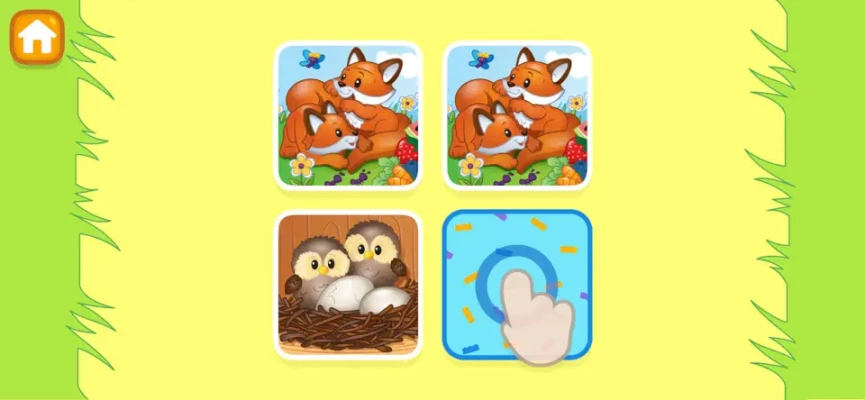
Memory Animals is a card-matching activity designed around animal pictures.
The basic concept is simple:
- Reveal a card.
- Remember the animal.
- Reveal another card.
- Look for its matching pair.
- Repeat until the pairs are found.
The App Store specifically describes this activity as helping develop memory skills while matching animal cards.
Memory Tips
Encourage children to remember where each animal appeared.
For example:
“The dog was on the left.”
“The cat was near the top.”
This turns the activity into a simple visual-memory exercise.
5. Doodle Pad
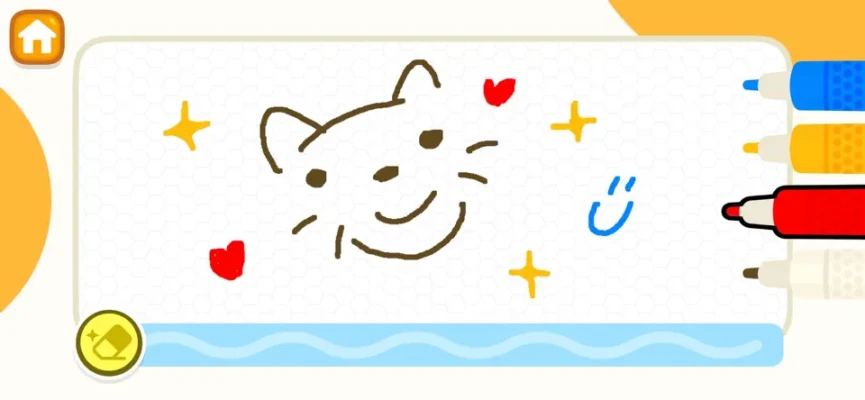
Doodle Pad provides a digital drawing area where children can create pictures using their fingertips.
Unlike the other activities, there is no single correct answer.
The focus is on creative exploration.
Children can experiment with:
- Lines
- Shapes
- Simple drawings
- Scribbling
- Different movements
The App Store describes it as a mess-free way to explore creativity by drawing directly on the screen.
Doodle Pad Ideas
Parents can give simple drawing challenges:
“Can you draw a circle?”
“Can you draw a house?”
“Can you draw your favorite animal?”
This keeps the activity open-ended while giving younger children a starting point.
6. Alphabet Fun
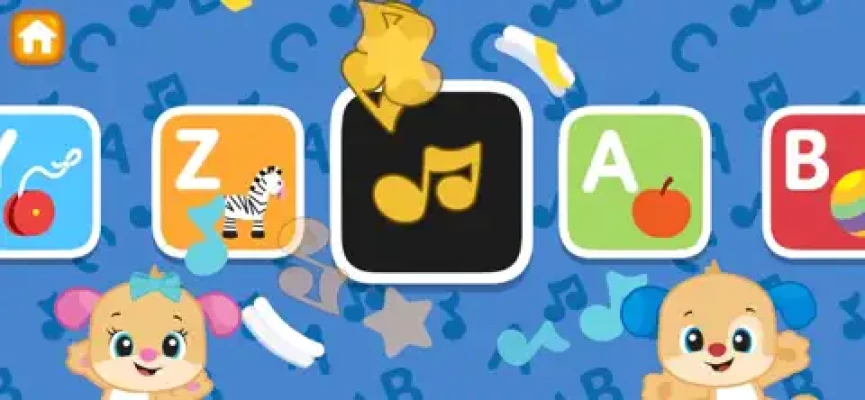
Alphabet Fun introduces children to letters and related vocabulary.
The activity is designed to help children become familiar with individual letters while connecting them with words and concepts.
Alphabet Learning Tips
Instead of trying to cover the entire alphabet in one session, focus on a few letters.
For example:
A → Apple
B → Ball
C → Cat
Ask the child to repeat the letter and associated word.
This creates a simple connection between the written letter and something familiar.
7. Shape Sorter
Shape Sorter focuses on shape recognition, problem-solving, and hand-eye coordination.
The goal is to place shapes into their corresponding openings.
How to Approach Shape Sorter
First identify the shape.
Then look for the matching opening.
If the shape does not fit, don't repeatedly force it into the wrong location. Encourage the child to compare the outline and try another opening.
This makes the activity about recognition rather than random tapping.
8. Smartphone
The Smartphone activity combines early learning with pretend play.
According to the App Store description, the virtual phone can introduce children to ABCs, days of the week, shapes, and other basic concepts.
Pretend play is an important part of the activity because children interact with the phone as if it were a toy.
Parents can extend the activity by asking:
- “What letter did you hear?”
- “What day is it?”
- “What shape is that?”
- “Can you find another letter?”
9. Horse Care
Horse Care introduces a simple caring activity.
Children perform small tasks while learning about caring for animals. The App Store describes the activity as encouraging empathy and emotional awareness through horse-care interactions.
The activity can also be used as a conversation starter.
Ask:
“What does the horse need?”
“How can we take care of it?”
This turns a simple game interaction into a broader discussion about caring for animals.
10. Xylophone
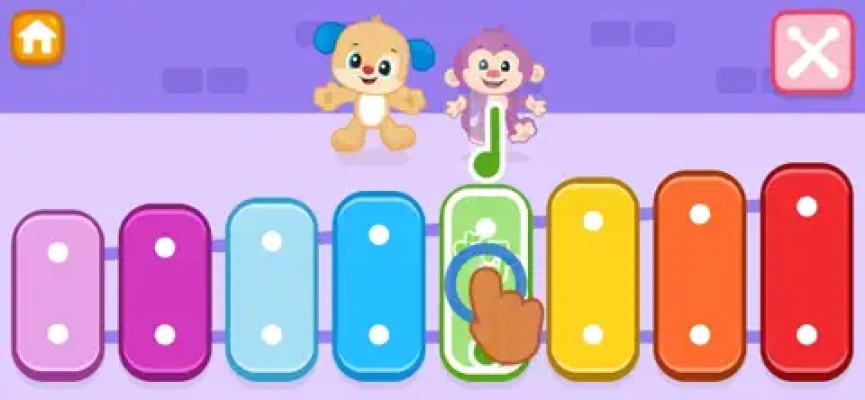
The Xylophone activity introduces music and creativity.
Children can freely experiment with the virtual instrument or follow prompts to play a familiar tune.
Xylophone Tips
Start with free play.
Let the child tap different notes and listen to how they sound.
After that, try following the prompts if the child is interested.
There is no need to turn the activity into a formal music lesson. The main goal is exploration and enjoyment.
Fisher-Price Play & Learn Learning Activities
The app covers several different early-learning areas.
Numbers and Counting
The Market and Airplane activities provide opportunities to practice counting.
Letters and Vocabulary
Alphabet Fun and Smartphone introduce letters and related words.
Shapes
Shape Sorter gives children a direct way to recognize and match shapes.
Memory
Memory Animals uses matching cards to encourage visual memory.
Creativity
Doodle Pad and Xylophone allow children to experiment without one fixed solution.
Animal Recognition
See 'n Say introduces animal names and sounds.
Caring and Empathy
Horse Care introduces simple animal-care tasks.
Best Way to Use the App With Young Children
Because the activities are aimed at very young users, the best approach is not to treat the app like a traditional game that needs to be completed.
Instead, use short sessions.
Start With One Activity
Choose the activity that matches the child's current interest.
If the child likes animals, try See 'n Say or Memory Animals.
If they enjoy drawing, use Doodle Pad.
If they like music, try Xylophone.
If they are learning numbers, start with Market.
Let the Child Explore
Young children may not interact with an activity exactly as an adult expects.
Exploration is part of the experience.
Talk During Gameplay
The strongest way to extend the learning value is to talk about what appears on the screen.
Ask questions about:
- Colors
- Numbers
- Animals
- Shapes
- Letters
- Sounds
Switch Activities When Attention Drops
There is no reason to force a child to continue an activity they no longer enjoy.
Move to another game and return later.
Fisher-Price Play & Learn Tips for Parents
Use Real Objects Alongside the App
If the app teaches shapes, look for similar shapes around the room.
If it teaches counting, count real toys or household objects.
If it introduces animals, look at an animal book afterward.
This connects digital interaction with the child's real environment.
Repeat Familiar Activities
Repetition can make basic concepts easier to recognize.
There is no need to constantly search for something new.
Ask Open Questions
Instead of always giving the answer, ask:
“Which one do you think matches?”
“How many do we need?”
“What sound does it make?”
This encourages the child to participate rather than simply follow instructions.
Keep Sessions Comfortable
The app is designed for young children, so short sessions are often more practical than long continuous play.
Is Fisher-Price Play & Learn Educational?
The App Store explicitly presents Fisher-Price Play & Learn as an educational game collection and says the activities are designed around areas including language, creativity, coordination, memory, shapes, numbers, and other early-learning concepts.
It is best understood as a supplementary digital learning activity, rather than a replacement for real-world play, conversation, books, toys, or interaction with parents and caregivers.
Fisher-Price Play & Learn Features
The current listing highlights:
- 10 educational games and activities
- Fisher-Price-inspired gameplay
- Animal names and sounds
- Counting activities
- Colors
- Letters
- Shapes
- Grocery shopping activity
- Memory matching
- Digital drawing
- Alphabet learning
- Shape sorting
- Pretend smartphone play
- Horse-care activities
- Music and xylophone play
- Simple touch controls
- Family-friendly presentation
Fisher-Price Play & Learn for Toddlers
The App Store describes the app as suitable for young children and specifically says its games are designed for ages up to 2 years old. It also carries a 4+ App Store age rating.
The simple controls are an important part of the design. Children can interact directly with large visual elements without needing complicated menus or advanced game controls.
For parents, the variety is useful because different children may respond differently to different activities.
One child may enjoy the Market activity, while another may prefer Doodle Pad or Xylophone.
Ads and In-App Purchases
Fisher-Price Play & Learn is listed as a free app with advertising and optional in-app purchases.
The current App Store page lists purchases including options described as “Play without interruptions!” and “Play without ads.”
Parents should therefore review the device's purchase and parental-control settings before allowing unsupervised access.
The App Store also lists in-app controls and an age-assurance section.
Latest Version and Updates
The App Store currently displays version 0.8.8, with the visible version history showing bug corrections and app improvements. The listed 0.8.8 update is dated December 16, 2025.
Earlier updates also mention improvements to the game experience and additional bug fixes.
Technical Information
Game: Fisher-Price™ Play & Learn
Developer: Edujoy Games S.L.
Category: Puzzle
Platforms: iPhone, iPad, iPod touch
Current Listed Version: 0.8.8
Size: Approximately 119.9 MB
Minimum Requirement: iOS 15.0 or later
iPad Requirement: iPadOS 15.0 or later
Age Rating: 4+
Language: English
Advertising: Yes
In-App Purchases: Yes
The App Store also lists compatibility with Apple-silicon Macs running macOS 12 or later and Apple Vision devices, although the listing is primarily designed around iPhone and iPad.
Player Ratings and Feedback
The current App Store listing shows a 4.3 out of 5 rating from 615 ratings.
Some displayed reviews praise the app's simple interface and its collection of Fisher-Price-inspired activities. One reviewer specifically described it as an enjoyable return of the Puppy character and suggested adding more games and older Fisher-Price content.
These reviews represent individual experiences rather than a universal assessment, but they provide useful context about how some families are using the app.
Pros and Cons
Pros
- Ten different learning activities
- Fisher-Price-inspired toy concepts
- Simple touch controls
- Counting and number activities
- Alphabet and vocabulary activities
- Shape recognition
- Memory matching
- Creative drawing
- Music activity
- Animal sounds
- Pretend play
- Horse-care activity
- Suitable for short learning sessions
Cons
- Designed primarily for very young children
- Older children may find the activities too simple
- Advertising is included
- Optional purchases are available
- It is not a substitute for hands-on learning and parent-child interaction
Best Activity for Different Interests
For Animal Lovers
See 'n Say and Memory Animals
For Number Practice
Market and Airplane
For Letter Learning
Alphabet Fun and Smartphone
For Shape Recognition
Shape Sorter
For Creative Children
Doodle Pad
For Music
Xylophone
For Pretend Play
Smartphone and Horse Care
This makes it easy for parents to choose an activity based on the child's current interest.
Common Mistakes to Avoid
Treating It Like a Traditional Video Game
There is no need to rush through the activities.
Doing Everything in One Session
The app contains many different activities, so short sessions are more appropriate than trying to complete everything at once.
Giving Answers Immediately
Let the child try to identify the correct number, letter, animal, or shape first.
Ignoring Real-World Learning
Use the activities as a starting point for conversations and hands-on activities away from the screen.
Leaving Purchases Unprotected
Because the App Store lists in-app purchases, parents should use appropriate device-level purchase controls when necessary.
Frequently Asked Questions
What is Fisher-Price Play & Learn?
Fisher-Price Play & Learn is an educational app containing ten games and activities inspired by Fisher-Price toys. It covers numbers, letters, animals, shapes, memory, creativity, music, and pretend play.
How many games are in Fisher-Price Play & Learn?
The current App Store description says the app includes 10 games.
What activities are included?
The activities are See 'n Say, Airplane, Market, Memory Animals, Doodle Pad, Alphabet Fun, Shape Sorter, Smartphone, Horse Care, and Xylophone.
Is Fisher-Price Play & Learn educational?
Yes. The app is presented as an educational game collection covering early-learning concepts including numbers, letters, animals, shapes, memory, creativity, and coordination.
Is Fisher-Price Play & Learn free?
The app is listed as free, but it contains advertising and optional in-app purchases.
Does the app have a drawing game?
Yes. Doodle Pad allows children to draw on the screen using their fingertips.
Does Fisher-Price Play & Learn teach numbers?
Yes. The Market activity focuses on counting requested fruits and vegetables, while Airplane also incorporates counting.
Does it teach the alphabet?
Yes. Alphabet Fun introduces letters and related vocabulary, while the Smartphone activity also includes ABC learning.
Does the game include music?
Yes. The Xylophone activity allows children to experiment with music or follow prompts to play a familiar tune.
What age is Fisher-Price Play & Learn for?
The developer's description says the games are designed for all ages up to 2 years old, while the App Store gives the application a 4+ rating.
Final Thoughts
Fisher-Price Play & Learn is best viewed as a digital collection of short, simple early-learning activities rather than a conventional game with levels, combat, or competitive progression.
Its strength is variety. A child can practice counting in Market, explore animals in See 'n Say, match cards in Memory Animals, experiment with drawing in Doodle Pad, recognize shapes in Shape Sorter, and make music with the Xylophone.
The activities are intentionally straightforward, which fits the app's focus on very young children. Parents can get more value from the experience by talking with the child during play and connecting what appears on screen with real objects, books, toys, sounds, numbers, and letters in everyday life.
For families looking for a simple Fisher-Price-inspired educational app with multiple activities in one place, Fisher-Price Play & Learn offers a broad selection of early-learning experiences without complicated controls or difficult game systems.
Rate the Game
User Reviews











Popular Games



















 Android
 iOS
iOS Windows
 Xbox
Xbox