

Latest Version
September 23, 2026
Thomas Young
Action
iOS
0
Report a Problem
More About :game
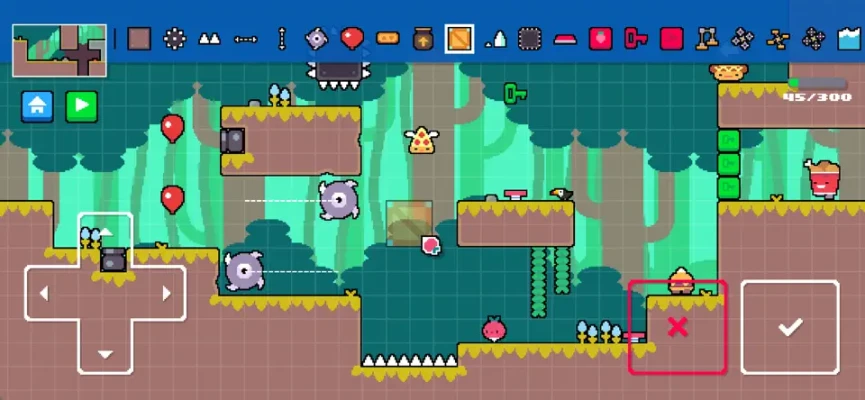
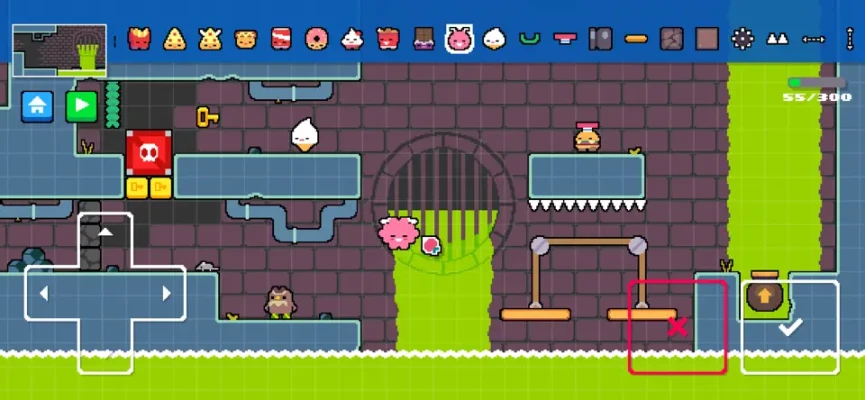
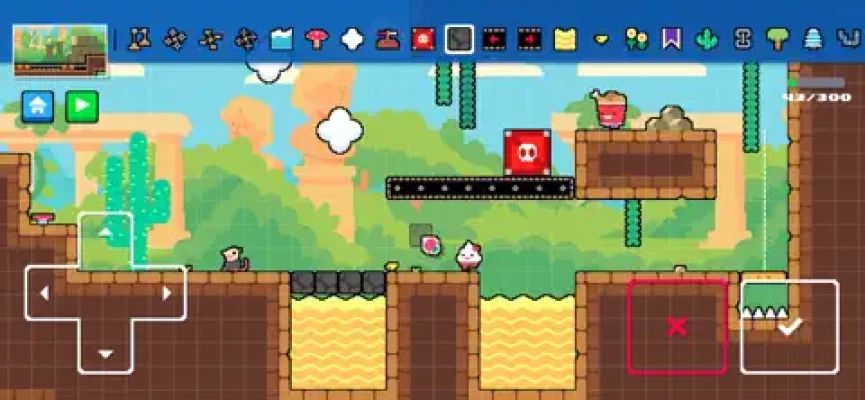
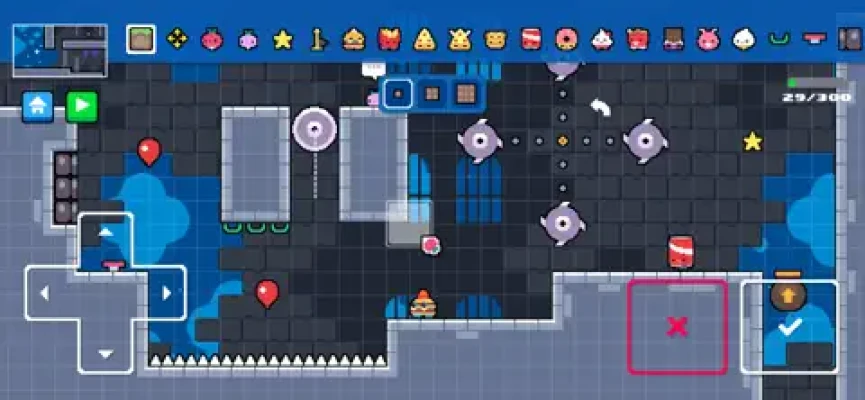
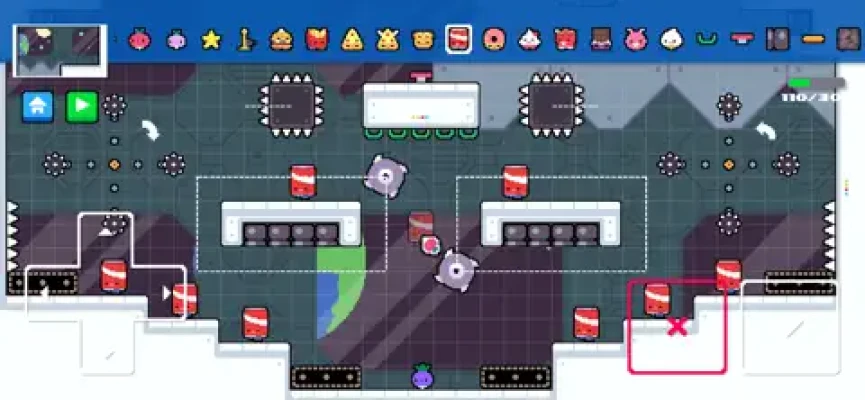
You can choose from more than 100 placeable game objects, 15 level themes and 12 playable characters, then fill your stages with hazards such as spikes, saws, cannons, hostile hamburgers and exploding soda cans. You can also write your own funny dialogue between Dadish and his kids before publishing your creation.
What Is DIY Dadish?
DIY Dadish is a creative platforming game from Thomas Young and a spin-off of the Dadish series. Its central idea is simple: you become the level designer.
Rather than following a fixed campaign, you can construct your own platforming adventure, experiment with obstacles and hazards, add dialogue, test the finished stage, and share it with the wider community. You can also play levels made by other creators, giving the game a potentially endless supply of user-generated content.
The result is a mix of:
- 2D platforming
- Level creation
- Precision jumping
- Puzzle-style obstacle design
- Character customization
- User-generated content
- Comedic dialogue
- Community level sharing
DIY Dadish Gameplay Features
Build Your Own Levels
The main attraction is the built-in level editor. You can assemble platforms, hazards, enemies and other objects to create a stage that plays the way you want.
The editor is deliberately designed to be relatively easy to understand, making it possible for younger players to experiment with level design without needing complicated development tools.
100+ Placeable Objects
DIY Dadish provides more than 100 objects that can be used while creating levels.
This gives creators plenty of room to experiment with different combinations of platforms, traps, enemies and interactive elements.
15 Level Themes
Different themes allow you to give your stages their own visual identity.
Instead of every user-created level looking identical, you can select a setting that matches the kind of adventure you're trying to build.
12 Playable Characters
The game includes 12 playable characters, allowing creators and players to vary the experience beyond the standard Dadish character.
Dangerous Obstacles
Your levels can contain plenty of ways to challenge players, including:
- Spikes
- Saws
- Cannons
- Exploding soda cans
- Hostile hamburgers
- Platforming hazards
- Other placeable obstacles
The best levels aren't necessarily the ones with the most hazards. Good placement and pacing are much more important.
Custom Dialogue
One of the more entertaining features is the ability to create your own dialogue between Dadish and his children.
This lets you give your levels a personality instead of making them purely mechanical platforming challenges.
Share Your Creations
Finished levels can be shared with friends and the wider community. You can also explore levels created by other players, so the game works as both a level editor and a platform for discovering user-created adventures.
Complete DIY Dadish Strategy Guide
1. Start With a Simple Level
Your first creation shouldn't try to use every available object.
Begin with:
- A starting position
- Several platforms
- One or two hazards
- A clear route
- A finish point
Play through it yourself before adding more complexity.
A simple level that feels fair is much more enjoyable than a complicated level that becomes frustrating immediately.
2. Learn the Platforming Rhythm
DIY Dadish is still a platforming game, so level design should respect movement and timing.
When placing platforms, think about:
- Jump distance
- Landing space
- Vertical height
- Hazard positioning
- Player reaction time
- The order in which obstacles appear
Avoid creating jumps that require the player to blindly guess where the next platform is.
A good platforming level teaches the player what to expect before increasing the difficulty.
3. Introduce Hazards Gradually
Don't put spikes, saws, cannons and exploding objects everywhere from the beginning.
Instead, introduce one dangerous element at a time.
For example:
Section 1: Basic movement
Section 2: Small jumps
Section 3: First hazard
Section 4: Hazard + jumping
Section 5: Multiple hazards
Final section: Combination challenge
This creates a natural difficulty curve.
4. Make Hazards Predictable
A difficult obstacle can still be fair.
Players should have enough information to understand what killed them and how they can avoid it next time.
For example, if a cannon creates a dangerous route, give the player enough space to recognize the threat and react.
Avoid hiding an unavoidable trap immediately after a blind jump.
5. Use Space as Part of the Challenge
Difficulty doesn't always come from adding more enemies.
Sometimes simply changing the amount of space available can create a completely different challenge.
Try experimenting with:
- Narrow platforms
- Large gaps
- Vertical sections
- Short landing areas
- Long traversal sections
- Alternating safe and dangerous areas
This can make a level feel challenging without filling every screen with hazards.
6. Test Your Level Repeatedly
This is one of the most important DIY Dadish tips.
After creating a stage, play it from beginning to end.
Then play it again.
Look for:
- Impossible jumps
- Unclear routes
- Unexpected deaths
- Areas that are too easy
- Excessively long sections
- Hazards that don't behave as expected
- Places where the player can become stuck
If you struggle with your own level even after understanding its design, imagine how a first-time player will experience it.
7. Build Around a Central Idea
The strongest user-created levels usually have an identity.
Instead of randomly placing objects, start with an idea such as:
The Cannon Run
A fast stage centered around cannon hazards.
The Spike Tunnel
A precision platforming level where safe positioning is critical.
The Soda Factory
An obstacle course built around exploding soda cans.
The Impossible-looking Level
A stage that initially appears chaotic but gradually teaches the player its pattern.
A central concept makes your creation easier to design and remember.
8. Don't Overuse Obstacles
More objects don't automatically make a better level.
If every platform has a spike, every screen contains an enemy and every jump is dangerous, the player has little opportunity to understand the environment.
Try alternating:
Challenge → Breather → Challenge → Breather → Major Challenge
Those quieter moments give players time to reset before the next difficult section.
9. Use Dialogue to Give Your Level Personality
Custom dialogue is an excellent way to separate your level from thousands of generic obstacle courses.
Keep conversations short and relevant.
You can use dialogue to:
- Introduce the level
- Explain a funny situation
- Tease the upcoming challenge
- Make fun of the player
- Create a small story
- Provide a humorous ending
The dialogue doesn't need to be complicated. A few funny lines can be enough to make a level memorable.
10. Design the Beginning Carefully
The first few seconds of a level matter.
Avoid immediately throwing the player into an overwhelming obstacle sequence unless that's specifically the purpose of the level.
Instead, use the opening to communicate:
- Where the player needs to go
- What type of challenge is coming
- How the level generally works
The opening should make players curious about what comes next.
11. Make the Ending Worth Reaching
A level should have a satisfying conclusion.
You can build anticipation by making the final section slightly more challenging than the earlier areas.
A useful structure is:
Introduction → Learning → Escalation → Hard Challenge → Finish
The final obstacle doesn't necessarily need to be extremely difficult. It just needs to feel like a conclusion.
12. Create Different Difficulty Levels
If you're planning several DIY Dadish creations, don't make every level equally difficult.
You could create:
Beginner
Short levels with straightforward jumps.
Intermediate
More hazards and tighter platforming.
Advanced
Complex combinations of obstacles and precision movement.
Challenge
Levels designed specifically for experienced platforming players.
This gives players different experiences depending on their skill level.
Advanced Level Design Tips
Combine Hazards Carefully
A saw by itself may be easy.
A moving hazard combined with a narrow platform can be considerably harder.
However, combining several hazards should be done carefully. If the player cannot understand why they died, the challenge becomes frustration rather than satisfying difficulty.
Create Visual Landmarks
Use the environment to help players remember where they are.
For example:
- A distinctive obstacle sequence
- A recognizable theme
- A unique platform arrangement
- A dramatic final area
This is particularly useful in longer stages.
Avoid Unnecessary Length
Long doesn't necessarily mean good.
A compact level with excellent pacing can be more enjoyable than a huge stage filled with repetitive obstacles.
Before publishing, remove sections that don't contribute anything to the experience.
Make Your Level Replayable
Think about why someone would want to play your level again.
You can encourage replay by using:
- Faster routes
- Riskier shortcuts
- Difficult jumps
- Alternate paths
- Hidden challenges
- More efficient movement
A level that can be mastered over several attempts has more lasting appeal than one that is simply completed once.
How to Make a Great DIY Dadish Level
A practical formula is:
1. Pick a theme
Choose the visual setting.
2. Pick a concept
Decide what makes the level special.
3. Build the basic route
Place platforms and establish the path.
4. Add hazards
Introduce challenges progressively.
5. Add personality
Use dialogue and visual details.
6. Test everything
Play the level repeatedly.
7. Remove unfair sections
Fix blind jumps and unavoidable deaths.
8. Increase difficulty gradually
Save the strongest challenge for later.
9. Polish the ending
Make the final section satisfying.
10. Share it
Let other players try your creation.
Tips for Playing Community Levels
DIY Dadish isn't only about creating levels. Exploring other players' creations is an important part of the experience.
When playing a community level:
Don't Rush the First Attempt
Use your first run to understand the layout.
Learn From Deaths
If you die, identify exactly what caused it rather than immediately repeating the same movement.
Look for Patterns
Many platforming challenges become easier once you recognize their timing.
Try Again
A level that seems impossible during the first attempt may become much easier once you understand its route.
Try Different Creators
Community-made content can vary dramatically in difficulty, creativity and quality, which is part of the appeal of the level-sharing system.
DIY Dadish Difficulty and Challenge
The difficulty of DIY Dadish is somewhat unusual because the player isn't limited to a fixed collection of developer-created stages.
The community becomes part of the difficulty system.
One creator might make a relaxed platforming adventure, while another could deliberately design a brutally precise challenge.
That means the experience can range from casual experimentation to demanding platforming.
The level editor also means that the quality of individual stages can vary. The App Store description itself embraces this idea, joking that some creations will be amazing while others will be terrible.
Honest Feedback on DIY Dadish
The strongest idea behind DIY Dadish is its combination of the recognizable Dadish humor with a player-friendly level editor.
The App Store currently lists the game at 4.4/5 from 28 ratings, while the Google Play listing currently shows around 4.1/5 from 190+ reviews, so early player reception is generally positive but still based on a relatively young player base.
The current version history is also worth mentioning. Apple's listing says version 1.02 reduced ad frequency, fixed the Remove Ads purchase issue, fixed certain cannon and bouncy-cloud behavior, and included other improvements. It also notes that level uploading had received a fix.
Some recent App Store reviewers have nevertheless reported wanting additional themes, enemies, bosses and editing capabilities, while another reviewer reported an upload-related crash. These are individual user reports rather than evidence that every player experiences the same problems.
That makes DIY Dadish particularly interesting for players who enjoy creating content, rather than those looking only for a traditional linear platforming campaign.
Pros and Cons
Pros
- Creative level editor
- 100+ placeable objects
- 15 level themes
- 12 playable characters
- Custom dialogue
- User-generated levels
- Familiar Dadish humor
- Accessible level-building concept
- Platforming and creation combined
- Regular early updates
Cons
- User-created level quality can vary considerably
- Some players have requested additional editor features
- Advertising is present
- The game relies heavily on community-created content for long-term variety
- Some early users have reported upload or stability issues
DIY Dadish Controls and Gameplay
The core experience revolves around traditional 2D platforming movement combined with the level editor.
When creating a level, your primary concern isn't simply placing objects—it is understanding how those objects interact with the player's movement.
When playing, focus on:
- Controlled jumps
- Safe landings
- Hazard timing
- Route recognition
- Learning from failed attempts
- Reading the level before committing to difficult movements
For creators, the most important "control" is actually the editor itself: every object placement changes the way the player must move through the stage.
DIY Dadish Information
| Feature | Details |
|---|---|
| Game | DIY Dadish |
| Developer | Thomas Young |
| Genre | Action / Platformer |
| Platform | iPhone, iPad |
| iOS Requirement | iOS 15.6 or later |
| Size | 207.5 MB |
| Language | English |
| Age Rating | 13+ |
| Multiplayer | No traditional multiplayer; community level sharing |
| Level Editor | Yes |
| Placeable Objects | 100+ |
| Level Themes | 15 |
| Playable Characters | 12 |
| Custom Dialogue | Yes |
| Advertising | Yes |
| In-App Purchases | Yes |
| Remove Ads | $12.99 on the current US App Store listing |
The current App Store listing confirms the iPhone/iPad compatibility, iOS requirement, size, language, age rating, advertising and in-app purchase information.
Frequently Asked Questions
What is DIY Dadish?
DIY Dadish is a 2D platforming game that lets players create their own Dadish levels and share them with other players.
Can you make your own levels in DIY Dadish?
Yes. Creating custom levels is the central feature of the game.
How many objects are available?
The game offers more than 100 placeable game objects.
How many themes are in DIY Dadish?
There are 15 different level themes listed by the developer.
How many playable characters are available?
DIY Dadish includes 12 playable characters.
Can you write dialogue?
Yes. Players can create their own dialogue between Dadish and his children.
Can you share custom levels?
Yes. The game allows players to share their creations with friends and the wider community and explore levels created by other players.
Is DIY Dadish available on iPhone and iPad?
Yes. The App Store listing supports both iPhone and iPad and requires iOS 15.6 or later.
Does DIY Dadish contain ads?
Yes. The current iOS listing identifies advertising and offers a $12.99 Remove Ads purchase.
Is DIY Dadish suitable for younger players?
The developer describes the editor as easy to use for younger players, although Apple's current App Store rating is 13+, including cartoon or fantasy violence and user-generated content.
Rate the Game
User Reviews












Popular Games



















 Android
 iOS
iOS Windows
 Xbox
Xbox