


Latest Version
September 17, 2026
Dawid Fatyga
Action
iOS
0
Report a Problem
More About :game
The game takes inspiration from classic arcade titles such as Pac-Man, but its difficulty and hazard-focused movement give it a more intense bullet-hell feel. Instead of simply following a fixed route, you need to read the arena, anticipate danger, and decide when to move aggressively and when to wait.
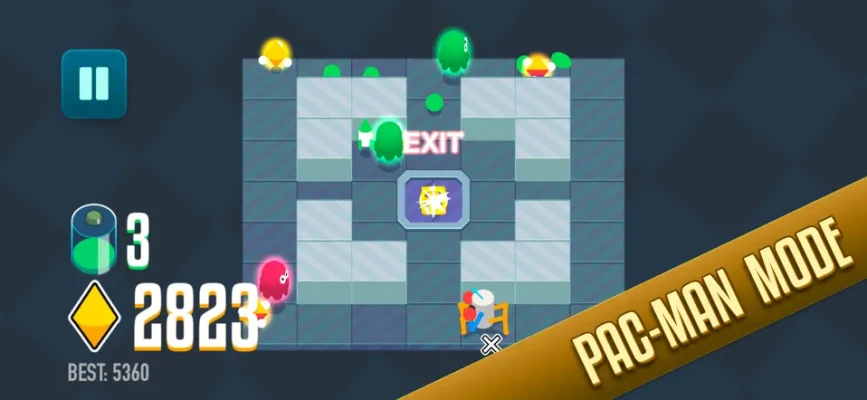
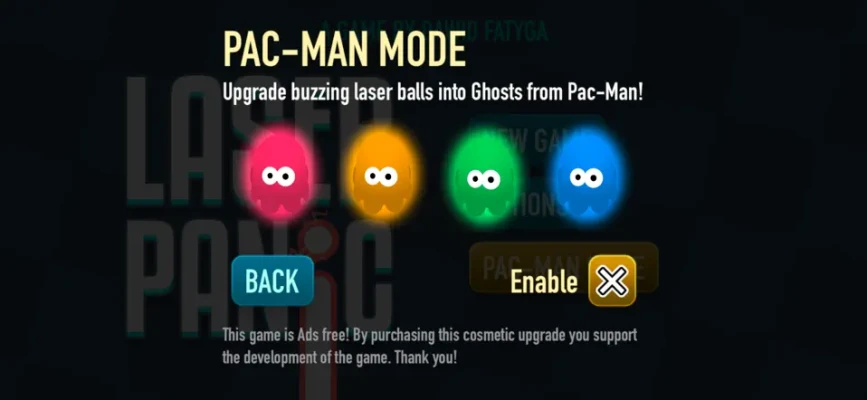
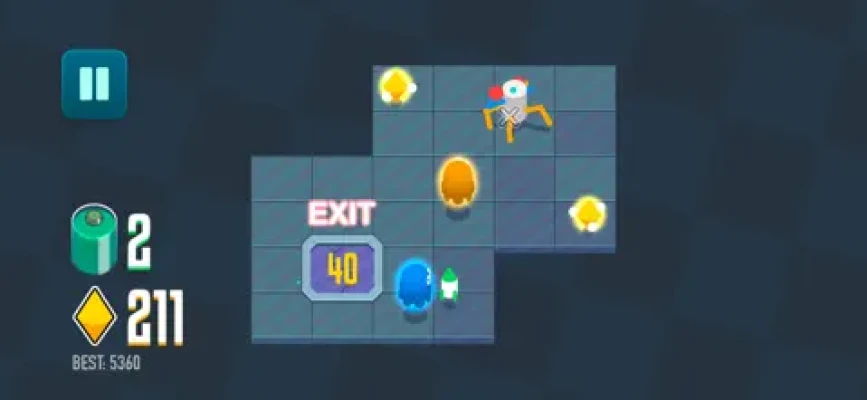
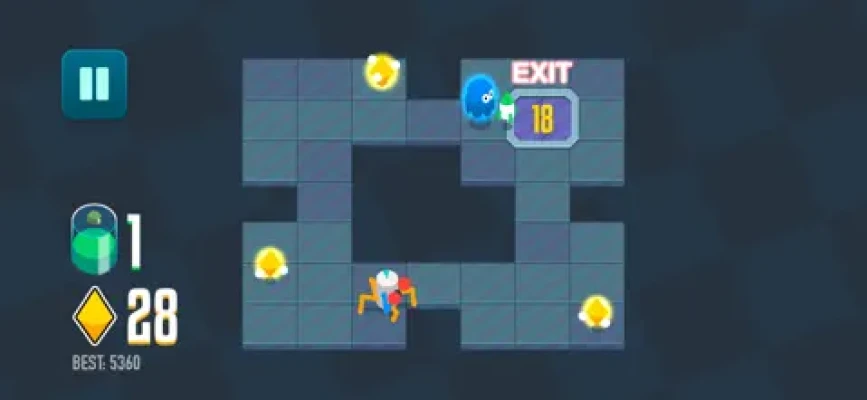
A Pac-Man Mode can also be unlocked as an optional purchase. This changes the enemies into Pac-Man ghosts and adds another variation to the core survival experience. The current App Store listing also notes an electronic soundtrack, improved interface, and haptic feedback.
Laser Panic Game Information
| Information | Details |
|---|---|
| Game | Laser Panic |
| Developer | Dawid Fatyga |
| Genre | Action / Arcade |
| Platforms | iPhone, iPad |
| Age Rating | 9+ |
| Download Size | 15 MB |
| Language | English |
| Price | Free with optional in-app purchase |
| Pac-Man Mode | $1.99 on the US App Store |
| Controller Support | Not currently supported according to the developer response |
| Current Listed Version | 1.2.1 |
| Compatibility | iOS 17.0 or later |
The App Store currently lists Laser Panic at 15 MB and requires iOS 17 or later on iPhone, with iPadOS 17 or later on iPad. It is also listed for Apple Silicon Macs and Apple Vision devices under their respective requirements.
How to Play Laser Panic
The basic objective can be broken into three steps:
- Move around the level
- Collect the required gold beacons
- Reach the sliding exit door while avoiding hazards
The challenge comes from doing these things without allowing the dangerous objects or enemies to catch you.
Laser Panic is not simply about moving as quickly as possible. Fast movement without planning can put you directly into a laser or an enemy's path. Good play comes from combining movement, observation, and timing.
Understanding the Main Objective
Collect Gold Beacons First
Gold beacons are central to progression through the levels. Rather than immediately searching for the exit, look at the entire area and identify where the collectibles are located.
A common mistake is to rush toward the first beacon you see. That can leave you trapped in an unfavorable position.
Instead:
- Look for the safest approach.
- Check the surrounding hazards.
- Think about your escape route.
- Collect the beacon only when you have a reasonable way out.
The important question is not simply “Can I reach the beacon?”
It is:
“Can I reach the beacon and still have a safe route afterward?”
That small change in thinking makes later stages much easier.
Laser Panic Strategy Guide
1. Study the Arena Before Moving
Don't immediately drag your character around when a level begins.
Take a moment to understand the layout.
Look for:
- Gold beacons
- Laser hazards
- Enemy positions
- Open areas
- Narrow passages
- The exit
- Potential escape routes
Because Laser Panic is built around avoiding hazards while completing an objective, knowing where you intend to go before moving can prevent unnecessary deaths.
2. Don't Take the Shortest Route Automatically
The shortest route between two points isn't always the safest route.
Imagine a beacon is only a short distance away, but reaching it places you directly beside a dangerous enemy. A slightly longer route may give you considerably more room to react.
Think of each route in terms of:
Distance + danger + escape space
A safe route with a few extra movements is usually preferable to a direct route that leaves you trapped.
3. Use the Edge of the Arena Carefully
Open space gives you more options when an enemy approaches.
When possible, avoid moving into the middle of a dangerous situation without a reason.
However, don't automatically hug the outer edge either. A hazard can cut off your escape route and leave you with nowhere to go.
The goal is to maintain multiple possible escape directions.
If danger approaches from one side, you want another direction available.
Touch Controls Strategy
The App Store itself does not provide a detailed control tutorial, but a player review describes Laser Panic's movement as a touch-and-drag system across the playable area. That same review notes that keeping a finger on the screen can partially obscure the action.
This makes control technique particularly important.
Keep Your Movements Controlled
Avoid making huge, uncontrolled drags.
Instead:
- Use smaller movements when near hazards.
- Make larger movements only when crossing safe areas.
- Release and reposition your finger when necessary.
- Avoid dragging blindly through areas you cannot see clearly.
The objective isn't to move constantly.
It is to move with purpose.
How to Dodge Lasers
Lasers are one of the defining hazards of Laser Panic.
The best way to deal with them is to stop thinking of them as obstacles and start treating them as timing problems.
Before crossing a dangerous area, ask:
- Is the route currently open?
- Where will the laser make contact?
- How much room will I have after crossing?
- Can I retreat if something unexpected happens?
Don't enter a dangerous corridor merely because it is technically possible.
Wait for a better opportunity when necessary.
The One-Move Rule
When you're close to a laser, make one controlled movement at a time.
Move.
Observe.
Adjust.
Move again.
This is much safer than committing to a long drag through an area where the situation can change before you reach your destination.
Enemy Avoidance Tips
Laser Panic also includes enemies that can interfere with your route. The developer's updates specifically mention improvements to enemy spawning, path following, speed, and behavior.
That means enemy movement should be considered part of the level rather than treated as a completely random event.
Don't Run Directly Away
If an enemy approaches from behind, your first instinct may be to run straight forward.
That can be dangerous if another hazard is waiting ahead.
Instead, look for a direction that:
- Increases your distance from the enemy
- Keeps you away from lasers
- Preserves access to the exit
- Leaves you room to change direction
A good escape route solves several problems at once.
Gold Beacon Collection Strategy
When several beacons are available, don't necessarily collect them in the order you notice them.
Try to create an efficient collection route.
A useful order is:
Nearest safe beacon → nearby beacon → reposition → final beacon → exit
The key word is safe.
If one beacon requires crossing a heavily dangerous area while another can be collected with minimal risk, take the safer one first.
Plan Your Exit Before Collecting the Final Beacon
One of the most useful habits in Laser Panic is to think about the exit before you collect the final objective.
Ask:
Where am I going immediately after this beacon?
If you don't have an answer, you may be moving too quickly.
The final beacon can change your situation because you now need to transition from collection mode to escape mode.
That transition should already be planned.
The Exit Door Strategy
The sliding doors are your route to the next level. Reaching them safely is therefore just as important as collecting the beacons.
Don't treat the exit as something you worry about only after collecting everything.
Instead, identify it early.
Then you can build your route around it.
Ideal route planning:
Start → Beacon 1 → Beacon 2 → safe reposition → Exit
rather than:
Start → random movement → beacon → danger → panic → exit
The first approach gives you considerably more control.
How to Handle Difficult Levels
As the game becomes more challenging, the most important skill is maintaining awareness.
Difficult-Level Method
Step 1: Learn the layout
Don't worry about completing the level immediately.
Find out where the important objects and hazards are.
Step 2: Identify the safest beacon
Choose the objective that can be collected with the least exposure to danger.
Step 3: Find the escape route
Determine where you can move after collecting it.
Step 4: Watch enemy movement
Don't commit to a route if an enemy is about to occupy it.
Step 5: Execute in short movements
Avoid uncontrolled dragging.
Step 6: Reach the exit
Once the objectives are complete, prioritize survival over unnecessary movement.
Score-Chasing Strategy
Laser Panic emphasizes achieving a high score, so simply completing levels isn't necessarily the only goal.
Once you can consistently survive a level, begin optimizing your runs.
Focus on:
- Reducing unnecessary movement
- Taking cleaner routes
- Avoiding repeated detours
- Collecting beacons efficiently
- Reaching the exit without risky last-second movements
- Learning enemy behavior
Don't attempt perfect scores before you understand the level.
First learn survival.
Then optimize efficiency.
Common Mistakes in Laser Panic
Mistake 1: Moving Too Fast
Fast movement feels natural in an arcade game, but speed without awareness creates unnecessary collisions.
Better approach: Move quickly only through areas you already understand.
Mistake 2: Ignoring the Exit
Some players concentrate completely on collecting beacons and only think about the exit afterward.
Better approach: Identify the exit at the beginning.
Mistake 3: Taking the Shortest Route
The shortest path can be the most dangerous.
Better approach: Choose routes with room for correction.
Mistake 4: Making Huge Touch Drags
Large movements can make it harder to react when danger appears.
Better approach: Use controlled movements around hazards.
Mistake 5: Chasing Enemies
Trying to maneuver around an enemy aggressively can put you into an even worse position.
Better approach: Create distance and preserve escape space.
Mistake 6: Taking Unnecessary Risks After Completing the Objective
Once you have everything needed to leave, unnecessary movement can turn a successful run into a failed one.
Better approach: Switch immediately into escape mode.
Advanced Laser Panic Techniques
The Escape-Space Technique
Always try to maintain at least one alternate direction.
If you're traveling through a narrow section and both sides are blocked, you're vulnerable.
Before committing, ask:
“If something appears here, where can I go?”
If the answer is nowhere, wait or choose another route.
The Bait-and-Reposition Technique
If an enemy is blocking your preferred route, you don't always need to fight directly against its movement.
Instead, move toward a safer area that encourages the enemy to follow your path, then change direction and use the newly available space.
The objective is not to outrun the enemy endlessly.
It is to create a better position.
The Beacon-Exit Chain
Try to connect your final collectible directly to your escape route.
For example:
Beacon → turn → open area → exit
is preferable to:
Beacon → dead end → turn around → enemy → emergency movement → exit
Planning the final transition can make difficult levels much more manageable.
Pac-Man Mode
Laser Panic includes an optional Pac-Man Mode that changes the enemies into ghosts from Pac-Man. The US App Store currently lists this as a $1.99 in-app purchase.
The mode provides an alternative way to experience the game's core movement and avoidance mechanics.
Instead of treating it as a completely separate game, think of it as a different pressure system built around the same basic skills:
- Route planning
- Movement control
- Enemy avoidance
- Timing
- Escape positioning
The mode also benefits from the game's updated electronic soundtrack.
How to Improve Your Survival Rate
If you repeatedly fail a particular level, don't simply restart and perform the same route again.
Analyze the failure.
If you hit a laser:
Ask whether you entered too early or used the wrong route.
If an enemy catches you:
Ask whether you moved into a predictable path.
If you get trapped:
Ask whether you committed to a route without leaving an escape direction.
If you reach the beacon but can't escape:
Ask whether the beacon should have been collected from another angle.
This turns every failed attempt into useful information.
Beginner Tips
For new players, these simple habits make a big difference:
- Look at the whole arena before moving.
- Locate the exit early.
- Don't rush directly toward every beacon.
- Use controlled touch movements.
- Keep escape space around your character.
- Watch enemies before crossing their path.
- Avoid unnecessary movements.
- Plan your route backward from the exit.
- Learn one difficult section at a time.
- Prioritize survival before chasing high scores.
Features of Laser Panic
According to the current App Store listing, Laser Panic includes:
- Fast-paced arcade gameplay
- Robot character
- Gold beacon collection
- Laser hazards
- Sliding exit doors
- Multiple levels
- High-score-focused gameplay
- Pac-Man-inspired design
- Bullet-hell-style difficulty
- Optional Pac-Man Mode
- Ghost enemies in Pac-Man Mode
- Electronic soundtrack
- Haptic feedback
- Modern graphics
- No advertisements
- No stated data collection by the developer
The developer also states that the game does not collect data, including analytics, although Apple notes that the privacy information is developer-provided and has not been verified by Apple.
Updates and Improvements
The listed version history shows several changes since launch.
Version 1.1 included bug fixes and improvements involving level boundaries, enemy spawning distance, enemy path following, speed, and visual presentation. Version 1.2 added Pac-Man Mode, the electronic soundtrack, and interface improvements. Version 1.2.1 added haptic feedback.
These updates are important because enemy behavior and movement consistency matter greatly in a game where precise positioning is central to survival.
Difficulty
Laser Panic is designed as a challenging arcade experience rather than a relaxed casual game. The App Store description specifically compares its difficulty favorably to the simplicity of classic Pac-Man while emphasizing a much higher challenge level.
The difficulty mainly comes from combining several tasks:
Collect → avoid → reposition → escape
The controls are simple in concept, but successful play requires good timing and spatial awareness.
Pros and Cons
Pros
- Simple objective that's easy to understand
- Fast arcade action
- Strong focus on movement and survival
- High-score potential
- Laser and enemy hazards create tension
- Pac-Man Mode adds an alternative experience
- No advertisements according to the App Store listing
- Small 15 MB download size
- Haptic feedback is available
Cons
- The game can be demanding for new players.
- Touch-drag controls may take time to become comfortable with.
- Controller support was not available according to the developer's response to a review.
- The current US App Store listing has only 11 ratings, so its displayed 3.4/5 score represents a relatively small review sample.
Frequently Asked Questions
What is Laser Panic?
Laser Panic is an arcade action game where you control a robot, collect gold beacons, avoid lasers and enemies, and escape through sliding doors to progress.
Is Laser Panic free?
Yes. The game is free to download with an optional in-app purchase for Pac-Man Mode. The US App Store currently lists Pac-Man Mode at $1.99.
Does Laser Panic have ads?
The developer's App Store description states that the game does not have advertisements.
What is Pac-Man Mode?
Pac-Man Mode is an optional upgrade that changes the game's enemies into Pac-Man ghosts.
Does Laser Panic support controllers?
The developer stated in response to an App Store review that controller support was not yet available.
What devices support Laser Panic?
The current listing supports iPhone and iPad, with iOS 17.0 or later required. It also lists compatibility with Apple Silicon Macs and Apple Vision devices under their respective operating-system requirements.
Is Laser Panic difficult?
Yes. The game's description specifically presents it as a higher-difficulty arcade experience inspired by Pac-Man and bullet-hell games.
How do I get better scores?
Learn each level's layout, minimize unnecessary movement, collect beacons efficiently, avoid risky routes, and prioritize a clean escape after completing the objectives.
Final Thoughts
Laser Panic takes a very simple arcade formula and turns it into a demanding exercise in movement, timing, and route planning. The objective is easy to understand—collect the gold beacons, avoid danger, and reach the sliding exit—but the difficulty comes from executing those actions without getting trapped or taking unnecessary risks.
The biggest improvement comes from slowing down mentally even when the game feels fast. Study the arena, identify the exit, watch enemy movement, choose safe routes, and keep an escape direction available.
Once survival becomes consistent, start optimizing your routes and movement for better scores. That progression—from simply escaping a level to escaping it efficiently—is where Laser Panic's arcade challenge becomes most rewarding.
Rate the Game
User Reviews












Popular Games



















 Android
 iOS
iOS Windows
 Xbox
Xbox