
Latest Version
September 24, 2026
Level Infinite
Action
iOS
0
Report a Problem
More About :game
The current App Store listing presents the game as Delta Force: 2nd Anniversary, with the Reorientation anniversary season now live. It currently has a 4.7/5 rating from about 85,000 ratings, is listed as 13+, occupies about 1.4 GB, and supports iPhone and iPad.
The game's two major experiences require very different approaches:
- Operations — extraction-based missions where you loot, fight AI and rival Operators, complete objectives and attempt to escape with your valuables.
- Warfare — large-scale battles involving infantry, vehicles, aircraft and objectives.
Understanding that difference is the first step toward becoming a better Delta Force player.
What Is Delta Force?
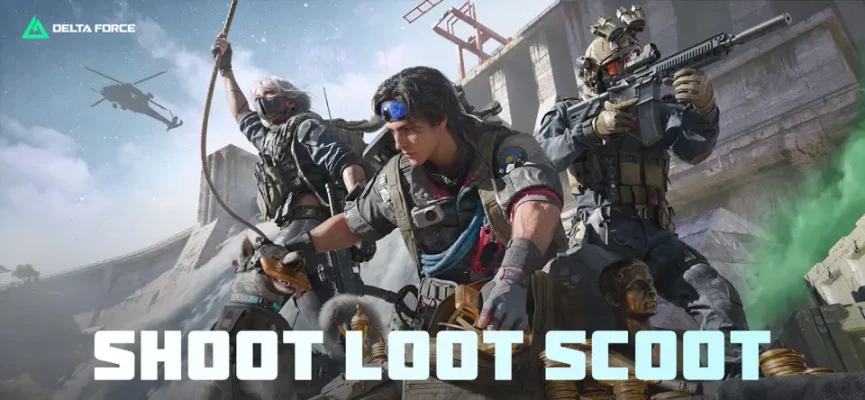
Delta Force is a modern tactical shooter that combines several FPS styles rather than concentrating on a single mode.
In Operations, every decision has consequences. Entering a dangerous area can produce better loot, but dying before extraction can cost the items you carried.
In Warfare, the emphasis shifts toward territory, team objectives, vehicles and sustained combat.
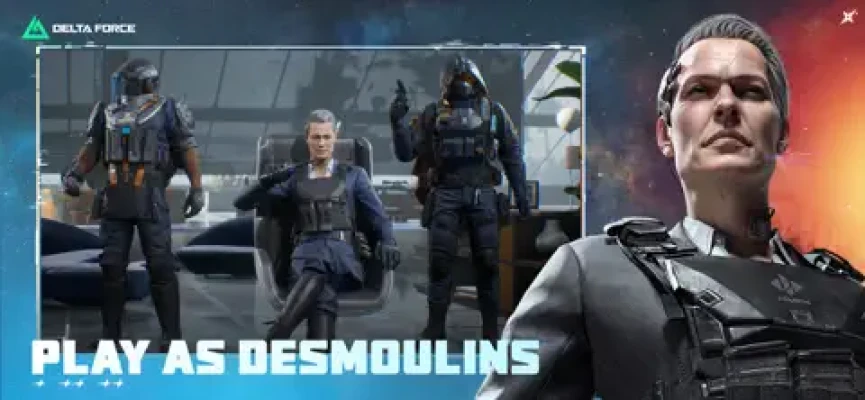
The current version also includes a growing roster of Operators with different tactical gadgets and traits. The App Store specifically highlights abilities such as detection arrows, magnetic bombs and motorized exoskeletons.
The 2nd Anniversary Reorientation Season
The current anniversary season is called Reorientation.
The latest App Store version notes introduce:
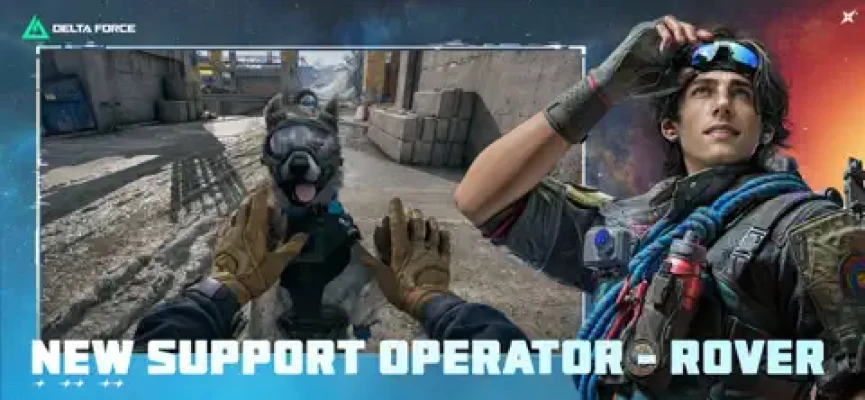
- New Support Operator Rover
- Clover, Rover's dog companion
- Layali Grove 2.0
- The Mog Warfare map
- Polaris Patrol
- 1v1 mode marked as coming soon
- Amphibious LSV
- MDR assault rifle
- Thompson SMG
- Anniversary events and rewards
The official Delta Force announcement feed confirms that Reorientation began in September 2026 and that the anniversary celebration includes limited-time Delta Tickets and other rewards.
This makes the current version substantially different from the original launch experience.
Operations Mode Explained
Operations is the mode to approach carefully.
You enter a map with equipment, search for valuable items, fight AI soldiers and other players, complete objectives and then attempt to extract.
The basic loop is:
Deploy → Loot → Fight → Decide → Extract
The important word is decide.
You don't have to fight everything you encounter.
Sometimes the best move is to avoid a battle, take another route and leave with your loot.
Operations Strategy for Beginners
1. Don't Treat Every Player as a Target
Seeing another Operator doesn't automatically mean you should attack.
Before firing, consider:
- Is the player alone?
- Do you have good cover?
- Are there other enemies nearby?
- Do you know where your extraction point is?
- Is the loot worth the risk?
- Could another squad hear the fight?
Gunfire can attract attention.
A fight that you win can still become a losing situation if a third squad arrives while you're healing or looting.
2. Build a Route Before You Loot
Don't wander randomly through the map.
Choose a rough route:
Spawn → useful loot area → objective → extraction
You can adjust the route when circumstances change, but having a basic plan prevents unnecessary movement through exposed areas.
3. Don't Become Too Greedy
This is one of the most important Operations lessons.
Finding valuable loot creates a psychological trap: you start thinking about what else you could find instead of what you already have.
Ask yourself:
If I died right now, would I regret not extracting?
If the answer is yes, extraction deserves serious consideration.
Loot Management
The App Store emphasizes dynamic looting, including entry codes, Bird Nests and Clams, turning each raid into a treasure hunt.
Don't fill your inventory with random low-value objects.
Prioritize:
- Valuable items
- Mission-related objects
- High-value resources
- Useful ammunition
- Medical supplies
- Items needed for upgrades
Leave low-value items behind when a better opportunity appears.
Extraction Strategy
Extraction is not an afterthought.
It is the actual objective.
The current game offers several extraction approaches, including traditional exits, Rocket Extraction, wingsuit-based escapes and sewer routes.
Before entering a dangerous area, know approximately where you can leave.
That changes how you approach fights.
If your extraction route is nearby, you may be able to take a calculated risk.
If you're far away, an unnecessary battle becomes much more dangerous.
How to Survive the Final Minutes of a Raid
The end of an Operations raid is often when players make their biggest mistakes.
You've collected valuable loot.
Your attention is divided.
You are thinking about getting out.
Other players may be doing exactly the same thing.
Slow down.
Listen for:
- Footsteps
- Gunfire
- Vehicles
- Explosions
- Nearby combat
Don't sprint blindly toward the extraction point.
Approach carefully and inspect the surrounding area before committing.
Operations Boss Strategy
Operations contains heavily armed bosses protecting valuable loot.
Don't treat a boss like an ordinary AI enemy.
Before engaging:
- Check your ammunition.
- Heal completely.
- Identify cover.
- Look for escape routes.
- Listen for other players.
- Decide what you will do if another squad arrives.
The boss itself may not be your biggest problem.
A rival squad hearing the fight can turn the encounter into a three-way battle.
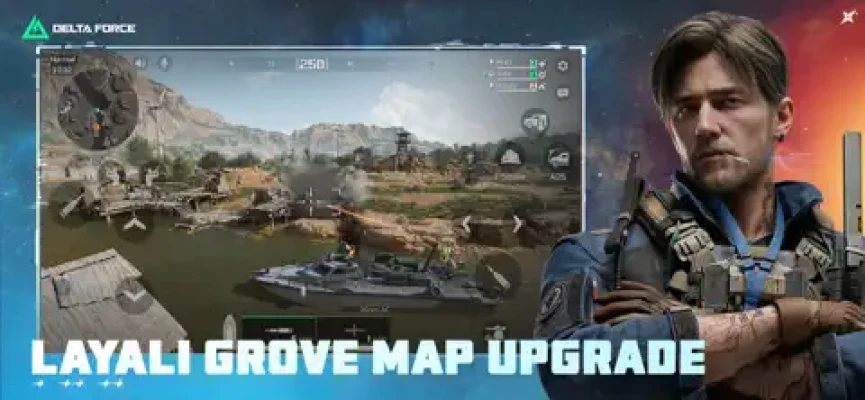
Current Operations Content: Layali Grove 2.0
The current anniversary update expands Layali Grove with new areas, a flagship task and a new vehicle.
The official update feed also lists Layali Grove 2.0 as part of the Reorientation season.
Treat the updated map as more than a visual refresh.
New zones change:
- Rotation routes
- Ambush possibilities
- Loot paths
- Vehicle movement
- Extraction decisions
- Squad positioning
When returning to a familiar map after a major update, don't assume your old routes are still optimal.
Warfare Mode Explained
Warfare is fundamentally different from Operations.
Here, dying is not the same kind of disaster.
The battle is about controlling objectives and helping your team across a much larger battlefield.
The current App Store description says Warfare supports 48-player battles and includes tanks and helicopters across urban, mountainous and island environments.
Warfare Beginner Strategy
Play the Objective
One of the easiest mistakes in large-scale shooters is treating the match like a personal kill-count competition.
If your team needs an objective captured, moving toward that objective can be more valuable than chasing an enemy halfway across the map.
Pay attention to:
- Captured zones
- Enemy pushes
- Friendly vehicles
- Flanking routes
- Respawn pressure
- Defensive positions
Infantry Tactics
Move Between Cover
Large Warfare maps can expose infantry to:
- Snipers
- Vehicles
- Helicopters
- Machine guns
- Long-range rifles
Avoid crossing open terrain unnecessarily.
Use:
- Buildings
- Walls
- Terrain
- Vehicles
- Debris
- Natural elevation
as protection.
Vehicle Strategy
Vehicles are a major part of Warfare.
Tanks and helicopters can dramatically change the battle, but they also create predictable targets.
When Using a Vehicle
Don't remain exposed simply because your vehicle has high health.
Use terrain and cover whenever possible.
Keep moving when the situation requires it, but avoid driving directly into concentrated enemy fire.
When Fighting Vehicles
Don't attack blindly.
Look for:
- Damaged vehicles
- Exposed vehicles
- Vehicles separated from their team
- Opportunities to attack from advantageous angles
Team coordination becomes much more valuable against armored targets.
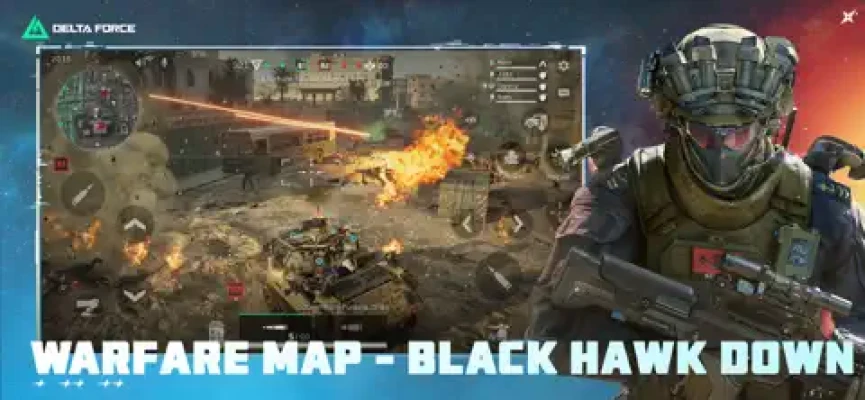
The Mog Warfare Map
The current anniversary season introduces The Mog, a Warfare map based around a war-torn city and inspired by the Black Hawk Down setting.
Its dense urban environment changes the way you should approach combat.
Expect:
- Buildings
- Narrow streets
- Rubble
- Close-range engagements
- Sudden ambushes
- Short sightlines
Avoid assuming that a long-range weapon is always the answer.
Urban combat can quickly become a close-range fight.
Operator Guide
Operators are not simply cosmetic characters.
Each one has tactical equipment and traits that can affect how your squad approaches a fight.
When choosing an Operator, think about your preferred role.
Assault-Oriented Players
Focus on mobility and aggressive engagements.
Recon Players
Prioritize information and enemy detection.
Support Players
Help the squad survive and maintain pressure.
Engineer Players
Look for opportunities involving vehicles, defensive positions and specialized equipment.
The strongest Operator for you is often the one whose abilities naturally fit how you already play.
Rover Guide
The current anniversary season introduces Rover, a Support Operator accompanied by Clover.
The App Store describes Rover and Clover as providing rapid healing and a support-oriented role.
Rover should therefore be approached as a team-enabling Operator rather than simply another damage-focused character.
Use support abilities when they can change the outcome of a fight.
Don't wait until every teammate is almost eliminated.
Good support is proactive.
Weapon Customization
Delta Force offers extensive weapon customization.
The App Store describes a system where players can modify real-world weapons and create or share custom builds.
Don't automatically copy the highest-recoil-damage configuration.
Build around your actual fighting distance.
Close Range
Prioritize:
- Fast handling
- Mobility
- Hip-fire or quick aiming
- High close-range damage
Medium Range
Look for:
- Manageable recoil
- Balanced optics
- Magazine capacity
- Consistent damage
Long Range
Prioritize:
- Stability
- Accuracy
- Optics
- Recoil control
Recoil Control Tips
Don't fight recoil by violently dragging the screen downward.
Make controlled corrections.
Practice with your chosen weapon until you understand:
- First-shot behavior
- Vertical recoil
- Horizontal movement
- Magazine duration
- Effective range
Once you know the weapon, attachments become much easier to evaluate.
MDR and Thompson
The current Reorientation season adds the MDR assault rifle and Thompson SMG. The App Store describes them as new options oriented toward close-to-mid-range combat.
Don't treat them as interchangeable.
The MDR is more naturally suited to players who want a rifle platform with flexibility beyond point-blank fights.
The Thompson is more appropriate for aggressive close-range engagements where fast handling and sustained fire matter.
Squad Communication
Delta Force becomes significantly more manageable when your squad communicates.
Even basic information helps:
- Enemy direction
- Number of enemies
- Vehicle location
- Loot location
- Extraction danger
- Objective status
You don't need complicated callouts.
A short message such as:
“Two enemies, building left.”
can give teammates enough information to react.
How to Win More Gunfights
Winning gunfights isn't only about aiming.
The sequence before the first shot matters.
Good engagement
Information → Position → First shot → Movement → Finish
Bad engagement
See enemy → Shoot immediately → Stand still → Reload in the open
Try to improve the first sequence.
Pre-Fight Checklist
Before attacking, quickly ask:
- Do I have cover?
- Is the enemy alone?
- Do I know where their teammates are?
- Is my magazine ready?
- Do I have an escape route?
- Is another squad likely to hear this fight?
If several answers are no, reposition first.
Healing and Recovery
Don't automatically heal after taking the smallest amount of damage if doing so exposes you.
First move somewhere safe.
Then recover.
In Operations, healing also consumes valuable resources, so avoid unnecessary damage whenever possible.
Inventory Management in Operations
A good inventory should support your next decision.
Keep enough:
- Ammunition
- Healing
- Armor-related supplies
- Mission items
But don't carry useless objects simply because there is empty space.
Inventory space is a strategic resource.
How to Avoid Third-Party Attacks
After winning a firefight, don't immediately begin looting.
First:
Scan → Listen → Reload → Heal → Loot
Not:
Win → Loot immediately
The first sequence gives you a chance to detect another squad before becoming distracted by the defeated player's equipment.
Map Awareness
Good players aren't constantly staring at the center of the screen.
They are building a mental picture of the battlefield.
Pay attention to:
- Where teammates are
- Where shots came from
- Which areas are already cleared
- Where enemies recently moved
- Which routes are exposed
- Which objectives are contested
This information becomes increasingly valuable as the match develops.
Anniversary Rewards
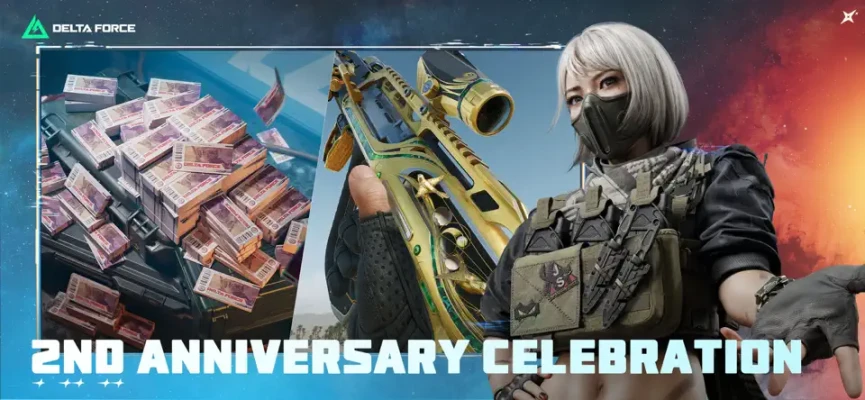
The official announcements state that the second-anniversary celebration includes 3,900 limited-time Delta Tickets and major rewards, with the anniversary celebration scheduled around September 26, 2026.
Check the event interface regularly during the anniversary period rather than assuming rewards are automatically collected.
Limited-time events can also contain separate missions or login requirements.
Game Modes and Current Features
The current version includes a broad collection of systems:
Operations
High-risk extraction gameplay with loot, bosses and rival Operators.
Warfare
Large-scale battles with infantry, vehicles and aircraft.
Polaris Patrol
A special mode highlighted in the anniversary update.
1v1
The current version history lists a 1v1 mode as coming soon.
Seasonal Events
Regular limited-time activities and rewards.
This variety is one of the reasons Delta Force can feel more like a complete shooter platform than a single-mode FPS.
Minimum and Recommended Device Requirements
The current App Store listing gives the following requirements:
Minimum
- iOS 12 or later
- 2 GB RAM or more
- A10 processor or better
- iPhone 7 or newer
- iPad 6 or newer
Recommended
- iOS 14 or later
- 4 GB RAM or more
- A13 processor or better
- iPhone 11 or newer
- iPad 9 or newer
The current listing reports a download size of approximately 1.4 GB, although additional storage can be required for updates and game data.
Monetization
Delta Force is free to play and includes optional in-app purchases.
The App Store lists purchases for Delta Coins and various event or seasonal items. It also states that virtual currency can be used to obtain virtual items, including random selections of virtual items.
This is important for players who prefer to understand a game's monetization before investing significant time.
Difficulty
Delta Force has several different types of difficulty.
Mechanical Difficulty
Learning recoil, aiming and movement.
Tactical Difficulty
Knowing when to attack, retreat or rotate.
Team Difficulty
Coordinating with teammates.
Extraction Difficulty
Knowing when to stop looting and leave.
Map Difficulty
Learning routes, sightlines and dangerous areas.
Operations can feel particularly demanding because losing a fight can affect the resources you've brought into the raid.
Honest Feedback
Delta Force's biggest strength is its variety.
A player can enjoy the large-scale vehicle combat of Warfare and then switch to the much more cautious decision-making of Operations.
The current mobile version also has a substantial amount of live content, with regular seasons, Operators, weapons, maps and collaborations. The official update history shows major additions throughout 2026, including Meltdown, ECHO and the current Reorientation season.
The trade-off is complexity.
There are many systems to learn:
- Operators
- Weapons
- Attachments
- Loot
- Extraction
- Vehicles
- Maps
- Events
- Seasonal progression
New players may initially feel overwhelmed.
The best way to learn is to focus on one mode and one preferred weapon style at a time instead of trying to master everything immediately.
Pros and Cons
Pros
- Large-scale FPS combat
- Extraction gameplay
- 48-player Warfare battles
- Infantry, tanks and helicopters
- Operator abilities
- Extensive weapon customization
- Regular seasonal updates
- Large variety of maps and modes
- Squad-based tactical gameplay
- Substantial live-service content
- Strong mobile controls and optimization according to the App Store's Editors' Choice description
Cons
- Large number of systems can overwhelm beginners
- Operations punishes careless decisions
- Weapon customization takes time to learn
- Competitive matches can become intense
- Optional purchases and random-item mechanics are present
- Performance and experience can vary between devices
Is Delta Force Worth Playing?
Delta Force is designed for players who want more than a straightforward mobile team deathmatch.
Its two major pillars provide very different experiences:
Operations rewards patience, planning, looting and extraction.
Warfare rewards teamwork, positioning, objective play and vehicle coordination.
That combination gives the game considerable variety, but it also means new players should expect a learning period.
If you approach it as a game of decision-making rather than simply shooting everything you see, the tactical side becomes much more interesting.
20 Essential Delta Force Tips
- Learn Operations and Warfare separately.
- Don't shoot every player you see in Operations.
- Always know your extraction options.
- Stop looting when the risk becomes too high.
- Listen before entering buildings.
- Reload before beginning a planned engagement.
- Heal from a safe position.
- Don't loot immediately after winning a fight.
- Watch for third-party squads.
- Customize weapons around your actual range.
- Practice recoil with one weapon before switching constantly.
- Use Operator abilities with a clear purpose.
- Communicate enemy positions to your squad.
- Play objectives in Warfare.
- Use cover when crossing large areas.
- Don't expose vehicles unnecessarily.
- Learn the routes on your favorite maps.
- Check seasonal events for limited-time rewards.
- Don't spend valuable Operations resources without a plan.
- When carrying excellent loot, remember that extraction is the goal.
Delta Force FAQ
What is Delta Force?
Delta Force is a competitive FPS combining extraction gameplay, large-scale Warfare battles, Operators, weapon customization and vehicles.
What is Operations in Delta Force?
Operations is an extraction-based mode where players loot, fight AI and rival Operators, complete objectives and attempt to escape with their valuables.
What is Warfare?
Warfare is a large-scale multiplayer mode featuring infantry combat alongside tanks, helicopters and other vehicles. The current App Store listing describes 48-player battles.
Is Delta Force free?
Yes. The App Store lists the game as free with optional in-app purchases.
Does Delta Force have vehicles?
Yes. Vehicles include tanks and helicopters, with the current anniversary season also adding the amphibious LSV.
What is the 2nd Anniversary season?
The current anniversary season is Reorientation, featuring Rover, Layali Grove 2.0, The Mog, Polaris Patrol, new weapons, a new vehicle and anniversary rewards.
Who is Rover?
Rover is the new Support Operator introduced during the Reorientation anniversary season. Rover is accompanied by Clover and is designed around rapid healing and squad support.
What weapons are new in the anniversary update?
The current Reorientation update adds the MDR assault rifle and Thompson SMG.
What devices can run Delta Force?
The App Store currently lists support from iOS 12 onward, with A10-class hardware and 2 GB RAM as minimum specifications. Recommended specifications are iOS 14, A13 or better and 4 GB RAM.
Does Delta Force have PvP?
Yes. Warfare is competitive multiplayer, and the current version history also lists a 1v1 mode as coming soon.
Final Thoughts
Delta Force has grown into a broad mobile FPS rather than a single-purpose shooter.
Operations asks you to think about risk, loot, positioning and extraction.
Warfare asks you to think about objectives, vehicles, territory and teamwork.
The biggest beginner mistake is approaching both modes in exactly the same way.
Slow down in Operations. Think before taking unnecessary fights. Learn when to extract.
In Warfare, stay focused on the team objective, use vehicles intelligently and work with your squad.
The current Reorientation anniversary season adds another layer of content through Rover, Layali Grove 2.0, The Mog, new weapons, the amphibious LSV and anniversary events.
Game: Delta Force: 2nd Anniversary
Genre: Competitive Extraction FPS / Tactical Shooter
Platforms: iPhone and iPad
Developer: Level Infinite
Current Season: Reorientation
Modes: Operations, Warfare and additional seasonal modes
Warfare Scale: Up to 48 players according to the current App Store listing
Rating: 4.7/5 from approximately 85K ratings
Age Rating: 13+
Size: Approximately 1.4 GB
Minimum: iOS 12+, 2 GB RAM, A10 or better
Recommended: iOS 14+, 4 GB RAM, A13 or better
Business Model: Free with in-app purchases
Rate the Game
User Reviews













Popular Games



















 Android
 iOS
iOS Windows
 Xbox
Xbox