
Latest Version
September 24, 2024
Sparkling Society - Build a Town, City, Village
Simulation
0
com.sparklingsocietysims.buildcitycommunitytownsim
Report a Problem
More About :game
The game combines city management, strategy, casual simulation, exploration, and social features while also supporting offline gameplay. You can develop your city without a constant internet connection and use cloud saving to continue your progress across devices.
Build a City: Community Town Overview
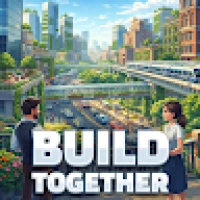
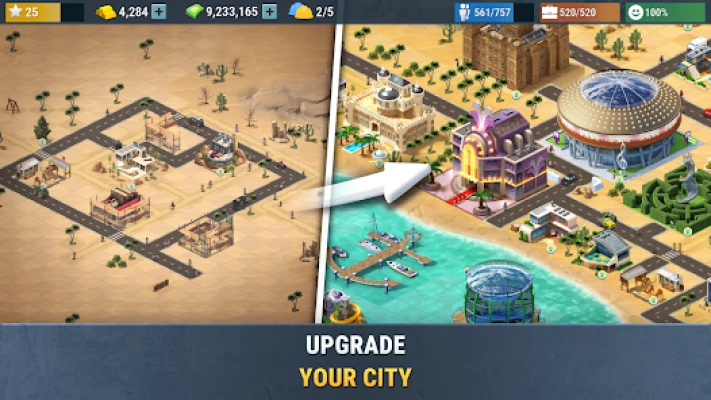
In Build a City: Community Town, you start with a relatively small settlement and gradually turn it into a larger, more developed city.
As mayor, your job isn't simply to place buildings wherever there is empty land. You need to think about expansion, resources, traffic, urban layout, rewards, and future development.
The game gives players access to numerous buildings and decorations while introducing different islands with their own layouts and surfaces. This creates plenty of room for experimentation as your city continues to grow.
The experience is designed to be accessible for casual players while still giving city-building fans enough freedom to spend time perfecting their layouts.
Game Theme & Atmosphere
The atmosphere is colorful, light-hearted, and focused on creativity rather than disaster or intense competition.
Instead of constantly fighting enemies or surviving dangerous environments, you are building communities, expanding neighborhoods, improving infrastructure, and watching your citizens live inside the world you create.
The stylized presentation supports the relaxed nature of the game and makes it easy to spend a few minutes checking your city or several hours redesigning an entire district.
Your Story as the Mayor
Your story begins with a small town that has plenty of potential but needs direction.
You become the mayor responsible for turning that starting settlement into a successful community. Each new building, road, expansion, and improvement contributes to the development of your city.
As your progress continues, new areas and islands provide opportunities to expand beyond the original settlement and create entirely different city layouts.
There isn't a traditional character-driven storyline. Instead, your city's growth becomes the story.
Gameplay Overview
The main gameplay loop revolves around:
- Building new structures
- Collecting and earning resources
- Managing your growing city
- Completing quests and missions
- Unlocking additional buildings and features
- Expanding available land
- Exploring new islands
- Improving your city's overall layout
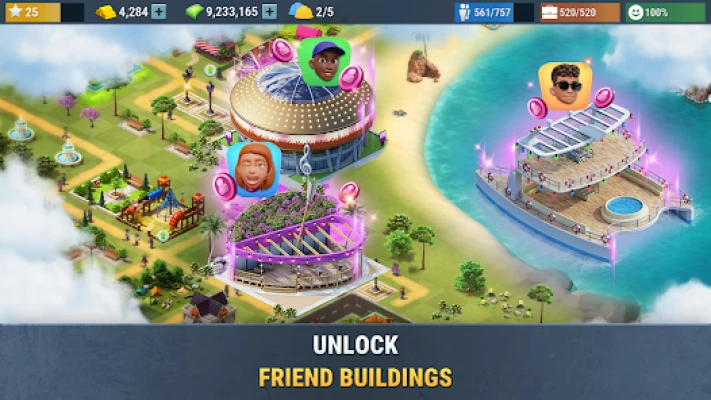
- Visiting other players' cities
- Participating in events and community activities
The official listing describes the experience as a mixture of simulation, strategy, and social gameplay.
City Building System
City construction is at the heart of the experience.
You begin with a modest settlement and gradually add buildings, decorations, infrastructure, and other elements that make the town feel more complete.
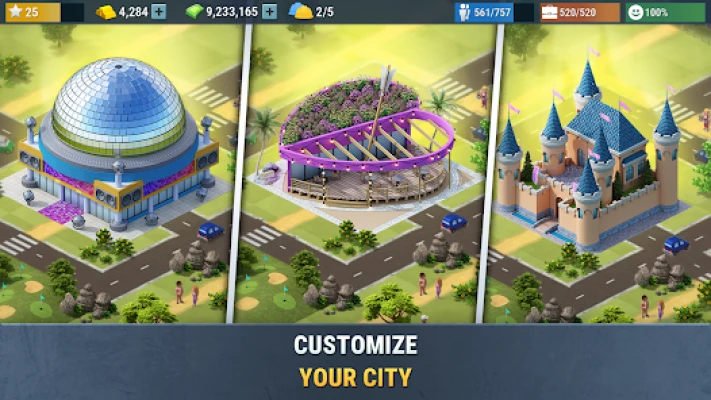
The game includes hundreds of buildings and decorations, giving players considerable flexibility when designing their communities.
A good city isn't necessarily the one with the most buildings. Smart placement can make a city feel more organized and visually appealing while also giving you room for future expansion.
Resource Management
Resource management becomes increasingly important as your city grows.
You need to balance what you earn with what you spend on development. Expanding too quickly can leave you without enough resources for important upgrades, while expanding too slowly can make progression feel unnecessarily restrictive.
A good mayor learns to:
- Save resources for important purchases
- Prioritize useful buildings
- Avoid unnecessary early expansion
- Complete available quests
- Take advantage of rewards
- Plan future construction before using valuable space
The game specifically highlights management of resources, budgets, traffic, power, and amenities as part of the city simulation experience.
Islands and Expansion
One of the game's major features is its collection of different islands.
Instead of keeping the entire experience on one map, you can expand your city-building journey to neighboring islands with different layouts and surfaces.
This gives the game a stronger sense of progression and provides fresh spaces for creative city design.
Island expansion is especially appealing to players who enjoy starting with a blank area and developing it according to a particular theme or layout.
Quests, Missions and Rewards
Quests provide additional objectives beyond simply constructing buildings.
Completing missions can reward you with bonuses while helping unlock new buildings and features.
This creates a useful progression loop:
Build → Complete Objectives → Earn Rewards → Unlock Content → Expand → Build More
For players who prefer having clear goals rather than designing freely, quests give the city-building experience additional direction.
Social Features
Although the core city-building experience can be played offline, the game also includes social elements.
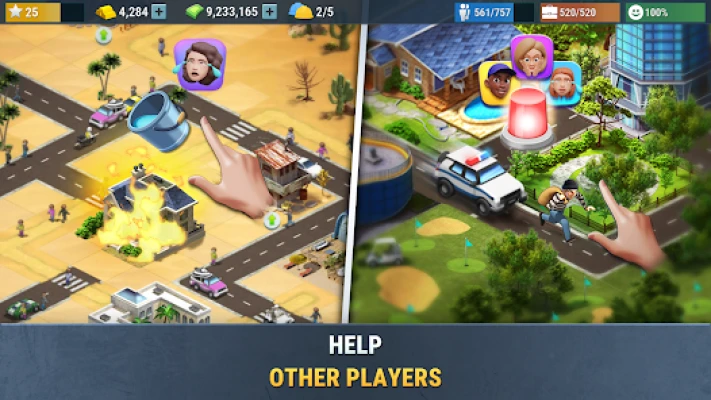
Players can:
- Visit other cities
- Help friends during events
- Participate in community activities
- Earn special rewards
- Explore other players' creations
This gives the game another layer beyond single-player city management.
Offline Gameplay
One of the strongest features of Build a City: Community Town is its offline functionality.
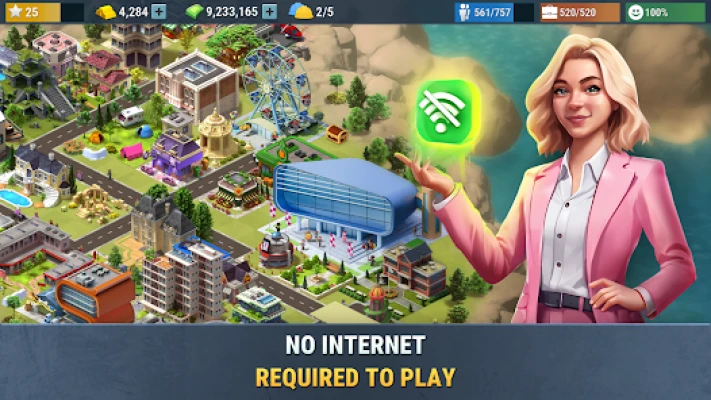
The official listing states that the game can be played without an internet connection. Cloud saving is also available for protecting progress and enabling cross-device play.
That makes it particularly convenient for players who want a city-building game they can enjoy while traveling or when a stable connection isn't available.
Cloud Save System
Cloud saving helps protect your progress and makes it possible to continue your city-building journey across supported devices.
For a long-term simulation game, this is an important convenience because city development can take considerable time.
Controls and Interface
The game is designed around straightforward mobile controls.
The interface focuses on selecting buildings, managing available areas, navigating menus, checking objectives, collecting rewards, and organizing your city.
Its intuitive approach is intended to make the game approachable for a broad range of players.
City Planning Tips
A successful city requires more than filling every available space.
1. Leave Room for Expansion
Don't use every open area immediately. Future buildings may require additional space.
2. Think About Districts
Try grouping similar buildings together instead of scattering everything randomly.
3. Don't Spend Everything
Keeping a resource reserve can make unexpected quests or opportunities easier to handle.
4. Plan Before Expanding
Land expansion can become increasingly valuable, so consider whether you actually need additional territory before spending resources.
5. Use Decorations Carefully
Decorations can improve the visual identity of neighborhoods, but they shouldn't prevent practical expansion.
Beginner's Guide
If you're starting Build a City: Community Town for the first time, follow this simple approach:
Step 1: Complete early objectives rather than ignoring them.
Step 2: Build the structures needed for progression before focusing heavily on decoration.
Step 3: Keep a reserve of important resources.
Step 4: Develop a logical road and neighborhood layout.
Step 5: Avoid expanding simply because land is available.
Step 6: Explore the game's different islands as they become accessible.
Step 7: Return regularly to collect rewards and continue construction.
Advanced City-Building Strategy
Experienced players should think several steps ahead.
Instead of asking, “Where can I put this building?”, ask:
“What will this part of my city look like after another 20 buildings?”
This mindset helps prevent inefficient layouts.
Advanced players can also:
- Reserve areas for future development
- Create separate residential and commercial-looking districts
- Design recognizable neighborhoods
- Avoid unnecessary clutter
- Prioritize progression-related buildings
- Use islands for different visual concepts
- Balance efficiency with aesthetics
The best cities combine practical planning with creativity.
Characters and Citizens
There isn't a traditional hero roster or combat character system.
Instead, the citizens are part of the living city environment.
The official description emphasizes that citizens interact with friends and their surroundings, helping the city feel more dynamic and reflecting decisions made by the player as mayor.
Buildings and Decorations
Buildings are the foundation of your city.
Different structures influence how the city develops, while decorations allow you to personalize neighborhoods and create a stronger visual identity.
The large selection of buildings and decorations means players can experiment with different layouts rather than following one fixed design.
Game Modes and Activities
| Activity | Description |
|---|---|
| City Building | Construct and develop your main settlement |
| City Management | Balance resources and urban development |
| Island Expansion | Unlock and develop additional islands |
| Quests | Complete objectives for rewards |
| Events | Participate in special activities |
| Social Play | Visit and help other players |
| Offline Mode | Continue building without an internet connection |
These activities are based on the game's current official feature set.
Difficulty
Overall Difficulty: Easy to Moderate
The basic controls and city-building mechanics are accessible, but managing a larger settlement can require more planning.
The challenge comes primarily from resource management, expansion decisions, construction timing, and deciding what deserves priority.
Players who simply want to decorate can approach the game casually, while optimization-focused players can spend much more time planning efficient cities.
Player Experience
The game has received a generally positive response on Google Play, with the listing currently showing approximately 4.7 stars from 19.8K reviews and more than 500K downloads.
Player opinions aren't completely uniform, however.
Some players praise the freedom to design their own cities and the attractive building designs. Other reviews criticize progression costs, lengthy build times, advertisements, or the amount of resources required for certain challenges.
That makes the game particularly appealing to players who enjoy gradual progression rather than instant city expansion.
Pros and Cons
Pros
- Relaxing city-building gameplay
- Large selection of buildings and decorations
- Multiple islands to explore
- Offline gameplay
- Cloud saving
- Quests and rewards
- Social features
- Accessible controls
- Strong creative freedom
- Suitable for casual play sessions
Cons
- Progression can become slower later on
- Some players dislike long build times
- Resource costs can feel demanding
- Advertising may affect the experience for some players
- More building variety would benefit long-term city customization
Player reviews highlight both the game's creative freedom and complaints about progression and monetization.
Graphics and Visual Style
Build a City: Community Town uses a colorful, stylized visual approach designed to keep the city easy to read while maintaining a friendly atmosphere.
Buildings and decorations provide most of the visual variety, while the different island environments help prevent every location from feeling identical.
Sound and Atmosphere
The overall presentation is designed to complement the relaxed city-management formula rather than create tension.
The result is a game that works well for players who enjoy casual background gaming, creative planning, and gradual progression.
Technical Details
| Detail | Information |
|---|---|
| Game | Build a City: Community Town |
| Developer | Sparkling Society Sims B.V. |
| Platform | Android, Windows |
| Genre | City Building / Simulation / Management |
| Players | Single Player |
| Multiplayer Features | Social/community features |
| Offline | Yes |
| Cloud Saves | Yes |
| Monetization | Ads and in-app purchases |
| Content Rating | Everyone |
| Downloads | 500K+ |
| Current Google Play Rating | About 4.7/5 |
| Latest Listed Update | August 14, 2026 |
The current Google Play listing confirms Android and Windows availability, offline play, single-player classification, ads, and in-app purchases.
Latest Update
The current listing reports an update on August 14, 2026, with the latest update notes describing bug fixes and numerous small improvements.
Because the game is actively maintained, players can reasonably expect continued refinement and additional improvements over time.
Build a City: Community Town vs Similar City Builders
The Google Play listing itself identifies several related games, including City Island 5, City Island 6, City Island 3, City Island: Village Build Sim, and Steam City.
Why Choose Build a City: Community Town?
Choose it if you want:
- Offline city building
- A relaxed simulation experience
- Multiple islands
- Creative city layouts
- Cloud saving
- Social visits
- Quests and rewards
- A casual alternative to more demanding city-management games
Its combination of offline play, creative construction, island expansion, and community features gives it a distinct identity within the mobile city-builder genre.
Is Build a City: Community Town Worth Playing?
Yes, especially if you enjoy relaxed city-building games.
The strongest reason to play is the freedom to gradually transform small settlements into larger communities while experimenting with layouts and exploring different islands.
The offline functionality is another major advantage for mobile players.
However, players who dislike timers, resource restrictions, advertisements, or monetization systems may find the later progression less enjoyable. Current reviews show that this is one of the main dividing points in the player experience.
Expert Rating
8.4/10
| Category | Score |
|---|---|
| Gameplay | 8.5/10 |
| City Building | 8.8/10 |
| Creativity | 8.8/10 |
| Progression | 7.9/10 |
| Graphics | 8.3/10 |
| Controls | 8.7/10 |
| Replayability | 8.5/10 |
| Social Features | 8.2/10 |
| Offline Play | 9.2/10 |
| Overall | 8.4/10 |
Frequently Asked Questions
What is Build a City: Community Town?
It is a city-building and management simulation where you play as a mayor and develop towns, cities, and islands.
Is Build a City: Community Town offline?
Yes. The official Google Play listing specifically states that the game can be played offline.
Can I build cities on different islands?
Yes. The game features multiple islands with different layouts and surfaces that can be explored and developed.
Does Build a City: Community Town have multiplayer?
It is primarily classified as a single-player game, but it includes social features that let players visit other cities, help friends, participate in events, and receive community rewards.
Does the game have cloud saving?
Yes. Cloud saving is advertised as a feature for protecting progress and enabling cross-device play.
Is Build a City: Community Town free?
The Google Play listing offers the game with advertisements and in-app purchases.
What is the main objective?
Your goal is to develop a small settlement into a thriving metropolis by constructing buildings, managing resources, completing objectives, and expanding into new areas.
Is the game suitable for children?
Google Play currently lists the game with an Everyone content rating.
Does the game receive updates?
Yes. The current listing shows an August 14, 2026 update containing bug fixes and small improvements.
Final Verdict
Build a City: Community Town is a strong choice for players who enjoy creating, organizing, and gradually expanding virtual cities.
Its combination of city construction, resource management, island expansion, quests, offline gameplay, cloud saving, and social features gives it plenty of content for fans of casual simulation games.
The experience is at its best when you treat your city as a long-term project rather than trying to expand as quickly as possible. Take your time, plan neighborhoods, save resources, and build a city that actually feels like your own.
For fans of mobile city builders who want a relaxing experience with plenty of room for creativity, Build a City: Community Town is well worth trying.
Rate the Game
User Reviews













Popular Games



















 Android
 iOS
iOS Windows
 Xbox
Xbox