



Latest Version
December 16, 2025
Sonat Joint Stock Company
Puzzle
iOS
0
Report a Problem
More About :game
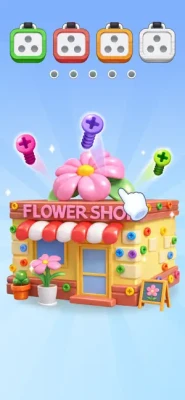
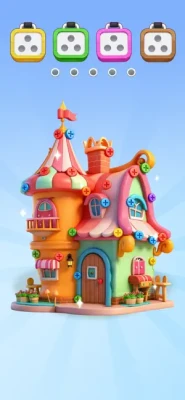
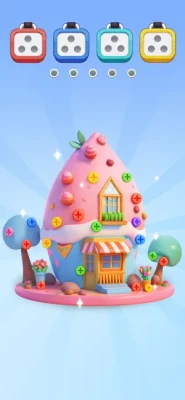
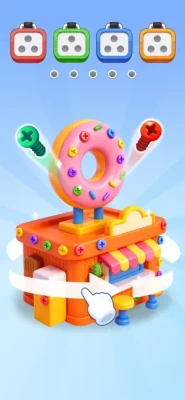
The basic idea is easy to understand: inspect the 3D structure, remove colorful screws, sort them by color, and clear the boxes. As the puzzles become more complicated, choosing the correct order becomes increasingly important.
The game is developed by Sonat Joint Stock Company and is available on iPhone and iPad. The App Store lists it as a casual game with an age rating of 4+, while the current listing also includes in-app purchases.
What Makes Unscrew 3D Interesting?
The appeal comes from combining several familiar puzzle ideas into one experience. You are dealing with:
- 3D screw and pin arrangements
- Color-based sorting
- Limited opportunities to make mistakes
- Increasing puzzle complexity
- Spatial observation
- Step-by-step planning
- Satisfying piece removal
The game begins with straightforward puzzles, allowing you to understand the basic mechanics before introducing more difficult arrangements. The App Store description specifically highlights hundreds of levels and progressively harder challenges.
How to Play Unscrew 3D - Pin Jam Puzzle
The controls are simple, but solving the puzzles efficiently requires considerably more thought.
1. Study the Entire Puzzle
Before tapping anything, take a moment to examine the complete structure.
Look for:
- Screws that are immediately accessible
- Screws hidden behind other pieces
- Groups of the same color
- Open spaces where removed screws can go
- Pieces that appear to be blocking another screw
A few seconds of observation can prevent a bad move later.
2. Identify Matching Colors
The main objective is to sort screws into their corresponding boxes.
If several screws share the same color, think about how they can be removed and grouped together rather than treating every screw as an independent move.
Color recognition becomes particularly important when several different screw colors are visible at the same time.
3. Remove Screws Carefully
Tap the appropriate screw to remove it.
Do not automatically select the first screw you notice. A screw that looks easy to remove may actually be important because its position can affect access to other pieces.
4. Fill the Correct Boxes
Once screws are removed, they need to be directed toward their matching color boxes.
Your goal is to continue sorting until all required screws have been cleared and the puzzle is completed.
5. Clear the Board
A level is successfully completed when the required screws have been sorted and the puzzle structure has been cleared.
The further you progress, the more important your move order becomes.
Complete Unscrew 3D Strategy Guide
Strategy 1: Never Rush the First Move
One of the most common mistakes in screw puzzles is assuming that the first available screw is automatically the correct one to remove.
Instead, scan the board first.
Ask yourself:
Which screw will give me the most useful access after it is removed?
That simple question can dramatically improve your decisions on complicated layouts.
Strategy 2: Look for Blocked Screws
Some screws may be difficult to reach because other pieces are positioned around or above them.
When you notice a blocked screw, determine which piece is preventing access.
Then work backward.
For example:
- Find the screw you eventually want.
- Identify what is blocking it.
- Determine which blocking screw should be removed.
- Check where that screw will be sorted.
- Make sure removing it does not create another problem.
This turns the puzzle into a sequence rather than a collection of random taps.
Strategy 3: Think Several Moves Ahead
Try not to think only about your current move.
Instead, consider the next two or three actions.
A good sequence might look like:
Remove A → expose B → sort B → open C → finish the color group.
This is particularly useful when multiple screws overlap or when the board contains several colors.
Strategy 4: Finish Color Groups When Possible
If several screws of the same color can be safely removed, completing that group can simplify the board.
However, do not force a color group if removing one of its screws blocks a more important route.
The best move is not always the one that produces the quickest match.
Strategy 5: Watch Your Sorting Space
Before making a move, think about where the resulting screw will go.
If several screws are already moving toward the same color box, make sure your next actions will not leave you with an awkward arrangement.
Good sorting is about maintaining options.
Strategy 6: Use the 3D Perspective
One of the game's defining features is its three-dimensional presentation.
A screw that appears unrelated to another piece may actually be positioned above, behind, or in front of it.
Rotate your attention around the structure and inspect the depth of the arrangement.
Do not rely only on what is visible from one angle.
Strategy 7: Separate Easy Moves From Critical Moves
Not every move has the same importance.
An easy move might simply remove an exposed screw without affecting anything else.
A critical move may open access to several other screws.
Prioritize critical moves when you can identify them.
Strategy 8: Avoid Random Tapping
Random tapping might work on simple levels, but it becomes increasingly unreliable as the puzzles become harder.
Instead, create a small mental plan before each sequence.
If a move does not improve the position, reconsider it.
Strategy 9: Use Mistakes as Information
If a particular sequence leaves you stuck, do not simply repeat the same actions.
Look for the decision that caused the problem.
Was a screw removed too early?
Did you ignore another color?
Did you use an important opening before it was necessary?
Understanding the mistake is often more useful than memorizing a solution.
Strategy 10: Slow Down on Difficult Levels
The game is designed to become more challenging as you progress. The App Store listing describes the puzzles as starting simple before becoming harder to master.
When a level looks complicated, slowing down is usually better than trying to solve it through speed.
Take time to identify the structure first.
Unscrew 3D Tips for Beginners
If you are new to screw pin puzzles, these tips can make the early levels easier:
- Examine the entire board before your first move.
- Look for exposed screws first.
- Pay attention to screw colors.
- Identify blocked pieces before removing anything.
- Think about your next move before committing.
- Avoid making moves simply because they are available.
- Use the 3D layout to understand what is blocking what.
- Keep track of which colors have already been sorted.
- Reconsider your sequence when you become stuck.
- Save helpful power-ups for situations where they actually solve a problem.
How to Solve Hard Unscrew 3D Levels
Hard levels are usually less about fast reactions and more about planning.
Start by identifying the most important obstacle on the board.
Then ask:
What has to move before I can reach it?
Once you know the answer, work backward until you find a safe starting move.
A useful approach is:
Target → blocker → blocker of blocker → starting move
This backward-planning technique can make complicated screw arrangements much easier to understand.
Common Mistakes to Avoid
Removing the First Available Screw
An exposed screw is not necessarily the best screw.
Ignoring the Color Order
Sorting is central to the game, so always consider how your current move affects the remaining colors.
Focusing Only on the Front Layer
Because the puzzles are presented in 3D, pieces can be positioned behind or underneath others.
Making Too Many Moves Without a Plan
If you repeatedly tap without considering the consequences, you can quickly lose track of the puzzle structure.
Using Help Too Early
If a puzzle seems difficult, first inspect the board again. Sometimes the solution becomes obvious once you identify the blocking piece.
Best Way to Approach a New Level
A reliable routine is:
Observe → Identify colors → Find blockers → Choose an opening move → Plan the sequence → Sort screws → Clear the puzzle
This approach works particularly well because it combines the game's two main challenges: spatial reasoning and color sorting.
Unscrew 3D Game Features
According to the App Store listing, the game includes:
- 3D screw pin puzzles
- Color-based screw sorting
- Hundreds of levels
- Increasing puzzle difficulty
- Simple tap-and-drag controls
- Colorful 3D visuals
- Relaxing puzzle gameplay
- Brain-training style challenges
- In-app purchases and optional purchases
The App Store currently lists the game at 4.6 stars from 223 ratings, although ratings can change over time.
Is Unscrew 3D Good for Puzzle Fans?
Unscrew 3D is aimed at players who enjoy casual logic games, sorting puzzles, screw puzzles, and simple mechanics that gradually become more demanding.
Its controls are easy to learn, but the challenge comes from deciding which screw to remove and when. That distinction gives the game more depth than a puzzle based purely on matching colors.
It can also be played in short sessions, making individual levels suitable for quick breaks.
Unscrew 3D Difficulty
The early puzzles are designed to introduce the basic mechanics. Later stages require more observation and planning as the arrangements become more complicated.
Players who enjoy progressively harder logic puzzles may appreciate this structure. One App Store reviewer reported playing more than 200 levels and described the difficulty as challenging without becoming excessively frustrating.
Pros and Cons
Pros
- Easy controls
- Attractive 3D puzzle presentation
- Simple color-sorting concept
- Increasing difficulty
- Large number of levels
- Relaxing gameplay style
- Requires genuine planning on harder puzzles
Cons
- Some puzzles can require trial and error
- Advertisements are part of the free experience
- The game has a relatively large app size
- Optional in-app purchases are available
The App Store currently lists the app at approximately 943.9 MB and notes that it requires iOS 15.0 or later.
Unscrew 3D Controls
The controls are intentionally straightforward.
Most actions revolve around:
- Tapping screws
- Dragging when required
- Selecting pieces
- Sorting screws by color
- Using available puzzle assistance
The simplicity of the controls means most of the difficulty comes from solving the puzzle rather than learning complicated controls.
Frequently Asked Questions
What is Unscrew 3D - Pin Jam Puzzle?
Unscrew 3D - Pin Jam Puzzle is a casual 3D logic game where players remove colorful screws and sort them into matching boxes while solving increasingly difficult arrangements.
How do you play Unscrew 3D?
Study the screw arrangement, choose an appropriate screw, remove it, and sort it into the matching color box. Continue until the puzzle is completely cleared.
Is Unscrew 3D difficult?
The game starts with simpler puzzles and becomes more challenging as you progress. Later levels require more careful planning and observation.
Does Unscrew 3D have many levels?
Yes. The official App Store description states that the game contains hundreds of levels, with additional content added regularly.
Is Unscrew 3D available on iPhone?
Yes. The App Store listing supports iPhone and iPad and requires iOS 15.0 or later.
Does Unscrew 3D have in-app purchases?
Yes. The App Store listing currently shows several optional in-app purchases, including gold packages and options related to removing ads.
What is the best strategy for difficult screw puzzles?
Study the entire structure before making a move, identify blocked screws, consider the color destinations, and plan several moves ahead instead of tapping randomly.
Final Thoughts
Unscrew 3D - Pin Jam Puzzle takes a straightforward idea—remove screws and sort them by color—and turns it into a progressively more demanding 3D logic challenge.
The most important skill is not speed. It is recognizing the correct order of moves.
Once you start looking at each level as a sequence of obstacles rather than a collection of individual screws, the harder puzzles become much easier to approach. Pay attention to blocked pieces, use the 3D layout to your advantage, and think a few moves ahead before committing.
For fans of screw puzzles, sorting games, casual brain teasers, and 3D logic challenges, Unscrew 3D offers a simple concept with plenty of room for increasingly complex problem solving.
Rate the Game
User Reviews












Popular Games



















 Android
 iOS
iOS Windows
 Xbox
Xbox