
Latest Version
November 05, 2026
mobirix
Puzzle
Android
0
com.mobirix.crossstking
Report a Problem
More About :game
Developed by mobirix, Cross Stitch King also allows players to import images from their devices and use them as patterns. Different pattern sizes, helpful magic items, intuitive controls, achievements, and leaderboards add more ways to enjoy the stitching experience.
What Is Cross Stitch King?
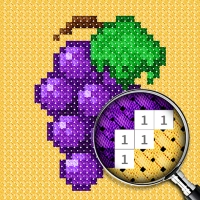
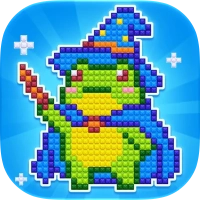
Cross Stitch King is a digital cross-stitch game built around a simple but satisfying idea: fill individual squares with their matching colors to create a finished picture.
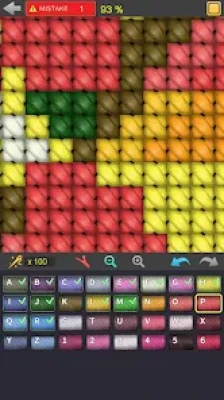
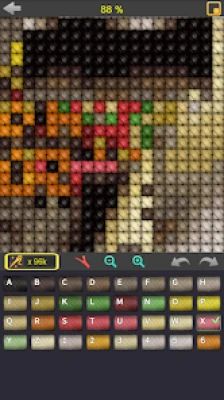
Instead of using real needles and thread, players complete designs directly on a mobile screen. Each pattern is divided into small squares, and every square represents a stitch. Select a color, find the matching spaces, and fill them until the picture gradually takes shape.
The gameplay is easy to understand, making it suitable for beginners as well as people who already enjoy traditional cross-stitch crafts. However, larger and more detailed designs require patience, careful observation, and an organized approach.
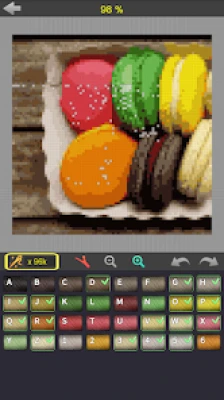
One of the game's most interesting features is the ability to import personal images. This gives players an opportunity to work with their own pictures instead of choosing only from the built-in collection.
Main Features of Cross Stitch King
A Wide Variety of Pattern Themes
The game includes designs inspired by several popular subjects. Players can explore patterns featuring food, animals, flowers, paintings, landscapes, transportation, and different forms of art.
This variety keeps the experience fresh. Someone who enjoys cute animals can choose those designs, while another player might prefer colorful flowers, scenery, or artistic pictures.
Three Different Pattern Sizes
Cross Stitch King supports three pattern sizes. This gives players different levels of detail and lets them choose a design that suits their available time and preferred challenge.
Smaller patterns can be convenient for quick sessions, while larger designs provide more space for detailed artwork and longer creative projects.
Import Your Own Images
The image-import feature allows players to load pictures from their devices and use them as cross-stitch patterns.
It adds a personal touch to the experience because players are not limited to the designs already included in the game. The feature can also make repeated sessions more interesting by allowing users to experiment with different pictures.
Helpful Magic Items
Magic items are available to help players complete their stitching work more easily. These tools can be useful when a pattern becomes difficult or when players want assistance with parts of a design.
Using helpful items thoughtfully can make the experience more comfortable, especially when working on detailed pictures.
Simple and Intuitive Controls
The game uses straightforward touch controls. Players select a color and tap the appropriate squares to create stitches.
Two-finger gestures allow users to zoom in, zoom out, and move around the pattern. These controls are particularly useful when working with small squares or larger designs.
Achievements and Leaderboards
Achievement support gives players additional goals to work toward. Leaderboards add a competitive element for those who enjoy comparing their progress with other players.
Multiple Language Support
Cross Stitch King supports 16 languages, making the game accessible to players from different regions.
Gameplay Mechanics and Controls
Understanding the basic controls is the first step toward completing patterns accurately.
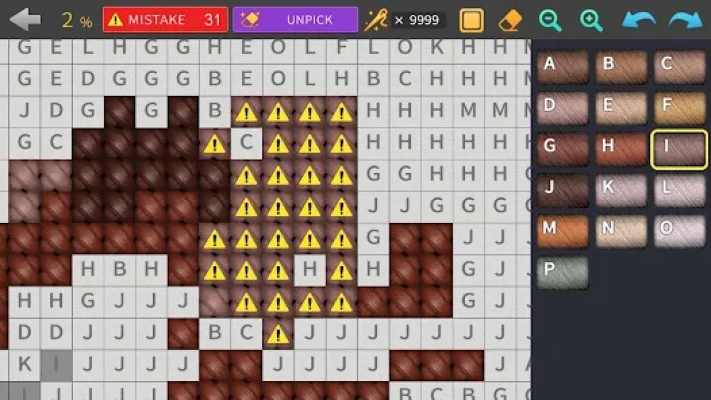
Selecting a color: Choose the color you want to use from the available color options. The selected color determines which squares you should fill.
Creating a stitch: Tap the square where the selected color belongs. Matching the color to the correct location gradually completes the picture.
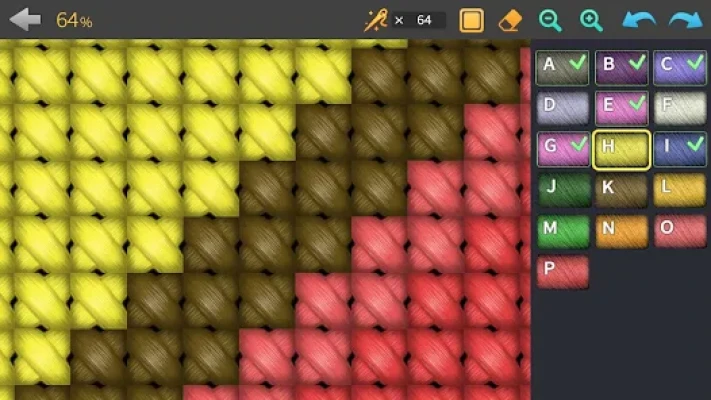
Zooming in and out: Use two fingers to adjust the view. Zooming in makes small squares easier to select, while zooming out helps you understand the overall pattern.
Moving around the design: Touch the screen with two fingers and move to navigate across different areas of the pattern.
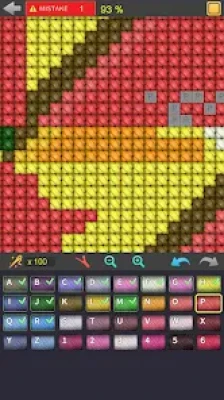
Removing a stitch: If you fill the wrong square, select the knot-removal option from the menu and touch the stitch you want to remove.
These simple actions form the foundation of the entire experience. Learning to use them comfortably makes detailed patterns much easier to complete.
How to Play Cross Stitch King
Start by selecting a pattern from the available collection. Consider its size and appearance before beginning, especially if you are new to cross-stitch games.
Once the pattern opens, examine the color options and identify the first color you want to work with. Select it, then locate the matching squares across the design.
Tap the correct squares to place stitches. Continue filling matching areas until you have completed that color or reached a convenient stopping point.
Move between colors as needed. If a square is difficult to identify, zoom in and inspect the surrounding pattern. When you finish all the required squares, the complete picture becomes visible.
If you make a mistake, use the removal control to correct it rather than continuing with an inaccurate design.
Complete Strategy Guide for Cross Stitch King
Start With Smaller Patterns
If you are new to Cross Stitch King, begin with a smaller design. It gives you an opportunity to understand the color-selection system, practice tapping individual squares, and learn how the controls work.
A smaller pattern is also easier to inspect because fewer areas need attention. Once you become comfortable with the basic process, move on to larger and more detailed artwork.
Study the Entire Picture Before Stitching
Before filling any squares, take a moment to examine the design.
Look at its overall shape, major color areas, and smaller details. Understanding the picture first can help you recognize where different colors belong.
This is especially useful when a pattern contains several similar shades or many small sections.
Work With One Color at a Time
A practical approach is to focus on one color before moving to another.
Select a color, locate its matching squares, and complete as much of that color as you comfortably can. Then switch to the next color.
This method helps reduce unnecessary switching and makes it easier to keep track of completed areas.
Use Zoom for Accurate Stitching
Small squares can be difficult to select when the entire pattern is visible on the screen.
Zoom in whenever you are working on a detailed section. A closer view makes individual squares easier to distinguish and reduces accidental taps.
Zoom out occasionally to check your progress and make sure the picture is developing correctly.
Move Around the Pattern Carefully
Large patterns may extend beyond the visible screen area. Use the two-finger movement control to navigate between sections.
Try to work through nearby areas instead of jumping randomly around the picture. This creates a more organized workflow and helps you remember which sections you have already completed.
Check Similar Colors Closely
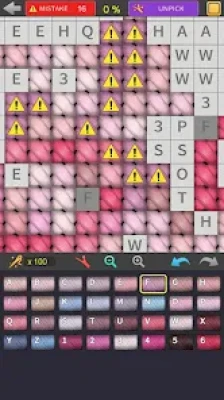
Some patterns contain colors that look almost identical. Filling a square with the wrong shade can affect the appearance of the finished artwork.
When two colors are difficult to distinguish, inspect the color options carefully and zoom in on the relevant part of the pattern.
Avoid rushing through sections that contain many similar shades.
Correct Mistakes Immediately
If you notice an incorrect stitch, use the removal option to take it out.
Correcting errors as soon as you see them is usually easier than trying to remember their locations later. It also helps prevent small mistakes from becoming confusing when you return to a section.
Use Magic Items When They Are Helpful
Magic items can make the stitching process easier. Consider using them when you are having difficulty completing a section or need assistance with a challenging pattern.
Rather than using every available helper immediately, become familiar with the normal controls first. This helps you understand the gameplay and decide when additional assistance is worthwhile.
Choose Pattern Sizes Based on Your Available Time
Not every session needs to involve a large picture.
Choose smaller designs when you want a short creative break. Save larger patterns for moments when you have more time to concentrate.
This simple habit can make the game feel more relaxing and prevent long projects from becoming overwhelming.
Make Personal Use of Imported Images
The image-import feature creates opportunities to experiment with pictures from your device.
Choose an image with a clear subject and recognizable shapes. Pictures with strong visual separation are often easier to follow than images containing many tiny details or very similar colors.
Try different pictures and see which ones produce patterns you enjoy completing.
Review the Finished Picture
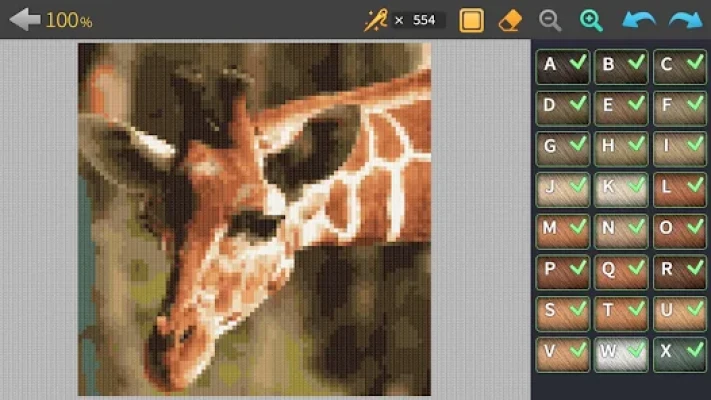
After completing a design, take a moment to examine the entire picture.
Zoom out and check the overall appearance. If you notice an unfinished area or an incorrect stitch, return to it and make the necessary correction.
This final review helps ensure that your completed artwork looks as intended.
Best Tips for Beginners
Begin with smaller patterns to learn the controls.
Select one color at a time to stay organized.
Zoom in when working with small squares.
Use two-finger movement to navigate larger designs.
Check similar shades before placing stitches.
Correct misplaced stitches as soon as you notice them.
Use magic items when you genuinely need assistance.
Experiment with different pattern themes to discover your favorites.
Try the image-import feature for a more personal experience.
Take breaks during long projects to avoid unnecessary mistakes.
Advanced Tips for More Detailed Patterns
As you become more familiar with the game, you can improve your approach to larger designs.
Divide the pattern into manageable areas. Instead of treating a large picture as one enormous task, focus on smaller sections. Complete one area before moving to another.
Pay attention to color distribution. Notice where each shade appears and how different colors connect. This makes it easier to understand complicated parts of the artwork.
Keep your screen view comfortable. Use a zoom level that lets you select squares accurately without losing track of the surrounding picture.
Avoid unnecessary movement. Work through nearby sections whenever possible. This reduces the chance of losing your place.
Use imported pictures creatively. Experiment with different images and choose subjects that produce recognizable patterns. This can add variety beyond the built-in collection.
Why Players May Enjoy Cross Stitch King
Cross Stitch King combines simple puzzle mechanics with the satisfaction of creating artwork. Every correctly placed stitch contributes to a larger picture, giving players a visible sense of progress.
The variety of themes means there are different types of designs to explore. The three pattern sizes also offer flexibility, while image importing allows players to bring personal pictures into the experience.
Its straightforward controls make it approachable for beginners, and the larger patterns provide a reason to keep practicing. Players who enjoy coloring games, pixel-style artwork, and relaxing creative activities may find the gameplay particularly appealing.
Frequently Asked Questions
What is Cross Stitch King?
Cross Stitch King is a creative mobile game in which players fill colored squares to complete cross-stitch patterns.
Who developed Cross Stitch King?
The game is developed by mobirix.
How do you complete a pattern?
Select a color and fill the matching squares on the design. Continue with the other colors until every required square has been completed.
Can I use my own pictures?
Yes. The game supports importing images from your device and using them as patterns.
Does Cross Stitch King have different pattern sizes?
Yes. The game supports three different pattern sizes.
How do I zoom in on a pattern?
Use two fingers on the screen to zoom in or zoom out.
How can I move around a large design?
Touch the screen with two fingers and move them to navigate across the pattern.
Can I remove an incorrect stitch?
Yes. Select the knot-removal option from the menu and touch the stitch you want to remove.
Are there different picture themes?
Yes. Available themes include food, animals, flowers, paintings, landscapes, transportation, and art.
Does the game include achievements?
Yes. Cross Stitch King supports achievements and leaderboards.
Is Cross Stitch King suitable for beginners?
Its simple rules and intuitive controls make it accessible to beginners. Starting with smaller patterns can help new players learn the gameplay comfortably.
Final Verdict
Cross Stitch King offers a simple and enjoyable way to experience cross-stitch creativity on a mobile device. Its colorful patterns, multiple design sizes, image-import option, and helpful tools give players several ways to enjoy the activity.
The gameplay is easy to understand, but completing detailed pictures still rewards patience, concentration, and careful color selection. Whether you prefer animals, flowers, landscapes, food, or personal images, the game provides a relaxing creative experience built around completing one stitch at a time.
For players who enjoy coloring puzzles, digital crafts, and picture-completion games, Cross Stitch King is a worthwhile option to explore.
Rate the Game
User Reviews





Popular Games










 Android
 iOS
 Windows
 Xbox