


Latest Version
September 06, 2025
Garden City Games
Simulation
0
com.capcom.smurfsandroid
Report a Problem
More About :game
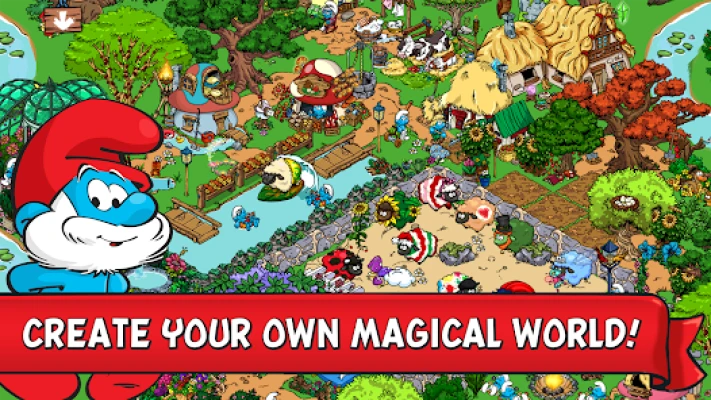
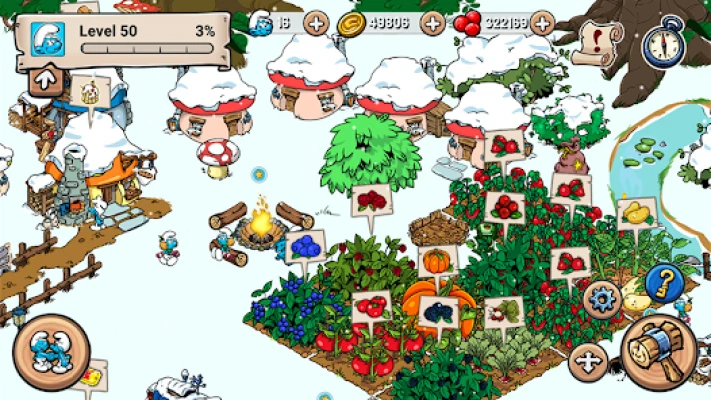
Starting with a small mushroom house and a modest plot of land, you gradually develop a thriving settlement by planting crops, harvesting Smurfberries, constructing colorful mushroom homes, building bridges, and decorating the landscape. The game also features entertaining mini-games, familiar Smurf characters, special buildings, and additional areas to explore as your village grows.
With thousands of decorative items, relaxing farming activities, and plenty of opportunities for creative building, Smurfs' Village offers an enjoyable experience for fans of simulation games and the classic cartoon. You can develop your village at your own pace, experiment with different layouts, and discover new ways to make your Smurf community feel unique.
Game Overview and Main Information
Game title: Smurfs' Village
Developer: Garden City Games
Package name: com.capcom.smurfsandroid
Platform: Android, with additional availability on supported platforms
Genre: Village building, farming simulation, casual management, and decoration
Gameplay style: Single-player simulation with optional social features
Main objective: Rebuild the Smurf Village, grow crops, collect resources, construct homes, and explore additional magical areas.
Main characters: Papa Smurf, Smurfette, Brainy Smurf, Jokey Smurf, Greedy Smurf, Handy Smurf, Lazy Smurf, Baby Smurf, and many others.
Main activities: Farming, harvesting, building mushroom houses, decorating, completing mini-games, collecting Smurfberries, and developing new areas.
In-game currency: Smurfberries and other resources used for different activities and purchases.
Customization: Extensive decorations, colorful gardens, lights, bridges, paths, furniture, and themed items.
Monetization: Free to play, with advertisements and optional in-app purchases.
Offline play: Village management can be played offline, although certain social and online features may require an internet connection.
Target audience: Casual gamers, families, creative builders, and fans of the Smurfs.
The game combines farming, construction, resource management, and decoration. Its progression revolves around expanding your settlement, unlocking new possibilities, and creating a beautiful home for the Smurfs.
What Makes Smurfs' Village Special?
Build Your Own Smurf Village
The main attraction is the freedom to create a village from the ground up. You begin with limited space and a small number of buildings, then gradually expand your settlement with new mushroom houses, bridges, paths, and decorative objects.
As your village develops, you can organize its different sections according to your preferences. Some players prefer neat rows of buildings and carefully arranged farms, while others enjoy creating colorful gardens and imaginative landscapes.
Grow Crops and Harvest Smurfberries
Farming is one of the most important parts of the experience. Plant crops, allow them to grow, and harvest them when they are ready. Smurfberries and other farm resources contribute to your village's development and help you progress through the available activities.
Different crops have different growing times and rewards. Learning how to manage your planting schedule makes it easier to keep your land productive.
Meet Familiar Smurf Characters
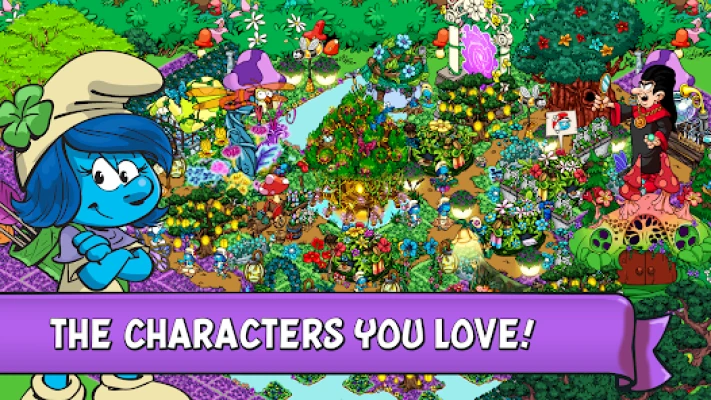
Papa Smurf helps guide your adventure, while Smurfette, Brainy, Handy, Greedy, Lazy, and other characters bring their own personality to the village.
Many Smurfs are connected to particular activities, buildings, or mini-games. Discovering these characters adds variety to the experience and helps make your settlement feel like a living community.
Enjoy Fun Mini-Games
Smurfs' Village includes several mini-games that provide a break from farming and construction. Examples include Greedy Smurf's Baking Game, Papa Smurf's Potion Mixing Game, Painter Smurf's Painting Game, and Lazy Smurf's Fishing Game.
These activities offer variety while crops grow and can provide additional bonuses, depending on the activity and current game content.
Explore Five Magical Areas
The game allows players to develop a forest village across five magical areas. Additional environments provide more room for construction, new themes, and fresh decorating opportunities.
Exploration gives long-term players additional goals beyond expanding their original village.
Decorate With Thousands of Items
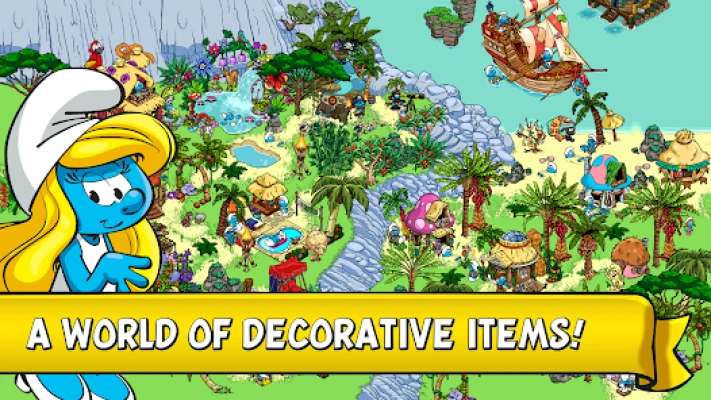
Customization is a major feature of the game. The official store description advertises more than 5,000 handcrafted decorative items, including colorful gardens, lights, flower chairs, hammocks, and other objects.
You can create a cozy woodland village, a lively farming community, or a carefully themed settlement with distinctive areas for different Smurfs.
Connect With Other Players
Optional social features let players connect with friends, exchange gifts, and explore or rate other villages through supported services. These features add a community element to an otherwise relaxed building experience.
Complete Gameplay Guide
Getting Started
When you first enter Smurfs' Village, concentrate on learning the basic controls and completing the introductory tasks.
Start by planting your available crops, collecting rewards, and following the guidance provided by the game. Build essential structures as they become available, and avoid spending your resources on decorations before understanding what your village needs.
Early progress becomes easier when you maintain a balance between farming, construction, and the tasks that unlock additional content.
Understanding Crops and Growing Times
Every crop requires a certain amount of time to grow. Some are suitable for frequent visits, while others are better when you expect to be away from the game for longer periods.
Before planting, consider how long you will be unavailable and what resources you currently need. If you plan to check the game again soon, a shorter growing cycle may be more convenient. If you are leaving for several hours, a longer cycle can help make productive use of your land.
Harvest crops promptly when they are ready and replant your plots whenever practical.
Collecting and Using Smurfberries
Smurfberries are an important resource in the game's economy. Their availability and uses depend on the activities and features unlocked in your village.
The game also offers Smurfberries through optional in-app purchases, including options that can speed up crop growth and village development.
Use premium resources thoughtfully. Before spending them, consider whether the purchase will meaningfully improve your progress or whether waiting for your crops and completing regular activities is sufficient.
Constructing Mushroom Houses
Mushroom houses are among the most recognizable features of Smurfs' Village. They provide homes for your characters and help give your settlement its familiar appearance.
Build new houses when your progression allows it, and consider how they fit into the available space. Leave enough room for paths, gardens, farms, and future structures.
A little planning early on can prevent unnecessary rearrangement when your village becomes crowded.
Building Bridges and Paths
Bridges help connect different sections of your landscape, particularly where rivers or other environmental features divide the available space.
Paths provide a visual structure for your village and can make it easier to organize residential and farming areas.
Plan connections between important buildings first. Add decorative paths and extra landscaping after establishing a practical layout.
Playing Mini-Games
Mini-games provide an alternative to waiting for crops and buildings. Explore the activities associated with different Smurfs and learn their objectives before attempting to maximize your rewards.
Complete these activities when they are available and useful to your current goals. Their bonuses can support your broader village development.
Expanding Into New Areas
As you progress, additional areas offer more room for buildings and decorations. Expansion requirements vary by location and game progression, so check the relevant in-game prompts before planning a major development project.
Avoid spreading your resources too thinly across every available area. Develop your current settlement steadily, then direct your attention toward new territory when it becomes practical.
Full Strategy Guide for Beginners
Establish a Consistent Farming Routine
A simple farming routine is one of the most reliable ways to maintain progress.
Begin by checking which crops are ready, harvesting them, and planting replacements. Then collect available rewards, review your current objectives, and complete any useful mini-games.
Before leaving the game, plant crops that suit the time until your next session.
This routine keeps your land productive without requiring constant attention.
Prioritize Progress Before Decoration
Decorating is enjoyable, but early resources are often more valuable when directed toward essential buildings and development tasks.
Focus on the structures, crops, and objectives that help unlock new activities. Once your village has a stable foundation, you can devote more resources to decorative improvements.
This approach allows you to enjoy both efficient progression and creative freedom.
Choose Crops According to Your Schedule
Do not automatically plant the same crop every time. Consider the available growing time and the reward you expect to receive.
Shorter crops can be convenient during active play sessions, while longer crops can be useful before a long break. Your best choice depends on your current needs and how often you can return.
Keep Your Resources Balanced
Avoid spending every available resource as soon as you receive it. Some construction projects, character-related activities, or progression requirements may need resources later.
Maintain a reasonable reserve whenever possible and review your next objectives before making large purchases.
Use Mini-Games During Waiting Periods
When your crops are still growing, explore available mini-games rather than simply waiting. This gives your sessions more variety and may provide useful bonuses.
Try different activities to discover which ones you enjoy and which rewards best support your current plans.
Expand With a Long-Term Plan
Before developing a new area, decide what role you want it to play in your village. You might create a farming district, a residential neighborhood, a flower garden, or a themed decorative zone.
Leave open space for future buildings and avoid filling every available tile immediately. An adaptable layout is easier to improve as your collection grows.
Advanced Strategies for Faster Progress
Match Crop Timers to Your Daily Routine
Think of farming as a schedule rather than a repetitive task. Plant crops that will be ready around the times you usually return to the game.
This reduces the time your land remains unused after harvesting becomes possible.
When your schedule changes, adjust your planting choices accordingly.
Develop Your Most Important Areas First
Choose one or two main goals for your village instead of trying to improve every section simultaneously.
For example, you might focus on expanding your original settlement before investing heavily in decorative projects elsewhere. Once that goal is complete, move to the next area.
This keeps your progress organized and makes it easier to measure your achievements.
Take Advantage of Available Events
Special events and limited-time activities may provide themed objects, additional rewards, or opportunities to collect unique items.
Check the current event requirements and decide whether they fit your available playtime. Focus on the rewards you genuinely want rather than attempting to complete every activity.
Event content changes over time, so rely on the current in-game information for exact requirements and rewards.
Use Decorations Strategically
Decorations are not only about appearance. They can also help create a village that is easier to navigate and maintain.
Group similar buildings together, keep farming areas accessible, and leave room around structures that you frequently use. Consider using paths and bridges to create clear connections between different parts of the village.
You can always rearrange decorative elements later when your settlement grows.
Make Careful Premium Purchases
Optional purchases can speed up certain aspects of development, but spending real money is not necessary for every activity.
Before buying anything, compare the immediate benefit with the time you would save by playing normally. Set a budget if you decide to make purchases, and prioritize items that provide lasting enjoyment rather than temporary convenience.
Protect Your Progress
Village-building games can involve long-term progress, so it is sensible to review any available account, save, or synchronization options.
If the game offers a supported account system, follow its instructions to protect your progress. Avoid uninstalling the game or clearing its data before confirming that your progress is safely stored, especially if you have made in-app purchases.
Common Mistakes to Avoid
Planting Crops Without Considering Time
Choosing crops without checking their growing times can lead to inefficient sessions. Match your planting schedule to the time you expect to return.
Spending All Your Resources on Decorations
A beautiful village is rewarding, but spending too early on optional items can slow construction and progression. Balance creative purchases with practical needs.
Ignoring Mini-Games
Mini-games provide variety and may offer useful bonuses. Check the available activities instead of focusing exclusively on farming.
Expanding Without a Layout Plan
Building everywhere without considering space can make your village feel crowded. Leave room for future houses, farms, paths, and bridges.
Using Premium Currency Impulsively
Before spending Smurfberries or making a real-money purchase, consider whether the benefit is worth the cost and whether the resource could be more useful later.
Forgetting to Harvest
Crops that are ready to collect cannot be replanted until you harvest them. Check your farm regularly and make harvesting part of your normal routine.
Neglecting Save and Account Options
If your device experiences a problem or you plan to change devices, understanding the available progress-saving options can help reduce the risk of losing your village.
Frequently Asked Questions
What is Smurfs' Village?
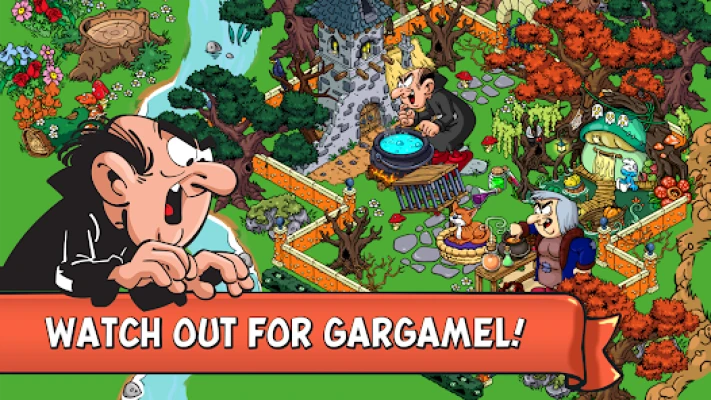
Smurfs' Village is a farming and village-building simulation in which players help Papa Smurf rebuild the Smurfs' home after Gargamel scatters the community throughout the enchanted forest.
Is Smurfs' Village free to play?
Yes. The game is available as a free download and offers optional in-app purchases. The Google Play listing also indicates that the game contains advertisements.
Can you play Smurfs' Village offline?
Yes, many village-management activities can be played without an internet connection. However, social features and certain online services may require connectivity.
What can you do in Smurfs' Village?
You can plant crops, harvest Smurfberries, construct mushroom houses, build bridges, decorate your settlement, play mini-games, and explore additional areas.
How many areas can you explore?
The official Google Play description advertises five magical areas for building and farming. The available content and progression requirements depend on the current version of the game.
Which characters are included?
The game includes Papa Smurf, Smurfette, Brainy Smurf, Jokey Smurf, Greedy Smurf, Handy Smurf, Lazy Smurf, Baby Smurf, and other familiar characters.
How do you progress faster?
Maintain a regular farming routine, choose crops according to your schedule, complete available activities, prioritize useful construction, and avoid spending resources unnecessarily.
Can you customize your village?
Yes. The game offers thousands of decorative items, including gardens, lights, furniture, hammocks, paths, bridges, and themed objects that let you create a personalized settlement.
Does the game have mini-games?
Yes. Activities include baking, potion mixing, painting, fishing, and other mini-games associated with different Smurfs. Specific availability and rewards can vary with game updates.
Is Smurfs' Village suitable for casual players?
Yes. Its relaxed pace, familiar characters, farming mechanics, and creative building features make it suitable for players who enjoy casual simulation games.
Final Thoughts
Smurfs' Village combines the charm of the classic Smurfs universe with the freedom of a creative farming and construction game. From planting crops and collecting Smurfberries to building mushroom houses and decorating entire landscapes, the game gives players plenty of ways to develop a settlement at their own pace.
The most effective approach is to establish a consistent farming routine, prioritize important construction, make thoughtful use of resources, and leave room for future expansion. Mini-games and special events add variety, while the extensive collection of decorations allows every player to create a village with its own personality.
Whether you are starting with a single mushroom house or managing a sprawling woodland community, careful planning and steady progress will help you build a welcoming home for the Smurfs.
Rate the Game
User Reviews












Popular Games



















 Android
 iOS
iOS Windows
 Xbox
Xbox