
Latest Version
November 24, 2024
EnJen Games FZE
Sports
iOS
0
Report a Problem
More About :game
Skateboard FE3D 2, also known as Freestyle Extreme 3D 2, focuses on the creative side of skateboarding rather than traditional racing. The game gives you freedom to experiment with tricks, combine moves into longer combos, and explore different types of skate environments.
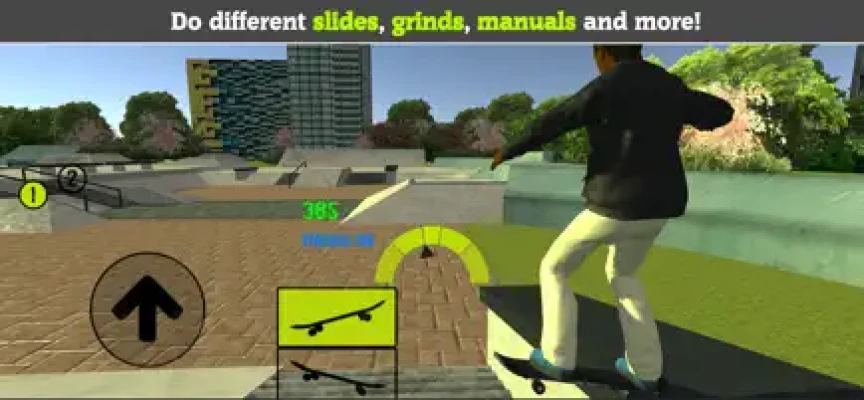
Whether you prefer launching off large ramps or practicing technical street skating, the game provides several ways to ride. Manuals, grinds, wallrides, flips, grabs and other tricks can be connected to create increasingly impressive combinations.
The game is developed by EnJen Games FZE and is available for iPhone and iPad. The U.S. App Store currently lists it as a free Sports game with optional in-app purchases.
Game Theme and Atmosphere
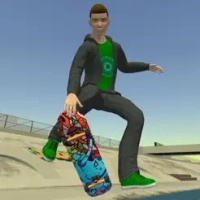
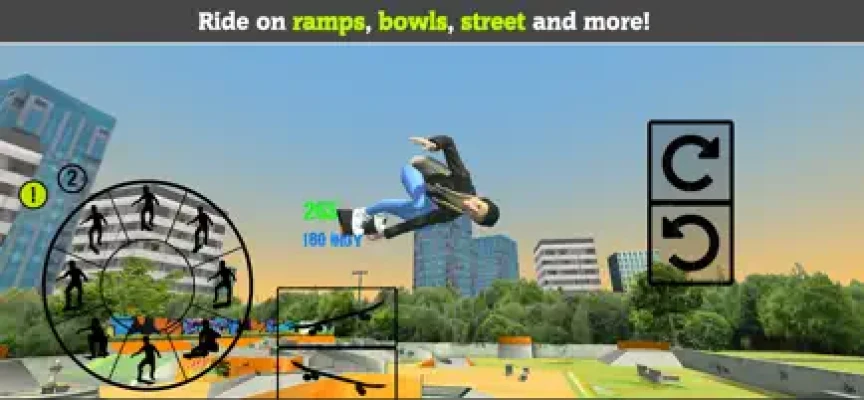
Skateboard FE3D 2 captures the energetic atmosphere of freestyle skateboarding through large ramps, street environments and open skate areas.
The emphasis is on experimentation. Instead of forcing you to follow a fixed route, the game allows you to decide whether you want to chase a high score, complete specific tricks, or simply skate around and practice.
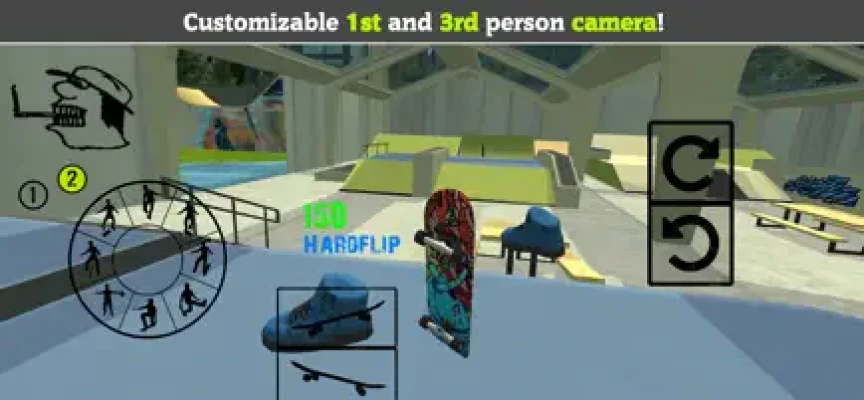
The combination of 3D environments, music and customizable riders gives the game a casual skateboarding feel while leaving plenty of room for trick-based gameplay.
Gameplay Overview
The basic gameplay is built around four ideas:
- Ride through different skateparks.
- Perform individual tricks and stunts.
- Combine tricks into longer combos.
- Earn coins and improve your character and skateboard.
The game features nine skateparks inspired by locations and skateboarding environments from around the world. Players can also create their own custom skateparks.
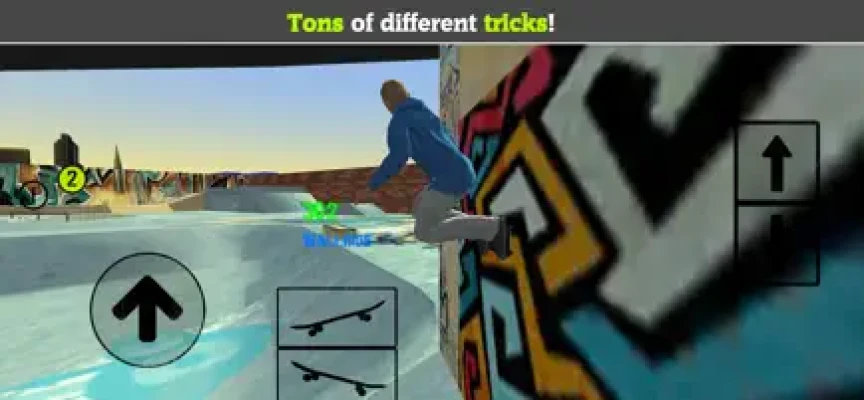
Skateboarding Tricks
Tricks are at the center of the experience.
You can perform:
- Flips
- Grabs
- Manuals
- Grinds
- Slides
- Wallrides
- Spins
- Ramp jumps
- Combination tricks
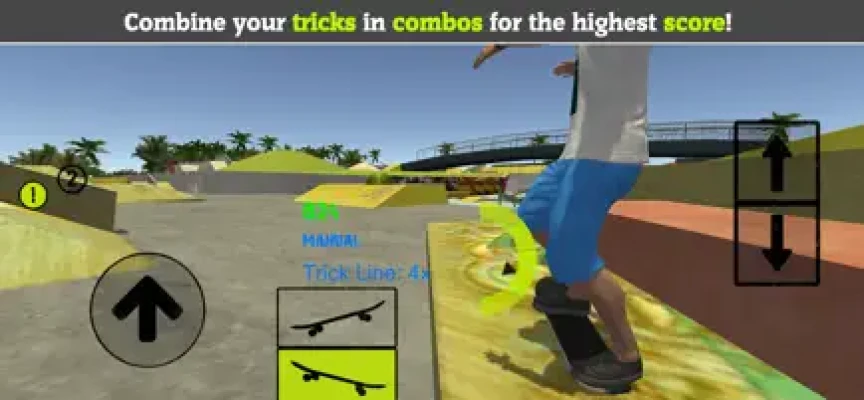
The real fun comes from connecting several techniques into one sequence. A clean run can combine a jump with a flip, land into a manual, transition into a grind and continue into another trick.
Gameplay footage from the game also highlights manuals, slides, flip tricks, grabs, wallrides and large combinations.
Combo System
Combos allow you to turn individual tricks into larger scoring sequences.
Rather than completing one trick and stopping, try connecting movements together. A successful combo can include several different trick types while maintaining momentum through ramps, rails and other obstacles.
Learning when to transition between tricks is one of the most important skills for improving your scores.
Skateparks
Skateboard FE3D 2 includes nine different skateparks, with environments inspired by skateboarding locations around the world.
Each park offers different opportunities for practicing tricks. Some areas are better suited to ramps and aerial moves, while others provide more opportunities for technical street skating, grinds and wallrides.
The variety helps keep the core trick system from feeling limited to one environment.
Custom Skatepark Creator
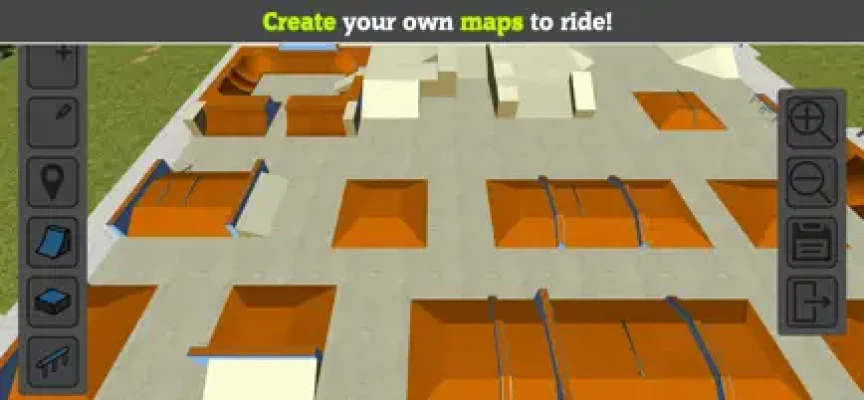
One of the game's standout features is the ability to create your own skatepark.
Instead of only riding the predefined environments, you can design a custom park and then use it as your personal place to practice and experiment.
This feature adds another layer of creativity because the game becomes not only about performing tricks but also about designing the spaces where those tricks take place.
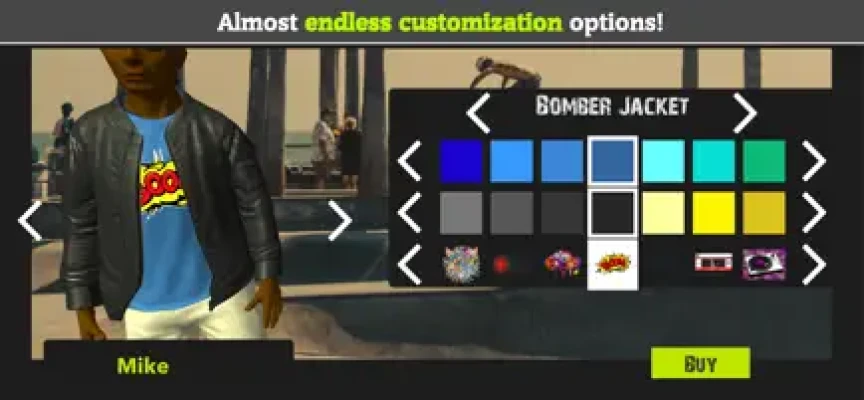
Character Customization
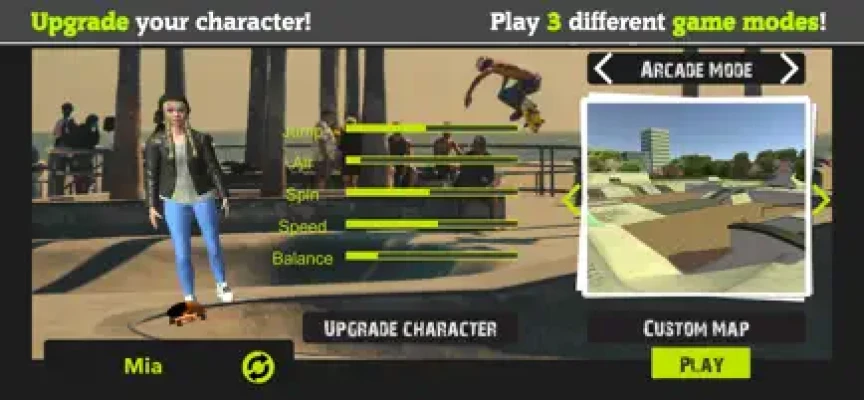
Your skater can be customized with a range of visual options.
The App Store listing specifically mentions clothing, hairstyles and other customization choices. This allows you to create a rider that looks different from the default character.
Customization is primarily cosmetic, but it adds personality to the experience and gives progression another reason to keep playing.
Skateboard Customization
The board can also be customized.
Players can change different skateboard parts and colors, allowing them to create a board that matches their preferred style.
Together with character customization, this gives players considerable freedom to personalize their skating setup.
Coins and Character Progression
Coins earned through gameplay can be used to develop your character.
The App Store describes a progression system where players earn coins and use them to level up their character.
This creates a simple progression loop:
Skate → Perform Tricks → Earn Points/Coins → Improve Your Rider → Skate Better → Chase Higher Scores
Skill Development
Progression isn't only cosmetic. Gameplay footage describes skills such as jump height and spin speed, giving players reasons to improve their rider as they continue playing.
Improving these abilities can make advanced tricks and larger combinations easier to perform.
Game Modes
Skateboard FE3D 2 offers three main game modes.
Arcade Mode
Arcade Mode challenges you to earn as many points as possible within a limited time.
The App Store describes a two-and-a-half-minute scoring challenge.
This is the ideal mode for players who want to maximize combos and chase high scores.
S-K-A-T-E Mode
S-K-A-T-E Mode focuses on completing specific tricks and combinations.
Instead of simply generating the highest score possible, this mode tests your ability to execute particular skating techniques.
It is useful for players who want more structured objectives.
Free Run Mode
Free Run removes the pressure of a timer.
You can skate around the parks without a specific objective, making it useful for exploring environments, practicing tricks, testing combinations or simply enjoying the skating experience.
Beginner's Guide
If you're new to Skateboard FE3D 2, don't immediately focus on enormous combos.
Start by learning how individual tricks work.
Step 1: Learn the Basics
Practice simple jumps, flips and manuals until you can perform them consistently.
Step 2: Explore the Parks
Try different ramps, rails and street areas to understand which obstacles work best with particular tricks.
Step 3: Practice Linking Tricks
Once individual moves become comfortable, begin connecting them.
Step 4: Learn to Maintain Momentum
Good combos depend on maintaining your movement between tricks.
Step 5: Improve Your Rider
Use earned coins to develop your character and improve your overall performance.
Step 6: Experiment With Custom Parks
Once you're comfortable with the standard environments, create a custom skatepark designed around the tricks you want to practice.
Advanced Skateboarding Strategy
Experienced players should concentrate on combo efficiency rather than simply performing the biggest individual trick.
Build Long Chains
Try connecting multiple tricks without breaking your combo.
Use Different Obstacles
Ramps, rails, walls and flat areas can each serve different purposes within a combination.
Mix Technical and Aerial Tricks
Combining street-style moves with aerial tricks can make your runs more varied and rewarding.
Practice Transitions
The transition between one trick and another is often more important than the individual trick itself.
Learn Each Skatepark
Memorizing the layout of a park can help you plan longer runs and identify the best places to begin or continue a combo.
Difficulty
Skateboard FE3D 2 is easy to approach but can become considerably more demanding when you start chasing high scores and complex combinations.
Casual players can enjoy Free Run without worrying about performance, while advanced players can spend considerable time learning trick combinations and optimizing Arcade Mode runs.
The difficulty therefore comes primarily from mastering the controls and building consistent combos rather than from conventional enemies or artificial opponents.
Graphics and Presentation
The game uses a 3D presentation designed around skateparks, ramps, streets and skating obstacles.
Compared with the original Skateboard FE3D, gameplay footage describes the sequel as having significant improvements to graphics, physics and animations.
The visual focus is functional rather than cinematic, keeping attention on the rider, obstacles and tricks.
Music and Audio
Music is part of the game's presentation. The App Store specifically promotes music to accompany skating sessions.
This helps reinforce the casual freestyle atmosphere and makes longer skating sessions feel more energetic.
Updates and Improvements
The game's update history shows continued technical improvements.
Version 1.59 included improvements to backflips and frontflips, cosmetic improvements to some maps, improved frame rates on some devices and other fixes.
Later listed updates have included improvements to security, stability, frame rate and bugs. Version 1.58 also included improvements to speed, braking, maps and animations.
App Store Rating
The U.S. App Store currently displays 4.5 out of 5 stars from 150 ratings.
Player feedback includes praise for the series and its trick-based gameplay, while some users have suggested additional features such as online competition, sponsorship systems and more advanced event structures.
These suggestions reflect individual player requests rather than confirmed features.
Pros and Cons
Pros
- Large variety of skateboard tricks
- Manuals, grinds and wallrides
- Nine different skateparks
- Custom skatepark creation
- Three distinct gameplay modes
- Character customization
- Skateboard customization
- Coin-based progression
- Skill improvements
- Free Run mode
- Music during gameplay
- Everything can be unlocked through gameplay according to the App Store description
Cons
- Some advanced combos take practice to master
- The game focuses heavily on solo freestyle skating
- Players looking for competitive multiplayer may want more modes
- Optional in-app purchases are available
- Advertising is present according to the App Store listing
Technical Details
| Detail | Information |
|---|---|
| Game | Skateboard FE3D 2 |
| Full Name | Freestyle Extreme 3D 2 |
| Developer | EnJen Games FZE |
| Genre | Sports |
| Platform | iPhone, iPad |
| Language | English |
| Age Rating | 4+ |
| App Size | About 213.9 MB |
| Price | Free |
| In-App Purchases | Yes |
| Game Modes | Arcade, S-K-A-T-E, Free Run |
| Skateparks | 9+ plus custom park creation |
The current U.S. App Store listing identifies the game as a free Sports title developed by EnJen Games FZE, with a listed size of 213.9 MB and support for iPhone and iPad.
In-App Purchases
Skateboard FE3D 2 is free to download and includes optional purchases.
The App Store lists coin-related purchases including Small Coin Pack, Medium Coin Pack, Big Coin Pack, Double Coins and Infinite Coins.
Importantly, the game's description states that its content can be unlocked by playing rather than requiring purchases to access everything.
Who Should Play Skateboard FE3D 2?
This game is a strong fit for players who enjoy:
- Skateboarding games
- Freestyle sports games
- 3D sports games
- Trick-based gameplay
- Skatepark games
- Extreme sports games
- Combo-focused games
- Casual mobile sports games
- Skateboard simulators
- Customization games
It is particularly appealing if you prefer creating your own lines and experimenting with tricks rather than competing in traditional races.
What Makes Skateboard FE3D 2 Different?
The combination of freestyle skating, character customization, skateboard customization and custom skatepark creation gives Skateboard FE3D 2 more creative freedom than a basic trick-based mobile game.
The three game modes also let you choose how structured you want the experience to be.
Want a timed challenge? Play Arcade.
Want specific trick objectives? Choose S-K-A-T-E.
Want to simply skate? Enter Free Run.
Skateboard FE3D 2 vs Traditional Skateboarding Games
Many skateboarding games concentrate on career progression or competitive events. Skateboard FE3D 2 instead puts freestyle expression at the center.
The ability to create custom parks is particularly useful for players who want to design their own skating environments rather than relying exclusively on predefined levels.
Frequently Asked Questions
What is Skateboard FE3D 2?
Skateboard FE3D 2, also called Freestyle Extreme 3D 2, is a 3D skateboarding game focused on freestyle tricks, combos, skateparks and customization.
Is Skateboard FE3D 2 free?
Yes. The game is free to download and offers optional in-app purchases.
Is Skateboard FE3D 2 available on iPhone?
Yes. The game is available on iPhone and iPad.
How many skateparks are in Skateboard FE3D 2?
The game features nine different skateparks, plus the ability to create your own custom skatepark.
Can you create a skatepark?
Yes. One of the game's main features is a custom skatepark creator that lets players build their own environments.
What game modes are available?
There are three main modes: Arcade, S-K-A-T-E and Free Run.
What is Arcade Mode?
Arcade Mode challenges players to achieve the highest score possible within a limited time. The App Store lists the challenge at two and a half minutes.
What is S-K-A-T-E Mode?
S-K-A-T-E Mode asks players to complete specific tricks and combinations.
What is Free Run Mode?
Free Run allows you to skate around the parks without a time limit or specific objective. It is ideal for practicing and experimenting with tricks.
Can you customize the skateboard?
Yes. You can customize different skateboard parts and colors.
Can you customize the skater?
Yes. The game includes clothing, hairstyles and other character customization options.
Can you perform grinds and wallrides?
Yes. Grinds, wallrides, manuals, flips, grabs and other tricks are part of the game's freestyle system.
Does Skateboard FE3D 2 have a progression system?
Yes. Players earn coins and can level up their character while developing skating skills.
Does Skateboard FE3D 2 have multiplayer?
The current App Store description lists Arcade, S-K-A-T-E and Free Run modes but does not list an online multiplayer mode.
Final Verdict
Skateboard FE3D 2 is a flexible mobile skateboarding game built around freedom, tricks and creativity. Instead of limiting players to a straightforward career path, it gives them multiple ways to enjoy freestyle skating.
Its biggest strengths are the large trick selection, nine skateparks, custom park creator, rider and skateboard customization, and three distinct modes. The combination makes it easy to play casually while still providing plenty of room for players who want to master advanced combos.
The Arcade, S-K-A-T-E and Free Run modes each offer a different reason to keep skating, while the custom park creator adds an extra layer of creativity.
For anyone searching for a 3D skateboarding game for iPhone or iPad, particularly a game focused on freestyle tricks, skatepark exploration and customization, Skateboard FE3D 2 remains an appealing choice.
Official App Store: Skateboard FE3D 2 on the App Store
Rate the Game
User Reviews











Popular Games



















 Android
 iOS
iOS Windows
 Xbox
Xbox