

Latest Version
November 24, 2024
Petty Vindictive Games Inc.
Sports
iOS
0
Report a Problem
More About :game
Skate Life 3D takes a different approach to mobile skateboarding. Instead of focusing solely on performing tricks, it combines freestyle skating with a loot-driven progression system.
As you play, you can earn rewards, collect skateboard components and use those parts to build complete boards. Decks, trucks and wheels aren't simply cosmetic collectibles; crafted boards can have unique physical properties, adding another layer to the skating experience.
The game is developed by Petty Vindictive Games Inc. and is available for iPhone and iPad. The U.S. App Store currently lists it as a free Sports game with optional in-app purchases.
Game Theme and Atmosphere
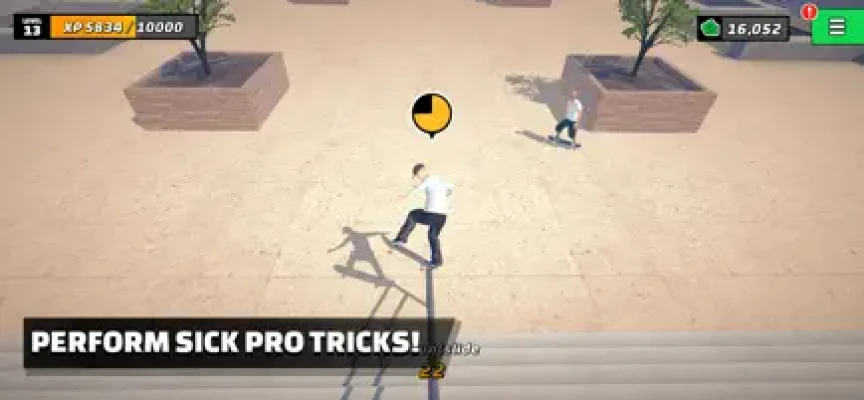
Skate Life 3D is designed around the feeling of becoming a professional skateboarder.
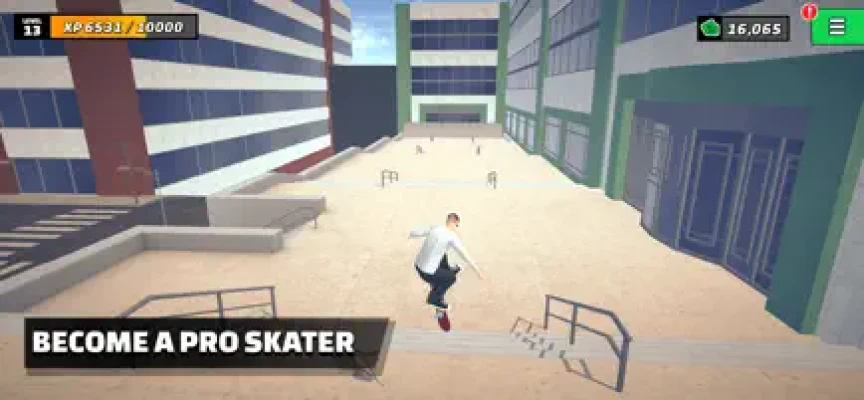
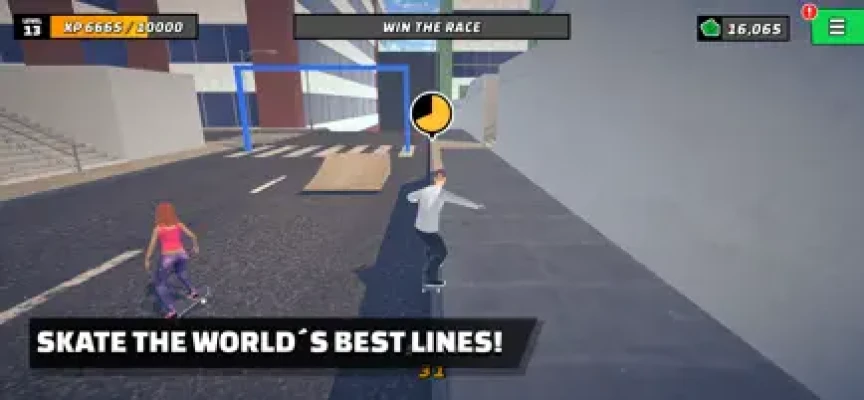
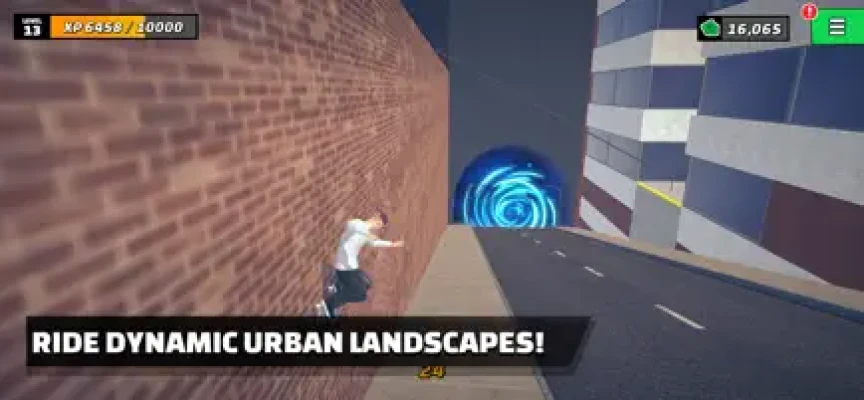
The environments provide space for practicing tricks, riding half-pipes, grinding obstacles and building increasingly impressive combinations. The 3D presentation and physics-based movement are complemented by a progression system that encourages players to keep skating and improving their equipment.
The result is a mix of arcade skateboarding, freestyle trick gameplay and collectible progression.
Gameplay Overview
The central gameplay loop is:
Skate → Perform Tricks → Earn Rewards → Collect Parts → Craft Boards → Improve Skills → Take on More Challenges
The App Store describes more than 100 levels alongside categories, daily levels and missions. Players can also freely explore environments when they want to skate without concentrating on a specific objective.
Skateboarding Tricks
Tricks are at the heart of Skate Life 3D.
Players can perform:
- Grinds
- Grabs
- Manuals
- Nose manuals
- Flip tricks
- Air tricks
- Wall rides
- Vert transfers
- Combo sequences
The game has evolved considerably since its early releases. In version 1.2, all tricks became available from launch, while the controls were changed so tricks could be performed using either flick or draw gestures with the right stick.
Twin-Stick Controls
One of Skate Life 3D's defining features is its twin-stick control system.
The controls are designed to give players more direct control over skating and tricks instead of reducing the experience to simple tap commands.
The right stick is used for trick inputs, while the left stick plays an important role in maintaining balance during grinds and manuals. This skill-based balance system replaced the earlier time-based approach in version 1.2.
Grinds and Manuals
Grinds and manuals are important components of advanced skating.
The balance system requires players to actively maintain their position while performing these techniques. That makes longer grinds and manuals more about control and timing than simply holding a button.
For players who enjoy technical skateboarding, this adds an extra layer of challenge.
Huge Combos
Skate Life 3D encourages players to connect multiple tricks into long sequences.
A successful run can combine aerial tricks with grinds, manuals and other movements.
The goal is not just to perform one impressive trick, but to keep the line going and build a larger score.
The game previously introduced dedicated combo missions, emphasizing how important chained tricks are to its overall design.
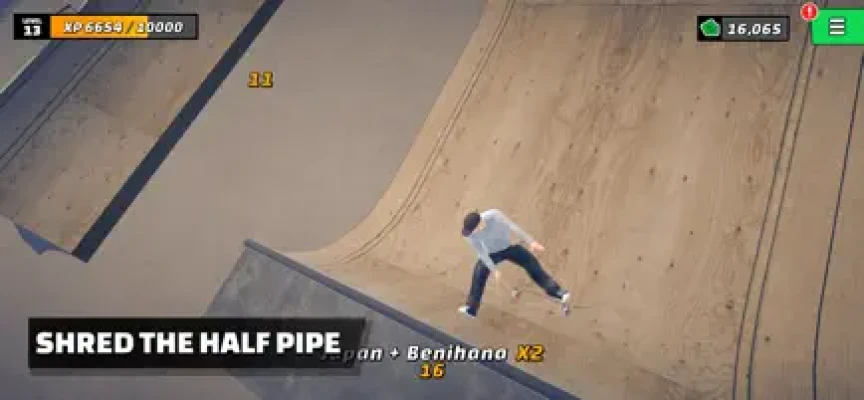
Half-Pipe Skating
Half-pipe skating is another major part of the experience.
Players can use the curved environment to build speed, launch into the air and perform tricks before returning to the ramp.
The physics-based movement makes timing especially important when attempting larger aerial sequences.
Loot and Collecting System
One of the biggest differences between Skate Life 3D and many mobile skateboarding games is its randomly generated loot system.
The game allows players to collect:
- Skateboard decks
- Trucks
- Wheels
- Skateboard art
- Clothing
- Hats
- Shirts
- Pants
- Shoes
These collectibles create an additional progression system beyond simply learning tricks.
Crafting Custom Skateboards
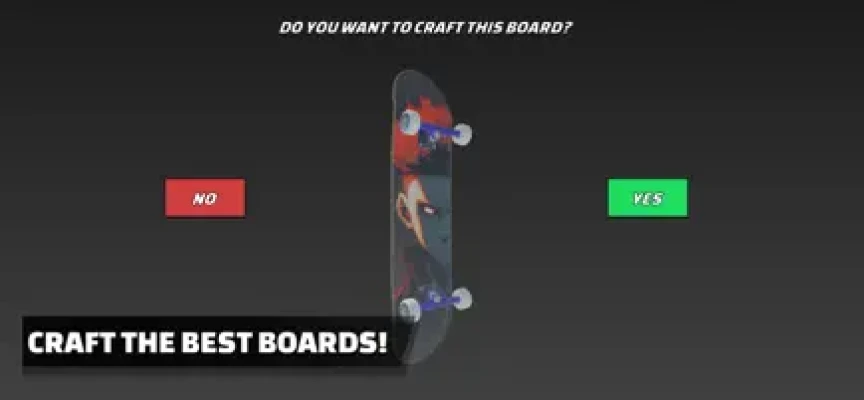
Collected skateboard components can be combined to create complete boards.
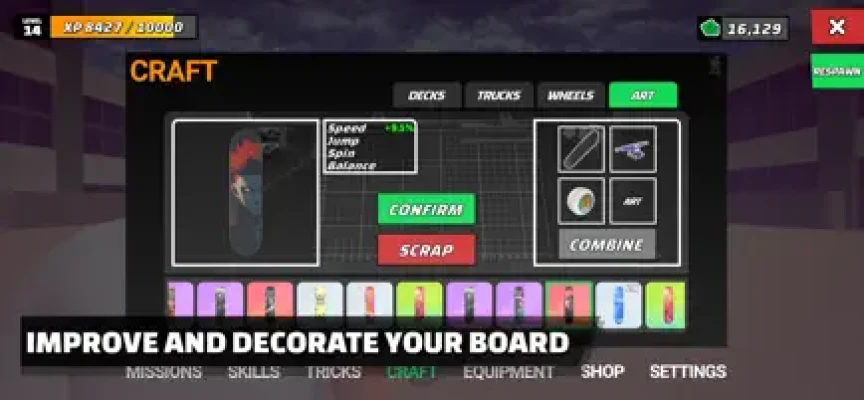
You can craft different combinations of decks, trucks and wheels, with crafted skateboards having unique physical properties.
This means your equipment can influence the way your skating experience feels.
The crafting system gives players another reason to continue opening crates, collecting parts and experimenting with different setups.
Skateboard Customization
Skate Life 3D gives players significant control over their board collection.
You can collect different parts and create custom skateboard configurations rather than relying on one fixed board.
This makes the game appealing to players who enjoy collecting items and experimenting with different equipment.
Character Customization
Your skater can also be customized.
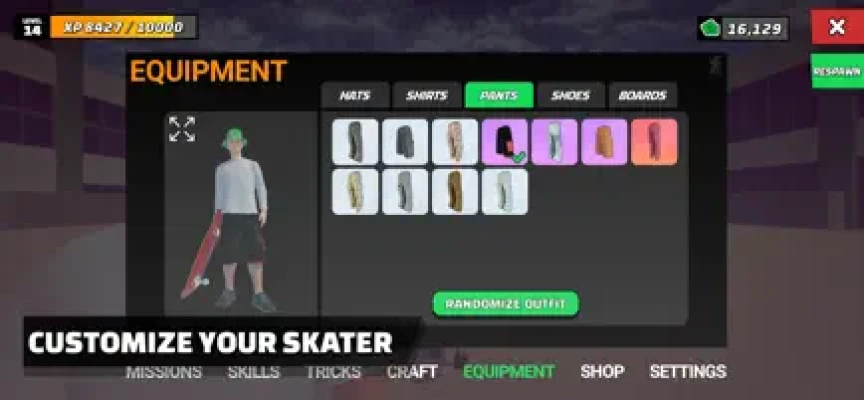
The game includes clothing and outfits, with collectible:
- Hats
- Shirts
- Pants
- Shoes
Cosmetic customization lets players create a more personalized skater while progressing through the game.
Skills and Progression
Skate Life 3D also features player progression through skills.
The game's store description specifically mentions earning higher skills as you play.
This creates several parallel progression paths:
- Improve skating ability
- Collect better equipment
- Craft new boards
- Customize your character
- Complete levels
- Earn rewards
Levels and Missions
The game offers 100+ levels, categories, daily levels and missions according to its App Store description.
Earlier versions also introduced different mission types, including score missions and combo missions.
The mission system has changed over time. Version 1.2 removed the previous mission structure after the developers determined that players were not using it heavily, while later updates continued to refine the game's progression and onboarding.
Daily Levels
Daily levels add another reason to return to the game.
Rather than completing the same content repeatedly, daily challenges provide additional opportunities to skate and earn rewards.
This works particularly well with the game's collectible and crafting systems.
Free Exploration
Not every session needs to be about completing an objective.
Skate Life 3D allows players to freely explore environments using its twin-stick controls.
Free skating is useful for:
- Practicing tricks
- Testing boards
- Learning balance
- Finding good lines
- Experimenting with combos
- Simply enjoying the skating mechanics
Offline Gameplay
One useful feature is the ability to play the full Skate Life 3D experience offline.
This makes it suitable for playing while traveling, during commutes or anywhere an internet connection isn't available.
Beginner's Guide
1. Learn the Controls
Start by getting comfortable with the twin-stick system.
Don't immediately attempt complicated tricks. Learn how movement and trick inputs respond first.
2. Practice Basic Tricks
Work on individual tricks until they become predictable.
3. Learn Balance
Grinds and manuals depend on balance control, so practice maintaining your position before attempting long sequences.
4. Explore the Levels
Take time to understand ramps, rails and other obstacles.
5. Build Short Combos
Start with two or three tricks before attempting longer lines.
6. Collect Equipment
Don't ignore loot. Decks, trucks and wheels are an important part of progression.
7. Experiment With Boards
Craft different combinations and see how their physical properties affect your skating.
Advanced Skateboarding Strategy
Build Combos Around the Environment
Rather than performing tricks randomly, plan a route through ramps and obstacles.
Master Balance
Long manuals and grinds require active control. Practice keeping the board stable instead of trying to rush through every trick.
Use Custom Boards
Experiment with different combinations of decks, trucks and wheels to find equipment that suits your skating style.
Chase High Scores
Once you understand the controls, focus on connecting tricks rather than completing isolated moves.
Practice Difficult Tricks
The latest control system allows tricks to be performed through flick and draw inputs. Spend time learning the gesture that feels most reliable for each move.
Don't Ignore Cosmetics
Clothing and board art don't replace actual skating skill, but collecting them adds another progression goal.
Difficulty
Skate Life 3D starts relatively accessibly but becomes more demanding as you attempt longer combos, difficult grinds and advanced manuals.
The game's physics and balance mechanics mean that experienced players can continue improving their consistency even after they understand the basic controls.
The skill ceiling is particularly noticeable when attempting to maintain long trick sequences.
Graphics and Presentation
The game features 3D graphics designed around skateboarding environments and character animation.
The App Store specifically describes its presentation as having "Gorgeous 3D Art" alongside realistic physics.
Player feedback has generally praised the game's graphics and controls, although some reviews have also pointed out areas where animations and environmental variety could be improved.
Updates and Development
Skate Life 3D has received substantial development since its original release.
The current App Store history lists version 1.6.7, released December 16, 2025, with bug fixes and optimization improvements. Previous updates throughout 2024 and 2025 also focused on stability and optimization.
A particularly significant update arrived with version 1.2 in July 2024. It:
- Added new characters
- Made all tricks available from launch
- Added new trick controls
- Allowed tricks to be performed while standing still
- Removed the previous trick-unlock system
- Removed missions
- Removed the speed upgrade
- Changed the balance system
- Improved onboarding and level progression
This is important because some older descriptions and reviews may describe mechanics that are no longer current.
Current Game Experience
The current version should be understood differently from early versions of Skate Life 3D.
The developers have changed several progression and control systems over time. For example, tricks are now available from launch, while the balance system relies on skill rather than a time limit.
Therefore, older gameplay guides may not accurately describe the current version.
App Store Rating
The U.S. App Store currently shows 4.6 out of 5 stars from approximately 1.1K ratings.
Player reviews frequently praise the game's graphics, controls and overall skating experience. Some players have requested additional boards, wheels, trucks, maps and more advanced trick options.
Pros and Cons
Pros
- Realistic skateboarding physics
- Twin-stick controls
- Large trick system
- Grinds and manuals
- Grabs and combo chains
- 100+ levels
- Daily levels
- Loot collection
- Skateboard crafting
- Custom decks, trucks and wheels
- Unique board physical properties
- Character customization
- Clothing and outfits
- Free exploration
- Offline gameplay
- Regular optimization updates
- Strong App Store rating
Cons
- Large app size
- Contains advertising
- Includes loot boxes
- Optional in-app purchases
- Some players have requested more environments
- Some players have requested additional trick variations
- Certain animations have received criticism in player feedback
Technical Details
| Detail | Information |
|---|---|
| Game | Skate Life 3D |
| Tagline | Skateboarding is Life |
| Developer | Petty Vindictive Games Inc. |
| Genre | Sports |
| Style | 3D Skateboarding |
| Platform | iPhone, iPad |
| iOS Requirement | iOS 13.0 or later |
| iPad Requirement | iPadOS 13.0 or later |
| Mac | macOS 11.0+ with Apple M1 or later |
| Apple Vision | visionOS 1.0 or later |
| Language | English |
| Age Rating | 9+ |
| Size | 380.1 MB |
| Price | Free |
| Advertising | Yes |
| Loot Boxes | Yes |
| In-App Purchases | Yes |
| Offline Play | Yes |
The current U.S. App Store lists the game at 380.1 MB, in the Sports category, with iOS 13.0 or later required.
In-App Purchases
Skate Life 3D is free to download but includes advertising, loot boxes and optional purchases.
The U.S. App Store currently lists purchases including:
- Remove Ads + 2,000 Cash — $4.99
- Smaller Pack of Cash — $0.99
- Small Pack of Cash — $4.99
- Medium Pack of Cash — $9.99
- Big Pack of Cash — $19.99
- Bigger Pack of Cash — $49.99
- Ludicrous Pack of Cash — $99.99
Who Should Play Skate Life 3D?
Skate Life 3D is a good fit for players who enjoy:
- Skateboarding games
- Realistic skateboarding games
- 3D sports games
- Skateboard trick games
- Skateboarding simulators
- Mobile skateboarding
- Freestyle skating
- Skateboard combo games
- Skateboard customization
- Loot-based progression
- Crafting games
- Offline sports games
It's especially interesting for players who want more than a traditional trick simulator because the loot and crafting systems give the game an additional progression layer.
What Makes Skate Life 3D Different?
The biggest difference is the combination of skateboarding and loot-based crafting.
Many mobile skateboarding games focus primarily on tricks and scores. Skate Life 3D adds collectible decks, trucks and wheels that can be crafted into complete skateboards with unique physical characteristics.
That creates a hybrid experience:
Skateboarding + Tricks + Progression + Loot + Crafting + Customization
The ability to play offline also makes it convenient for mobile players.
Skate Life 3D vs Traditional Skateboarding Games
Traditional skateboarding games generally focus on career progression, competitions, trick challenges or open-world exploration.
Skate Life 3D takes a more collectible-driven approach.
Instead of only improving through player skill, you also have equipment to collect, craft and experiment with.
Skate Life 3D vs Arcade Skateboard Games
Arcade skateboarding games often emphasize simple controls and quick scoring.
Skate Life 3D goes deeper with:
- Twin-stick controls
- Physics
- Balance mechanics
- Board crafting
- Equipment properties
- Loot
- Character customization
- Daily content
This makes it more progression-focused than a straightforward arcade skateboard game.
Frequently Asked Questions
What is Skate Life 3D?
Skate Life 3D is a 3D mobile skateboarding game featuring realistic physics, twin-stick controls, tricks, grinds, manuals, combos, loot collection and skateboard crafting.
Is Skate Life 3D free?
Yes. The game is free to download, with advertising and optional in-app purchases.
Is Skate Life 3D available on iPhone?
Yes. It supports iPhone running iOS 13.0 or later.
Can I play Skate Life 3D on iPad?
Yes. The game supports iPad and requires iPadOS 13.0 or later.
Can Skate Life 3D be played offline?
Yes. The App Store description specifically states that the full game can be played offline.
How many levels does Skate Life 3D have?
The App Store description advertises 100+ levels, along with categories, daily levels and missions.
Does Skate Life 3D have realistic physics?
Yes. Realistic physics are one of the game's advertised features.
What controls does Skate Life 3D use?
The game uses tactile twin-stick controls. Its current system allows tricks to be performed through flick and draw gestures with the right stick, while the left stick is used for balance during grinds and manuals.
Can you perform manuals?
Yes. Manuals and nose manuals are part of the game's skating mechanics.
Can you perform grinds?
Yes. Grinds are a major part of the gameplay and can be incorporated into larger combos.
Can you craft skateboards?
Yes. Players can collect decks, trucks and wheels and craft them into complete skateboards with unique physical properties.
Can you customize your skater?
Yes. The game includes clothing and outfits, including hats, shirts, pants and shoes.
Does Skate Life 3D have loot boxes?
Yes. Apple currently lists loot boxes as part of the game.
Does Skate Life 3D have daily levels?
Yes. The App Store description mentions daily levels alongside the broader level and category system.
Can you play Skate Life 3D without an internet connection?
Yes. Offline play is specifically advertised by the developer.
Who developed Skate Life 3D?
The game was developed by Petty Vindictive Games Inc.
What is the latest listed version?
The current App Store version history lists version 1.6.7, released December 16, 2025, with bug fixes and optimization improvements.
Skate Life 3D stands out because it doesn't treat mobile skateboarding as just a collection of tricks and score challenges. It combines realistic physics and twin-stick controls with a surprisingly deep loot, crafting and customization system.
The ability to collect decks, trucks and wheels and craft boards with different physical properties gives the game a progression structure that many straightforward skateboarding titles don't offer. Meanwhile, grinds, grabs, manuals and large combos keep the actual skating mechanics at the center of the experience.
The game also offers 100+ levels, daily content, free exploration and offline play, making it suitable for both short sessions and longer progression-focused play.
With a current U.S. App Store rating of 4.6/5 from around 1.1K ratings, Skate Life 3D has built a solid player reception, although reviews also point out areas where additional polish and content could improve the experience.
For anyone looking for a 3D skateboarding game for iPhone or iPad with realistic physics, trick combos, custom skateboards, loot and crafting, Skate Life 3D is an interesting option.
Official App Store: Skate Life 3D on the App Store
Rate the Game
User Reviews








Popular Games



















 Android
 iOS
iOS Windows
 Xbox
Xbox