
Latest Version
August 12, 2026
Mojang
Adventure
iOS
0
Report a Problem
More About :game
The mobile edition uses Minecraft: Bedrock Edition, supporting cross-platform multiplayer and allowing players to adventure across compatible devices.
What Is Minecraft: Play with Friends?
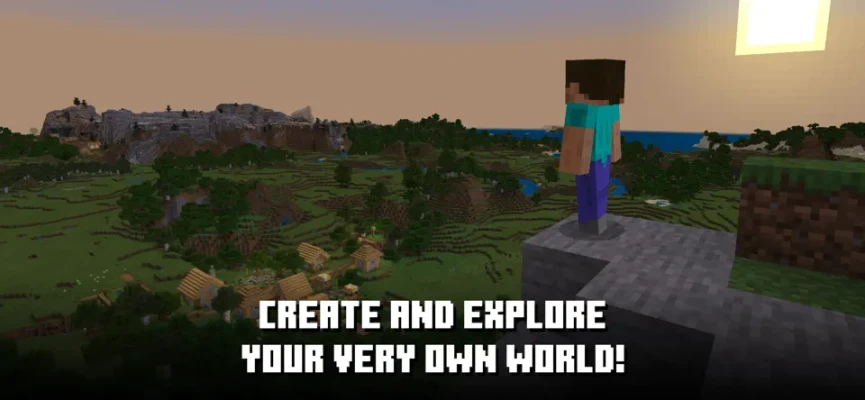
Minecraft is a sandbox game developed by Mojang where players are given an enormous world made from blocks and almost complete freedom to decide what to do with it.
There is no single path that everyone has to follow.
You can spend your time building houses, designing farms, mining underground, exploring distant landscapes, fighting monsters, collecting rare materials, experimenting with redstone, or simply wandering through the world looking for something interesting.
The mobile version brings this experience to iPhone and iPad while supporting multiplayer, Creative mode, Survival mode, Marketplace content, add-ons, servers, and Realms.
Minecraft Mobile Gameplay Overview
The fundamental Minecraft gameplay loop is remarkably simple:
Explore → Gather → Craft → Build → Survive → Expand
You begin with very little and gradually turn the surrounding environment into the resources needed for your next adventure.
Wood can become tools.
Stone can become stronger equipment.
Ores can become valuable materials.
Materials can become buildings, machines, farms, weapons, armor, and entire settlements.
The possibilities become increasingly broad as you learn more about the game's systems.
Creative Mode
Creative mode is Minecraft at its most unrestricted.
You have access to an enormous collection of blocks and items, allowing you to concentrate on construction rather than gathering resources or surviving hostile creatures.
Creative mode is ideal for players who want to:
- Build enormous houses
- Design cities
- Create castles
- Construct amusement parks
- Experiment with redstone
- Reproduce real-world landmarks
- Design adventure maps
- Build elaborate farms
- Test architectural ideas
- Create projects with friends
For younger players and creative-minded gamers, Creative mode can feel more like a digital construction set than a traditional video game.
Survival Mode
Survival mode adds risk and resource management to the Minecraft experience.
You begin with limited resources and must gather materials to protect yourself, create tools, find food, and establish a safe place to live.
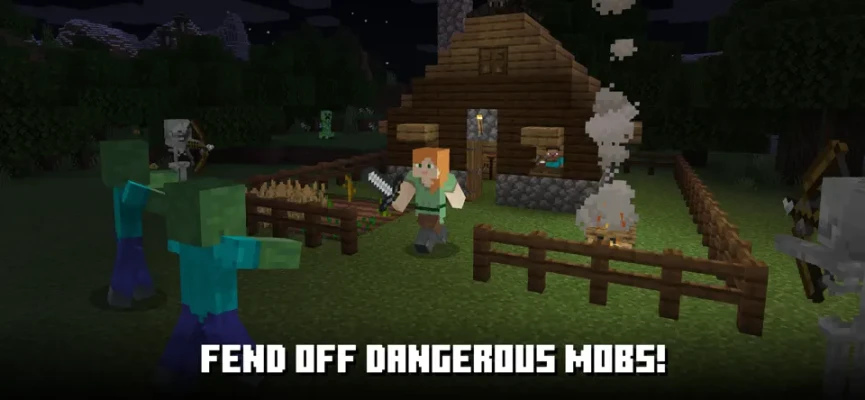
As darkness arrives, hostile mobs can become a serious threat.
Survival gameplay encourages players to think ahead:
- Gather wood early.
- Create basic tools.
- Find food.
- Build shelter.
- Explore carefully.
- Upgrade equipment.
- Collect better resources.
- Prepare for dangerous areas.
- Expand your base.
The result is a progression system that emerges naturally from the world rather than following a rigid quest list.
Multiplayer With Friends
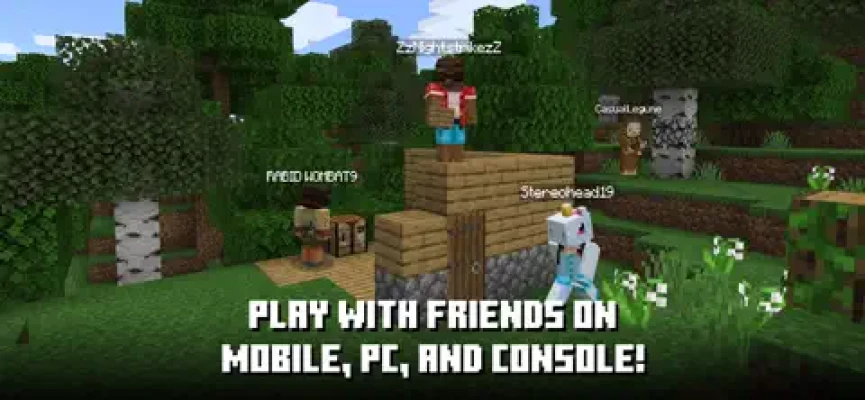
Playing Minecraft with friends transforms the sandbox into a collaborative adventure.
You can work together on massive construction projects, establish shared farms, explore dangerous caves, fight enemies, or divide responsibilities between players.
One person might gather materials while another builds the base. Someone else can explore for valuable resources while another player develops farms and storage systems.
Minecraft's Bedrock Edition supports cross-platform play with compatible versions across mobile, consoles, and Windows.
Cross-Platform Multiplayer
One of the biggest advantages of Minecraft Bedrock Edition is cross-platform multiplayer.
Compatible players can play together across supported devices rather than being restricted to the same hardware platform. Mojang's official information lists cross-play between Bedrock on Windows, Xbox, Nintendo Switch, PlayStation, and mobile devices.
This makes Minecraft particularly attractive for families and groups of friends who own different devices.
Realms and Realms Plus
Minecraft also provides Realms as a way to maintain a private multiplayer world.
A Realm allows friends to access a shared world without requiring the original host to be actively playing at that exact moment.
The App Store listing states that Realms and Realms Plus support cross-platform play with up to 10 friends on a private server. Realms Plus also provides access to a collection of Marketplace content.
Exploring the Minecraft World
Every Minecraft world can feel different because environments are procedurally generated.
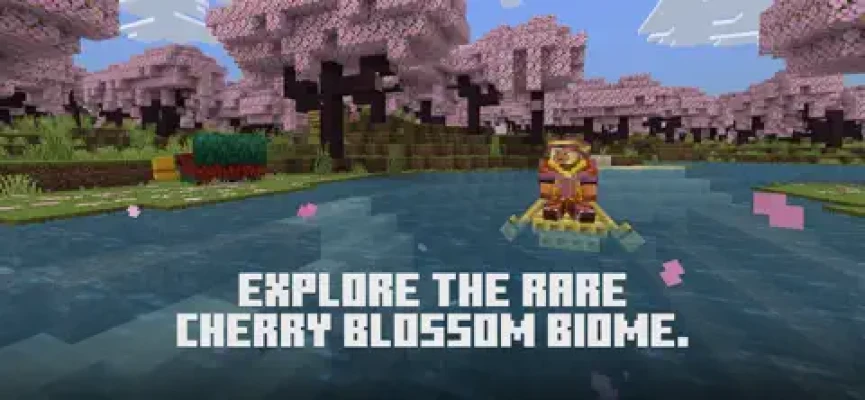
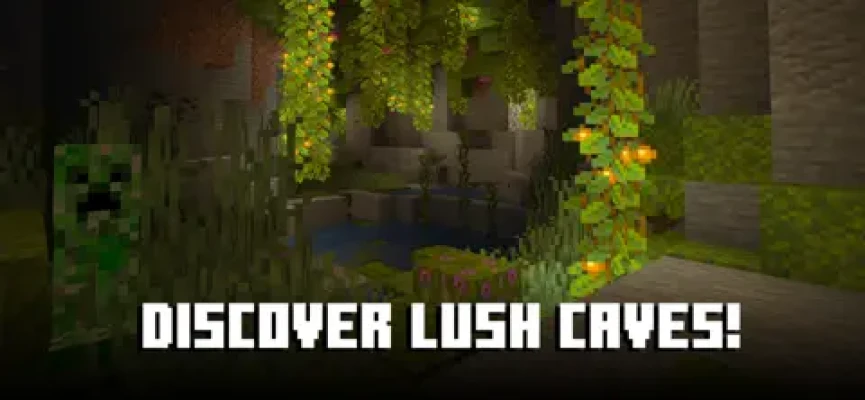
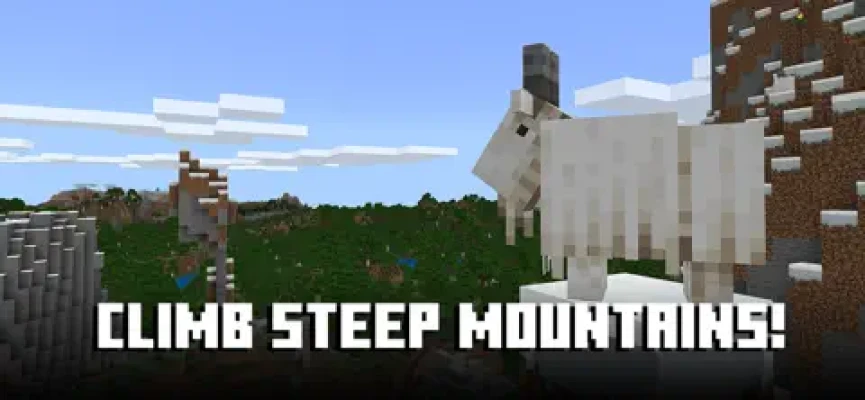
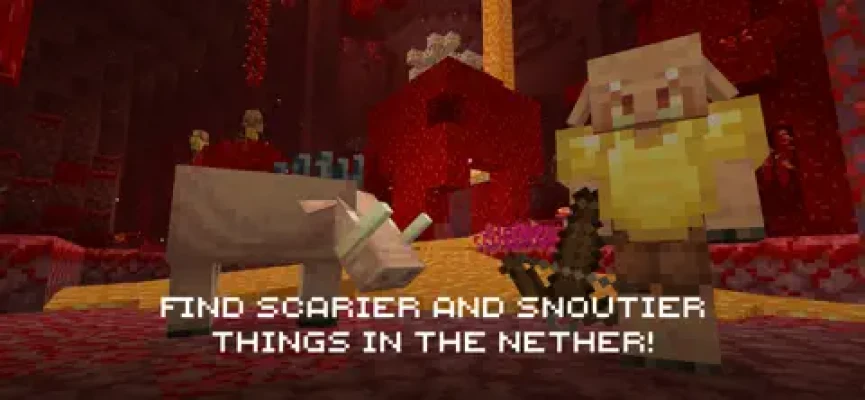
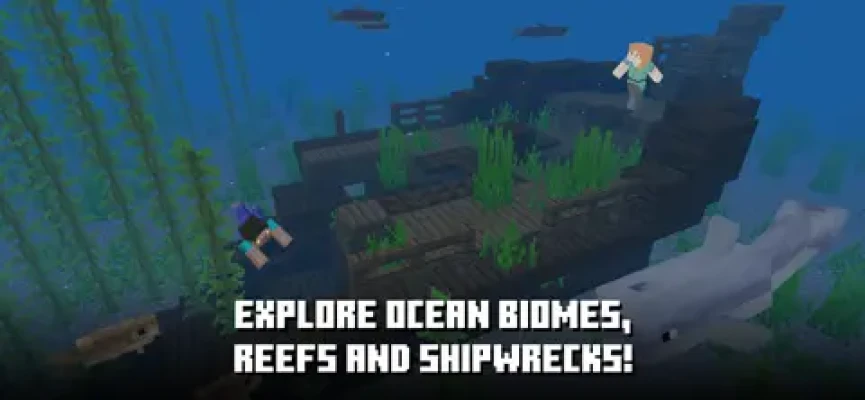
Players can travel through different biomes, discover unusual landscapes, locate villages, explore caves, search for valuable resources, and encounter different creatures.
Exploration becomes especially rewarding when you travel far away from your original spawn point.
You never know whether the next mountain, cave, forest, or coastline will become the location of your next major project.
Mining and Resource Gathering
Mining is one of Minecraft's defining activities.
The underground world contains materials that cannot simply be collected from the surface.
Players can dig into mountains, descend into caves, create underground tunnels, and search for valuable ores.
Resource gathering creates a natural sense of progression because better materials allow you to make stronger equipment and more advanced creations.
Crafting System
Crafting connects Minecraft's resources to its progression.
Collected materials can be transformed into tools, weapons, armor, blocks, food-related items, utility objects, and countless other creations.
Learning crafting recipes is an important part of becoming comfortable with the game.
Over time, players naturally develop their own resource-gathering routines and storage systems.
Building in Minecraft
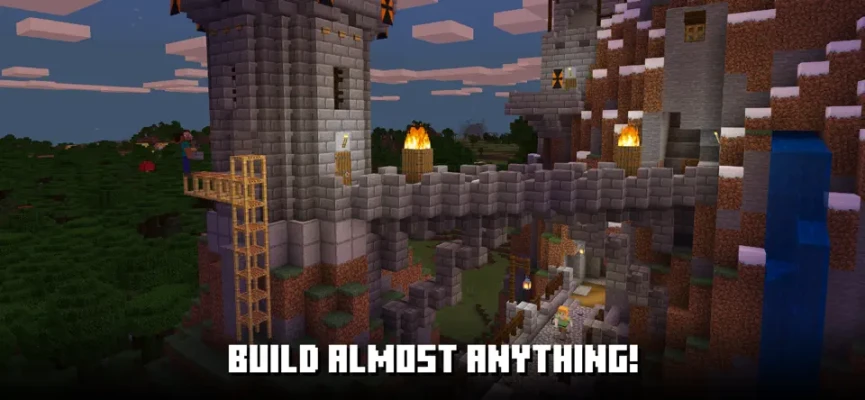
Building is arguably Minecraft's most recognizable feature.
The block-based construction system gives players enormous creative freedom.
You can build:
- Modern houses
- Medieval castles
- Villages
- Skyscrapers
- Farms
- Underground bases
- Bridges
- Rail systems
- Ships
- Airports
- Libraries
- Temples
- Entire cities
The game's building system is simple enough for beginners but deep enough to support extremely ambitious projects.
Farms and Automation
Minecraft also lets players create farms that generate useful resources.
Farming can begin with simple crops and gradually become more sophisticated.
Experienced players can combine water, redstone, villagers, mobs, hoppers, and other mechanics to create increasingly automated systems.
This gives Minecraft a surprisingly technical side beyond its basic building and survival gameplay.
Redstone and Engineering
Redstone provides a completely different way to play Minecraft.
Players can use redstone mechanics to construct functional machines and automated systems.
Examples include:
- Automatic doors
- Secret entrances
- Elevators
- Item sorters
- Automated farms
- Traps
- Redstone clocks
- Lighting systems
- Transportation mechanisms
For players who enjoy engineering and problem-solving, redstone can become an entire game within Minecraft.
Mobs and Combat
Minecraft's world contains numerous creatures.
Some are peaceful and can be useful or simply interesting to encounter. Others become hostile and attack players.
Combat becomes particularly important in Survival mode.
Players can craft weapons and armor, improve their equipment, and prepare for encounters with increasingly dangerous enemies.
However, combat is only one part of Minecraft rather than the game's entire purpose.
Nighttime Survival
Night changes the atmosphere dramatically.
As darkness falls, hostile creatures can appear in areas where players are not adequately protected.
For beginners, the first few nights can be surprisingly tense.
Creating a basic shelter, securing the area, and having enough food and equipment can make the difference between a successful night and an unexpected respawn.
Minecraft Adventures
Although Minecraft does not force players through a conventional linear storyline, the game contains plenty of adventure opportunities.
You can explore dangerous caves, travel across oceans, discover structures, fight powerful enemies, search for rare materials, and work toward major milestones.
This creates a personal adventure rather than a predetermined campaign.
Your world can become your story.
Minecraft Marketplace
The Minecraft Marketplace provides additional creator-made content, including worlds, add-ons, and cosmetic items.
This allows players to extend their Minecraft experience beyond the content included in the basic game.
The Marketplace can be particularly useful for players looking for new themes, maps, adventures, or customization options.
Add-Ons and Customization
Minecraft Bedrock also supports add-ons that can modify parts of the experience.
Depending on the content, add-ons can introduce new resources, mechanics, visual changes, creatures, or other gameplay elements.
The official App Store description also highlights the ability to customize the experience through add-ons and resource packs.
Minecraft Game Modes
Survival Mode
Gather resources, craft equipment, build shelter, manage food, explore the world, and survive hostile creatures.
Creative Mode
Build freely using unlimited resources without the normal Survival restrictions.
Multiplayer
Join friends and collaborate on shared worlds.
Realms
Play together in persistent private multiplayer worlds.
Community Servers
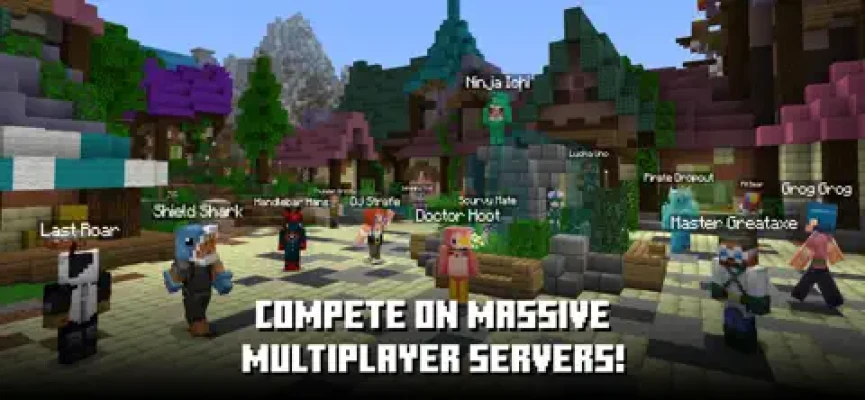
Join large multiplayer environments and participate in different community-created experiences.
Beginner's Guide
Start by Collecting Wood
Wood is one of the most useful early-game materials.
Turn logs into planks and use them to create your first basic tools.
Make a Crafting Table
The crafting table opens up a much larger selection of recipes.
Build a Shelter
Do not wait until night arrives before thinking about protection.
Create a simple shelter during your first day.
Find Food
Food keeps your character supplied during Survival gameplay.
Collect animals, crops, or other food sources and begin developing a reliable supply.
Upgrade Your Tools
Stone tools are an important early improvement over basic wooden equipment.
Continue upgrading your equipment as you discover better materials.
Explore Carefully
Caves and unfamiliar areas can contain valuable resources, but they can also be dangerous.
Carry enough supplies before heading far from home.
Store Your Resources
Create chests and organize important materials early.
Good storage becomes increasingly important as your inventory grows.
Advanced Minecraft Strategies
Establish a Main Base
Create a central location where you can store resources, craft equipment, and organize future projects.
Build Resource Farms
Automated farms can save significant time once your world becomes more developed.
Create Safe Transportation
Roads, bridges, boats, minecarts, and other transportation systems can make large worlds easier to navigate.
Mark Important Locations
Use landmarks, maps, coordinates, or other navigation methods to avoid losing valuable locations.
Prepare Before Exploring
Take food, tools, weapons, armor, and storage options before embarking on a long expedition.
Build With a Plan
For large construction projects, decide on the overall layout before placing thousands of blocks.
Use Redstone Creatively
Once you understand basic redstone mechanics, experiment with simple machines before attempting complicated automated systems.
Minecraft Controls on Mobile
The mobile version is designed around touchscreen controls, allowing players to move, look around, interact with blocks, mine, place objects, and manage their inventory.
The current App Store listing also confirms controller support, providing another option for players who prefer physical controls.
Minecraft on iPhone and iPad
The App Store version supports both iPhone and iPad.
The current U.S. listing identifies Minecraft as a 9+ adventure game developed by Mojang and lists the app at approximately 1.6 GB.
Because Minecraft worlds can become extremely complex, performance can vary depending on the device, world size, settings, and what is being rendered.
Is Minecraft Multiplayer on Mobile?
Yes.
Minecraft on mobile uses the Bedrock Edition experience and supports multiplayer with compatible players. Friends can join worlds, play on servers, or use Realms for private shared worlds.
Can iPhone Players Play With Android Players?
Yes, Minecraft Bedrock supports cross-platform multiplayer between compatible versions and devices.
This means an iPhone player can play with friends using other supported Bedrock platforms, subject to account, version, server, and multiplayer requirements.
Is Minecraft Good for Playing With Friends?
Absolutely.
Minecraft's open-ended design makes it especially effective as a cooperative game.
Friends can divide responsibilities naturally:
- One player builds.
- Another gathers resources.
- Another explores.
- Another creates farms.
- Another handles mining.
- Everyone can contribute to a shared base.
There is no requirement for everyone to play in exactly the same way.
Minecraft for Families
Minecraft can appeal to a wide range of ages because the experience can be adjusted to different play styles.
Creative mode can focus almost entirely on building and experimentation, while Survival mode provides more challenge.
The App Store currently rates the game 9+.
Minecraft Difficulty
Minecraft's difficulty depends heavily on the selected gameplay settings and the player's goals.
Creative mode is generally relaxed because resource gathering and survival threats are removed from the core experience.
Survival mode requires considerably more preparation.
For experienced players, the challenge can come from exploring dangerous areas, fighting powerful enemies, completing ambitious builds, or creating complicated automated systems.
What Makes Minecraft Different?
Minecraft does not tell you exactly how you are supposed to play.
That freedom is its greatest strength.
One player can spend hundreds of hours constructing buildings.
Another can focus on survival.
Someone else may become obsessed with redstone engineering.
Another player may simply explore.
All of those experiences are valid Minecraft.
Pros and Cons
Pros
- Huge open-ended sandbox
- Creative and Survival modes
- Multiplayer with friends
- Cross-platform Bedrock multiplayer
- Endless building possibilities
- Exploration and mining
- Crafting and resource management
- Redstone engineering
- Community servers
- Marketplace content
- Add-ons and customization
- Controller support
- Regular updates and bug fixes
Cons
- The amount of freedom can overwhelm new players
- Survival mode can be challenging initially
- Large worlds and complex builds can require significant device resources
- Marketplace content can add additional costs
- Multiplayer setup can require accounts and compatible versions
Who Should Play Minecraft?
Minecraft is a great fit for:
- Creative gamers
- Sandbox fans
- Survival game players
- Building enthusiasts
- Multiplayer groups
- Families
- Exploration fans
- Redstone enthusiasts
- Casual players
- Long-term gaming fans
Who Might Not Enjoy Minecraft?
Minecraft may not be ideal if you prefer games with:
- A strictly linear story
- Clearly defined objectives
- Short campaigns
- Constant action
- Limited customization
- No resource gathering
The game's freedom is its main appeal, but players who prefer highly structured gameplay may initially find it directionless.
Technical Details
Game: Minecraft: Play with Friends!
Developer: Mojang
Genre: Adventure / Sandbox
Platforms: iPhone and iPad
Price: $6.99 on the current U.S. App Store listing
In-App Purchases: Yes
Age Rating: 9+
Controller Support: Yes
Current Listed Size: Approximately 1.6 GB
Languages: English plus 21 additional languages
Minecraft Updates
Minecraft continues to receive updates and fixes.
The current App Store version history shows frequent releases throughout 2026, with recent versions primarily listing bug fixes.
This continuing development is important for a game like Minecraft because the platform has evolved substantially over many years.
Minecraft vs Other Sandbox Games
Minecraft's biggest advantage over many sandbox games is the combination of simplicity and depth.
The basic concept is easy to understand: break blocks, collect materials, craft items, and build.
But underneath that simple foundation are sophisticated systems involving exploration, automation, farming, combat, multiplayer, redstone engineering, customization, and community-created content.
Few sandbox games provide such a broad range of experiences inside the same world.
Player Experience
Minecraft is one of those games where the player's imagination becomes part of the gameplay.
A simple first-night shelter can eventually become a large house.
That house can become a village.
The village can become a city.
The city can connect to farms, railways, mines, ports, castles, and other enormous projects.
Playing with friends makes the process even more memorable because everyone contributes something different.
Frequently Asked Questions
Is Minecraft: Play with Friends the real Minecraft?
Yes. The App Store listing is the official Minecraft mobile game developed by Mojang.
Is Minecraft available on iPhone?
Yes. Minecraft is available for iPhone and iPad through the App Store.
Is Minecraft free on iPhone?
No. The current U.S. App Store listing shows a $6.99 purchase price, with additional optional in-app purchases.
Can you play Minecraft with friends on mobile?
Yes. The Bedrock Edition supports multiplayer and cross-platform play with compatible devices.
Can iPhone and Android players play Minecraft together?
Yes, provided both players are using compatible Bedrock versions and meet the game's multiplayer requirements.
Does Minecraft have Creative mode?
Yes. Creative mode provides unlimited resources for building and experimentation.
Does Minecraft have Survival mode?
Yes. Survival mode requires players to gather resources, craft equipment, build shelter, manage food, and defend themselves against dangers.
Does Minecraft support controllers?
Yes. The current App Store listing explicitly shows controller support.
What is Minecraft Bedrock Edition?
Bedrock Edition is the version of Minecraft used across mobile and several other platforms, with cross-platform multiplayer between supported devices.
Can you play Minecraft offline?
Minecraft supports solo gameplay without requiring multiplayer. Online features such as servers and Realms require an appropriate internet connection and account setup.
Does Minecraft have servers?
Yes. Minecraft Bedrock supports community servers, and the official Minecraft help documentation explains how to join online servers.
What is Minecraft Realms?
Realms provides private hosted multiplayer worlds where invited players can play together. The App Store listing says Realms and Realms Plus support cross-platform play with up to 10 friends.
Final Verdict
Minecraft: Play with Friends! remains one of the most flexible games available on mobile because it does not limit players to a single style of play.
You can build a peaceful home in Creative mode, fight to survive your first night, spend hours mining underground, create automated farms, engineer redstone machines, explore distant biomes, or build an enormous world together with friends.
The mobile version succeeds because it preserves the central Minecraft idea: the world is yours to shape.
Expert Rating: 9.6/10
Rate the Game
User Reviews









Popular Games



















 Android
 iOS
iOS Windows
 Xbox
Xbox