

Latest Version
July 27, 2024
iKame Games - Zego Studio
Simulation
0
com.ig.supermarket.manager.simulator
Report a Problem
More About :game
Your journey begins with the challenge of running a store efficiently. You need to keep popular products available, manage your spending, and make sure customers can find what they want. As your business grows, you can expand the supermarket, improve its appearance, introduce promotions, and diversify your product selection.
The game combines hands-on shopkeeping with financial decisions. Every order affects your available cash, while pricing and stock management influence how successfully your store operates. You must also pay attention to potential theft and maintain a welcoming shopping environment.
Whether you enjoy business simulations, retail management, or games where a small operation gradually becomes a larger enterprise, Manage Supermarket Simulator offers an opportunity to test your planning and decision-making skills.
What Is Manage Supermarket Simulator?
Manage Supermarket Simulator is a supermarket management game focused on running a grocery business from the ground up. Instead of simply shopping in a virtual store, you take responsibility for the business itself.
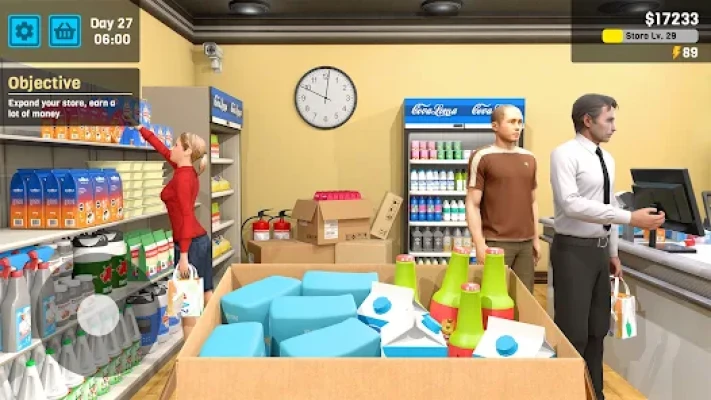
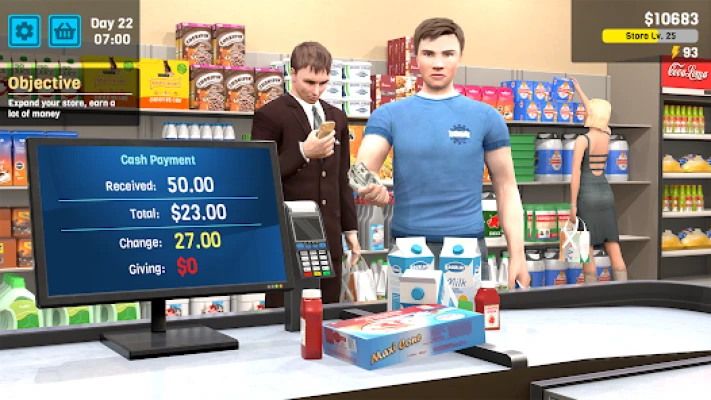
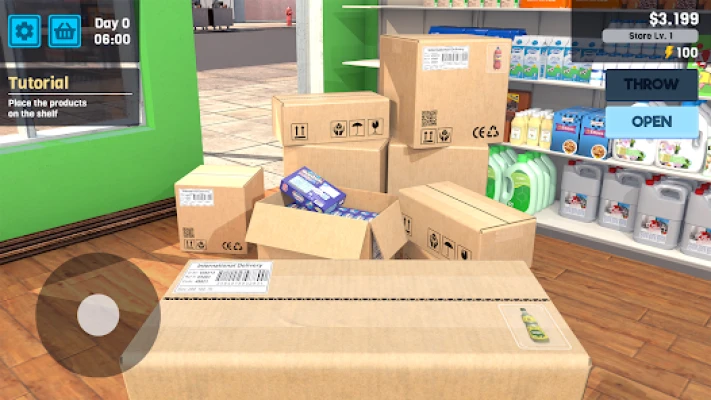
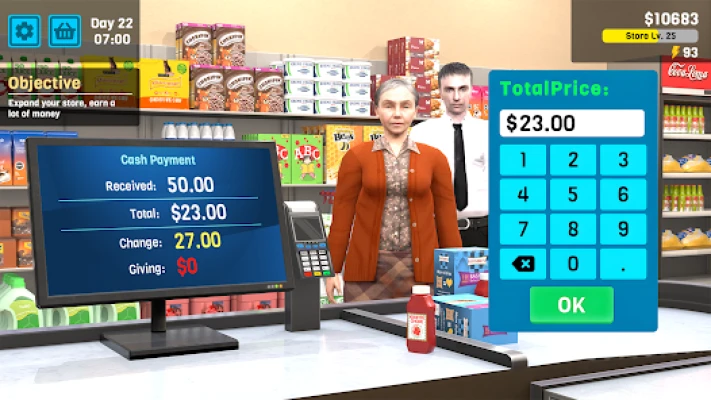
You order goods through the in-game purchasing system, unpack deliveries, stock shelves, and set prices for the products you sell. You also operate the checkout, accept cash and card payments, and monitor your finances to ensure that the supermarket remains profitable.
As the store develops, you can invest in additional space, introduce more products, and improve the interior with decorations, lighting, and other visual changes. Promotions and competitive prices can help attract customers, while careful inventory management reduces the risk of empty shelves.
The central challenge is finding the right balance between sales, expenses, stock availability, and customer satisfaction.
Main Features of Manage Supermarket Simulator
1. Run Your Own Grocery Store
Take responsibility for the everyday operation of a supermarket. From organizing products to serving customers, your decisions influence how efficiently the business runs.
The game gives you a hands-on role in retail management, making routine tasks part of the overall business challenge.
2. Order Products and Manage Inventory
A successful supermarket needs products that customers want to buy. You can order a variety of goods, including snacks, meat, burgers, vegetables, and fruit, then arrange them on the appropriate shelves.
Ordering too little can leave shelves empty, while ordering too much can tie up money that could be used elsewhere. Learning to balance supply and demand is one of the most important management skills in the game.
3. Set Prices and Run Promotions
Product pricing affects how attractive your store is to customers and how much money you earn from each sale.
The game allows you to set competitive prices and launch promotions. Your goal is to find a sensible balance between earning a profit and encouraging customers to purchase your goods.
4. Handle Cash and Card Payments
Checkout operations are part of the daily routine. You must process customer purchases and handle different payment methods, including cash and card transactions.
Efficient checkout management helps keep the shopping experience moving and makes the supermarket feel like a working retail business.
5. Expand Your Supermarket
As your business grows, you can invest in expanding the store. More space gives you opportunities to organize your layout and introduce a wider range of products.
Expansion is most useful when your existing store is operating effectively. A larger supermarket still needs enough inventory and a sensible financial plan.
6. Customize the Store Interior
Manage Supermarket Simulator includes options for changing the appearance of your supermarket. You can work on its visual style with different colors, decorations, lighting, and interior improvements.
Customization adds a creative element to the business simulation while allowing you to make the store feel more personal.
7. Protect Your Business Against Theft
The game includes the risk of theft, so security is another consideration for your supermarket.
Keep an eye on store activity and use the security options available in the game. Preventing losses helps protect the money you earn from sales.
8. Unlock More Products and Services
Developing your business can open opportunities to diversify the products and activities available in your supermarket.
A broader selection gives customers more reasons to visit, but it also makes inventory management more important. Each additional product requires sensible ordering and pricing decisions.
9. Lifelike 3D Retail Environment
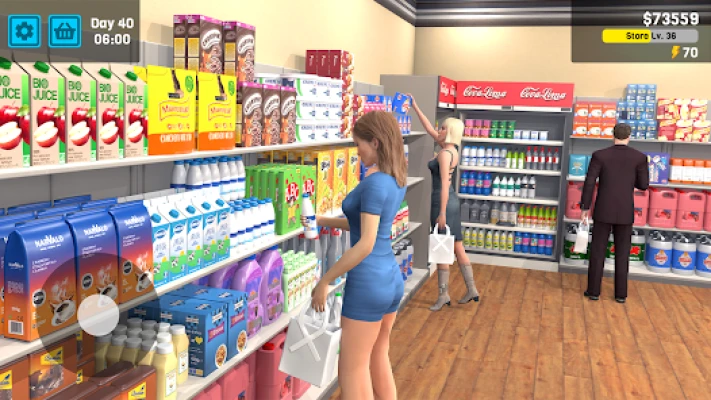
The game presents its supermarket in a 3D environment where you can move around the store, arrange products, and interact with checkout and management systems.
This hands-on perspective makes everyday retail tasks part of the gameplay rather than reducing management to menus and numbers alone.
10. Single-Player Gameplay With Offline Support
The Google Play listing identifies Manage Supermarket Simulator as a single-player simulation with offline support. This can suit players who want to manage a virtual business at their own pace without needing a live multiplayer session.
Advertisements, purchases, and certain other functions may still depend on connectivity or the current version.
How to Play Manage Supermarket Simulator
Your main objective is to establish a functioning supermarket, keep products available, serve customers, and reinvest your earnings to grow the business.
The basic gameplay loop involves ordering stock, arranging products, setting prices, processing sales, and using the resulting income to improve the store.
Basic steps for new players:
Start by reviewing the available store space and management options.
Use the in-game ordering system to purchase products.
Unpack deliveries and place goods on suitable shelves.
Set prices that balance customer appeal with profitability.
Open the store and serve customers at the checkout.
Monitor inventory and reorder products when necessary.
Keep track of expenses before making additional purchases.
Reinvest profits in useful upgrades, new products, and expansion.
The exact progression and available options may change between versions. Use the current in-game menus to confirm which features and upgrades are unlocked.
Complete Manage Supermarket Simulator Strategy Guide
Strategy 1: Start Small and Build a Stable Business
When starting a supermarket, it can be tempting to expand quickly and stock every available product. However, a larger operation requires more money and more inventory management.
Begin with a manageable product selection and focus on running the store effectively. Learn how ordering, pricing, and checkout operations work before making large investments.
Once you understand the daily business cycle, use your profits to expand gradually.
Pro tip: A small store that is well stocked and financially stable is a better foundation than a large store with empty shelves and insufficient cash.
Strategy 2: Keep Popular Products in Stock
Empty shelves can mean missed sales. Inventory management should therefore be one of your main priorities.
Pay attention to the products customers purchase most often. Reorder those goods before they run out, while avoiding unnecessary purchases of items that move slowly.
A simple routine can help:
Check shelves before opening or during quieter moments.
Identify products that are running low.
Review available cash before placing an order.
Purchase stock based on observed demand.
Recheck inventory after busy periods.
Over time, you can use your experience to make better purchasing decisions.
Strategy 3: Avoid Ordering Too Much Inventory
Keeping shelves stocked is important, but excessive ordering can create financial problems.
Money spent on products is money that cannot immediately be used for expansion, store improvements, or other business needs. If your storage and shelf space are limited, ordering more goods than you can reasonably sell may also complicate your workflow.
Order in sensible quantities and review your remaining stock before making another purchase.
Best approach: Keep enough inventory to support sales while preserving cash for essential expenses.
Strategy 4: Set Prices Carefully
Pricing is one of the most important decisions in Manage Supermarket Simulator. Prices that are too high may make products less attractive, while prices that are too low can reduce your profit per sale.
Consider the relationship between the purchase cost, selling price, and customer demand. Use competitive pricing to encourage sales, then adjust your approach as you learn which products perform well.
Promotions can also be useful when you want to encourage purchases, but they should support a clear business goal.
Do not assume that the highest possible price is always the most profitable choice. The goal is to balance sales volume with the money earned from each product.
Strategy 5: Protect Your Cash Flow
A supermarket can make sales and still struggle if too much money is committed to inventory or upgrades.
Before spending your earnings, consider what the business needs next. Stock replenishment may be more urgent than decoration, while a useful expansion may be worth delaying until you have sufficient funds.
A practical spending order is:
Maintain essential inventory.
Keep enough money available for upcoming purchases.
Address problems that are limiting sales or store efficiency.
Invest in expansion when the current store can support it.
Spend on optional decorations when the budget allows.
This approach helps prevent avoidable financial pressure.
Strategy 6: Improve the Checkout Routine
Serving customers is a core part of the supermarket experience. Learn the checkout controls and become comfortable processing the available payment methods.
Try to keep your workflow organized so that you can handle transactions without losing track of the rest of the store. When possible, use quieter periods to check shelves and prepare for the next wave of customers.
If the game provides additional checkout or automation options in your version, compare their cost with the time or effort they may save.
Strategy 7: Keep the Store Organized
An organized layout makes it easier to manage products and maintain a pleasant shopping environment.
Place products neatly on their appropriate shelves and avoid making unnecessary changes to the layout when you are still learning the store's workflow.
As the supermarket expands, think about how different product categories fit together and whether the available space is being used effectively.
Customization can make your store look better, but practical organization should remain a priority.
Strategy 8: Monitor Theft and Security
Theft can reduce the money your business keeps from its sales. Since the game includes security-related mechanics, it is worth paying attention to available protection options.
Review the security measures offered in the current version and consider investing in them when theft becomes a meaningful concern.
Balance security spending with other business priorities. The objective is to protect your earnings without neglecting stock, pricing, or essential upgrades.
Strategy 9: Expand at the Right Time
A bigger store creates more room for products and customization, but expansion should support a business that is already functioning well.
Before expanding, consider whether your current inventory is sufficient, whether your prices are sensible, and whether you can comfortably afford the investment.
If your existing store frequently runs out of stock or leaves you short of cash, address those issues first. Expansion is more useful when you can support the additional space with products and steady sales.
Strategy 10: Choose Upgrades That Solve Real Problems
Not every upgrade needs to be purchased immediately. The best investment is usually one that addresses a current limitation or supports a clear next step.
For example, additional space may help when your shelves are consistently full, while a new product category may make sense when you have enough money to maintain its inventory.
Store decorations can improve the appearance of your supermarket, but prioritize investments that fit your budget and business goals.
Strategy 11: Diversify Your Product Selection Gradually
Adding more products can make your supermarket more attractive to customers, but every new item introduces another inventory decision.
Expand your selection at a pace you can manage. Make sure you understand the ordering process and have enough cash to replenish products after they sell.
A diverse store is useful when its stock remains available. An overly broad product range is less effective if many shelves are regularly empty.
Strategy 12: Learn From Slow Sales
If certain products do not sell as expected, do not automatically order more of them. Review their pricing and consider whether your inventory spending would be better directed toward other goods.
Try changing one factor at a time so you can understand how the adjustment affects your store.
Treat each business decision as an opportunity to learn. Gradual improvements can help you develop a more reliable management strategy.
Beginner's Guide: Your First Supermarket
New players should focus on understanding the basic retail cycle before pursuing rapid expansion.
Recommended beginner priorities:
Learn how to order and unpack products.
Stock the shelves neatly and consistently.
Understand the pricing controls.
Become familiar with cash and card payments.
Check inventory regularly.
Keep a reserve of money for replenishment.
Expand only when your business can afford it.
Explore security options when necessary.
The early stages are about building good habits. Once you can manage inventory and transactions comfortably, you can devote more attention to expansion and customization.
Advanced Tips and Tricks
Review Inventory Before Every Major Order
Check what remains on your shelves before spending money. This reduces the chance of buying products you already have in sufficient quantities.
Track Products That Sell Quickly
Use your observations of customer demand to decide which goods need more frequent replenishment.
Keep a Cash Reserve
Avoid using every available coin on decorations or expansion. You will need money to replenish stock and respond to changing business needs.
Use Promotions With a Purpose
Promotions should help you attract customers or encourage sales. Consider their effect on profitability before changing prices.
Expand When Your Store Is Ready
A larger supermarket can support a broader selection, but only if you can maintain inventory and cover the additional costs.
Balance Appearance and Efficiency
A visually appealing store can be enjoyable to build, but practical product placement and reliable stock management should come first.
Check Security Regularly
Review available security features and use them when the cost is justified by the risk of losses.
Make Gradual Improvements
Avoid changing every part of your business at once. Small, deliberate adjustments make it easier to understand which decisions improve your results.
Common Mistakes to Avoid
Ordering too much stock: Excess inventory can tie up money that you need for other business expenses.
Letting shelves remain empty: Products that are unavailable cannot generate sales, so check stock regularly.
Setting prices without considering costs: A high selling price does not guarantee good results if customers stop buying the product.
Spending all your money on expansion: A larger store still needs enough inventory and working cash.
Ignoring checkout operations: Transactions are an essential part of the business, so learn the controls and manage your workflow.
Neglecting security: Theft can affect your earnings, making available security measures worth reviewing.
Buying too many new product categories at once: A broader selection increases the number of items you must monitor and replenish.
Prioritizing decorations over essential needs: Customization is enjoyable, but it should fit your available budget.
Expanding before the business is stable: Improve your existing operations before taking on a larger store.
Graphics, Sound, and Gameplay Experience
Manage Supermarket Simulator uses a 3D supermarket environment that lets players move around the store and take part in everyday retail tasks. The focus is on practical interactions such as stocking shelves, processing sales, ordering products, and improving the business.
Its appeal comes from the gradual transformation of a small store into a larger supermarket. Each improvement can change the way the business looks or operates, giving players a sense of progress as they manage inventory and finances.
The game is more about hands-on shopkeeping and business planning than fast action. Players who enjoy organizing spaces, tracking resources, and improving a business over time may find its management loop satisfying.
Manage Supermarket Simulator – Pros and Cons
Pros
Hands-on supermarket management in a 3D environment.
Product ordering, stocking, and inventory decisions.
Pricing and promotional options.
Cash and card payment handling.
Store expansion and interior customization.
Security considerations that add another management task.
A gradual progression system built around growing a business.
Single-player gameplay with listed offline support.
Cons
Routine stocking and checkout tasks may become repetitive.
Frequent inventory management requires attention.
Advertisements may interrupt the experience.
Poor purchasing decisions can slow business growth.
Players looking for action-heavy gameplay may find the pace too relaxed.
Some features and progression details can vary with updates.
Is Manage Supermarket Simulator Worth Playing?
Manage Supermarket Simulator is a good option to consider if you enjoy business simulations where success depends on planning, organization, and sensible spending.
Its main appeal is the combination of hands-on shopkeeping and long-term business development. You must manage stock, set prices, process payments, protect your earnings, and decide when to invest in a larger store.
The game can be particularly enjoyable for players who like watching a modest business gradually grow. However, those who dislike repetitive management tasks or frequent advertisements may find parts of the experience frustrating.
Overall, Manage Supermarket Simulator offers a casual retail-management experience that rewards patience, careful inventory control, and thoughtful investment.
Manage Supermarket Simulator – Game Information
Game title: Manage Supermarket Simulator
Developer: iKame Games – Zego Studio
Package name: com.ig.supermarket.manager.simulator
Platform: Android
Genre: Simulation, business management, retail
Gameplay style: Single-player
Main objective: Operate and expand a supermarket
Inventory management: Order products and stock shelves
Pricing: Set selling prices and use promotions
Payments: Cash and card transactions
Business management: Manage spending, stock, and sales
Security: Monitor potential theft and available protection measures
Customization: Change store colors, decorations, lighting, and interior appearance
Progression: Expand the store and diversify its product range
Monetization: Advertisements and in-app purchases
Offline support: Listed as available on Google Play
Best for: Players who enjoy grocery store simulators and business-building games
Features, availability, and monetization can change over time. Check the current Google Play listing for the latest information.
Frequently Asked Questions
What is Manage Supermarket Simulator?
Manage Supermarket Simulator is a 3D retail-management game where you run a grocery store, order products, stock shelves, set prices, serve customers, and expand your business.
Who developed Manage Supermarket Simulator?
The game is published by iKame Games – Zego Studio.
What can you sell in Manage Supermarket Simulator?
The game's description mentions products such as chips, fries, meat, burgers, vegetables, and fruit. Additional products may become available as you progress.
How do you make money in the game?
You earn money through supermarket sales. Managing product prices, maintaining stock, and controlling expenses can help you build a more successful business.
How do you keep shelves stocked?
Use the in-game ordering system to purchase products, unpack deliveries, and place goods on shelves. Check inventory regularly and reorder items according to your store's needs.
How should beginners set product prices?
Consider purchase costs and customer demand when setting prices. Aim for a balance between making a profit and keeping products attractive to shoppers.
Can you expand your supermarket?
Yes. Store expansion is one of the game's main progression features. Reinvest earnings when you can afford the investment and maintain sufficient money for inventory.
Can you customize the supermarket?
Yes. The game includes interior customization options such as colors, decorations, lighting, and other visual improvements.
Does Manage Supermarket Simulator include theft?
Yes. Theft and security are part of the store-management experience. Review the protection options available in the current version.
Can you play Manage Supermarket Simulator offline?
The Google Play listing identifies the game as supporting offline play. Some features, advertisements, and purchase-related functions may still require an internet connection.
Is Manage Supermarket Simulator free to play?
The game is listed as free to play and includes advertisements and in-app purchases. Check the current listing for details about available purchases.
Is Manage Supermarket Simulator suitable for casual players?
Yes. Its single-player format and gradual business progression can appeal to players who enjoy relaxed simulation games and short management sessions.
What is the best strategy for growing a supermarket?
Keep popular products in stock, set sensible prices, control spending, protect earnings, and expand when your existing business is financially stable.
Final Verdict
Manage Supermarket Simulator turns everyday supermarket tasks into a business-building challenge. Ordering products, keeping shelves stocked, setting prices, handling payments, and managing expenses all contribute to the success of your virtual store.
The strongest strategy is to grow steadily rather than spend everything at once. Maintain inventory, pay attention to customer demand, preserve enough cash for essential purchases, and expand when your business is ready.
For players who enjoy retail management, store customization, and gradual progression, Manage Supermarket Simulator offers an engaging way to experience the challenges of running a grocery business.
Rate the Game
User Reviews















Popular Games



















 Android
 iOS
iOS Windows
 Xbox
Xbox