
Latest Version
September 19, 2026
H2T GLOBAL PTE. LTD.
Casual
Android
0
com.Keyboard.Craft.Speed.Master
Report a Problem
More About :game
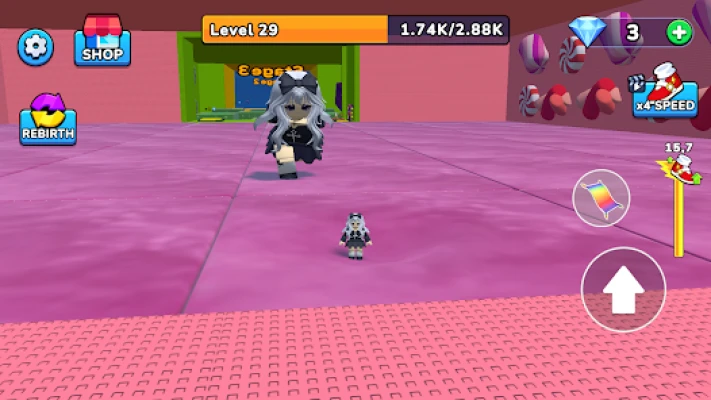
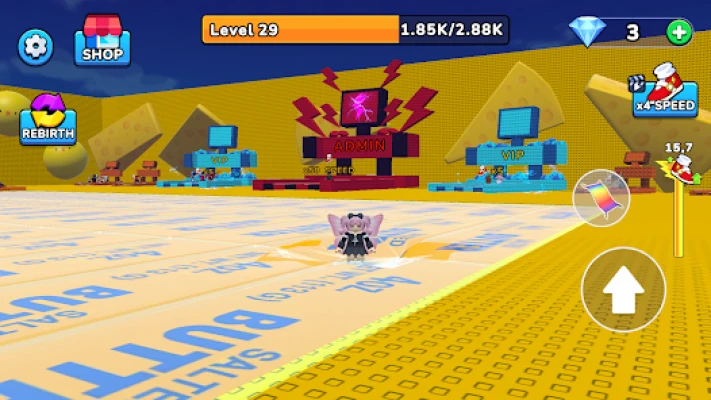
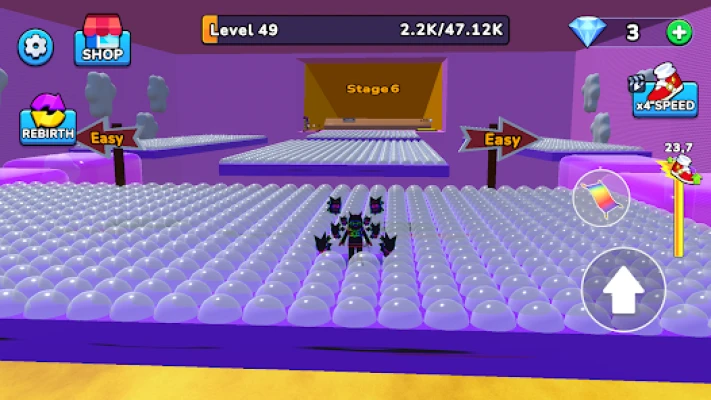
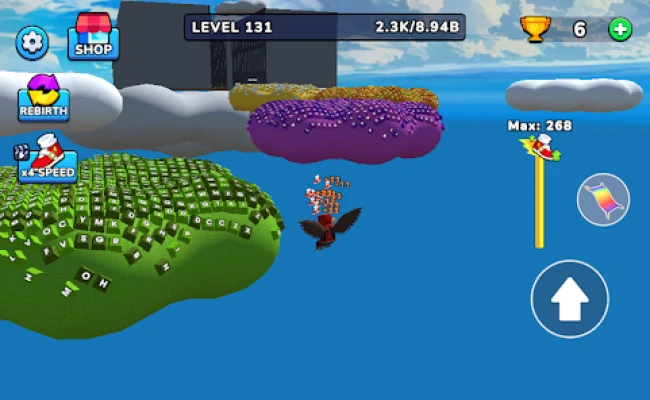
The game focuses on simple controls but increasingly demanding movement. You need to judge distances, time your jumps and react quickly when platforms move or obstacles spin across your path. The bright block-based world and crisp keyboard sounds also give each run a distinctive arcade and ASMR-like feel.
What Is Keyboard Craft: Speed Master?
Keyboard Craft: Speed Master combines 3D parkour, obby challenges, platforming and speed-based movement in a floating keyboard-themed world.
The objective is straightforward: get from the starting point to the end of each course as efficiently as possible.
The early stages give you an opportunity to become familiar with movement and jumping. Later sections introduce tighter jumps, shifting platforms and obstacles that require better timing. Falling does not mean the run is over forever—you can respawn, learn from the mistake and try the section again.
Main Gameplay Features
Giant Keyboard Parkour
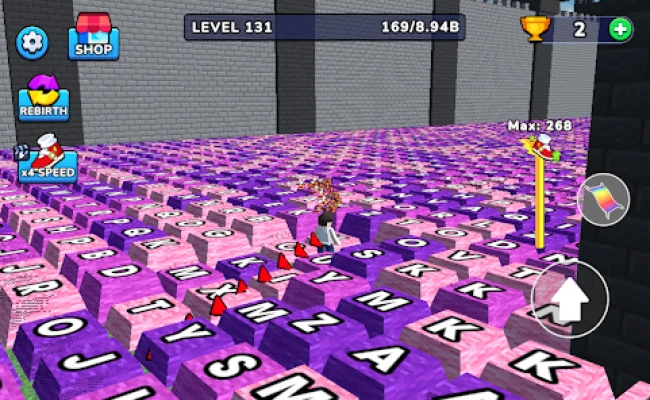
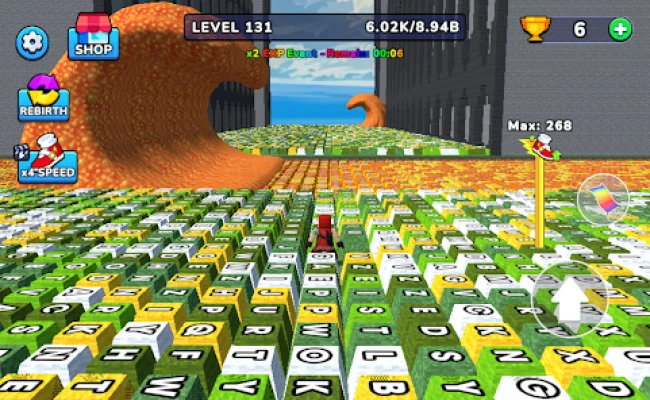
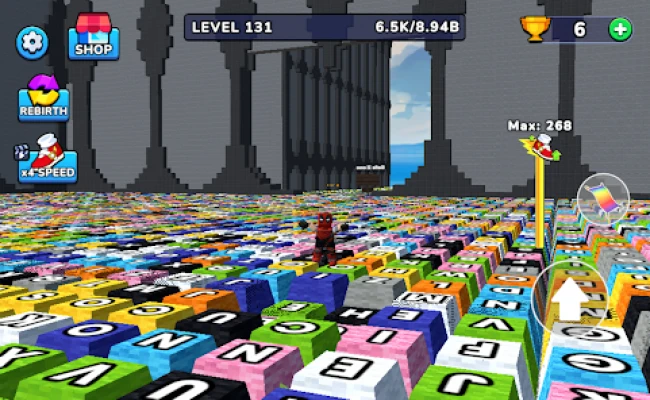
The most recognizable feature is the unusual environment. Instead of conventional platforms, the courses are built around oversized keyboard keys and colorful floating blocks.
This gives the game a distinctive visual identity while also making the platforms easy to recognize during a run.
Floating Obstacle Courses
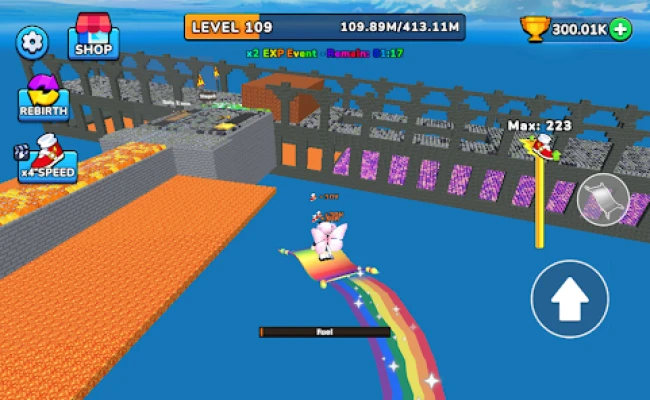
The courses take place high above the clouds. Because there is open space around the platforms, missing a jump can send your character falling into the sky below.
That makes positioning especially important when approaching narrow platforms.
Simple Swipe-and-Jump Controls
The controls are designed to be easy to understand. Movement and jumping are the foundation of the gameplay, allowing you to concentrate on timing rather than learning a complicated control system.
Moving Platforms
Some sections require you to wait for the correct moment before jumping. Moving platforms can change the distance and angle of your next landing, so rushing forward is not always the fastest strategy.
Spinning Traps
Rotating obstacles create another timing challenge. You need to watch their movement pattern and choose a safe opening rather than jumping immediately.
Clicky Keyboard Sounds
Each step across the giant keyboard keys produces a crisp tapping sound. Combined with the blocky visuals, these effects give the game a satisfying ASMR-inspired character.
How to Play Keyboard Craft: Speed Master
The basic objective is simple:
- Start the parkour course.
- Move across the giant keyboard platforms.
- Jump over gaps and obstacles.
- Watch moving platforms carefully.
- Time your jumps around spinning traps.
- Recover from mistakes by learning the course layout.
- Reach the final section and complete the stage.
The game becomes less about simply moving forward and more about understanding when to move.
Keyboard Craft: Speed Master Strategy Guide
1. Learn the Course Before Trying to Go Fast
Speed is tempting, especially in a game built around the idea of becoming a speed master. However, blindly rushing through a new section usually leads to unnecessary falls.
On your first attempt, focus on identifying:
- Where the next platform is located
- Which platforms move
- Where gaps are widest
- When spinning obstacles pass
- Where you can safely land
Once you understand the route, increase your pace.
2. Look at the Landing Area
Do not concentrate only on the platform directly in front of you.
Before jumping, look beyond it and identify where you need to go next. This gives you more time to prepare your movement after landing.
A good parkour run is built around the next two or three actions, not just the next jump.
3. Avoid Last-Second Jumps
Late jumps are one of the easiest ways to lose control.
When approaching a gap, try to establish your direction early. A controlled jump is usually easier to correct than one made after running directly to the edge.
4. Treat Moving Platforms Differently
A moving platform should not be approached like a stationary block.
Watch its movement first. If it travels from side to side, identify the point where it comes closest to your current position.
Then time your jump so that the platform is moving into the landing zone rather than away from it.
5. Study Spinning Obstacles
Spinning traps often appear intimidating because they constantly change position.
Instead of reacting randomly, observe their rhythm.
Look for the repeating opening in the obstacle's rotation. Once you identify the pattern, make your jump during the safe window.
6. Use Short, Controlled Movements
Large movements can make precision jumps harder.
When you are approaching a narrow platform, prioritize control over speed. Small corrections can help you line up the landing without accidentally moving beyond the platform.
7. Do Not Panic After a Mistake
Falling is part of learning a parkour course.
If you repeatedly fail at the same location, do not simply repeat the exact same movement. Ask what caused the failure:
- Did you jump too early?
- Did you jump too late?
- Were you moving in the wrong direction?
- Did a platform move before you landed?
- Did you misjudge the distance?
Change one part of your approach and try again.
8. Build a Consistent Route
Once you know a stage, try to repeat the same successful sequence.
Consistency is more valuable than improvisation when you're trying to complete a difficult parkour course quickly.
Remember your preferred:
- Starting movement
- Jump timing
- Landing position
- Route around obstacles
- Timing for moving platforms
9. Use the Open Sky to Your Advantage
Because the courses are suspended in the sky, you can often see upcoming sections from a distance.
Use that visibility.
Before committing to your next jump, scan the surrounding platforms and identify the safest route forward.
10. Practice Difficult Sections Individually
If one obstacle consistently causes problems, treat it as a separate challenge.
Repeat the approach until you understand its timing. Once the movement becomes familiar, the rest of the course becomes much easier.
Advanced Parkour Tips
Keep Your Momentum Under Control
Moving quickly is useful, but uncontrolled momentum can turn a successful jump into a missed landing.
Try to balance forward speed with precision.
Watch Before You Jump
A fraction of a second spent observing a moving obstacle can save an entire failed attempt.
Aim for the Center of Platforms
Landing near the middle gives you more room for your next movement. Edge landings can leave very little space to recover.
Plan the Exit From Every Landing
Do not consider a jump successful merely because you landed.
Immediately ask where you need to go next. This keeps your movement flowing instead of forcing you to stop and reorient.
Learn From Repeated Failures
If the same jump fails three times, the problem is probably not luck. Look for a consistent timing or positioning mistake and adjust it.
Common Mistakes to Avoid
Rushing the first attempt:
Learning the route first makes later speed runs much easier.
Jumping without checking the platform:
Moving platforms require timing rather than blind movement.
Ignoring spinning obstacles:
Wait for a predictable opening instead of trying to squeeze through randomly.
Landing too close to an edge:
A safer landing position gives you more control.
Changing your route constantly:
Once you find a reliable path, practice it instead of experimenting unnecessarily.
Repeating the same failed jump:
Change your timing, position or approach after each failure.
Keyboard Craft: Speed Master Difficulty
The game begins with relatively approachable parkour challenges and gradually introduces more demanding movement.
The difficulty comes primarily from:
- Narrower landing opportunities
- Larger gaps
- Moving platforms
- Spinning obstacles
- More demanding jump timing
- The need for faster reactions
This creates a natural progression from learning the controls to mastering precise movement.
Keyboard Craft: Speed Master Controls
The Google Play description highlights simple swipe-and-jump controls. The limited control scheme makes the game easy to pick up, while the challenge comes from applying those controls accurately during increasingly difficult parkour sections.
The most important skills are therefore:
- Movement control
- Jump timing
- Direction changes
- Platform positioning
- Obstacle awareness
- Reaction speed
Why Keyboard Craft: Speed Master Is Fun
The appeal comes from the contrast between simple controls and challenging movement.
You do not need a complicated tutorial to understand the objective. You simply move, jump, avoid hazards and try to reach the end.
The giant keyboard setting also gives the game a memorable identity. Every platform looks like part of a giant computer keyboard, while the floating-cloud setting makes each missed jump visually dramatic.
The satisfying keyboard sounds add another layer to the experience, particularly for players who enjoy clicky or ASMR-inspired game effects.
Who Should Play Keyboard Craft: Speed Master?
This game may appeal to players who enjoy:
- 3D parkour games
- Obby-style obstacle courses
- Platform games
- Casual arcade games
- Speed challenges
- Precision jumping
- Floating-world games
- Short repeatable gameplay sessions
- Satisfying ASMR-style game sounds
If you enjoy games where a simple objective gradually becomes harder through increasingly precise movement, Keyboard Craft: Speed Master offers a straightforward challenge.
Keyboard Craft: Speed Master Pros and Cons
Pros
- Easy-to-understand gameplay
- Distinctive giant keyboard setting
- Colorful floating environments
- Parkour-focused movement
- Moving platforms and spinning obstacles
- Satisfying keyboard sound effects
- Quick retries after mistakes
- Suitable for short gaming sessions
Cons
- Repeated falls can become frustrating on difficult sections
- Players looking for a deep story may find the experience focused mainly on movement
- The challenge depends heavily on timing and precision
- The simple controls may feel repetitive to players who prefer complex mechanics
Beginner's Quick Guide
If you're just starting, use this simple routine:
Step 1: Move slowly through the opening section.
Step 2: Identify the next safe platform.
Step 3: Watch moving obstacles before jumping.
Step 4: Aim for the center of the landing platform.
Step 5: Once you know the route, increase your speed.
Step 6: When you fall, identify exactly what went wrong.
Step 7: Repeat the section until the movement becomes natural.
Keyboard Craft: Speed Master Tips for Faster Runs
For players who want to improve their completion times, focus on consistency rather than taking unnecessary risks.
A reliable fast run should have:
- Minimal hesitation
- Clean landings
- Early positioning
- Efficient jumps
- Good obstacle timing
- Few unnecessary movements
The fastest route is not always the route that looks fastest. A slightly safer landing that allows you to continue immediately can be more efficient than a risky jump that causes a fall.
Game Information
Game: Keyboard Craft: Speed Master
Developer: H2T GLOBAL PTE. LTD.
Platform: Android
Genre: Casual / Parkour / Arcade
Gameplay style: 3D obstacle-course platforming
Controls: Swipe-and-jump movement
Setting: Floating keyboard platforms above the clouds
Main challenge: Reach the end of each course without falling
Key obstacles: Moving platforms, gaps and spinning traps
Visual style: Colorful block-based 3D environments
Audio style: Clicky keyboard-inspired sound effects
Google Play downloads: 50K+ according to the indexed listing
Content rating: Everyone
Package: com.Keyboard.Craft.Speed.Master
Final Thoughts
Keyboard Craft: Speed Master takes a familiar parkour formula and gives it an unusual setting: a giant keyboard floating above the clouds. The concept is easy to understand, but the later obstacle sections require increasingly careful movement, timing and platform awareness.
The best way to improve is to learn each course first, identify the timing of moving obstacles, aim for stable landings and gradually increase your speed. Once the route becomes familiar, the same stages that initially feel difficult can become much smoother and more enjoyable.
For players who like parkour games, obby challenges, 3D platformers and fast casual games, Keyboard Craft: Speed Master offers a compact experience built around movement, timing and repeated improvement.
Rate the Game
User Reviews

Popular Games



















 Android
 iOS
iOS Windows
 Xbox
Xbox