

Latest Version
November 01, 2024
Kolb Apps
Music
Android
0
com.rodrigokolb.congasandbongosfree
Report a Problem
More About :game
Game information and key features
Full title: Congas & Bongos: percussions
Developer: Kolb Apps
Platform: Android phones and tablets
Category: Music, percussion simulation
Price: Free to download, with ads and optional in-app purchases
Google Play rating: Approximately 4.5 out of 5 at the time of research
Downloads: 1 million+
Content rating: Everyone
Core gameplay: Tap virtual percussion pads to play rhythms and create beats.
Main features: Multitouch controls, 10 percussion pads, rhythm samples, tutorials, musical loops, recording mode, and MP3 export.
What makes Congas & Bongos special?
1. Virtual congas and bongos
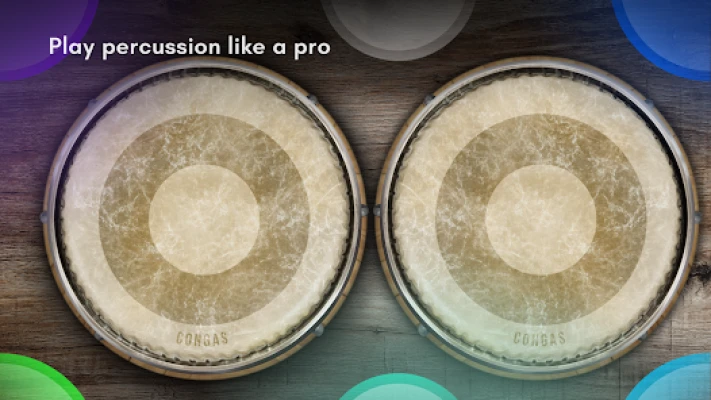
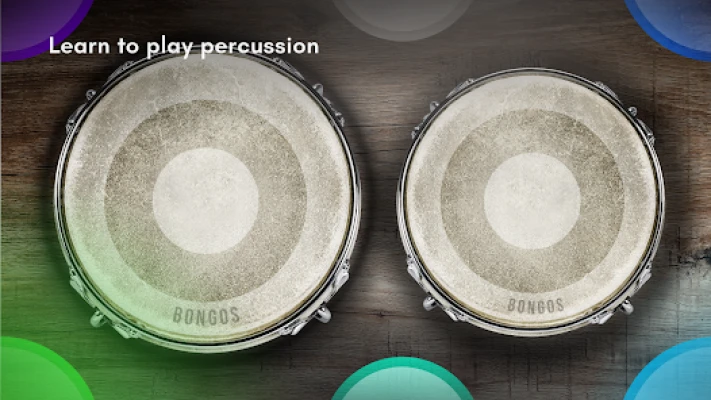
The app brings percussion instruments to your touchscreen, allowing you to experiment with rhythms without purchasing or carrying physical drums. It is useful for casual music-making, practicing simple patterns, and exploring percussion sounds whenever inspiration strikes.
2. Ten percussion pads
The ten-pad layout gives you multiple touch targets for building rhythmic patterns. Rather than tapping randomly, experiment with alternating fingers and combining different pads to develop a more natural rhythm.
3. Multitouch percussion controls
Multitouch support lets you use multiple fingers to create more varied patterns. This makes the app more expressive than a basic single-button rhythm toy and gives players room to develop coordination.
4. Music loops and rhythm samples
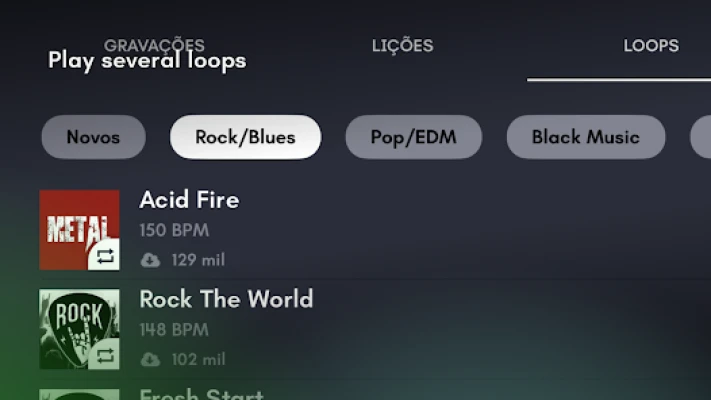
The app provides musical loops from different styles, letting you play along with a backing rhythm. These loops can help beginners understand timing and help more experienced players experiment with new percussion ideas.
5. Lessons for beginners
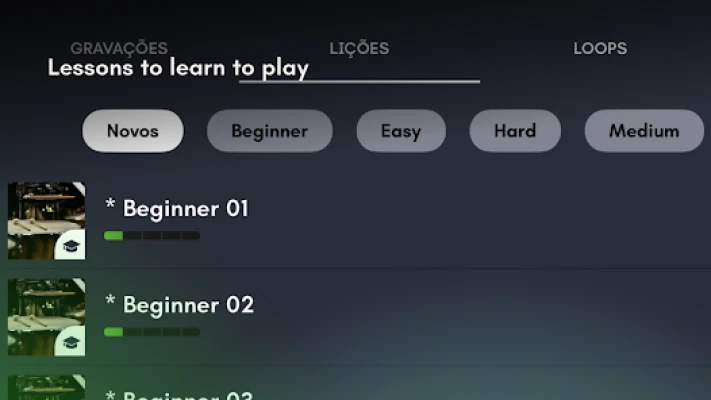
Video lessons and rhythm tutorials provide guidance for people who are new to percussion. Follow a lesson slowly, practice the pattern, and increase your speed only after you can reproduce the rhythm consistently.
6. Recording and MP3 export
The recording mode lets you capture your playing, while MP3 export provides a way to save recordings for listening or further use. These features are especially helpful for comparing practice sessions and developing original beat ideas.
Full strategy guide: How to play Congas & Bongos
Unlike a conventional action game, Congas & Bongos focuses on rhythm, coordination, musical expression, and practice. The best way to progress is to develop reliable timing before attempting complicated patterns.
1. Learn the percussion pad layout
Begin by tapping each pad individually. Listen carefully to the sound it produces and identify which pads you prefer for building a rhythm.
Start with one pad at a time.
Tap slowly and listen to each sound.
Explore different combinations of pads.
Keep your fingers relaxed and avoid unnecessary movements.
Pro tip: Spend your first few minutes learning the sounds instead of immediately trying to play a complete song.
2. Practice a simple rhythm
A useful beginner exercise is to count four evenly spaced beats:
1 – 2 – 3 – 4
Tap a comfortable pad on every count. Once you can maintain a steady pulse, alternate between two different pads.
For example:
Beat 1: Pad A
Beat 2: Pad B
Beat 3: Pad A
Beat 4: Pad B
This simple exercise develops timing and prepares you for more varied percussion patterns.
3. Improve finger coordination
Multitouch controls allow you to create more complex patterns, but using too many fingers too early can make your timing inconsistent.
Start with one finger.
Introduce a second finger when the basic rhythm feels comfortable.
Practice alternating between pads.
Keep the timing steady even when the sounds change.
Add more complex combinations gradually.
The aim is to make every tap deliberate rather than simply increasing the number of taps.
4. Learn from the built-in lessons
Use the available video lessons and rhythm tutorials to understand how different patterns are performed.
A practical learning routine is:
Watch a short section of a lesson.
Identify the rhythm being demonstrated.
Reproduce it slowly on the virtual pads.
Repeat until the pattern feels consistent.
Try the same rhythm alongside a suitable music loop.
Do not move on simply because you can perform the pattern once. Repeatability is a better sign of progress.
5. Play along with music loops
Playing along with a backing loop is a good way to practice keeping time with other sounds.
Start with a loop that feels comfortable. Listen to its pulse before tapping, then begin with a simple pattern that fits the music. If you lose the beat, stop and listen again instead of speeding up to catch up.
As your timing improves, experiment with different available loops and adapt your percussion patterns to the musical style.
6. Create your own percussion beats
Once you understand the pad layout and can keep a steady rhythm, begin experimenting with original patterns.
Try this process:
Choose two or three pads with contrasting sounds.
Establish a repeating base rhythm.
Add occasional variations without losing the pulse.
Repeat the pattern to see whether it sounds consistent.
Record a promising version so you can review it later.
A good beat does not have to be complicated. A clear, steady pattern can sound more effective than a fast sequence of unrelated taps.
7. Use recording mode to improve
Recording your practice gives you a chance to evaluate your performance objectively.
Listen for uneven timing, accidental pauses, inconsistent repetitions, or changes in speed. If a section sounds awkward, practice that section separately before recording again.
You can also save different versions of a rhythm and compare how your playing changes over time.
8. Export recordings for later use
When you have a recording you want to keep, use the app's available MP3 export feature.
A practical workflow is to:
Create a short beat.
Listen to the recording.
Make any necessary corrections.
Record the improved version.
Export the result if you want to keep or use it elsewhere.
If exporting does not work as expected, check the app's permissions, available device storage, and the current version's export instructions.
9. Practice with a daily routine
You do not need a long session to improve your rhythm. A focused 10-minute practice session can be a useful starting point.
Minutes 1–3: Sound familiarization
Explore the pads and practice clean, deliberate taps.
Minutes 4–6: Rhythm practice
Repeat a simple four-beat pattern and alternate between pads.
Minutes 7–8: Play with a loop
Try maintaining the same rhythm while music plays.
Minutes 9–10: Record and review
Capture a short pattern and identify one improvement for tomorrow.
10. Common mistakes and how to avoid them
Common mistake | Recommended solution |
|---|---|
Tapping too quickly | Slow down and establish a steady pulse. |
Using too many pads immediately | Begin with two pads and expand gradually. |
Losing the beat while playing with loops | Listen to the backing rhythm before joining in. |
Repeating a pattern inconsistently | Practice the pattern in short sections. |
Ignoring recordings | Listen back and identify timing problems. |
Expecting instant results | Practice regularly and increase complexity gradually. |
Pros and cons
Pros
Convenient virtual percussion instruments on your phone or tablet.
Ten percussion pads and multitouch support.
Rhythm samples and video lessons for learning.
Music loops for playing along with different styles.
Recording mode and MP3 export.
Suitable for beginners, hobbyists, and musicians who want a portable practice tool.
Cons
Advertisements may interrupt the experience.
Some features or loops may require a premium purchase.
Touchscreen percussion cannot fully reproduce the feel of physical drumheads.
Players looking for structured rhythm-game levels, scores, or competitive challenges may prefer a conventional music game.
Advanced players may find a virtual percussion layout less flexible than a dedicated recording or music-production setup.
The app's store listing confirms the main features and its advertising and purchase model.
Is Congas & Bongos worth trying?
Congas & Bongos is worth trying if you enjoy percussion, want to experiment with musical rhythms, or need a convenient way to practice basic beats without carrying physical instruments. Its lessons, loops, multitouch pads, and recording tools make it more than a simple soundboard.
It is particularly suitable for beginners who want to develop their sense of timing and for experienced musicians who want to sketch out rhythmic ideas on a mobile device. If you want a traditional rhythm game with unlockable stages and high scores, however, this app is better understood as a virtual instrument and music-practice tool.
Frequently asked questions
What is Congas & Bongos: percussions?
It is a virtual percussion app that lets you play conga and bongo-style rhythms using touch controls on an Android phone or tablet.
Is Congas & Bongos free?
The app is free to download, but it contains advertisements and optional in-app purchases. A premium option is available for additional benefits, including ad removal.
Can beginners learn percussion with this app?
Yes. The app includes video lessons and rhythm tutorials that can help beginners practice timing, coordination, and basic patterns.
How many percussion pads does it have?
The current Google Play description lists ten percussion pads and multitouch support.
Can you create your own beats?
Yes. You can combine percussion pads to create rhythmic patterns and use available music loops to experiment with different sounds and styles.
Can you record music in Congas & Bongos?
Yes. The app includes a recording mode and an MP3 export feature, allowing you to capture your percussion practice and save recordings.
Can you play along with songs?
The app provides a selection of musical loops in different styles. You can use these backing tracks to practice your timing and experiment with percussion rhythms.
Is Congas & Bongos suitable for professional musicians?
It can be useful for practicing rhythms and developing musical ideas on the go. However, musicians who require detailed mixing, advanced recording controls, or realistic physical drum response may prefer dedicated music-production tools or acoustic instruments.
Does the app work on tablets?
Yes. The Google Play listing describes support for phones and tablets, with layouts designed to work across different screen resolutions.
Final thoughts
Congas & Bongos: percussions offers a convenient way to explore percussion, practice rhythm, and create beats directly on an Android device. Its combination of ten touch pads, multitouch controls, music loops, lessons, and recording features makes it a useful option for casual music-making and rhythm practice.
For CityParkGames, the most relevant search phrases to incorporate naturally throughout this page include Congas & Bongos app, Congas & Bongos gameplay, virtual percussion drums, learn conga rhythms, bongo drum simulator, and percussion music maker.
Keep the final page focused on helping readers understand the app and use its features. Accurate descriptions, practical tutorials, and genuinely useful advice provide a stronger foundation for long-term Google visibility than repeating keywords or promising a particular ranking.
Rate the Game
User Reviews













Popular Games



















 Android
 iOS
iOS Windows
 Xbox
Xbox