
Latest Version
August 19, 2026
Wildlife Studios
Simulation
iOS
0
Report a Problem
More About :game
The current US App Store listing describes the game as an unlimited open-world building experience where players can craft freely, develop villages, and keep their inhabitants happy. It is published by Wildlife Studios and currently has a 4.7/5 rating from more than 840,000 ratings.
What Is Block Craft 3D?
Block Craft 3D is a mobile sandbox building game centered around construction, creativity, exploration, and village development.
Instead of following a fixed storyline, players decide what they want their world to become. You can start with a small building and gradually expand your surroundings into a detailed village or larger collection of structures.
The game combines:
- 3D block building
- Open-world exploration
- Village construction
- House design
- Creative building
- Character customization
- Resource and gem progression
- Community-created structures
- Seasonal events
- Relaxed sandbox gameplay
Build Anything You Can Imagine
The biggest attraction of Block Craft 3D is the freedom to create.
Players can construct buildings using blocks and decorative elements, giving them the opportunity to experiment with different architectural styles. You aren't limited to one predetermined blueprint, so the final appearance of your world depends heavily on your imagination.
You can create:
- Houses
- Castles
- Shops
- Towers
- Farms
- Bridges
- Roads
- Decorative areas
- Villages
- Large city-style environments
The App Store specifically promotes the ability to craft anything you like and fill the world with your own creations.
Create Your Own Village
Building isn't limited to individual structures.
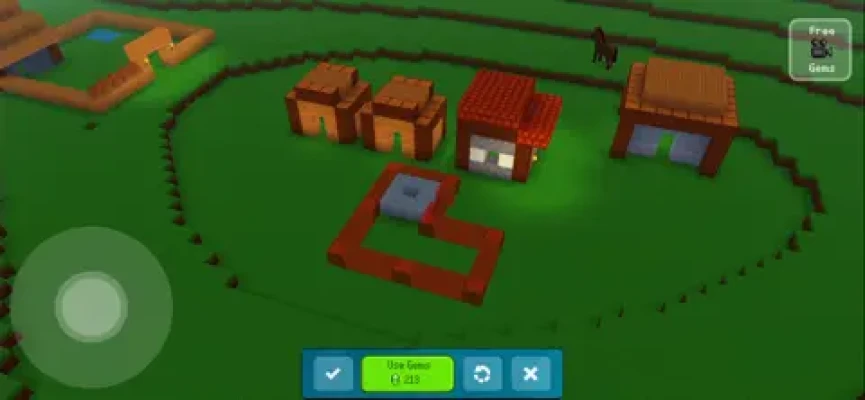
You can develop a complete village and create an environment where its inhabitants can live. Keeping villagers happy becomes part of the experience as your settlement grows.
This gives the game a light city-building element alongside its creative sandbox mechanics.
Rather than simply constructing buildings and moving on, you can think about how different structures fit together and create a world that feels connected.
Explore an Open World
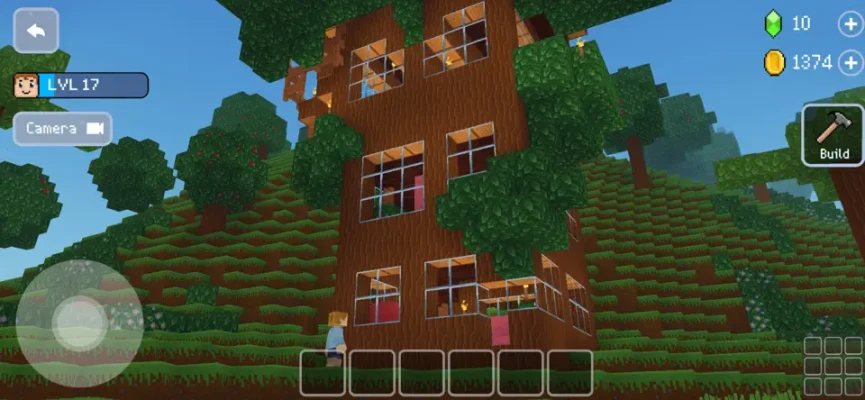
Block Craft 3D gives players an open environment where they can move around and discover their creations from different perspectives.
Exploration is especially enjoyable after completing a major construction project because you can walk around your village and see how everything looks as part of a larger world.
The open-world format also makes the game suitable for players who prefer relaxed exploration rather than competitive gameplay.
Design Houses and Buildings
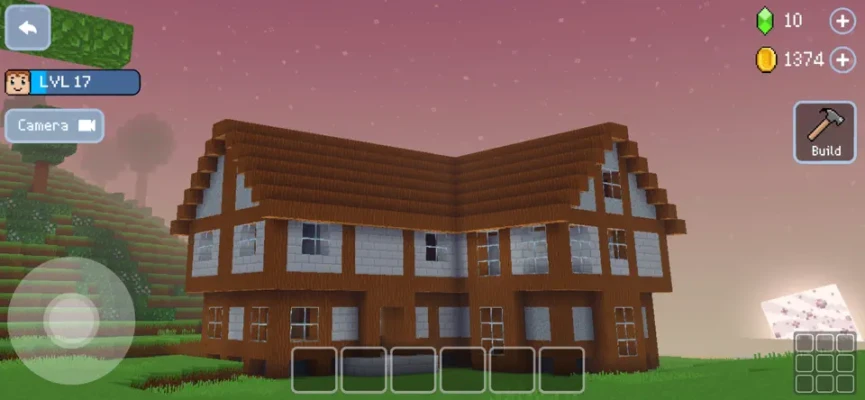
House building is one of the easiest ways to get started.
Begin with a simple structure, then experiment with:
- Walls
- Windows
- Doors
- Roofs
- Floors
- Decorative blocks
- Furniture-style details
- Outdoor areas
As your building skills improve, you can move from basic houses to more ambitious architectural projects.
Creative Building Without a Fixed Story
Block Craft 3D does not force players through a traditional campaign.
There is no requirement to follow a specific hero through a predetermined adventure. Instead, the game provides a creative environment and lets you decide what to build.
This makes it particularly appealing to players who enjoy sandbox games where the main objective is simply to create something they are proud of.
Customize Your Character
Your character is part of your custom world.
Customization options allow players to give their avatar a personal appearance while exploring their village and showing off their creations.
This complements the building system by making the world feel more personal rather than simply functioning as an empty construction area.
Gems and Progression
Gems are an important part of Block Craft 3D's progression and economy.
Players can use available resources and gems to access additional building possibilities and other features. The App Store listing confirms that the game includes optional gem purchases and other in-app purchases.
For players who prefer a free experience, managing available resources carefully can help determine which projects to prioritize.
Seasonal Events
Block Craft 3D regularly introduces themed events that give players additional creative objectives.
The current App Store listing highlights a "Class is in Session!" event, encouraging players to decorate their worlds with schools, buses, and number blocks for a back-to-school theme.
Seasonal content adds variety to the core building experience and provides new ideas for creative projects.
Game Progression
The progression system is less about defeating enemies and more about expanding what you can create.
Starting Out
Begin with basic structures and learn how the building tools work.
Expanding Your Village
Add more buildings and develop the surrounding environment.
Improving Your Designs
Experiment with different blocks and decorative elements to make your structures more detailed.
Creating Larger Projects
Once you're comfortable with the basics, begin working on larger villages, city areas, monuments, or themed environments.
Becoming a Master Builder
Experienced players can focus on ambitious projects that require careful planning and creativity.
How to Play Block Craft 3D
1. Start Your World
Enter the game and choose an area where you want to begin building.
2. Build a Simple Structure
Create a basic house or another small building to learn the construction system.
3. Add Details
Use additional blocks and decorative elements to make your structure unique.
4. Expand Your Village
Add roads, additional buildings, decorations, and other areas.
5. Explore Your Creation
Walk around your world and view your buildings from different angles.
6. Take on Bigger Projects
Once you understand the building system, move toward larger and more complicated designs.
Beginner's Building Guide
The easiest way to learn Block Craft 3D is to start small.
Don't immediately attempt to build an enormous castle or city. Begin with a simple house and experiment with proportions, entrances, windows, and roofs.
Once you understand how individual blocks work together, larger projects become much easier to manage.
A useful approach is to sketch out your idea mentally before placing hundreds of blocks. Planning the general shape first can save considerable time.
Advanced Building Tips
Plan Before You Build
Large projects become easier when you decide on their basic layout first.
Use Repeating Patterns
Consistent walls, windows, and decorative elements can make buildings look more polished.
Create Different Districts
Instead of placing structures randomly, organize your world into residential, commercial, recreational, or decorative areas.
Add Landscaping
Trees, paths, open spaces, and decorative areas can make a village feel much more natural.
Build With a Theme
A consistent architectural style can make an entire city look more impressive.
Think in Three Dimensions
Don't focus only on the front of a building. Consider how it looks from every direction.
Features
- Open-world building
- 3D block construction
- Village development
- Creative sandbox gameplay
- House building
- Large structure creation
- Character customization
- World exploration
- Seasonal building events
- Community and user-generated content
- Multiple construction possibilities
- Relaxed gameplay
- Free-to-play model
- Optional in-app purchases
- Game Center support
These features are reflected in the current App Store listing and its description of the game's building, village, open-world, event, and community elements.
Graphics and Atmosphere
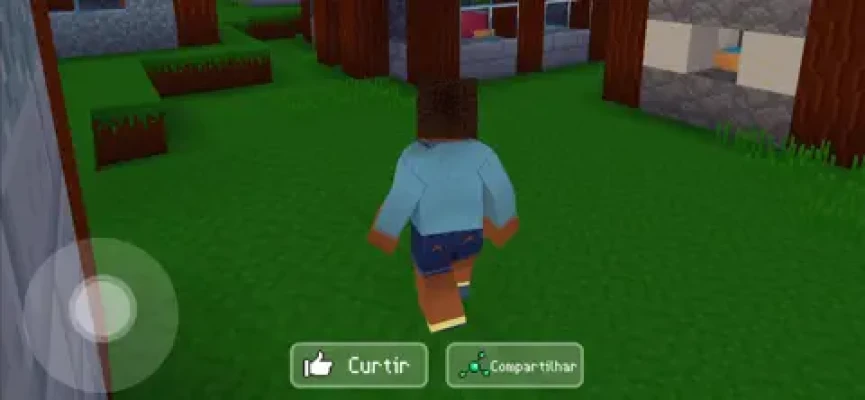
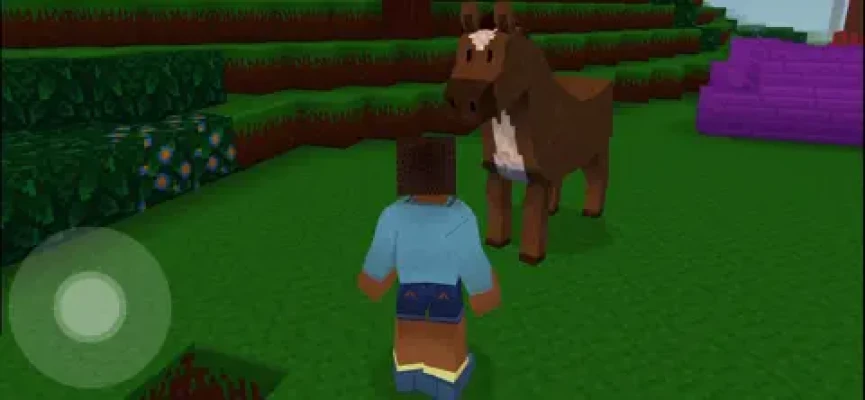
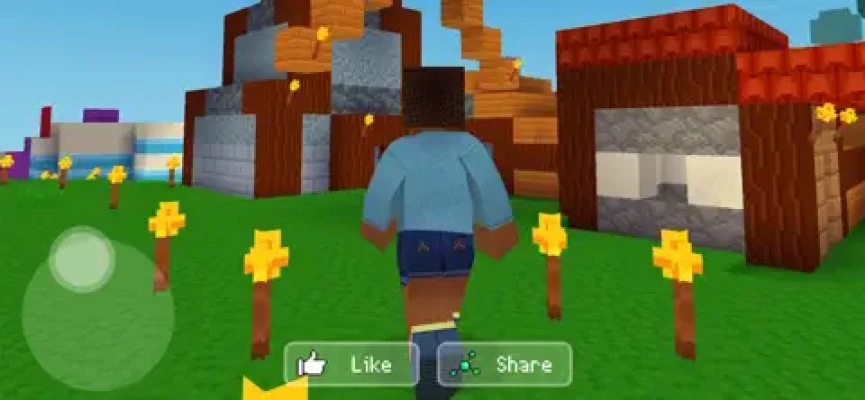
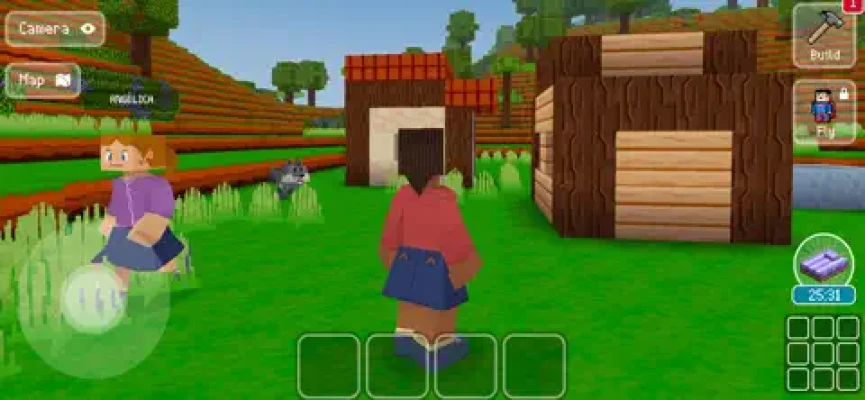
Block Craft 3D uses a colorful voxel-inspired visual style built around recognizable cubic blocks.
The simple graphical approach works well for a creative sandbox because the emphasis stays on construction rather than visual realism. Buildings are easy to recognize, while the block-based design makes it clear how individual pieces fit together.
The result is a bright and approachable atmosphere suited to relaxed building sessions.
Controls and Interface
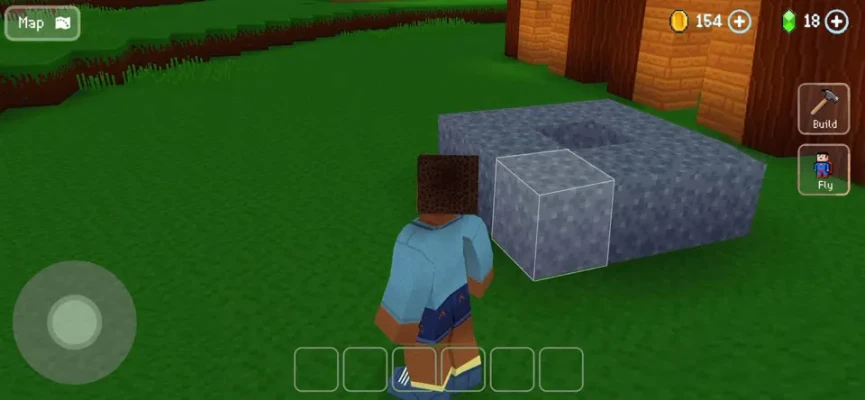
The game is designed for touchscreen devices, with controls focused on movement, block placement, construction, and world interaction.
The interface is relatively accessible, allowing new players to begin experimenting with construction without needing to learn complicated controls.
Game Difficulty
Difficulty: Easy
Block Craft 3D is primarily a creativity-focused game, so there is little traditional difficulty.
The challenge comes from the complexity of your own projects. Building a small house is straightforward, while creating a detailed city or large architectural landmark can require considerable planning and patience.
Player Experience
The current US App Store listing shows 4.7/5 from approximately 841,000 ratings, demonstrating a very large and generally positive player response.
Player reviews frequently praise the game's relaxing nature, simple controls, creative freedom, and ability to spend long periods designing personal worlds. Other reviews raise concerns about available blocks, gem costs, advertisements, and certain limitations within the building system.
The broad range of feedback reflects the game's main appeal: it is designed primarily as a casual creative sandbox rather than a competitive action game.
Pros and Cons
Pros
- Huge creative freedom
- Easy-to-learn building system
- Open-world environment
- Village construction
- Relaxing gameplay
- Colorful 3D graphics
- Character customization
- Seasonal events
- Large established player base
- Suitable for short or long sessions
Cons
- Some building resources require gems
- Optional purchases can become expensive
- Advertising is included
- Creative freedom can feel limited for players wanting more advanced construction systems
- No traditional combat-focused gameplay
Technical Details
Game: Block Craft 3D: Building Games
Developer: Wildlife Studios
Genre: Simulation / Role-Playing
Platform: iPhone and iPad
Price: Free with in-app purchases
Current App Size: Approximately 166.9 MB
Minimum iOS: iOS 13.0 or later
Minimum iPadOS: iPadOS 13.0 or later
Age Rating: 4+
Language: English
Game Center: Supported
Contains: Advertising and user-generated content
Recent Updates and Events
Block Craft 3D continues to receive updates and themed content.
The current App Store page features the Class is in Session! special event, which encourages players to decorate their worlds with school-themed structures, buses, and number blocks.
Third-party App Store tracking also records a July 2026 update, indicating that the game remains actively maintained.
Is Block Craft 3D Worth Playing?
If you enjoy building games, sandbox games, city-building games, creative games, and voxel-style worlds, Block Craft 3D is an easy recommendation.
Its biggest strength is accessibility. You don't need advanced gaming skills to begin building. You can simply open the game, place blocks, experiment with designs, and gradually create a world that reflects your own ideas.
The experience is especially enjoyable for players who prefer creativity and relaxation over combat and competition.
Who Should Play Block Craft 3D?
Block Craft 3D is a good choice for players who enjoy:
- Building games
- Sandbox games
- City-building games
- Creative games
- Voxel games
- House-building games
- Village simulators
- Casual simulation games
- Open-world games
- Architecture and design
- Relaxing mobile games
Block Craft 3D vs Other Building Games
Block Craft 3D focuses more strongly on accessible creative construction and village development than many traditional survival-crafting games.
You don't need to spend your time fighting enemies or managing a complicated survival system. Instead, the emphasis is on building, decorating, exploring, and developing your own world.
That makes it a particularly approachable choice for players who want the creative side of block-based games without making survival the central objective.
Frequently Asked Questions
What is Block Craft 3D?
Block Craft 3D is a creative sandbox and village-building game where players construct houses, buildings, villages, and other structures in an open block-based world.
Is Block Craft 3D free?
Yes. The game is free to download, with optional in-app purchases.
Can you build a village in Block Craft 3D?
Yes. Village development is one of the central features of the game, and players can create structures while helping keep their inhabitants happy.
Is Block Craft 3D an open-world game?
Yes. The App Store describes it as an unlimited open-world building experience.
Can you build houses?
Yes. Players can create houses and many other types of structures using the game's block-based construction system.
Does Block Craft 3D have multiplayer?
The game's App Store reviews and description reference multiplayer and sharing-related features, while the current listing also supports user-generated content. Availability of specific social features can vary with the current version.
Can children play Block Craft 3D?
The current US App Store listing carries a 4+ age rating, although it also contains advertising and user-generated content. Parents should consider those features when deciding whether the game is appropriate for a child.
Is Block Craft 3D like Minecraft?
Both games use block-based construction, but Block Craft 3D has a stronger emphasis on accessible creative building and village development rather than traditional survival gameplay.
Can you play Block Craft 3D on iPad?
Yes. The game supports iPhone and iPad and currently requires iOS/iPadOS 13.0 or later.
Final Verdict
Block Craft 3D: Building Games is a relaxed and accessible creative sandbox that puts construction at the center of the experience.
Whether you're designing a small house, developing a village, creating a detailed city, or experimenting with unusual structures, the game gives you plenty of freedom to shape your own environment.
Its simple controls, colorful block-based graphics, open-world construction, seasonal events, and enormous player community make it one of the more approachable building games available on mobile.
Overall Rating: 9/10
Rate the Game
User Reviews



Popular Games



















 Android
 iOS
iOS Windows
 Xbox
Xbox