

Latest Version
September 09, 2024
Wildlife Studios
Simulation
0
com.fungames.blockcraft
Report a Problem
More About :game
Block Craft Complete Guide & Walkthrough
What Is Block Craft?
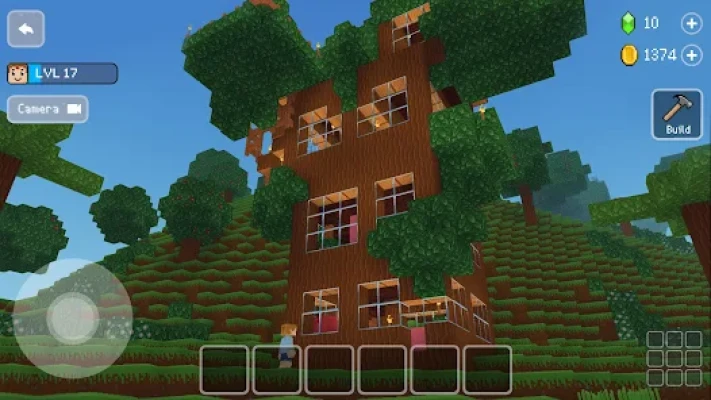
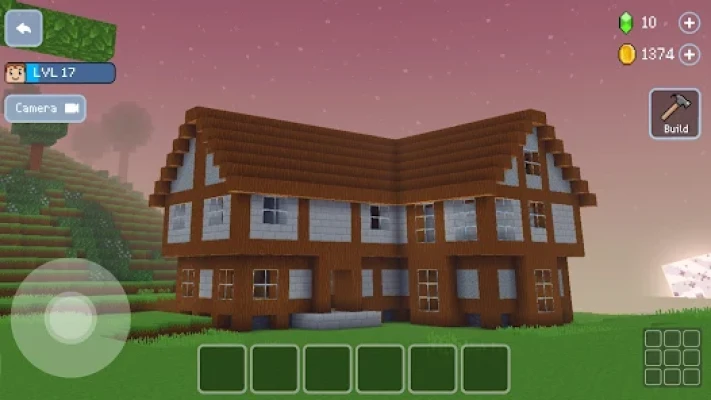
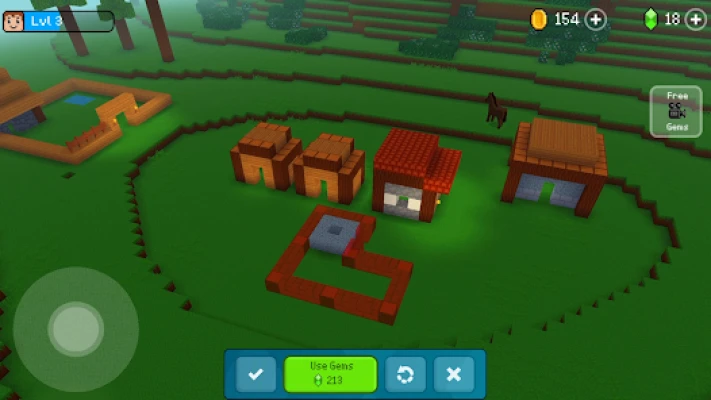
Block Craft is a sandbox world-building simulation game where players use blocks to create unlimited structures. The game combines creativity, city planning, and exploration into a relaxing experience suitable for all ages.
Whether you want to build a small countryside home or a giant modern metropolis, Block Craft gives you complete freedom to express your imagination.
Main Gameplay Features
Creative Building System
Build almost anything:
- Modern houses
- Skyscrapers
- Medieval castles
- Shopping malls
- Parks and gardens
- Bridges
- Villages
- Airports
- Schools
- Farms
- Fantasy kingdoms
Offline Friendly Experience
Many game features can be enjoyed without a constant internet connection, making it convenient for casual players.
Visit Other Players' Cities
Explore thousands of community creations to gather inspiration for your own world.
Pet Collection
Unlock and adopt various pets to accompany your adventures.
Character Customization
Personalize your avatar with different appearances and styles.
Expand Your City
Grow from a single building into an enormous city full of landmarks.
Beginner Walkthrough: First 30 Minutes
Step 1: Complete The Tutorial
Learn how to:
- Place blocks
- Rotate structures
- Remove objects
- Navigate the map
- Collect rewards
Avoid skipping the tutorial because it introduces important mechanics.
Step 2: Build A Starter House
Start with:
Essential Rooms
- Bedroom
- Kitchen
- Living room
- Storage area
- Garden
Keep your first design simple before creating larger projects.
Step 3: Earn Gems Efficiently
Ways to earn gems:
- Complete construction projects
- Level up buildings
- Visit other worlds
- Finish daily activities
- Claim rewards
Save gems instead of spending them immediately.
Step 4: Expand Slowly
Recommended order:
- House
- Garden
- Road system
- Park
- Town square
- Shops
- Apartment buildings
- City center
Building gradually creates a more realistic city.
Advanced Building Strategies
Create Building Zones
Separate your city into districts.
Residential Area
- Houses
- Apartments
- Schools
Commercial Area
- Stores
- Restaurants
- Hotels
Entertainment Area
- Parks
- Stadiums
- Museums
Industrial Area
- Factories
- Warehouses
Organized cities look more professional.
Best Creative Ideas To Build
Try these popular projects:
Modern Mansion
Features:
- Swimming pool
- Garage
- Balcony
- Rooftop garden
Medieval Castle
Features:
- Towers
- Drawbridge
- Throne room
- Courtyard
Fantasy Island
Features:
- Floating bridges
- Waterfalls
- Magical gardens
Futuristic City
Features:
- Neon roads
- Tall skyscrapers
- Spaceports
Peaceful Village
Features:
- Farms
- Windmills
- Lakes
- Small cottages
Daily Progression Routine
Spend 20 to 30 minutes daily.
5 Minutes
Collect rewards.
10 Minutes
Build one new structure.
5 Minutes
Visit other players.
10 Minutes
Decorate existing areas.
Consistent progress creates impressive worlds over time.
Common Mistakes New Players Make
Avoid these mistakes:
Building Too Fast
Large projects can become overwhelming.
Wasting Gems
Save premium currency for valuable unlocks.
Ignoring Roads
Road networks improve city design.
Copying Everything
Use inspiration but add your own style.
Forgetting Decorations
Trees, lights, benches, and fountains bring cities to life.
Expert Building Tips
Use Symmetry
Balanced designs appear cleaner.
Mix Different Heights
Avoid making every building the same size.
Add Natural Elements
Include:
- Rivers
- Trees
- Flowers
- Mountains
Leave Open Spaces
Not every area should be occupied.
Build Around A Theme
Examples:
- Modern city
- Japanese village
- Medieval kingdom
- Futuristic world
- Tropical island
Themes create memorable worlds.
Best City Layout Example
Center
Town Hall
North
Residential district
South
Industrial district
East
Entertainment zone
West
Commercial district
Outer Ring
Parks and nature areas
This layout keeps navigation simple.
User Feedback Insights
Players commonly enjoy:
What Players Love
- Relaxing gameplay
- Easy building mechanics
- Unlimited creativity
- No complicated survival systems
- Family-friendly experience
- Large variety of structures
Common Challenges
- Managing premium currency
- Planning larger cities
- Choosing building styles
- Expanding efficiently
Most long-term players recommend focusing on creativity rather than rushing progression.
Who Should Play Block Craft?
This game is ideal for:
- Casual gamers
- Creative builders
- Architecture enthusiasts
- City simulation fans
- Family players
- Kids and teenagers
- Adults seeking relaxing gameplay
Frequently Asked Questions
Is Block Craft beginner-friendly?
Yes. The controls are simple and easy to learn.
Can I build unlimited structures?
You can build extensive worlds and expand your city continuously.
Does Block Craft focus on survival?
No. It mainly focuses on creativity and building.
Can I visit other players?
Yes. Exploring community worlds is one of the core features.
What should beginners build first?
Start with a house, roads, and small community buildings.
Is Block Craft suitable for all ages?
Yes. Its simple mechanics and relaxing gameplay make it suitable for a wide audience.
Final Thoughts
Block Craft transforms simple blocks into endless possibilities. Instead of focusing on competition, the game rewards creativity, patience, and imagination. By planning your city, building step by step, and exploring ideas from other players, you can create a world that is entirely your own.
The best strategy is not building the biggest city as fast as possible, but building a world you'll enjoy returning to every day.
Rate the Game
User Reviews








Popular Games




















 Android
 iOS
iOS Windows
 Xbox
Xbox