

Latest Version
September 23, 2026
LinkDesks Classic Puzzle Games
Puzzle
0
Report a Problem
More About :game
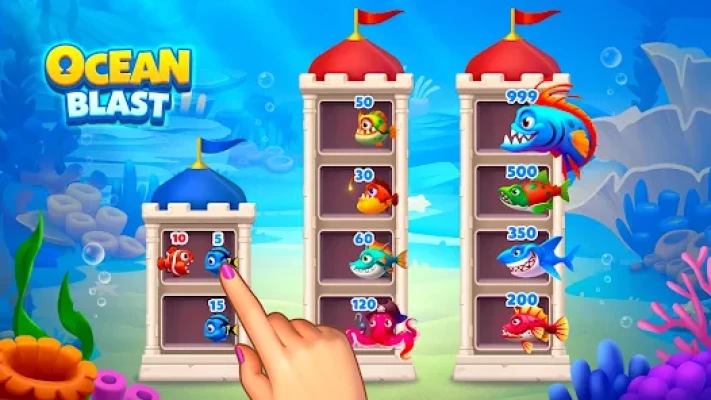
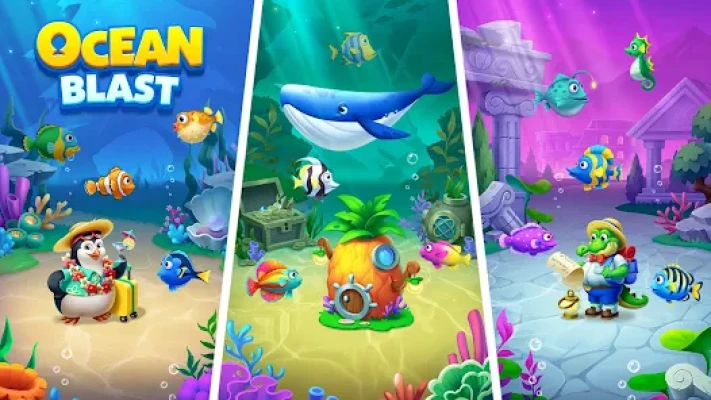
The puzzle progression is connected to an aquarium-building system. As you complete levels, you can unlock themed aquariums, collect fish and obtain decorations to create your own underwater world. The game also includes special elements and boosters that become increasingly useful as the puzzles become harder.
The current Google Play listing shows 5M+ downloads, a 4.5-star rating, approximately 11.9K reviews, ads and in-app purchases. It is listed as a single-player, offline puzzle game for Android and Windows.
What Is Ocean Blast?
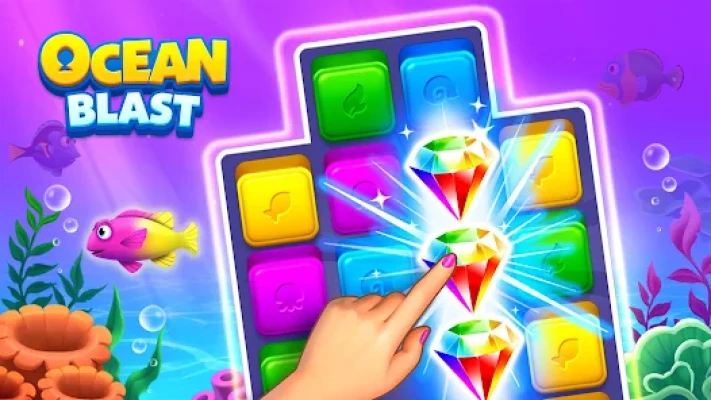
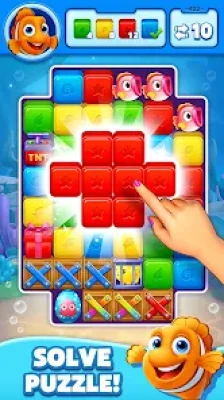
Ocean Blast is a color-matching cube-pop puzzle game rather than a traditional Match-3 game.
The basic idea is straightforward:
- Find connected cubes of the same color.
- Tap the group.
- Pop the cubes.
- Create larger explosions when possible.
- Complete the level.
- Earn progression toward aquariums, fish and decorations.
Google Play specifically describes the game as tapping colorful cubes to create large explosions and using special elements and boosters to clear boards.
That makes the game easy to learn, but the best moves aren't always the largest group visible on the screen.
Ocean Blast Main Features
- Colorful cube-pop puzzle gameplay
- Thousands of puzzle levels
- Underwater ocean theme
- Multiple themed aquariums
- Collectible fish
- Aquarium decorations
- Fish with individual personalities
- Special puzzle elements
- Powerful boosters
- Offline gameplay
- Single-player progression
- Android support
- Windows availability
- Ads and in-app purchases
The current listing was updated on September 3, 2026, with the latest notes mentioning bug fixes and performance improvements.
How to Play Ocean Blast
Ocean Blast does not require complicated controls.
You simply tap connected cubes of the same color to pop them.
The important part is deciding when to make a match.
A group of four cubes may be useful, but a smaller group positioned in exactly the right place can sometimes create a much better board after the surrounding cubes fall or rearrange.
The goal is therefore not:
“Pop the biggest group immediately.”
Instead, think:
“Which pop gives me the best board for the next few moves?”
That small change in approach becomes increasingly important as the levels become more challenging.
The Best Ocean Blast Strategy
Look at the Whole Board Before Tapping
Don't immediately tap the first large group you see.
Spend a few seconds looking at:
- Large connected groups
- Smaller groups that can become larger
- Special elements
- Areas containing difficult colors
- Potential chain reactions
- Groups positioned around important obstacles
A good opening move can make the rest of the level much easier.
Create Large Groups Before Popping
One of the most useful techniques in cube-pop games is to build a larger group before clearing it.
Suppose you have several cubes of the same color separated by only a small number of other cubes.
Instead of immediately removing one group, consider whether another move can bring those cubes together.
A larger group can create a stronger clear and may help you reach difficult areas of the board.
Simple rule
If a group can safely become larger, consider waiting.
But don't wait so long that you lose the opportunity.
Don't Always Choose the Largest Group
This is one of the biggest mistakes beginners make.
Imagine two options:
- A large group in an unimportant area
- A smaller group blocking several useful cubes
The smaller group may be the better move.
Always consider the position of the group, not just its size.
Ask yourself:
- What will disappear?
- What will fall into its place?
- Will new matching groups appear?
- Does this open an important section?
- Can the next move become stronger?
Plan for Chain Reactions
Ocean Blast is most satisfying when one pop creates opportunities for another.
After making a move, watch how the board changes.
If the resulting arrangement creates another large group, you can potentially clear several areas with very few taps.
To encourage chain reactions:
- Look for groups near crowded areas.
- Remove strategically placed blocks.
- Watch what moves into the empty space.
- Look for new color combinations.
- Avoid wasting a good setup on a small isolated pop.
The goal is to make your moves work together.
How to Use Boosters
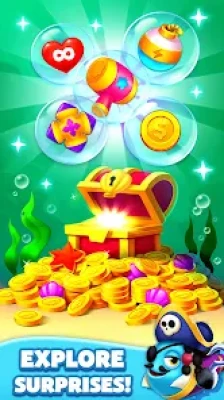
Ocean Blast includes powerful boosters and special elements designed to help clear difficult boards.
Boosters should generally be treated as strategic tools, not something to use whenever they are available.
Save them when:
- A level is becoming difficult.
- A large section cannot be reached normally.
- You are close to completing the objective.
- One awkward group is preventing a chain.
- A booster can clear several important areas at once.
Using a booster on an easy opening can leave you without an answer later.
Booster Timing Strategy
The best moment to use a booster is often after you understand the board.
Don't immediately use one simply because the board looks crowded.
First determine:
What exactly is stopping me?
If a booster removes that specific obstacle, it becomes much more valuable.
This approach also prevents unnecessary booster consumption on levels that could have been completed normally.
Ocean Blast Difficult Level Strategy
When you reach a difficult level, slow down rather than tapping faster.
Step 1: Identify the Problem Area
Find the section that is preventing progress.
Step 2: Look for a Better Opening
Sometimes the first move determines whether the rest of the board remains manageable.
Step 3: Build Groups
Try to create larger matching groups before clearing them.
Step 4: Look for Chain Reactions
A good move can create several follow-up opportunities.
Step 5: Save Boosters
Use them only when they solve a genuine problem.
Step 6: Reassess After Every Major Clear
Don't continue following an old plan after the board has changed.
Aquarium Progression
The aquarium system is one of the main features that separates Ocean Blast from a basic cube-popping game.
Completing puzzle levels helps unlock different themed aquariums, fish and decorations.
The basic progression loop is:
Solve puzzles → unlock rewards → collect fish → decorate aquariums → continue solving.
This gives the puzzle progression a visible destination.
Instead of simply moving from level 100 to level 101, you are also building an underwater collection.
Collecting Fish
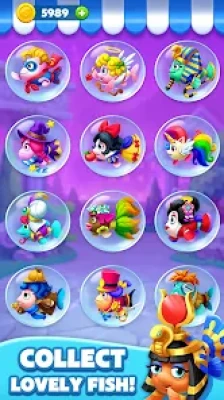
Ocean Blast lets players collect fish for their aquariums.
The Google Play description says that individual fish have their own personalities and that players can decorate aquariums to suit their style.
This means aquarium development is not merely a background feature.
It is part of the game's long-term progression and collection loop.
If you enjoy customization, keep an eye on aquarium rewards rather than focusing only on puzzle completion.
Aquarium Decoration Tips
Don't think of decorations as purely cosmetic rewards.
They are part of what makes the game's progression feel persistent.
A good approach is to:
- Complete levels consistently.
- Collect available aquarium rewards.
- Add decorations as they become available.
- Experiment with different aquarium arrangements.
- Collect fish that fit the theme you want.
Some player reviews specifically praise the aquarium-building aspect, while others have asked for more decoration choices. These are individual opinions, but they show that the aquarium system is an important part of the experience for some players.
Best Beginner Tips
1. Look Before You Tap
The board may contain a better move than the first obvious group.
2. Build Bigger Groups
If you can safely combine matching cubes, consider doing so before popping.
3. Think About the Next Move
A good current move should ideally create another useful opportunity.
4. Use Boosters Carefully
Save them for situations where they have real value.
5. Target Difficult Areas
Don't spend every move clearing easy sections.
6. Watch the Board After Every Pop
New opportunities can appear immediately.
7. Don't Chase Size Alone
The largest group isn't automatically the best move.
8. Remember the Aquarium Goal
Puzzle rewards contribute to your underwater collection and decoration progression.
Advanced Ocean Blast Strategy
Think in Two or Three Moves
Instead of treating each tap separately, imagine the next few board states.
For example:
Current board → pop → new grouping → second pop → booster opportunity
This type of planning becomes especially useful when a level contains limited opportunities.
Create Space
Crowded boards can limit your options.
A carefully chosen pop can open a larger area and allow matching groups to form naturally.
When deciding between two moves, consider which one gives you more space.
Protect Valuable Groups
Sometimes you have a large group that is useful later.
Don't automatically pop it.
If another move can create an even larger combination or clear an obstacle first, delaying the group may produce a better result.
Combine Effects
Ocean Blast includes special elements and boosters that can create stronger clears.
Whenever possible, consider whether a booster can be used alongside a favorable board arrangement rather than activated in isolation.
The more of the board an effect can influence, the greater its potential value.
Common Ocean Blast Mistakes
Popping the First Large Group
Large doesn't always mean useful.
Using Boosters on Easy Boards
Save powerful tools for situations that actually require them.
Ignoring Future Matches
A move that looks good now may create a poor board afterward.
Clearing Only the Easy Areas
Difficult sections should be considered early.
Forgetting About Space
A board with more open possibilities is often easier to control.
Repeating the Same Failed Strategy
If a level repeatedly defeats you, change the opening rather than simply repeating it.
Ocean Blast and Casual Play
Ocean Blast is designed as a light-hearted puzzle game with cartoon ocean visuals, fish characters and aquarium customization. Google Play categorizes it as Puzzle, Casual, Single-player, Cartoon, Animals, Fish and Offline.
That makes it suitable for short sessions as well as longer puzzle runs.
The aquarium system also gives the game a more relaxing side: after completing puzzles, you can focus on collecting fish and decorating your underwater environments.
Honest Feedback
Ocean Blast has a clear strength: it combines a very accessible cube-pop mechanic with a persistent aquarium collection system.
The puzzle controls are simple enough for almost anyone to understand, while the later strategy comes from choosing where and when to make each pop.
The aquarium system adds another reason to continue progressing.
There is also some criticism in the game's player reviews. One reviewer praised the colorful graphics and aquarium concept but felt later levels became too difficult after free lives and boosters ran out. Another enjoyed the gameplay and fish but criticized the frequency of advertisements. A third liked building aquariums but wanted more decoration choices. These comments represent individual player experiences rather than universal problems.
The current Google Play listing confirms that the game contains ads and in-app purchases.
Ocean Blast Game Information
| Feature | Details |
|---|---|
| Game | Ocean Blast |
| Developer | LinkDesks Classic Puzzle Games |
| Package | linkdesks.oceanblast.fish.pop |
| Genre | Puzzle / Casual |
| Gameplay | Cube-pop matching |
| Rating | Everyone |
| Downloads | 5M+ |
| Google Play Rating | 4.5★ |
| Reviews | About 11.9K |
| Mode | Single-player |
| Offline | Yes |
| Platforms | Android, Windows |
| Monetization | Ads and in-app purchases |
| Main Theme | Ocean / Aquarium |
| Collectibles | Fish and decorations |
| Latest listed update | September 3, 2026 |
Current store information is based on the Google Play listing.
Pros and Cons
Pros
- Very simple controls
- Easy-to-understand cube-pop mechanics
- Thousands of puzzle levels
- Underwater theme
- Aquarium construction
- Fish collection
- Decorations
- Special elements and boosters
- Offline gameplay
- Android and Windows support
- Relaxing visual presentation
Cons
- The core pop-puzzle formula is familiar.
- Later stages can become substantially more demanding.
- Ads are part of the free experience.
- Some players would like more aquarium decoration choices.
- In-app purchases are available.
Is Ocean Blast Worth Playing?
Ocean Blast is aimed at players who enjoy casual color-matching and cube-pop puzzle games but want a progression system beyond simply completing numbered levels.
Its aquarium system gives the game a second purpose: solve puzzles to build an underwater collection, find fish and decorate themed aquariums.
The puzzle side is easy to learn, while stronger play depends on creating large groups, planning chain reactions and using boosters at the right time.
If you enjoy relaxing ocean themes and collection-based puzzle progression, the combination is likely to be the main attraction.
Frequently Asked Questions
What is Ocean Blast?
Ocean Blast is a casual cube-pop puzzle game from LinkDesks Classic Puzzle Games. Players match and pop colorful cubes while unlocking aquariums, fish and decorations.
How do you play Ocean Blast?
Tap connected cubes of the same color to pop them. The objective is to clear the board and complete the current puzzle while using special elements and boosters when necessary.
Is Ocean Blast offline?
Yes. Google Play currently lists Ocean Blast as an offline game that can be played without an internet connection.
Does Ocean Blast have boosters?
Yes. The game includes powerful boosters and special elements that can help clear difficult puzzle boards.
Can you collect fish in Ocean Blast?
Yes. Fish can be collected as part of the aquarium progression system.
Can you decorate aquariums?
Yes. Completing puzzles allows players to unlock themed aquariums and collect decorations for their underwater environments.
Is Ocean Blast free to play?
Google Play lists Ocean Blast as free to download and play, with ads and in-app purchases.
Is Ocean Blast available on Windows?
Yes. Google Play currently lists Windows availability alongside Android.
Does each fish have a personality?
The game's description says that each fish has its own unique personality and that aquariums can be decorated around their style.
Final Ocean Blast Strategy
The most important lesson in Ocean Blast is simple:
Don't tap just because you can. Tap because the move improves the board.
Look for large connected groups, but also consider their position. Try to create bigger combinations before popping, open useful areas, watch for chain reactions and keep boosters available for genuinely difficult situations.
At the same time, remember that puzzle progression is connected to the aquarium system. Completing levels helps you unlock new underwater environments, fish and decorations, giving you another reason to keep improving your puzzle skills.
With patience and better board awareness, Ocean Blast becomes more than a simple color-matching game. It becomes a puzzle of timing, positioning and deciding when one carefully chosen pop can trigger a much larger clear.
Rate the Game
User Reviews








Popular Games



















 Android
 iOS
iOS Windows
 Xbox
Xbox