

Latest Version
September 27, 2026
Yso Corp
management
iOS
0
Report a Problem
More About :game
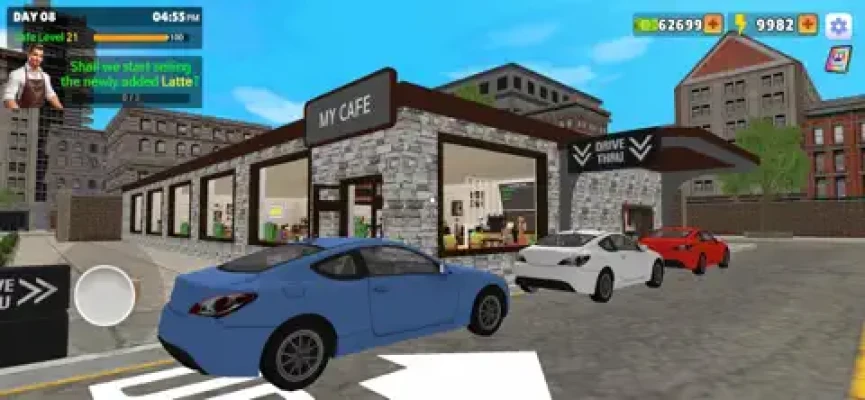
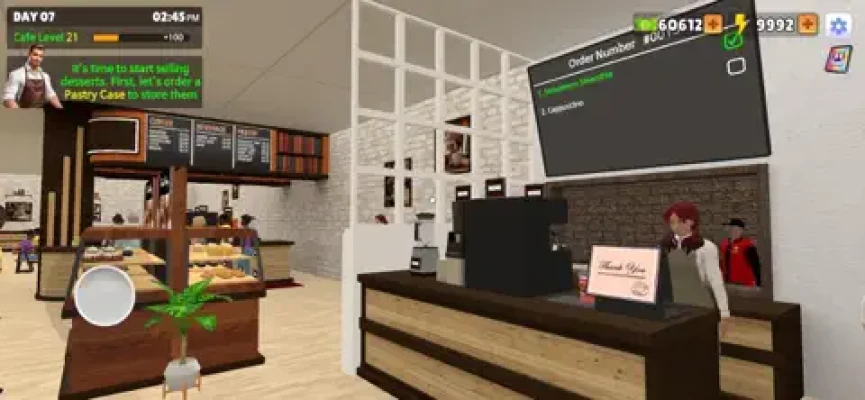
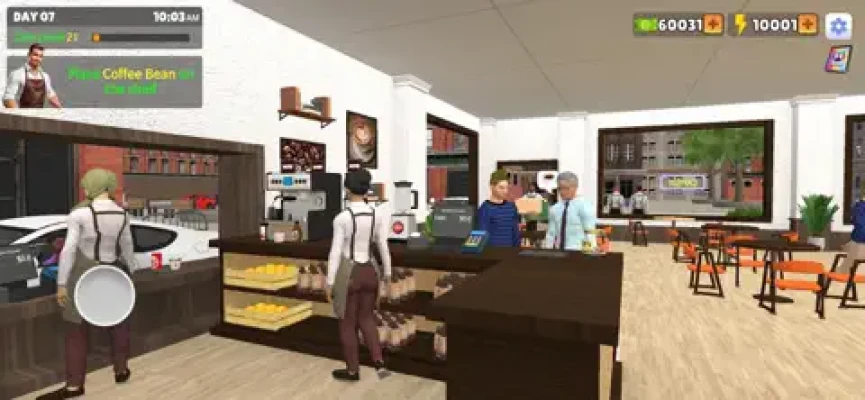
You begin by managing essential cafe tasks such as ordering ingredients, stocking coffee and desserts, setting prices and unlocking new menu items. As your business grows, you can hire specialized employees, introduce delivery service and eventually open a drive-thru to increase revenue.
The game combines simple business management with hands-on cafe operations, making it easy to understand while giving you several areas to improve as the cafe becomes busier.
What Is My Cafe Simulator?
My Cafe Simulator is a simulation game developed by Yso Corp.
The main objective is to grow your cafe by balancing inventory, pricing, employees and customer service. Instead of simply serving customers, you are responsible for many of the decisions that determine how efficiently your cafe operates.
The core gameplay loop is:
Order ingredients → Stock products → Set prices → Serve customers → Hire staff → Expand services → Grow revenue
The current App Store listing places the game in the Simulation category and supports iPhone and iPad.
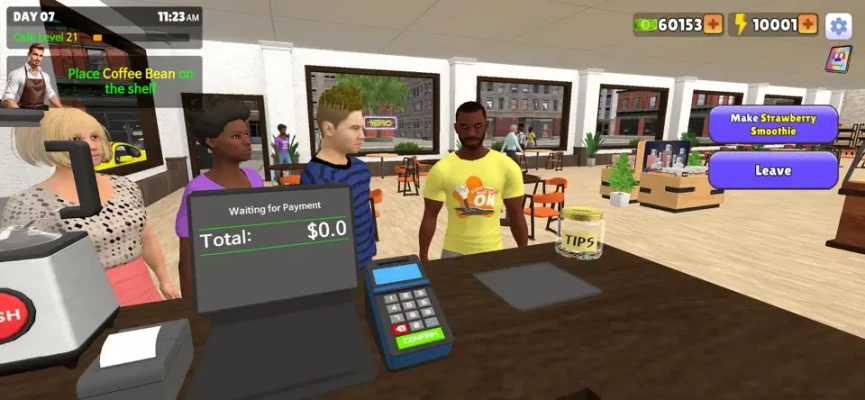
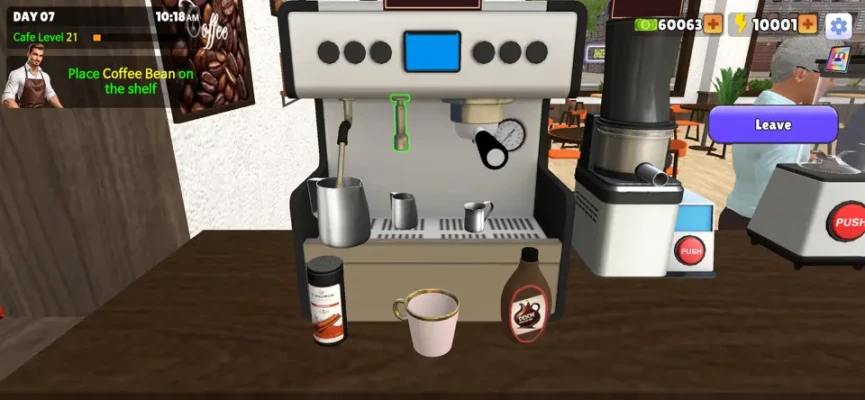
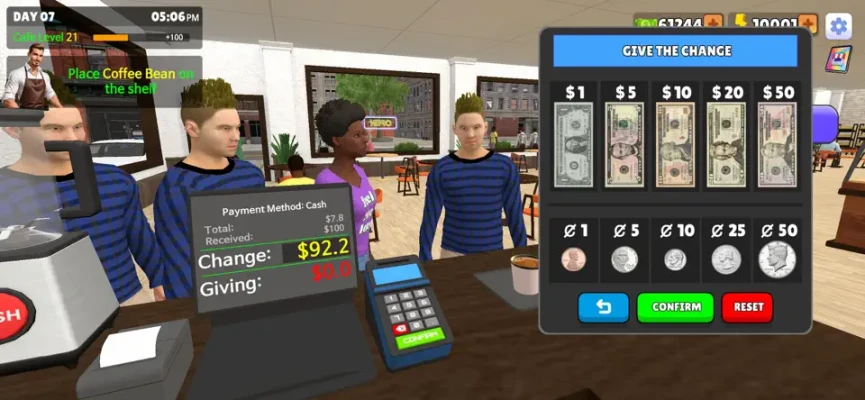
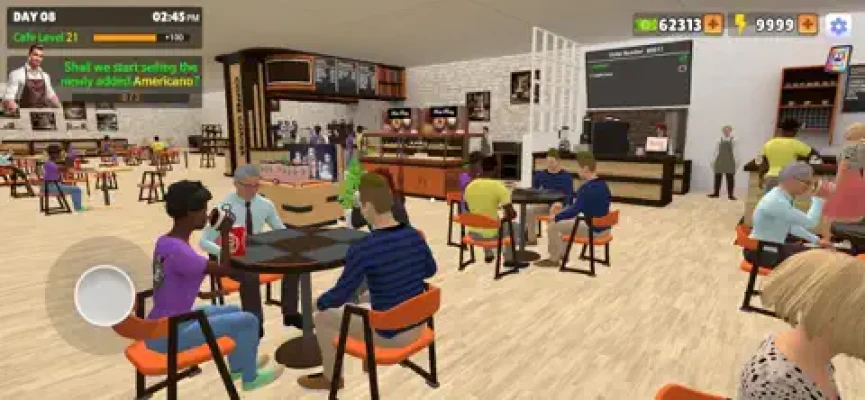
My Cafe Simulator Gameplay
The game gives you control over several parts of the cafe business.
You need to make sure products are available, prices are appropriate and employees are able to keep up with customer demand.
As the cafe becomes busier, additional staff can take over important responsibilities. Baristas handle drinks, inventory managers help maintain stock and cleaning staff help keep the cafe operating efficiently.
The game has also expanded through updates that introduced delivery service, additional staff members, trash bins, more beverages, customer types, a cafe rating system and a tip jar.
How to Play My Cafe Simulator
1. Order Ingredients
Ingredients are the foundation of your cafe.
Before worrying about expansion, make sure your cafe has enough supplies to serve customers.
Running low on important ingredients can interrupt the flow of the business.
2. Keep Shelves Stocked
The game specifically allows you to stock shelves with coffee and desserts.
Regularly checking your inventory helps prevent situations where customers arrive but the products they want are unavailable.
3. Set Your Prices
You can choose the prices of drinks and desserts.
Pricing is therefore an important management decision.
A higher price may increase the amount earned per sale, while a lower price can make your menu more accessible. Experiment with your prices and observe how your cafe performs.
4. Unlock New Menu Items
New drinks and food options give your cafe more variety.
Unlocking additional menu items can help diversify your offerings and give customers more choices.
5. Hire Employees
As customer traffic increases, doing everything yourself becomes less practical.
The game allows you to hire different types of staff, including:
- Baristas
- Inventory managers
- Cleaning staff
- Bussers
- Stock clerks
The January 2025 update added four baristas, two bussers and two stock clerks alongside delivery service and trash bins.
6. Expand Your Services
Once your cafe is operating smoothly, additional services can increase its earning potential.
The game includes delivery service and a drive-thru. The official description specifically identifies the drive-thru as a way to boost revenue.
My Cafe Simulator Strategy Guide
Build a Stable Cafe First
It can be tempting to unlock everything as quickly as possible.
However, a better approach is to establish a stable operation before making major expansions.
Make sure:
- Ingredients are available.
- Shelves stay stocked.
- Prices are reasonable.
- Employees can handle their responsibilities.
- Customers are being served efficiently.
Once these areas are under control, expansion becomes easier to manage.
Keep Inventory Under Control
Inventory management is one of the most important parts of a cafe simulator.
Do not wait until shelves are completely empty before thinking about supplies.
Make checking inventory part of your regular routine.
Balance Price and Customer Demand
Because the game allows you to set drink and dessert prices, pricing becomes part of the business strategy.
Rather than automatically setting everything as high as possible, pay attention to how the cafe performs after changing prices.
A good pricing strategy should support the overall operation rather than focusing only on the price of individual products.
Hire Staff When Workload Increases
Employees become increasingly valuable as your cafe grows.
Instead of trying to personally handle every task, use specialized workers to keep different parts of the business running.
Think of your staff as a system:
Baristas → Drinks
Stock Clerks → Supplies
Inventory Managers → Inventory
Bussers/Cleaning Staff → Cafe cleanliness
This division of work helps maintain a smoother operation.
Best My Cafe Simulator Tips
Tip 1: Check Inventory Frequently
Running out of important products can slow your cafe down.
Tip 2: Don't Expand Too Quickly
Make sure your existing cafe is operating efficiently before adding additional services.
Tip 3: Use Specialized Employees
Assign staff according to the problems your cafe is experiencing.
Tip 4: Experiment With Prices
The game gives you control over drink and dessert pricing, so use that feature rather than relying on one fixed pricing strategy.
Tip 5: Unlock Menu Variety
Additional beverages and food options give customers more choices and help diversify your cafe.
Tip 6: Keep the Cafe Clean
Cleaning and bussing become increasingly relevant as customer traffic grows.
Tip 7: Take Advantage of Delivery
Delivery service provides another way for customers to order from your cafe.
Tip 8: Consider the Drive-Thru
The drive-thru is specifically presented as a way to increase revenue, making it an important expansion option.
Tip 9: Watch Your Customer Experience
The game includes a cafe rating system, so customer satisfaction is part of the broader management experience.
Tip 10: Don't Ignore Small Improvements
Features such as the tip jar, additional staff and new customer types can gradually change how your cafe operates.
My Cafe Simulator Staff Guide
Employees are an important part of growing your cafe.
Baristas
Baristas focus on preparing and serving drinks.
As drink demand increases, additional baristas can help your cafe handle more customers.
Inventory Managers
Inventory managers help maintain the supply side of the cafe.
They become more useful as the number of products and customers increases.
Cleaning Staff
Cleaning employees help keep the cafe operating properly when customer traffic creates more work.
Bussers
Bussers were introduced in an update alongside additional baristas and stock clerks. Their role supports table and customer-area management.
Stock Clerks
Stock clerks help maintain product availability and support the cafe's inventory flow.
How to Manage Cafe Inventory
Inventory management can be divided into three simple stages:
Check → Reorder → Restock
First, identify which products are becoming scarce.
Second, order the ingredients or supplies you need.
Finally, make sure the products reach the appropriate shelves or service areas.
Avoid allowing every product to reach zero at the same time.
My Cafe Simulator Menu Strategy
Menu expansion gives your cafe more variety.
The game includes coffee, desserts and additional beverage options, with updates adding more choices over time.
When deciding what to unlock, consider how the new item fits into your existing cafe rather than treating every unlock as equally important.
A larger menu is useful, but it also increases the importance of keeping your inventory organized.
Customer Management
Customers are central to the cafe business.
The game has introduced different customer types and a cafe rating system, giving customer experience a larger role in the simulation.
A useful strategy is to look at the cafe from the customer's perspective:
- Are products available?
- Are drinks being prepared efficiently?
- Is the cafe clean?
- Are tables being handled?
- Is the menu varied?
- Are prices reasonable?
Improving these areas can make the operation feel more balanced.
Delivery Service
Delivery was added in an early 2025 update.
The feature allows customers to enjoy drinks and desserts without being physically inside the cafe.
Once delivery is available, remember that it adds another source of demand.
Make sure your inventory and staff can support the additional orders.
Drive-Thru Strategy
The drive-thru is one of the most notable expansion features in My Cafe Simulator.
The official description specifically states that opening a drive-thru can boost revenue.
Before expanding, however, make sure the rest of your cafe is already functioning reliably.
A new service can create additional demand, so it works best when your supply and staff systems are prepared.
Cafe Rating
The game added a cafe rating system in version 1.0.6, along with more beverage options, a tip jar and additional customer types.
The rating system gives you another reason to pay attention to more than revenue.
A successful cafe is not only about earning money; it is also about creating an operation that can handle customers consistently.
Tip Jar
The tip jar was introduced as part of the game's January 2025 update.
This adds another element to the cafe's revenue and customer-service systems.
Skins
A skin feature was added in version 1.0.28.
This provides an additional customization element alongside the game's business-management mechanics.
Common My Cafe Simulator Mistakes
Buying Too Much Too Early
Overstocking can tie up resources that could otherwise support useful improvements.
Ignoring Employees
Once your cafe becomes busy, trying to personally manage every task can make the operation inefficient.
Forgetting to Restock
An empty shelf can interrupt sales and customer service.
Raising Prices Without Watching Results
Higher prices are not automatically better. Watch how the cafe performs after making pricing changes.
Expanding Before You're Ready
Delivery and drive-thru services can increase activity. Make sure your existing operation can handle additional demand.
Ignoring Cleanliness
Cleaning staff and bussers are part of the game's expanded cafe-management system.
My Cafe Simulator Progression
Progression is built around gradually expanding the cafe's capabilities.
You begin with basic cafe management and can work toward:
- More menu items
- More staff
- Better inventory management
- Delivery
- Additional customer types
- Cafe ratings
- Tip jars
- Drive-thru operations
- Cafe customization
The game's version history shows frequent updates during 2025, including the store, delivery service, additional staff, new beverages, customer types, the tip jar and skins.
My Cafe Simulator Features
The current App Store listing highlights:
- Cafe management
- Ingredient ordering
- Coffee and dessert inventory
- Custom drink and dessert pricing
- Unlockable menu items
- Staff hiring
- Baristas
- Inventory managers
- Cleaning staff
- Delivery service
- Drive-thru
- Cafe rating system
- Tip jar
- Customer types
- Cafe skins
These features are documented in the App Store description and version history.
My Cafe Simulator Game Information
| Information | Details |
|---|---|
| Game | My Cafe Simulator |
| Developer | Yso Corp |
| Category | Simulation |
| Platforms | iPhone, iPad |
| Minimum iOS | iOS 13.0 |
| Minimum iPadOS | iPadOS 13.0 |
| Age Rating | 4+ |
| Price | Free |
| In-App Purchases | Yes |
| Size | 489.1 MB |
| Languages | English + 13 more |
| Current listed version | 1.0.38 |
| Latest listed update | November 15, 2025 |
| App ID | 6739487022 |
The current U.S. App Store listing provides these platform, compatibility and version details.
My Cafe Simulator In-App Purchases
The U.S. App Store listing includes optional purchases such as:
- Remove Ads — $4.99
- Energy Pack 100 — $0.99
- Starter Pack — $2.99
- Energy Pack 500 — $3.99
- Special Pack — $14.99
- Money Pack 500 — $3.99
- Money Pack 1,100 — $7.99
- Money Pack 100 — $0.99
- Energy Pack 1,100 — $7.99
- Money Pack 5,000 — $24.99
Prices can vary by storefront and may change over time.
My Cafe Simulator Review
My Cafe Simulator offers a straightforward cafe-management experience built around inventory, pricing, staffing and expansion.
The interesting part of the game is that the cafe gradually becomes more complex. What begins as managing products can expand into employee management, delivery, customer ratings, tips and drive-thru operations.
The current U.S. App Store listing shows 3.3 out of 5 stars from 21 ratings.
Player feedback is mixed. Some reviews describe the game as fun and engaging, while others raise concerns about advertising and progression after updates. One reviewer reported being returned to level 1 after an update, while another said they enjoyed the game but wanted additional progression after unlocking staff and merchandise. These are individual user reports rather than evidence that every player experiences the same issue.
Pros and Cons
Pros
- Easy-to-understand cafe simulation
- Ingredient and inventory management
- Custom pricing
- Unlockable menu items
- Multiple staff roles
- Delivery service
- Drive-thru expansion
- Cafe rating system
- Tip jar
- Customization through skins
- Available on iPhone and iPad
Cons
- Some players have reported frequent advertising
- Player feedback includes complaints about progression after updates
- The game contains optional in-app purchases
- Later cafe management can become more repetitive for some players
Frequently Asked Questions
What is My Cafe Simulator?
My Cafe Simulator is a mobile cafe-management simulation game where players order ingredients, stock products, set prices, hire staff and expand their cafe.
How do you play My Cafe Simulator?
Start by ordering ingredients and stocking your cafe. Set prices for drinks and desserts, serve customers, unlock new menu items and hire employees as your business becomes busier.
How do I make more money in My Cafe Simulator?
Focus on keeping products available, managing prices, maintaining efficient staffing and expanding into additional services such as delivery and the drive-thru.
What staff can you hire?
The game includes baristas, inventory managers and cleaning staff. Later updates also introduced bussers and stock clerks.
Does My Cafe Simulator have a drive-thru?
Yes. The official App Store description specifically lists a drive-thru that can help boost cafe revenue.
Does My Cafe Simulator have delivery?
Yes. Delivery service was added in version 1.0.7.
Can you set your own prices?
Yes. Players can set the prices of drinks and desserts.
Does My Cafe Simulator have a rating system?
Yes. A cafe rating system was added in version 1.0.6.
Can you customize the cafe?
The game added a skin feature in version 1.0.28, providing an additional customization option.
Is My Cafe Simulator free?
Yes. The App Store lists the game as free with optional in-app purchases.
Does My Cafe Simulator have ads?
Yes. The App Store identifies the game as containing advertising and lists a Remove Ads purchase.
Can I play My Cafe Simulator on iPhone?
Yes. The game supports iPhone and requires iOS 13.0 or later.
Can I play My Cafe Simulator on iPad?
Yes. The game supports iPad and requires iPadOS 13.0 or later.
Final Thoughts
My Cafe Simulator is built around the satisfying progression of turning a small cafe into a busier business.
The key to managing the cafe is balance. Keep your shelves stocked, monitor your ingredients, set sensible prices and hire staff when the workload starts increasing. Once the basic operation is stable, delivery and drive-thru services can add new ways to serve customers and grow the business.
The game has also expanded considerably through updates, adding features such as new beverages, customer types, a rating system, tip jars, delivery, additional staff and skins.
For players looking for a cafe simulator, coffee shop management game, restaurant management game or casual business simulation, My Cafe Simulator provides a simple way to build and manage a virtual cafe.
Rate the Game
User Reviews












Popular Games



















 Android
 iOS
iOS Windows
 Xbox
Xbox