

Latest Version
February 09, 2025
AppQuiz
Educational
0
com.edujoy.smurfs.educational.village
Report a Problem
More About :game
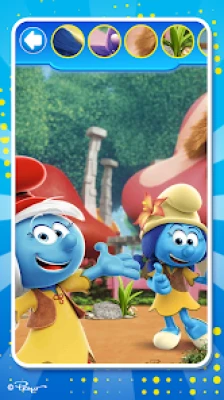
Set in the world of The Smurfs: The Lost Village, the game takes children into a charming Smurf Village filled with mushroom houses and a variety of educational mini-games. Instead of focusing on just one type of activity, it offers several different ways to practice memory, observation, counting, vocabulary, creativity, coordination, and problem-solving.
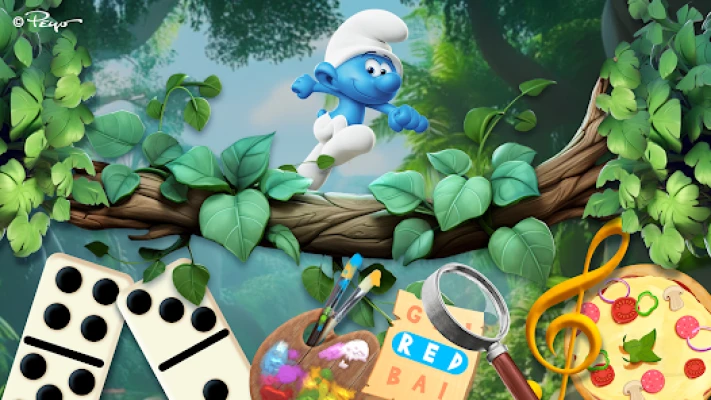
Players can find matching cards, search for hidden objects, complete puzzles, color Smurf characters, solve mazes, play dominoes, prepare pizzas, experiment with musical instruments, and practice numbers and counting.
The result is a broad educational game collection that keeps activities varied while maintaining a simple interface suitable for young players.
Game Information
Game: The Smurfs - Educational Games
Package:
com.edujoy.smurfs.educational.villageDeveloper: AppQuiz / Edujoy Games
Genre: Educational / Casual / Mini-Games
Platform: Android
Content Rating: Everyone
Downloads: 5M+
Current Google Play rating: Around 4.5 stars
Game mode: Single player
Offline: Supported
In-app purchases: Yes
Ads: Yes
Latest listed update: August 24, 2026
PC availability: Google Play Games on PC is supported
Theme: The Smurfs: The Lost Village
Explore the Smurf Village
The game uses the Lost Village as a central hub for its educational activities.
Children can explore different mushroom houses and enter them to discover different mini-games. This approach gives the collection more personality than a simple menu of disconnected educational exercises.
Each activity focuses on a different skill, so children can move from memory to puzzles, drawing, mathematics, music, or other challenges without leaving the Smurf world.
The colorful cartoon presentation and familiar characters are an important part of the experience, while the simple controls make the individual activities easy to understand.
Educational Mini-Games
Memory Cards
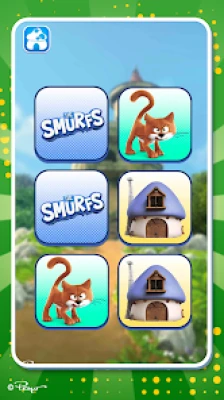
The memory card game asks players to find matching cards and create pairs featuring characters from Smurf Village.
This classic activity encourages children to remember the positions of cards and recognize visual similarities.
Skills Practiced
Visual memory
Concentration
Pattern recognition
Attention
A useful approach is to remember cards by location rather than turning over cards randomly.
Hidden Objects
The hidden-object activity places children in illustrated Smurf scenes and asks them to find specific objects.
This encourages careful observation because some objects can be harder to spot than others.
Skills Practiced
Visual attention
Observation
Concentration
Detail recognition
Encourage children to scan the scene systematically instead of tapping randomly.
Dominoes
The domino mini-game introduces children to a familiar tabletop activity while also encouraging counting and simple strategic decisions.
It provides a different type of challenge from the visual games because players have to consider which piece to use and where it belongs.
Skills Practiced
Counting
Matching
Logical thinking
Basic decision-making
Drawing and Coloring
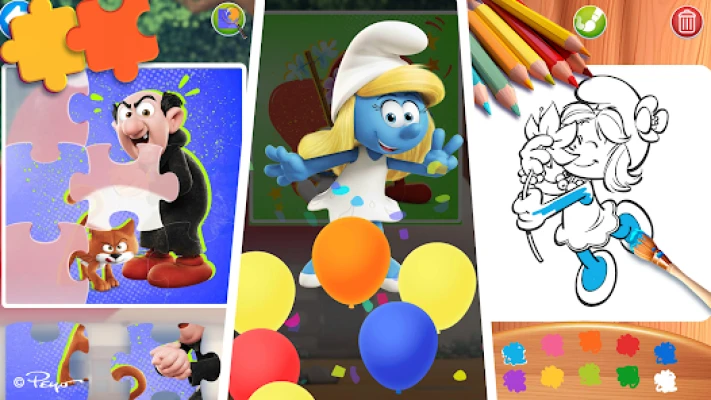
The drawing and coloring activity lets children bring Smurf characters and scenes to life with their own color choices.
This section is less about finding a correct answer and more about creativity and experimentation.
Skills Practiced
Creativity
Hand-eye coordination
Color recognition
Fine motor control
There is no need to follow a strict strategy here. Letting children experiment freely is part of the fun.
Puzzles
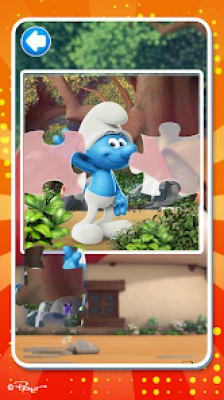
The puzzle activity uses different shapes and difficulty levels to recreate images featuring The Smurfs.
Children must identify where pieces belong and gradually reconstruct the picture.
Skills Practiced
Problem-solving
Visual reasoning
Spatial awareness
Hand-eye coordination
Word Search
The word-search activity challenges players to find hidden words.
This introduces a vocabulary-focused activity into the collection and encourages children to examine letters carefully.
Skills Practiced
Letter recognition
Vocabulary
Concentration
Visual scanning
Maze
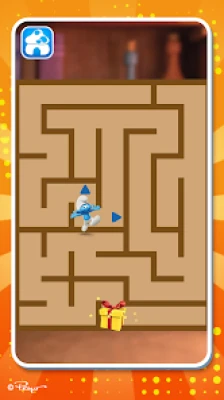
The maze game asks children to guide the Smurfs through paths toward prizes.
Mazes are particularly useful for practicing direction and planning because the player needs to determine a route rather than simply tap an answer.
Skills Practiced
Spatial reasoning
Planning
Visual tracking
Problem-solving
Pizza Cooking
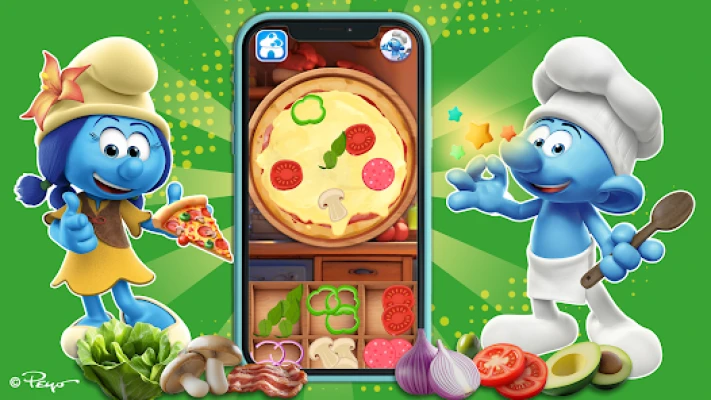
The pizza activity introduces a playful cooking challenge where children select the appropriate ingredients to prepare food for the Smurfs.
It adds an everyday-life theme to the educational collection while encouraging recognition and following instructions.
Skills Practiced
Object recognition
Following instructions
Sequencing
Decision-making
Music and Instruments
Children can explore music by playing instruments alongside the Smurfs and creating their own melodies.
This gives the collection a more creative activity and provides an alternative to traditional educational exercises.
Skills Practiced
Musical exploration
Listening
Rhythm
Creativity
Numbers and Counting
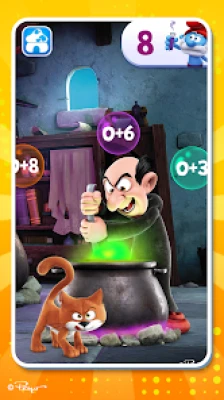
The mathematics activity focuses on numbers and counting. The game uses Gargamel and Azrael in a playful potion-making scenario to make basic mathematical practice more engaging.
Skills Practiced
Number recognition
Counting
Basic mathematics
Logical thinking
Main Features
A Large Collection of Mini-Games
The biggest feature is variety. Instead of repeating one educational exercise, children can switch between memory, puzzles, coloring, music, mathematics, word searches, mazes, cooking, and more.
Official Smurfs Theme
The game uses characters and visual elements from The Smurfs: The Lost Village, including Papa Smurf, Smurfette, Grouchy, and other members of the Smurf family.
Colorful Cartoon Presentation
The bright graphics and familiar Smurf characters create an inviting environment for young players.
Simple Controls
The individual mini-games use straightforward interactions, making it easier for children to understand what they are supposed to do.
Educational Focus
The collection is designed to support different cognitive and creative skills through play rather than relying on traditional lessons.
Offline Gameplay
Google Play currently lists the game as supporting offline play.
Google Play Games on PC
The game is also listed as available through Google Play Games on PC, providing another way to access the experience on compatible Windows computers.
Full The Smurfs Educational Games Strategy Guide
Because this is a collection of educational mini-games, there isn't one universal strategy. Each activity rewards a different type of thinking.
1. Start With the Easiest Activities
If a child is new to the game, begin with activities that have immediately understandable objectives.
Memory cards, coloring, and basic matching activities can provide an easy introduction before moving into more demanding puzzles or word games.
2. Use Memory by Location
In the memory-card game, don't try to memorize everything at once.
Instead, remember where specific characters appeared.
For example:
Top-left = Papa Smurf
Bottom-right = Smurfette
Building location-based associations makes matching pairs easier.
3. Search Hidden-Object Scenes Systematically
When looking for an object, avoid jumping randomly from one part of the screen to another.
Use a scanning pattern:
Left → Right → Top → Bottom
Then repeat the scan if necessary.
This reduces the chance of overlooking a small object.
4. Think Before Moving Puzzle Pieces
For the jigsaw-style puzzles, identify obvious pieces first.
Corner pieces are particularly useful because they help establish the boundaries of the picture.
After the outer area is established, work toward the center.
5. Look at the Whole Picture
Don't focus only on the shape of a puzzle piece.
Consider:
Its colors
Character details
Background patterns
Lines
Edges
Nearby objects
The image itself often provides clues about where the piece belongs.
6. Approach Mazes From the Goal
Before moving through a maze, look at the destination and examine the available paths.
Instead of making many random turns, identify a possible route first.
If the route fails, backtrack and try another branch.
7. Use Counting Games Slowly
For younger children, accuracy is more important than speed.
Encourage them to count each object carefully rather than guessing based on the overall size of a group.
8. Make Word Search a Scanning Exercise
When searching for words, look for the first letter before searching for the rest.
Then check possible directions:
Horizontal
Vertical
Diagonal
This is much more efficient than examining every letter combination randomly.
9. Let Children Experiment With Music
The music activity is designed partly for creative exploration.
Children don't necessarily need to reproduce a particular melody every time. Letting them experiment with different instruments and sounds can make the activity more enjoyable.
10. Follow the Recipe Carefully
In the pizza activity, pay attention to which ingredients are requested.
Encourage children to identify each ingredient before selecting it.
This turns the activity into a small exercise in following instructions and sequencing.
Best Way to Use the Educational Mini-Games
The variety of activities makes it possible to rotate between different skills.
A simple session could look like:
Memory → Hidden Objects → Coloring → Numbers → Puzzle → Music
This prevents the experience from becoming repetitive and allows children to work on different skills during the same play session.
Tips for Parents
Play Together
Younger children may benefit from having an adult nearby to explain unfamiliar activities.
Ask Questions
Instead of simply giving the answer, ask questions such as:
"Where have you seen this before?"
"How many are there?"
"What color is this?"
"Where do you think this piece belongs?"
"Can you find another one?"
This turns gameplay into a conversation.
Encourage Independent Problem Solving
Try not to solve every puzzle immediately.
Give children time to experiment and discover solutions themselves.
Rotate Activities
If a child becomes frustrated with one activity, move to another mini-game and return later.
The large variety of activities makes this easy.
Use Real-World Connections
If the game introduces counting, practice counting toys afterward.
If it introduces colors, look for those colors around the room.
If it introduces instruments, listen to or identify real instruments.
This helps connect digital play with everyday learning.
Skills Developed Through the Game
The different mini-games target different areas of learning.
| Activity | Main Skills |
|---|---|
| Memory Cards | Visual memory, concentration |
| Hidden Objects | Observation, attention |
| Dominoes | Counting, strategy |
| Drawing & Coloring | Creativity, coordination |
| Puzzles | Problem-solving, spatial reasoning |
| Word Search | Vocabulary, letter recognition |
| Maze | Planning, spatial awareness |
| Pizza Cooking | Sequencing, recognition |
| Music | Creativity, listening |
| Numbers & Counting | Mathematics, number skills |
The developer presents the collection as an educational environment designed to help children learn and develop skills through varied mini-games.
Difficulty and Progression
The Smurfs - Educational Games does not work like a conventional adventure game where players continuously unlock stronger characters or equipment.
Instead, the difficulty varies by mini-game.
Some activities are immediately accessible, while puzzles, hidden-object scenes, mazes, and number challenges can require more concentration.
This makes the collection flexible for children with different interests and abilities.
Is The Smurfs - Educational Games Good for Kids?
The game is specifically designed as an educational collection for children and currently carries an Everyone rating on Google Play.
Its range of activities means it can be used for different types of play:
Quiet puzzle sessions
Memory practice
Early math activities
Creative coloring
Vocabulary exercises
Observation games
Musical exploration
It is best viewed as a collection of playful learning activities rather than a single traditional game.
Honest Review
The biggest strength of The Smurfs - Educational Games is variety.
A child can move from a memory game to a maze, then try coloring, mathematics, music, or a puzzle. That variety makes the experience more flexible than an educational game built around one repeated mechanic.
The Smurfs theme is also well integrated into the activities rather than being used only for decoration. Characters appear throughout the mini-games, helping give the collection a consistent identity.
The current Google Play listing shows 5M+ downloads and roughly 21K reviews, with the listing displaying around a 4.5-star rating.
User feedback is generally positive, although some recent reviews mention that the game can feel slow, while another review criticized the presence of advertisements despite Play Pass. These are individual user experiences rather than universal characteristics of the game.
Another consideration for parents is that the game contains ads and in-app purchases according to its Google Play listing.
Pros and Cons
Pros
Large variety of educational mini-games
Official Smurfs theme
Colorful cartoon presentation
Memory and observation activities
Puzzles and mazes
Coloring and creative activities
Word-search gameplay
Basic mathematics and counting
Music and instruments
Cooking activity
Simple controls
Offline support
5M+ Google Play downloads
Cons
The collection may feel repetitive if a child prefers more complex games.
Some activities are intentionally simple.
Google Play lists advertisements and in-app purchases.
Individual recent reviews have mentioned slow performance or concerns about advertising.
Frequently Asked Questions
What is The Smurfs - Educational Games?
It is a collection of educational mini-games based on The Smurfs, designed to combine learning activities with familiar characters and colorful environments.
What games are included?
The current listing includes memory cards, hidden objects, dominoes, drawing and coloring, puzzles, word search, mazes, pizza cooking, music and instruments, and numbers and counting.
What skills can children practice?
Depending on the activity, children can practice visual memory, observation, concentration, counting, vocabulary, creativity, spatial reasoning, problem-solving, and basic mathematics.
Is The Smurfs Educational Games offline?
Yes. Google Play currently lists the game as offline.
Can you play it on PC?
Google Play currently lists availability through Google Play Games on PC, subject to the platform's compatibility requirements.
Does the game contain ads?
Yes. The Google Play listing currently states that the game contains ads and in-app purchases.
Is The Smurfs Educational Games suitable for young children?
The game is specifically designed for children and has an Everyone content rating on Google Play.
Is this an official Smurfs game?
The Google Play listing describes it as an official The Smurfs game featuring characters from The Smurfs: The Lost Village.
Does it teach mathematics?
Yes. One of the included activities focuses on numbers and counting, using a potion-making scenario featuring Gargamel and Azrael.
The Smurfs Educational Games Strategy Checklist
For parents and young players:
🧠 Start with an easy mini-game.
🃏 Remember card positions in the memory game.
🔍 Scan hidden-object scenes carefully.
🧩 Use corner pieces first in puzzles.
🔤 Search for the first letter in word searches.
🌀 Study a maze before moving.
🔢 Count objects carefully rather than guessing.
🎨 Experiment freely in coloring activities.
🎵 Explore the different instruments.
🍕 Follow the pizza ingredients in order.
👨👩👧 Play together when appropriate.
💬 Ask questions about the objects and characters.
🔄 Rotate between different mini-games to keep learning varied.
Final Thoughts
The Smurfs - Educational Games combines the familiar world of The Smurfs with a broad selection of learning activities. Rather than concentrating on one educational skill, it gives children opportunities to practice memory, observation, counting, vocabulary, creativity, problem-solving, coordination, and spatial thinking.
Its biggest advantage is the variety: children can solve a puzzle, search for hidden objects, color characters, play music, prepare a virtual pizza, or practice numbers within the same Smurf-themed environment.
For families looking for a colorful educational game collection with familiar characters and a wide range of mini-games, The Smurfs - Educational Games offers a simple and varied way to combine play with learning.
Rate the Game
User Reviews




Popular Games















 Android
 iOS
 Windows
 Xbox