
Latest Version
October 01, 2026
Edujoy Games Sociedad Limitada
Educational
iOS
0
Report a Problem
More About :game
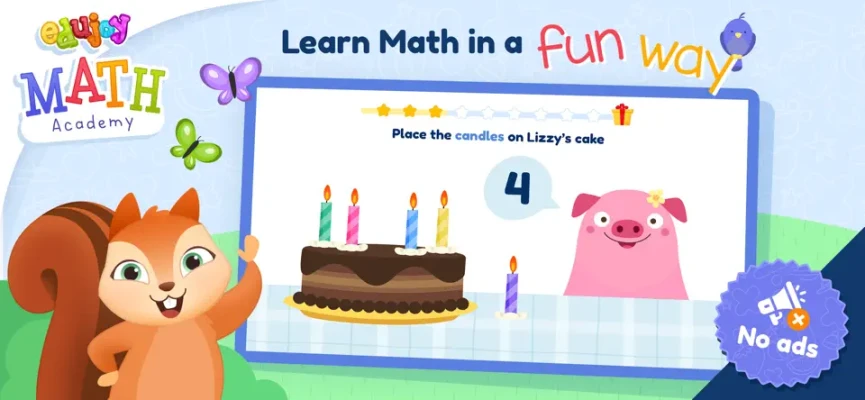
The game is designed to make math practice feel more like play. Spoken explanations, friendly characters, animations, motivational messages, and progress statistics help children work through activities while parents or teachers can monitor their development.
What Is Edujoy Math Academy?
Edujoy Math Academy is a children's mathematics learning app developed by Edujoy Games S.L. The App Store lists it in the Education category with a 4+ age rating. It is available for iPhone and iPad and requires iOS 11.0 or later.
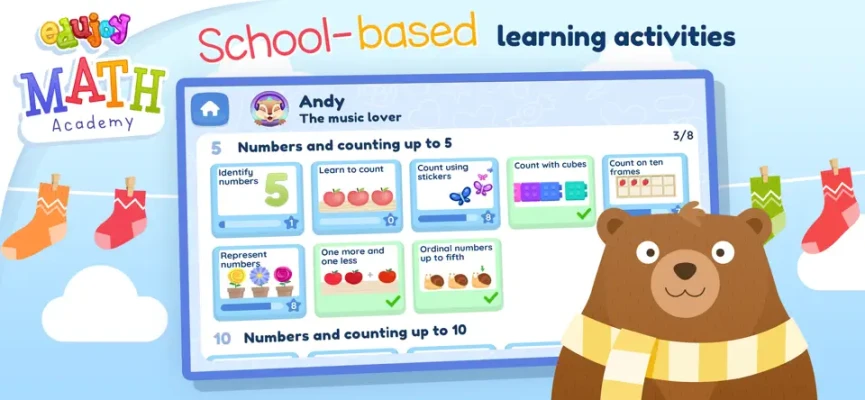
The app organizes its lessons into different categories and missions. Rather than asking children to complete conventional worksheets, it uses interactive challenges to introduce fundamental mathematical ideas.
The first version of the academy is specifically aimed at preschoolers between approximately 2 and 4 years old.
Main Learning Activities
Counting Numbers From 1 to 10
Counting is one of the first skills introduced in Edujoy Math Academy.
Children can practice recognizing and counting numbers from 1 to 10. The interactive format gives them an opportunity to connect written numbers with quantities and objects.
For younger children, counting aloud while interacting with the screen can make the activity more meaningful.
Sorting Objects
The game includes sorting exercises based on characteristics such as:
Shape
Size
Color
These activities encourage children to observe objects carefully and identify what they have in common.
For example, a child may need to determine which objects belong together because they share the same color or shape.
Series and Sequences
Sequence activities introduce children to basic patterns.
Instead of simply memorizing numbers, children need to observe a series and work out what should come next.
This develops early pattern recognition and logical thinking.
Basic Addition
Edujoy Math Academy introduces simple addition calculations suitable for early learners.
Visual examples can make addition easier to understand because children can connect the numbers with objects and quantities.
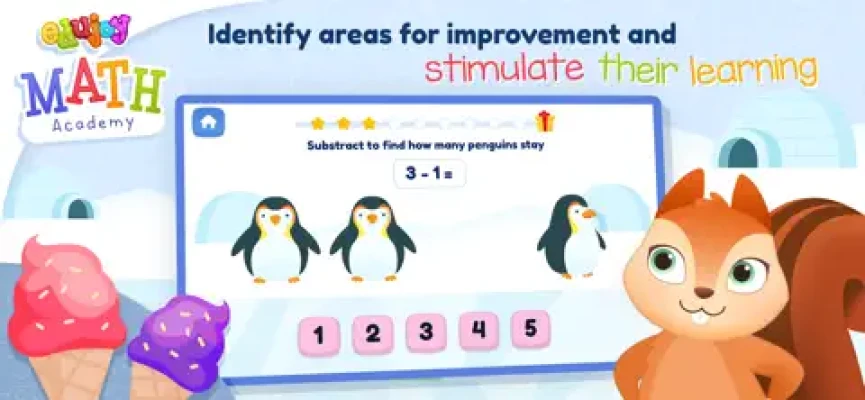
Basic Subtraction
The app also introduces basic subtraction.
For young children, subtraction can be easier to understand when they think about objects being taken away rather than treating the exercise as a purely numerical problem.
Position and Spatial Concepts
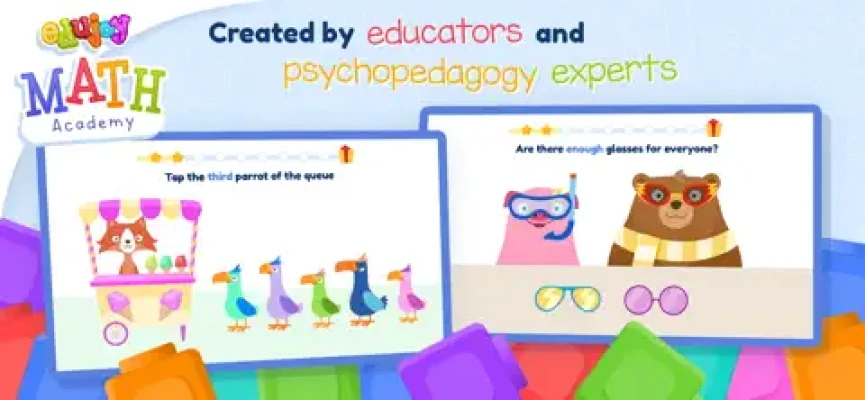
Some exercises ask children to identify objects according to their position.
These challenges introduce early spatial concepts and encourage children to pay attention to where objects are located relative to one another.
Weight Comparisons
Edujoy Math Academy includes activities using balance scales to compare the weight of objects.
These challenges introduce comparison and encourage children to reason about which side of a balance is heavier or lighter.
Basic Geometry
The academy also introduces fundamental geometric concepts.
Young learners can begin becoming familiar with different shapes and how they differ from one another.
Key Features
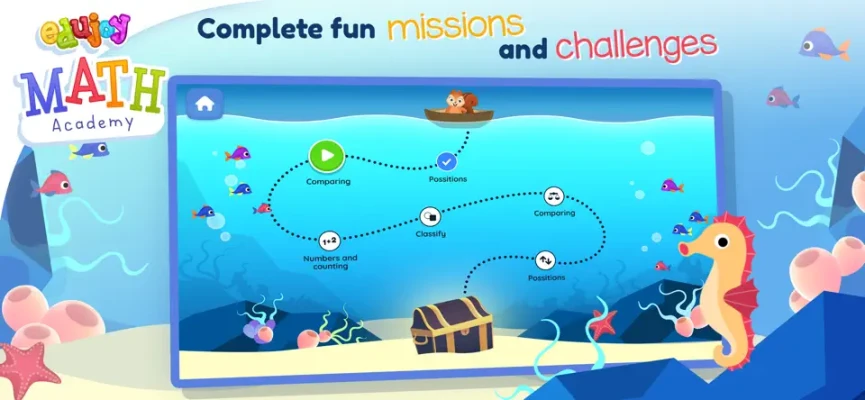
Math Missions and Challenges
The game organizes learning into missions and exercises, giving children a clear reason to move from one activity to another.
This structure helps prevent the experience from feeling like a traditional math worksheet.
Spoken Explanations
One particularly useful feature for preschoolers is that the explanations are spoken.
This means children who cannot read independently can still understand the instructions and participate in the activities.
Friendly Characters and Animations
The app uses friendly characters, animations, and motivational messages to create a welcoming environment for young learners.
Correct answers can be reinforced with positive feedback, helping keep the experience encouraging rather than intimidating.
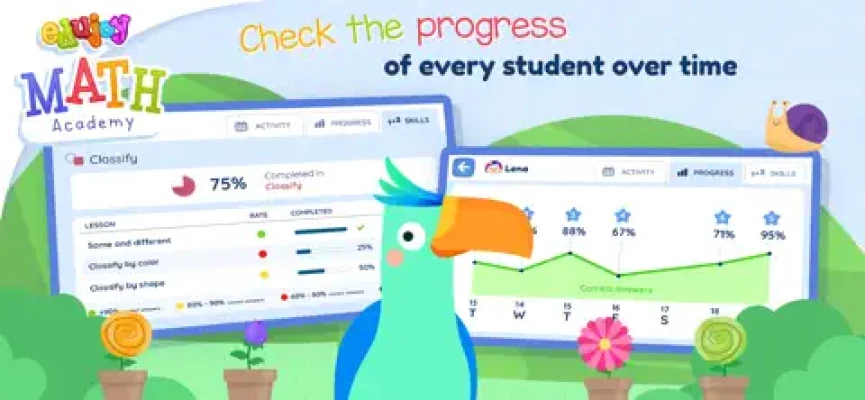
Progress Statistics and Graphs
Parents and teachers can access statistics and graphs showing a child's progress.
The information can also help identify subjects where a child makes more mistakes or may need additional practice.
Multiple Student Profiles
The app supports different student profiles, which can be useful when more than one child uses the same device.
Each learner can work through the activities while keeping their progress separate.
Curriculum-Based Content
The developer describes the content as adapted to the school curriculum and says the app was created in collaboration with educational and psychopedagogical experts.
Full Edujoy Math Academy Strategy Guide
Edujoy Math Academy isn't a game where you need to find hidden shortcuts or defeat difficult bosses. The best strategy is to use each activity as an opportunity to understand the underlying mathematical idea.
1. Start With Counting
Begin with the number activities.
Encourage the child to count objects one at a time instead of tapping an answer randomly.
A useful routine is:
Look → Count → Say the number → Choose the answer
This reinforces the relationship between quantities and numbers.
2. Count Slowly
Young children sometimes lose track when counting several objects.
Encourage them to point to each object mentally or physically while saying:
1, 2, 3, 4...
The goal is accuracy rather than speed.
3. Learn Sorting by Looking for One Difference
When sorting objects, don't try to identify every characteristic at once.
Start with one question:
What is the same?
Then look for:
Same color
Same shape
Same size
Once the child understands one characteristic, introduce another.
4. Don't Guess Sequence Answers
When working on patterns, encourage the child to stop and observe the entire sequence.
Ask:
What changed?
What stayed the same?
Is something repeating?
Does the order alternate?
This develops reasoning skills rather than simple trial and error.
5. Use Objects to Explain Addition
If a child struggles with addition, use the objects shown in the activity.
For example:
2 + 1
Start with two objects, then add one more.
Count the total together.
This makes the mathematical operation concrete.
6. Think of Subtraction as Taking Away
Subtraction can be explained using a simple story.
If there are five objects and two are removed, ask:
How many remain?
This approach helps young learners understand what the subtraction operation represents.
7. Practice Position Words
When solving position activities, encourage children to describe what they see.
Useful words include:
Above
Below
Beside
In front
Behind
Left
Right
The objective is to turn visual observation into language and spatial reasoning.
8. Understand the Balance Scale
For weight comparisons, first ask the child to predict what will happen.
Then look at the balance.
If one side drops lower, discuss what that means.
This helps connect the visual balance with the concept of heavier and lighter.
9. Make Geometry Interactive
When learning shapes, encourage the child to look for the same shapes in everyday life.
A circle might remind them of a ball or plate, while a rectangle can be seen in doors, books, or screens.
Connecting the game to real objects can reinforce recognition.
10. Review Difficult Categories
If the child repeatedly struggles with one type of exercise, don't simply rush ahead.
Return to that category and practice it again.
The app's progress statistics and graphs can help parents identify areas that need more attention.
11. Let the Child Explain the Answer
Instead of only asking whether an answer is correct, ask:
"How did you know?"
Even a very simple explanation encourages children to think about their reasoning.
12. Keep Learning Sessions Short
Preschool children may lose concentration during long sessions.
Short, relaxed sessions can make math practice more enjoyable and reduce frustration.
Tips for Parents and Teachers
Edujoy Math Academy is designed to support autonomous learning, but adult involvement can make the experience even more useful.
Try these approaches:
Let the child attempt the exercise before helping.
Ask questions instead of immediately giving answers.
Praise effort and careful thinking.
Repeat difficult concepts outside the app.
Use real objects to reinforce counting.
Compare everyday objects by size and weight.
Look for shapes around the home.
Review progress statistics periodically.
The app specifically provides statistics and graphs intended to help parents and teachers identify progress and areas for improvement.
Skills Practiced
Edujoy Math Academy covers several foundational skills:
Number recognition
Counting from 1 to 10
Basic addition
Basic subtraction
Shape recognition
Sorting
Classification
Pattern recognition
Spatial awareness
Weight comparison
Early geometry
Observation
Logical reasoning
Problem solving
The activities are built around these specific mathematical concepts rather than general educational puzzles.
Graphics and Atmosphere
The atmosphere is designed to be friendly and reassuring for preschool learners.
Instead of presenting mathematics as a formal classroom lesson, the app combines colorful characters, animations, spoken explanations, missions, and positive messages.
This gives the game a playful learning environment while keeping the focus on basic mathematical concepts.
Difficulty
Difficulty: Easy to Moderate
The individual exercises are designed for young children, so the controls and mathematical concepts are intentionally simple.
The difficulty depends heavily on the child's existing skills. Counting may be straightforward for one child while sorting, sequences, or weight comparisons may require more practice.
The game works best when children progress at their own pace rather than being pushed to complete every category quickly.
Who Is Edujoy Math Academy For?
Edujoy Math Academy is primarily designed for preschool children around ages 2–4. The App Store gives the app a 4+ rating and describes its first-version content as being aimed at this preschool age range.
It can be useful for children who are beginning to learn:
Numbers
Counting
Shapes
Patterns
Simple arithmetic
Sorting
Spatial concepts
Basic comparisons
Parents and teachers can also use the progress information to see which areas deserve additional attention.
Game Information
| Feature | Details |
|---|---|
| Game | Edujoy Math Academy |
| Developer | Edujoy Games S.L. |
| Category | Education |
| Age Rating | 4+ |
| Main Audience | Preschool children |
| Suggested Learning Age | 2–4 years |
| Platforms | iPhone, iPad |
| Language | English |
| Size | 113.3 MB |
| Minimum iOS | iOS 11.0 |
| Price | Free with in-app purchases |
| Latest Listed Version | 8.4 |
| Latest Listed Update | July 13, 2021 |
The current U.S. App Store listing shows version 8.4 and a July 13, 2021 version-history entry.
In-App Purchases
The App Store lists the app as free with optional in-app purchases. Current U.S. listing information includes a monthly subscription and a lifetime-access option.
Because subscription and purchase prices can change by region or over time, parents should check the current App Store purchase screen before subscribing.
Pros and Cons
Pros
Designed specifically for young learners
Counting from 1 to 10
Basic addition and subtraction
Shape and size sorting
Color classification
Pattern and sequence activities
Basic geometry
Weight comparison using balance scales
Spoken explanations
Friendly characters and animations
Progress statistics and graphs
Multiple student profiles
Curriculum-oriented content
Cons
Primarily aimed at preschool learners
Older children may find the activities too simple
The current listed version dates from 2021
Premium content requires an in-app purchase or subscription
The U.S. listing currently has only one displayed rating
The App Store currently shows a 4.0/5 rating from 1 rating for the U.S. listing, so that rating should not be treated as a broad measure of user sentiment.
Frequently Asked Questions
What is Edujoy Math Academy?
Edujoy Math Academy is a preschool mathematics learning app featuring interactive missions and exercises covering counting, sorting, patterns, arithmetic, spatial concepts, weight comparisons, and geometry.
What age is Edujoy Math Academy for?
The App Store gives it a 4+ rating, while the developer's description says the first version contains content aimed at children approximately 2–4 years old.
Can children learn addition and subtraction?
Yes. Basic addition and subtraction calculations are among the activities included in the app.
Does the game teach numbers?
Yes. Children can practice learning and counting numbers from 1 to 10.
Does Edujoy Math Academy teach shapes?
Yes. The app includes basic geometry as well as sorting objects according to shape, size, and color.
Does the app include progress tracking?
Yes. Parents and teachers can use statistics and progress graphs to monitor learning and identify areas where a child may need additional practice.
Can children who cannot read use the game?
The developer says that explanations are spoken so children who cannot yet read can understand the instructions.
Does Edujoy Math Academy support multiple children?
Yes. The listed features include the ability to add different student profiles.
Is Edujoy Math Academy free?
The app is listed as free with optional in-app purchases. Premium content is available through the purchase options shown on the App Store.
Final Thoughts
Edujoy Math Academy takes the first steps of mathematics and turns them into short, interactive learning activities. Counting, sorting, sequences, addition, subtraction, positions, weight comparisons, and basic geometry give preschool children a broad introduction to early math concepts.
One of its most useful features for adults is the progress-tracking system. Statistics and graphs can show where a child is comfortable and where additional practice may be needed.
For a young learner beginning to explore numbers and basic mathematical ideas, the combination of spoken instructions, visual activities, friendly characters, and short missions creates a simple and approachable learning environment.
Rate the Game
User Reviews








Popular Games



















 Android
 iOS
iOS Windows
 Xbox
Xbox