
Latest Version
April 10, 2024
IDZ Digital Private Limited
Educational
Android
271
com.iz.baby.toddler.preschool.educational.learn.abc.kids.spelling.reading.games
Report a Problem
More About :game
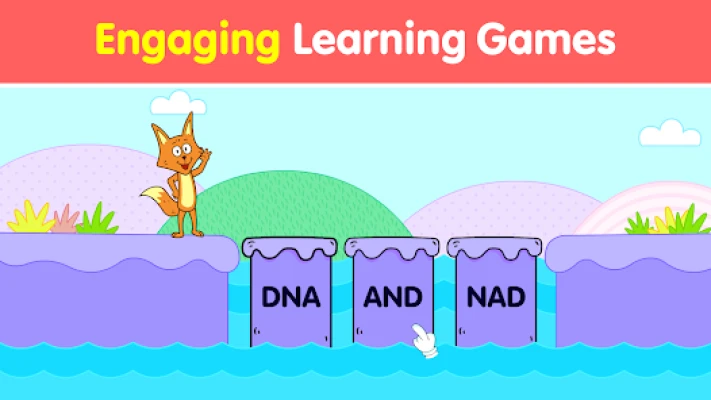
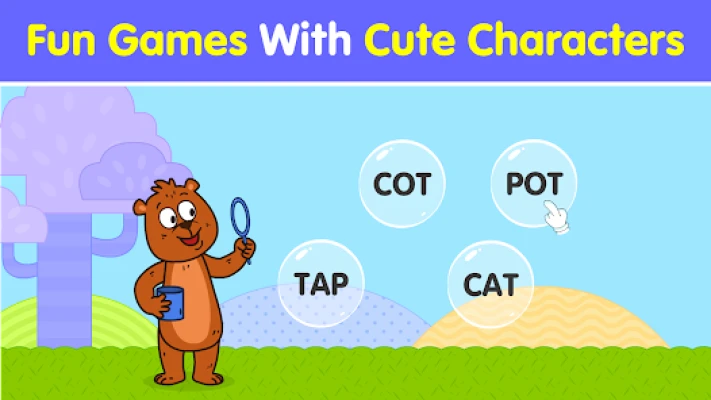
Spelling Games for Kids makes learning to read and spell enjoyable through interactive play instead of traditional memorization. Children build words by arranging letters, matching sounds, recognizing phonics patterns, and practicing common vocabulary in a fun and encouraging environment.
Each lesson is carefully designed to strengthen early literacy while improving concentration, pronunciation, vocabulary, and reading fluency. Whether children are just beginning to recognize letters or are ready to read simple words, the app provides gradual progression that supports confident learning.
App Category
- Educational
- Spelling Game
- Reading Game
- Phonics Learning
- Vocabulary Builder
- Preschool Education
- Kindergarten Learning
- Early Literacy
Learning Atmosphere
The app features colorful illustrations, cheerful characters, rewarding animations, and positive sound effects that keep young learners motivated.
Every activity encourages exploration and independent learning while creating a calm, child-friendly environment suitable for home, school, or travel.
Main Features
- Interactive spelling games
- Phonics learning
- Letter recognition
- Word-building activities
- Sight word practice
- Rhyming word games
- Vocabulary development
- Reading readiness exercises
- Colorful educational animations
- Child-friendly interface
- Progressive learning levels
- Worksheets and practice activities
- Designed for ages 3–6
- Offline learning for many activities
Educational Skills
Children develop:
- Alphabet recognition
- Phonics awareness
- Reading readiness
- Word formation
- Vocabulary
- Pronunciation
- Listening skills
- Memory
- Concentration
- Fine motor skills
- Language confidence
- Independent learning
Gameplay Overview
Children learn by completing interactive educational activities, including:
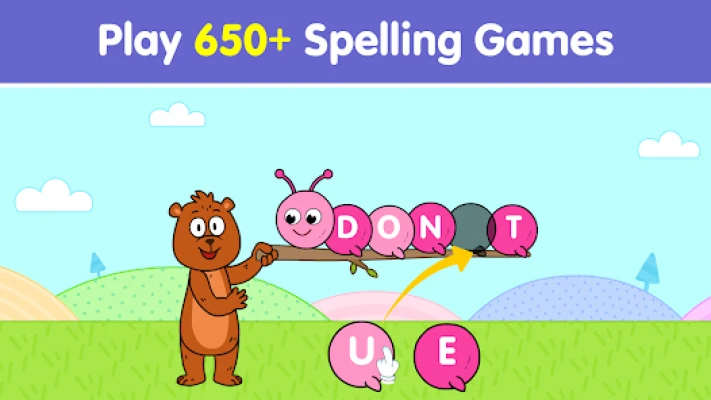
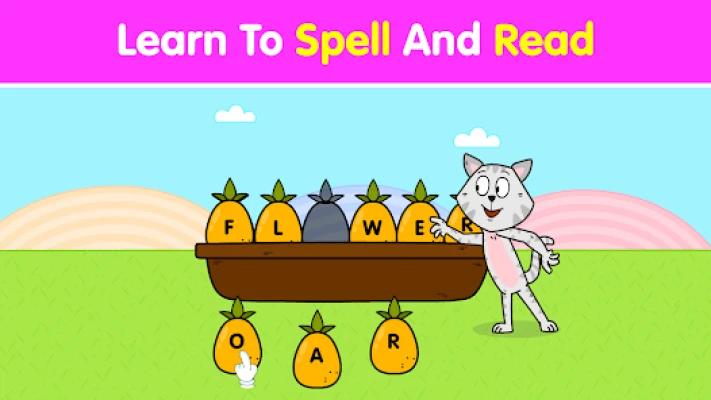
- Dragging letters into the correct order
- Building complete words
- Matching beginning sounds
- Learning rhyming words
- Practicing sight words
- Listening to pronunciation
- Completing spelling challenges
- Unlocking new lessons
Each completed activity reinforces both spelling and reading skills while keeping children engaged.
Learning Topics
The app introduces vocabulary from many everyday categories, including:
- Animals
- Fruits
- Vegetables
- Household objects
- Nature
- Vehicles
- Colors
- Family
- Food
- Common daily words
These familiar themes help children connect new words with real-life experiences.
How to Play
- Choose a learning activity.
- Look at the picture.
- Listen to the pronunciation.
- Arrange the letters correctly.
- Complete the spelling.
- Learn the correct pronunciation.
- Continue to more challenging words.
- Repeat lessons to improve reading confidence.
Controls Guide
Designed for young learners, the controls are simple:
- Tap
- Drag letters
- Drop letters into place
- Select answers
- Swipe between activities
Large buttons and clear visual guidance allow children to play independently.
Parent Guide
Parents can improve learning by:
- Practicing for 10–15 minutes daily.
- Encouraging children to pronounce every word aloud.
- Repeating completed lessons.
- Celebrating progress instead of mistakes.
- Reading storybooks alongside the app.
- Asking children to identify learned words during daily activities.
Best Learning Tips
- Begin with simple three-letter words.
- Repeat difficult words often.
- Practice phonics before spelling.
- Encourage children to read words aloud.
- Review previously completed lessons every week.
- Keep learning sessions short and enjoyable.
Progression System
Children gradually advance by:
- Learning new letter sounds
- Completing spelling challenges
- Unlocking additional vocabulary
- Mastering sight words
- Improving reading fluency
- Building larger word families
Difficulty increases naturally as literacy skills improve.
Accessibility
The app includes:
- Bright child-friendly graphics
- Large touch controls
- Simple navigation
- Voice pronunciation
- Easy-to-read letters
- Interactive animations
- Offline support for many activities
Recommended Age
Ideal for:
- Children ages 3–6
- Preschool learners
- Kindergarten students
- Early elementary readers
- Homeschool families
- Parents
- Teachers
Parent Feedback
Parents often praise the app for making spelling practice enjoyable instead of frustrating. Many reviews highlight the engaging activities, colorful design, and phonics-based approach that helps children improve vocabulary and reading confidence. Some users would like even more word categories and advanced levels for older learners.
Community Recommendations
Parents commonly suggest:
- Let children complete activities independently before offering help.
- Practice every day instead of studying for long periods.
- Repeat favorite lessons regularly.
- Read printed books together to reinforce vocabulary.
- Encourage children to spell everyday objects around the house.
Pros
- Excellent phonics learning
- Interactive spelling activities
- Child-friendly design
- Colorful animations
- Progressive difficulty
- Supports reading readiness
- Improves vocabulary
- Easy navigation
- Suitable for preschool education
- Encourages independent learning
Cons
- Some learning content may require in-app purchases.
- Older children may finish beginner levels quickly.
- More advanced spelling challenges would improve long-term learning.
Learning Modes
- Spelling Practice
- Phonics Lessons
- Reading Activities
- Sight Word Games
- Vocabulary Builder
- Rhyming Word Practice
- Letter Recognition
System Requirements
- Android smartphone or tablet
- Android 6.0 or later
- Touchscreen device
- Offline support for many activities
- Internet connection for updates and optional content
Why Spelling Games for Kids Stands Out
Unlike traditional spelling worksheets, this app combines phonics, vocabulary building, reading practice, and interactive gameplay into one complete educational experience. Children actively participate in learning through colorful games, making spelling practice enjoyable while developing strong early literacy skills.
Similar Educational Apps
- KidloLand
- ABC Kids
- Duolingo ABC
- Khan Academy Kids
- Endless Alphabet
- Lingokids
- Montessori Preschool
- Kids Spelling & Reading Games
- Baby Phone Games for Kids
- Preschool Learning Games
Is Spelling Games for Kids Worth Using?
Yes. Spelling Games for Kids is an excellent educational app for families looking to build strong reading and spelling foundations. Its phonics-based lessons, interactive word-building activities, and gradual progression help children develop confidence while making learning both enjoyable and effective.
Frequently Asked Questions
What age group is the app designed for?
The app is ideal for children between 3 and 6 years old, including preschool and kindergarten learners.
What skills does the app teach?
It teaches spelling, phonics, vocabulary, reading readiness, sight words, pronunciation, and word recognition.
Does the app help children learn phonics?
Yes. Phonics is one of the main learning methods used throughout the educational activities.
Can children improve their reading skills?
Yes. The combination of phonics, spelling, and vocabulary exercises helps strengthen early reading confidence.
Is the app suitable for homeschooling?
Absolutely. It works well as a supplement to preschool, kindergarten, classroom learning, and homeschooling.
Does the app include offline activities?
Yes. Many educational activities are available without an internet connection.
YouTube Gameplay Video
Rate the Game
User Reviews





Popular Games



















 Android
 iOS
iOS Windows
 Xbox
Xbox