
Latest Version
April 10, 2024
IDZ Digital Private Limited
Educational
6
com.iz.dino.kids.colors.shapes.toddler.games.preschool.kindergarten.learning
Report a Problem
More About :game
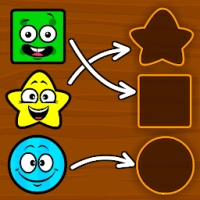
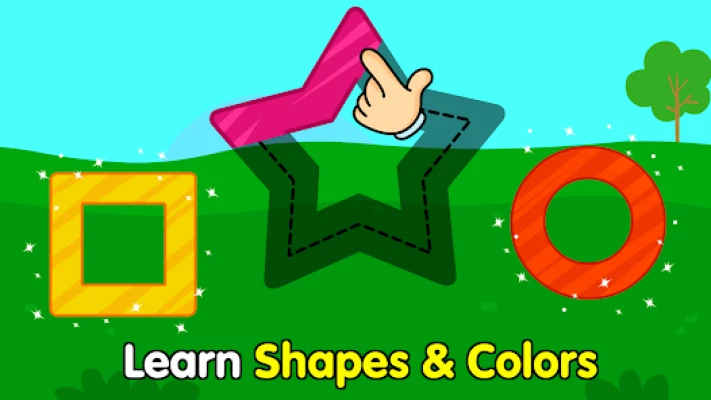
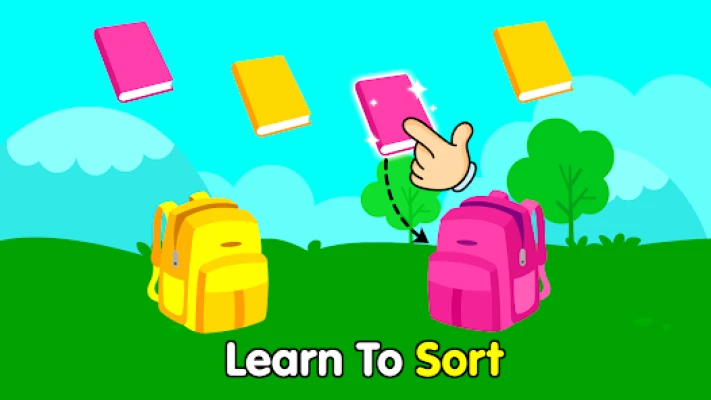
Learning shapes and colors is one of the first steps in early childhood education, and Shapes & Colors Games for Kids makes that process exciting through playful dinosaur adventures. Children join friendly dinosaur characters as they trace shapes, sort colorful objects, complete tangram puzzles, and explore fun educational challenges.
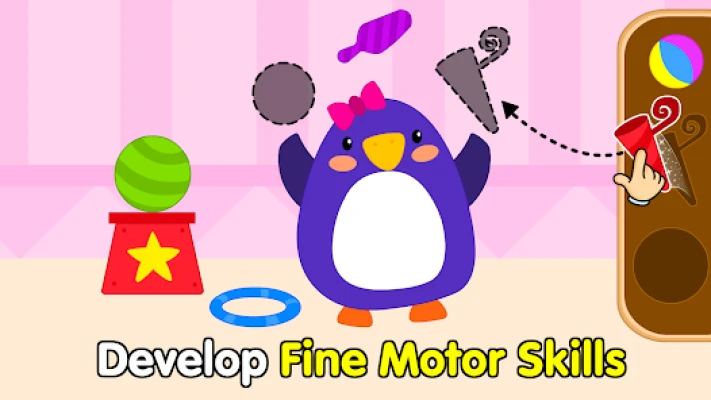
The activities are carefully designed to encourage curiosity while strengthening visual recognition, logical thinking, and fine motor skills. Every lesson feels like a game rather than a classroom exercise, helping children stay motivated while learning.
App Category
- Educational
- Toddler Learning
- Preschool Education
- Shapes Learning
- Color Learning
- Kindergarten Games
- Puzzle Games
- Early Childhood Education
Learning Atmosphere
The app creates a bright and cheerful world filled with colorful dinosaurs, playful animations, relaxing music, and encouraging feedback. Every activity is easy to understand, allowing children to learn at their own pace without feeling overwhelmed.
Main Features
- Learn basic shapes
- Learn primary and secondary colors
- Shape tracing activities
- Shape sorting games
- Color sorting games
- Tangram puzzles
- Drawing and coloring activities
- Funny facial expression games
- Dinosaur-themed adventures
- Vehicle-building puzzles
- Jelly tapping mini-games
- Child-friendly controls
- Offline learning support
- Teacher Approved educational content
Educational Skills
Children improve:
- Shape recognition
- Color recognition
- Fine motor skills
- Hand-eye coordination
- Logical thinking
- Pattern recognition
- Spatial awareness
- Concentration
- Memory
- Creativity
- Observation
- Problem-solving
Gameplay Overview
Children explore educational mini-games with colorful dinosaurs while learning through play.
Activities include:
- Tracing circles, squares, triangles, and other shapes
- Sorting colorful objects
- Completing tangram puzzles
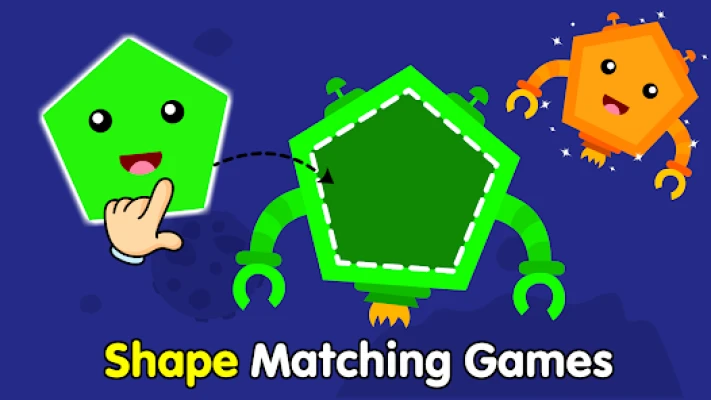
- Matching similar shapes
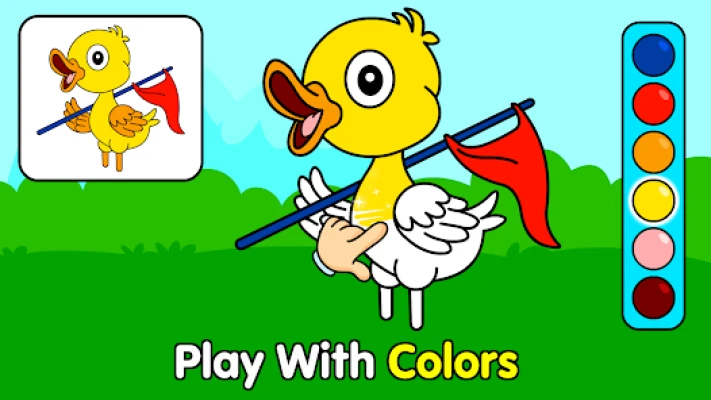
- Coloring pictures
- Building vehicles from shapes
- Tapping matching jelly shapes
- Exploring colorful learning adventures
Every completed activity rewards children with cheerful animations that encourage continued learning.
Learning Activities
The app includes:
- Shape Tracing
- Shape Sorting
- Color Matching
- Tangram Challenges
- Drawing Practice
- Coloring Games
- Funny Faces
- Vehicle Shape Building
- Shape Recognition Games
- Interactive Dinosaur Learning
How to Play
- Choose a learning activity.
- Select a dinosaur adventure.
- Follow simple voice and visual instructions.
- Trace shapes using your finger.
- Match shapes or colors.
- Complete puzzles.
- Unlock more educational activities.
- Repeat lessons to reinforce learning.
Controls Guide
Designed specifically for toddlers:
- Tap
- Drag
- Swipe
- Trace shapes
- Match objects
- Select colors
Large touch targets make the app easy for little hands to use independently.
Parent Guide
Parents can enhance learning by:
- Playing together during the first few sessions.
- Naming colors and shapes aloud.
- Asking children to identify shapes around the house.
- Practicing for 10–15 minutes daily.
- Encouraging independent problem-solving.
- Celebrating every completed activity.
Best Learning Tips
- Begin with basic shapes before introducing complex ones.
- Practice one color group at a time.
- Repeat tracing exercises regularly.
- Encourage children to identify shapes in everyday objects.
- Mix different mini-games to maintain interest.
- Keep learning fun and pressure-free.
Learning Progression
Children naturally progress by:
- Recognizing more shapes
- Learning additional colors
- Completing more difficult sorting activities
- Improving tracing accuracy
- Solving larger tangram puzzles
- Strengthening logical thinking
The gradual increase in difficulty helps children build confidence while avoiding frustration.
Accessibility
The app includes:
- Bright colorful graphics
- Friendly dinosaur characters
- Large touch controls
- Simple navigation
- Child-safe interface
- Clear visual guidance
- Offline support for many activities
Recommended Age
Ideal for:
- Toddlers (2–3 years)
- Preschool children
- Kindergarten learners
- Early childhood education
- Homeschool families
- Parents and teachers
Parent Feedback
Parents frequently praise the app for its colorful dinosaur theme, engaging educational activities, and ability to teach shapes and colors through play. Many reviews appreciate the wide variety of mini-games and the limited number of interruptions compared to similar apps. Some users have reported that advertisements or interface elements can occasionally cover parts of the gameplay in the free version, making certain activities harder to complete.
Community Recommendations
Experienced parents recommend:
- Let children complete tracing activities independently.
- Practice shape names during everyday routines.
- Alternate between sorting, tracing, and coloring games.
- Repeat favorite activities several times each week.
- Combine digital learning with physical shape toys.
Pros
- Teacher Approved
- Fun dinosaur characters
- Interactive learning activities
- Excellent for preschool education
- Easy touch controls
- Colorful graphics
- Offline support
- Improves fine motor skills
- Multiple educational mini-games
- Suitable for ages 2–5
Cons
- Some content requires in-app purchases.
- Free version contains advertisements.
- Older children may complete beginner activities quickly.
Learning Modes
- Shape Learning
- Color Learning
- Shape Tracing
- Shape Sorting
- Tangram Puzzles
- Coloring Activities
- Matching Games
- Drawing Practice
System Requirements
- Android smartphone or tablet
- Android 5.1 or later
- Touchscreen device
- Offline support for many activities
- Internet connection for updates and optional content
Why Shapes & Colors Games for Kids Stands Out
Unlike many preschool apps that focus on only one skill, this app combines tracing, sorting, coloring, tangrams, matching, and puzzle-solving into a complete educational experience. Friendly dinosaur characters and interactive gameplay help children stay engaged while building important preschool skills through hands-on learning.
Similar Educational Apps
- KidloLand
- Khan Academy Kids
- ABC Kids
- Lingokids
- Montessori Preschool
- Endless Alphabet
- Toddler Games for 2+ Year Olds
- Kids Puzzles for Toddlers
- Baby Phone Games for Kids
- Preschool Learning Games
Is Shapes & Colors Games for Kids Worth Playing?
Yes. Shapes & Colors Games for Kids is an excellent educational app for toddlers and preschoolers who are beginning to recognize shapes and colors. With interactive tracing, sorting, tangram puzzles, and playful dinosaur adventures, it delivers an enjoyable learning experience that supports preschool readiness and early cognitive development.
Frequently Asked Questions
What age group is this app designed for?
It is designed for toddlers and preschool children aged 2–5 years.
What can children learn?
Children learn colors, shapes, tracing, sorting, matching, drawing, and basic problem-solving skills.
Does the app include tracing activities?
Yes. Children can trace circles, squares, triangles, ovals, and other basic shapes while strengthening hand control.
Can children play offline?
Yes. Many educational activities can be enjoyed without an internet connection.
Is the app suitable for preschool learning?
Yes. It is specifically created for preschool and kindergarten children and is Teacher Approved on Google Play.
Does it help improve fine motor skills?
Yes. Tracing, dragging, sorting, and matching activities help develop hand-eye coordination and fine motor control.
YouTube Gameplay Video
Rate the Game
User Reviews




Popular Games



















 Android
 iOS
iOS Windows
 Xbox
Xbox