


Latest Version
November 01, 2024
Kolb Apps
Music
0
com.rodrigokolb.realguitar
Report a Problem
More About :game
Whether you are a beginner learning your first guitar chords or an experienced musician looking for a convenient way to practice, Real Guitar offers an accessible musical experience. With acoustic and electric guitar sounds, interactive backing loops, a large chord library, and a full 22-fret scale, players can explore different styles and create their own musical arrangements.
The app combines guitar simulation with learning tools, making it suitable for casual music lovers, aspiring guitarists, and anyone interested in experimenting with melodies and rhythms.
What Is Real Guitar?
Real Guitar is a virtual guitar simulator designed to recreate the experience of playing guitar on a touchscreen. Instead of holding a physical instrument, you interact with the digital fretboard to play individual notes, strum chords, and experiment with musical patterns.
The app focuses on accessibility and creative freedom. You can practice at your own pace, explore different guitar sounds, and switch between chord playing and solo performances. Its learning features also provide a starting point for people who want to understand guitar techniques before moving on to a real instrument.
Real Guitar is primarily a music and instrument simulation app rather than a traditional action game. Progress comes from improving your timing, learning new chords, developing finger coordination, and discovering how different notes work together.
Real Guitar Gameplay and Main Features
1. Acoustic and Electric Guitar Sounds
Explore different virtual guitar instruments and experiment with the tones of acoustic and electric guitars. Acoustic sounds are useful for relaxed melodies, chord progressions, and rhythmic accompaniment, while electric guitar sounds suit expressive lead lines and energetic riffs.
Trying different instruments can also help you discover which musical styles you enjoy most.
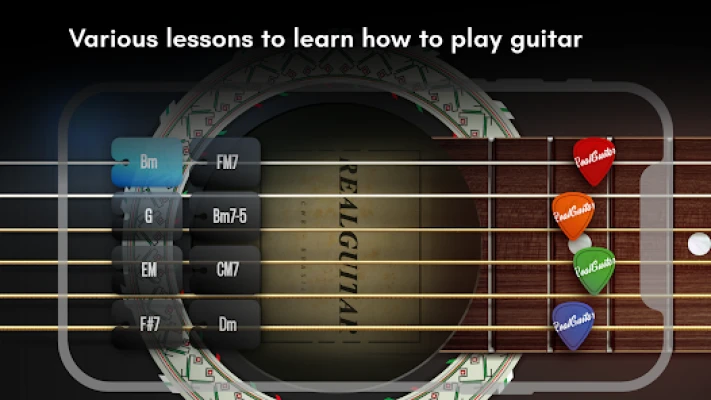
2. Guitar Lessons for Beginners
Real Guitar includes 100 built-in lessons designed to help players develop their skills. These lessons provide a structured starting point for learning guitar techniques and understanding how notes and chords work together.
Beginners can use the lessons to establish a regular practice routine, while more experienced players can revisit fundamental techniques and work on areas that need improvement.
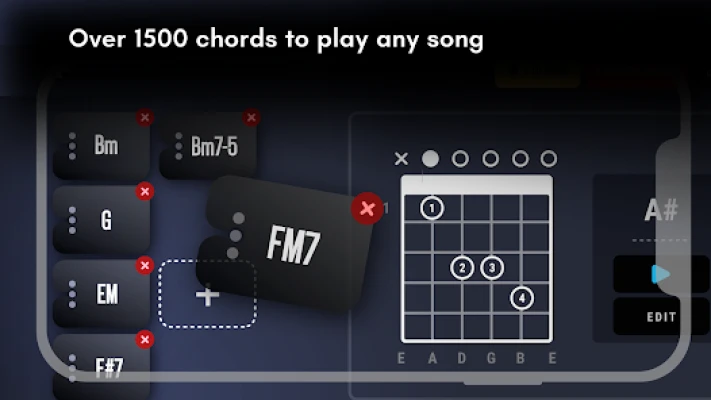
3. More Than 1,500 Guitar Chords
The extensive chord library provides access to more than 1,500 guitar chords. This gives players a wide range of options for experimenting with harmonies, building chord progressions, and practicing different musical combinations.
Rather than trying to memorize every chord immediately, start with a few common shapes and gradually expand your knowledge.
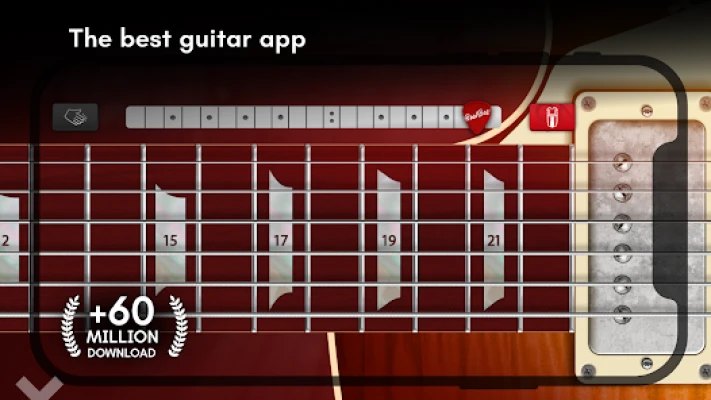
4. Full 22-Fret Guitar Scale
The virtual fretboard covers a full 22-fret scale, allowing players to explore a broad range of notes. This feature is particularly useful for practicing melodies, discovering note relationships, and experimenting with lead guitar patterns.
As your familiarity improves, you can move beyond simple melodies and explore more complex musical ideas.
5. Solo and Chord Modes
Real Guitar supports both solo and chord playing. Chord mode is useful for accompanying songs and building rhythmic patterns, while solo mode allows you to focus on individual notes and melodies.
Switching between these approaches helps you understand two important sides of guitar playing: harmony and melody.
6. Interactive Backing Loops
Backing loops let you play along with musical patterns and explore different styles. They provide a more engaging practice environment than playing isolated notes because you can work on timing and learn how melodies fit into a musical arrangement.
Start with a comfortable rhythm before attempting faster or more complicated patterns.
7. Recording Mode
The recording feature allows you to capture your performances and listen to them again. Reviewing recordings can help you identify inconsistent timing, missed notes, and sections that need more practice.
It also gives you an opportunity to save musical ideas before you forget them.
8. MIDI Support
MIDI support provides additional control options for compatible musical equipment. Players who already use digital music tools can explore how the app fits into their wider creative setup.
Compatibility and available controls may depend on the connected equipment and the app version.
9. Adjustable Fretboard
The adjustable scale size helps players adapt the virtual fretboard to their screen and playing preferences. This is particularly helpful on smaller smartphones, where tapping the correct notes can be challenging.
Experiment with the available display settings to find a layout that makes playing comfortable.
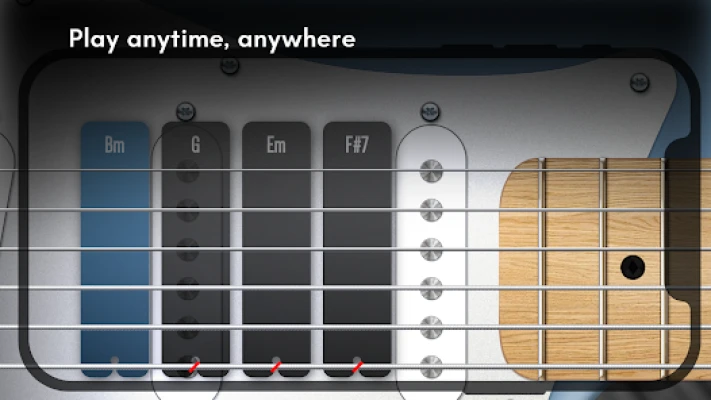
10. Music Practice on the Go
Real Guitar makes it possible to experiment with music without carrying a physical guitar. It can be useful during short breaks, while traveling, or whenever you want to practice a musical idea.
The app is listed for Android and Windows, with the available features depending on the version and device.
Complete Real Guitar Strategy Guide
Real Guitar does not revolve around defeating enemies or completing conventional game levels. Instead, the most rewarding approach is to develop your playing ability through consistent practice, thoughtful use of the available features, and gradual improvement.
Step 1: Learn the Fretboard Controls
Begin by exploring the virtual fretboard. Identify how individual notes are played and how the strings respond when tapped or strummed.
Spend a few minutes testing the controls before attempting a complete song. Pay attention to where your fingers land and whether you can consistently produce the notes you intend to play.
Strategy tip: Keep your first practice sessions simple. Accurate, deliberate movements are more valuable than trying to play quickly.
Step 2: Start With Basic Guitar Chords
Open the chord library and choose a small group of beginner-friendly chords. Major and minor chords are good starting points because they appear in many common musical progressions.
Practice each chord individually before attempting to switch between them.
A useful beginner exercise is to alternate between two familiar chords at a slow, steady pace. Focus on accuracy and smooth transitions rather than speed.
Strategy tip: Learn three or four chords well before adding more. A small collection of familiar chords is more useful than hundreds of chords you cannot play comfortably.
Step 3: Follow the Built-In Lessons
Use the available lessons to establish a structured learning routine. Work through the material in manageable sections instead of rushing through multiple lessons without practicing what you have learned.
After completing a lesson, spend additional time repeating its techniques. This helps turn new information into practical skill.
Strategy tip: Revisit earlier lessons whenever you notice a weakness. Repetition is an important part of learning any musical instrument.
Step 4: Practice Rhythm Before Speed
Good guitar playing depends on timing as much as note selection. Begin by strumming at a slow, consistent pace and maintaining the same rhythm for several repetitions.
Once you can keep the rhythm steady, experiment with different strumming patterns and changes in emphasis.
Avoid increasing the speed simply because a pattern feels easy. First make sure that your notes and chord changes remain accurate.
Strategy tip: Use a backing loop to help maintain a consistent pulse. If you repeatedly fall out of time, slow down and simplify the pattern.
Step 5: Experiment With Solo Mode
When you are comfortable with the basic controls, move to solo mode and practice individual notes across the fretboard.
Start with short melodic patterns using only a few notes. Repeat each pattern until the movements become familiar, then experiment with changing its ending or rhythm.
Gradually explore more of the 22-fret range as your confidence improves.
Strategy tip: Create short melodies instead of randomly tapping notes. Repeating and modifying a musical phrase helps develop a better understanding of melody.
Step 6: Choose the Right Guitar Sound
Different musical ideas suit different guitar tones. Try acoustic sounds for gentle chord progressions and relaxed accompaniment, then experiment with electric sounds for lead melodies and more energetic arrangements.
Do not assume that one instrument is always better than another. The best choice depends on the mood and style you want to create.
Strategy tip: Keep the same chord progression while changing the guitar sound. This makes it easier to hear how the instrument affects the character of the music.
Step 7: Play Along With Backing Loops
Once you can play a short chord progression or melody independently, introduce an interactive backing loop.
Listen to the rhythm before you begin playing. Identify the general pulse and start with simple notes or chords that fit comfortably with the music.
If your timing becomes inconsistent, return to a slower practice pattern and try again.
Strategy tip: Listening is part of playing. Pay attention to the backing music instead of concentrating exclusively on the touchscreen.
Step 8: Build a Simple Song Arrangement
Combine the skills you have learned into a short musical arrangement.
Begin with a basic chord progression, maintain a steady rhythm, and introduce a simple melody where appropriate. You can experiment with different guitar sounds to give each section a distinct character.
Keep your first arrangement short enough to play without losing track of the sequence.
Strategy tip: Work on one section at a time. A reliable introduction and chorus-like section are a better starting point than a long arrangement full of mistakes.
Step 9: Record and Review Your Performance
Use recording mode to capture a practice session or musical idea. Listen to the result and identify one or two areas that could be improved.
You might notice uneven timing, awkward chord transitions, unnecessary pauses, or a melody that does not fit the rhythm.
Repeat the difficult section rather than restarting the entire performance every time.
Strategy tip: Record the same short passage before and after practicing it. Comparing the two versions can make your progress easier to recognize.
Step 10: Expand Your Chord Knowledge
Once you can play a few basic chords reliably, explore the larger chord library.
Learn how different chord types change the mood of a progression. Try replacing one chord with another and listen to the result.
Avoid attempting to memorize the entire library at once. Select chords that support the music you want to play and add new ones gradually.
Strategy tip: Practical familiarity with a handful of chords is more valuable than memorizing a long list without understanding how to use them.
Step 11: Adjust the Interface for Better Accuracy
If you frequently tap the wrong notes, review the fretboard display settings and adjust the scale size where available.
Make sure your device is positioned comfortably and that your fingers can reach the intended areas without unnecessary strain.
If you are using a tablet, experiment with a larger layout. On a smaller phone, a more compact arrangement may be easier to manage.
Strategy tip: Choose settings that improve control rather than simply making the screen look more detailed.
Step 12: Develop a Consistent Practice Routine
Regular, focused practice is more productive than occasional sessions in which you attempt too many techniques at once.
A simple 20-minute routine could look like this:
Minutes 1–4: Review the fretboard and warm up with individual notes.
Minutes 5–9: Practice familiar chords and chord transitions.
Minutes 10–14: Work through a lesson or repeat a challenging technique.
Minutes 15–18: Play along with a backing loop.
Minutes 19–20: Record a short performance or review your mistakes.
Adjust the routine to your current ability. Beginners may benefit from spending more time on basic controls, while experienced musicians can focus on melodies, timing, and creative arrangements.
Best Tips and Tricks for Real Guitar
Focus on Accuracy First
Fast playing is not necessarily good playing. Make sure you can produce the intended notes consistently before increasing your speed.
Avoid Learning Too Many Chords at Once
Choose a few useful chords and practice switching between them. Add more shapes when your current selection feels comfortable.
Use Both Playing Modes
Chord mode and solo mode develop different skills. Regularly practicing both helps you become more comfortable with rhythm and melody.
Listen Before Playing
Backing loops are easier to follow when you understand their rhythm. Listen for a moment before joining in, particularly when trying a new musical style.
Review Your Recordings
Listening to your own performances can reveal mistakes that are difficult to notice while you are concentrating on playing.
Experiment With Different Sounds
Try the same melody with different guitar instruments. This is a simple way to explore musical expression without changing the notes themselves.
Practice in Short Sessions
A focused 10- or 20-minute session can be more useful than a long session without a clear goal. Give each practice period a specific purpose.
Use the Chord Library as a Reference
Treat the library as a learning tool rather than a collection you must memorize. Return to it whenever you need to explore an unfamiliar chord.
Explore MIDI Features When Appropriate
If you use compatible MIDI equipment, investigate the available controls and determine whether they improve your preferred playing workflow.
Remember That a Simulator Is a Learning Aid
Real Guitar can help develop familiarity with chords, notes, rhythm, and musical structure. However, touchscreen playing does not fully reproduce the physical techniques required for a real guitar, such as pressing strings against frets and developing picking-hand technique.
Is Real Guitar Good for Beginners?
Real Guitar can be a useful starting point for beginners who want to explore guitar playing without purchasing an instrument immediately.
Its built-in lessons, chord library, solo mode, and interactive loops provide several ways to become familiar with basic musical concepts. The touchscreen interface also allows users to experiment with melodies and chord progressions without needing prior guitar experience.
However, beginners should understand the difference between virtual guitar practice and learning on a physical instrument. The app can help with musical familiarity, but developing real-world finger strength, string pressure, picking accuracy, and physical fretboard technique requires practice on an actual guitar.
For someone who is curious about music, the app offers an accessible way to begin exploring.
Real Guitar for Experienced Musicians
Experienced guitarists can use Real Guitar as a convenient tool for testing musical ideas, experimenting with chord combinations, and practicing short melodies when a physical instrument is unavailable.
The extensive chord library makes it easier to investigate unfamiliar harmonies, while the full fretboard and solo mode provide room for melodic experimentation.
Recording mode is also useful for capturing a quick musical idea that can be developed later.
Although the app offers several useful practice features, musicians seeking advanced physical techniques or the precise feel of a real guitar should treat it as a complementary tool rather than a complete replacement.
Graphics, Sound, and Overall Experience
Real Guitar emphasizes a virtual instrument interface rather than elaborate environments or character animations. Its main attraction is the ability to interact directly with a digital fretboard and hear musical notes as you play.
The experience centers on sound, timing, and experimentation. Players can move between chord-based accompaniment and individual-note playing, making the app suitable for both casual musical exploration and structured practice.
The interface is designed to make guitar playing accessible on a mobile device, although comfort and accuracy can vary depending on screen size and personal playing preferences.
For music enthusiasts, the appeal comes from having a portable space to experiment with guitar sounds whenever inspiration strikes.
Real Guitar: Pros and Cons
Pros
Acoustic and electric guitar sounds.
A collection of 100 built-in lessons.
More than 1,500 guitar chords to explore.
A full 22-fret virtual scale.
Separate solo and chord playing modes.
Interactive backing loops for rhythm practice.
Recording tools for reviewing performances.
MIDI support for compatible setups.
Adjustable fretboard size.
Convenient access to musical experimentation on supported devices.
Cons
Touchscreen controls cannot fully reproduce the feel of physical guitar strings.
Beginners may need time to become comfortable with the virtual fretboard.
Developing real-world finger strength and picking technique requires a physical instrument.
Ads and optional in-app purchases may affect the experience.
Available instruments and features can vary by version or device.
Real Guitar Game Information
Game name: Real Guitar: Acoustic & Electric
Developer: Kolb Apps
Category: Music, guitar simulator, casual music app
Main activity: Playing virtual guitar notes, chords, melodies, and rhythms
Playing modes: Solo mode and chord mode
Learning features: 100 built-in lessons
Chord library: More than 1,500 chords
Virtual fretboard: Full 22-fret scale
Additional features: Interactive backing loops, recording mode, adjustable scale size, MIDI support, and multiple guitar sounds
Platforms: Android and Windows, according to the current app listing
Business model: Free to start, with advertisements and optional in-app purchases
Audience: Beginners, music enthusiasts, casual players, and guitarists looking for a portable practice tool
Internet requirements: Some features may work offline, but availability can vary by feature and version.
Content suitability: The app is listed for a general audience.
Real Guitar: Frequently Asked Questions
Is Real Guitar free to play?
Real Guitar is available as a free app, although advertisements and optional in-app purchases are part of the experience. The features available without payment may depend on the current version.
Can beginners learn guitar with Real Guitar?
Yes. Beginners can use its lessons, chord library, and virtual fretboard to explore basic guitar concepts. However, the app alone cannot fully replace physical practice on a real guitar.
How many lessons does Real Guitar include?
The current app description advertises 100 built-in guitar lessons to help players develop their skills.
How many chords are available in Real Guitar?
The app advertises a library containing more than 1,500 guitar chords.
Can you play guitar solos in Real Guitar?
Yes. Solo mode lets players experiment with individual notes and melodies across the virtual fretboard.
Does Real Guitar support acoustic and electric guitars?
Yes. The app offers acoustic and electric guitar sounds, allowing players to experiment with different musical styles.
Can you record music in Real Guitar?
Yes. Recording mode lets you capture performances and review or share your musical ideas.
Does Real Guitar support MIDI?
Yes. MIDI support is included for compatible equipment and configurations.
Can Real Guitar replace a real guitar?
Not completely. It is useful for musical exploration, chord familiarity, and practicing ideas, but it cannot fully reproduce the physical techniques and feel of a real instrument.
Is Real Guitar suitable for children?
The app is listed for a general audience. Parents should still review its advertising, optional purchases, and device settings before allowing children to use it.
Can you play Real Guitar on a computer?
The current app listing identifies Android and Windows availability. Check the requirements for your device and version before installing.
Does Real Guitar require an internet connection?
Requirements can differ between features and versions. Some basic playing functions may be available offline, while certain content or services may require connectivity.
What is the best way to improve in Real Guitar?
Start with basic chords, follow the built-in lessons, practice at a steady rhythm, and use recording mode to review your progress. Short, regular sessions with clear goals are an effective approach.
Final Verdict
Real Guitar: Acoustic & Electric is a versatile virtual guitar simulator for people who want to explore music, practice chord progressions, and experiment with melodies from a phone, tablet, or supported computer.
Its combination of built-in lessons, an extensive chord library, solo and chord modes, backing loops, and recording tools gives beginners several ways to start learning while offering experienced musicians a convenient place to test musical ideas.
The strongest reason to try Real Guitar is its accessibility. You can begin experimenting with guitar sounds without owning a physical instrument, then gradually develop a better understanding of rhythm, chords, and melody.
For anyone interested in guitar apps, virtual instruments, or learning basic guitar concepts, Real Guitar is worth considering as a practical introduction to playing music.
Rate the Game
User Reviews















Popular Games



















 Android
 iOS
 Windows
 Xbox