

Latest Version
October 03, 2026
Beansprites LLC
Casual
iOS
0
Report a Problem
More About :game
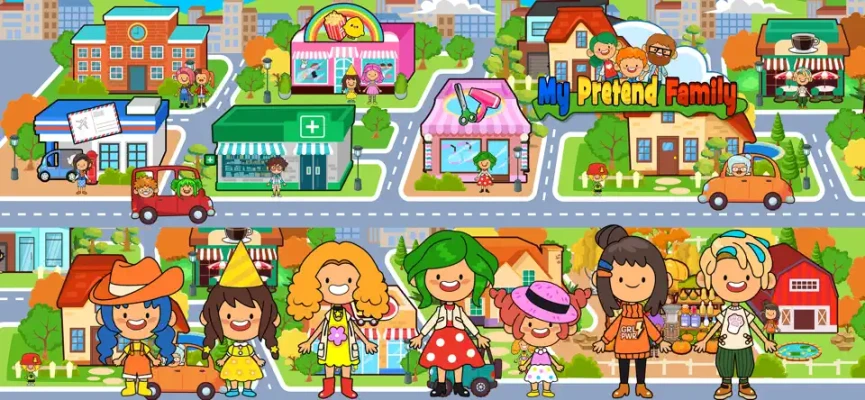
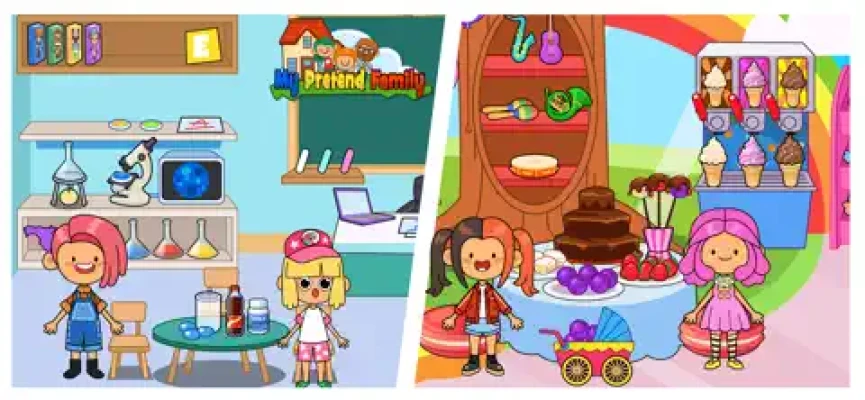
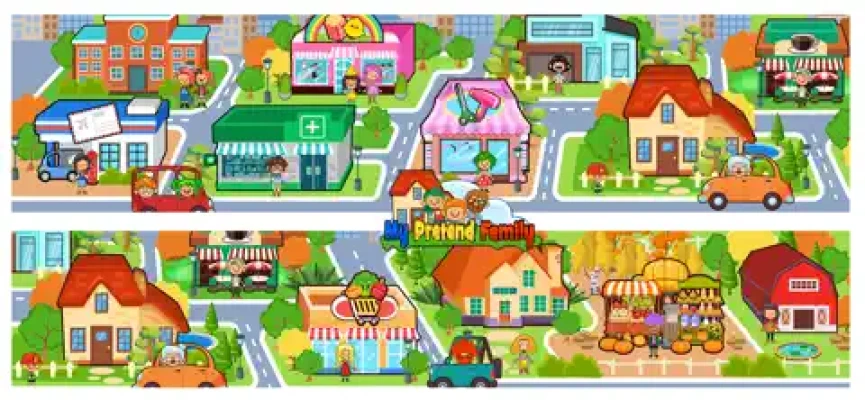
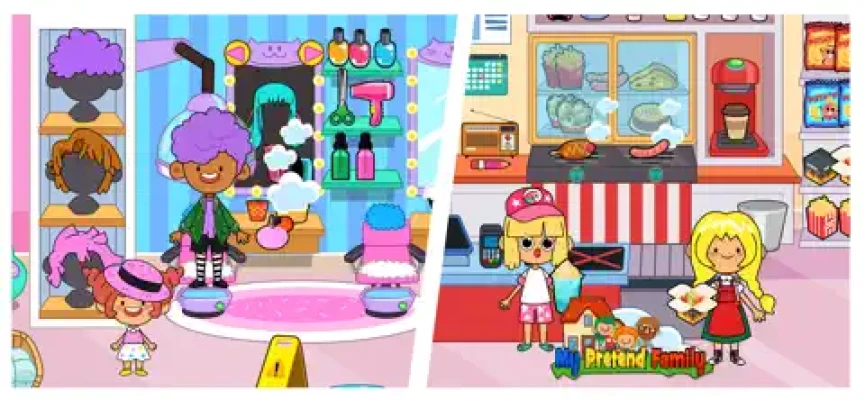
The game has grown considerably since its original release. The current listing describes more than 21 different homes in the neighborhood, along with numerous rooms inside the main family house. Players can also explore locations such as the post office, salon, coffee shop, pet shop, Kitty Town, airport, and other parts of the town.
Rather than following a fixed storyline or traditional level system, My Pretend Home & Family is built around open-ended imaginative play. You decide what the family does, where they go, what they eat, and how they spend their day.
What Is My Pretend Home & Family?
My Pretend Home & Family is a virtual home and family role-playing game designed around pretend play.
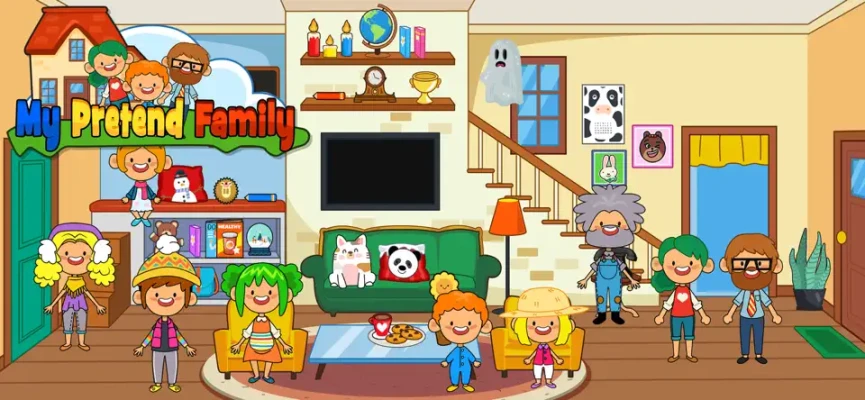
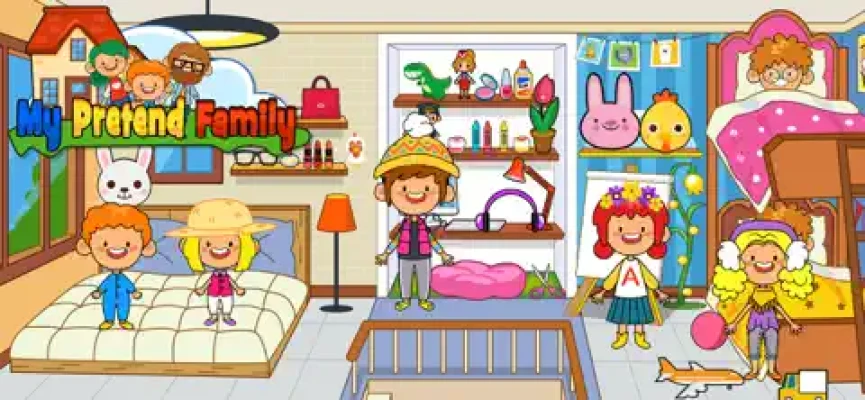
The main family house provides a collection of rooms where characters can interact with objects and create their own scenarios.
You can:
Play with family members
Explore bedrooms
Cook in the kitchen
Bake food
Clean and organize
Play with toys
Draw on a canvas
Use the garage
Customize a vehicle
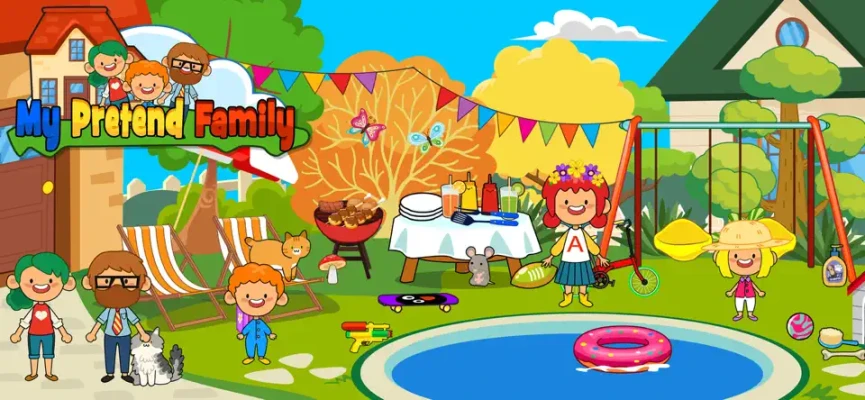
Swim in the backyard pool
Have a barbecue
Visit shops
Explore other homes
Visit Kitty Town
Go to the airport
Create your own family stories
There is no requirement to follow one particular sequence, which makes the game especially suited to players who enjoy creating their own situations.
Main Gameplay Features
Explore the Family House
The main house is the heart of the experience.
Move between rooms and decide what each character should do. The game includes bedrooms, a kitchen, garage, backyard, and other areas with interactive objects.
The open-ended design means that the same room can be used for completely different stories.
A bedroom might become a place for bedtime, a playroom, or a family conversation. The kitchen can become a breakfast area, baking station, or family dinner location.
Play in the Kitchen
The kitchen is one of the most interactive areas.
Players can use kitchen tools and prepare food, including baking activities.
You can create your own cooking scenarios:
Breakfast with the family
Baking afternoon
Birthday preparation
Family dinner
Snack time
Weekend cooking
Bedroom Play
The bedrooms are designed for imaginative family scenarios.
Characters can interact with toys, draw on the canvas, and play with objects in the room. The official description even highlights jumping on the bed as part of the playful experience.
Garage and Car Customization
The garage gives the game another activity outside the home.
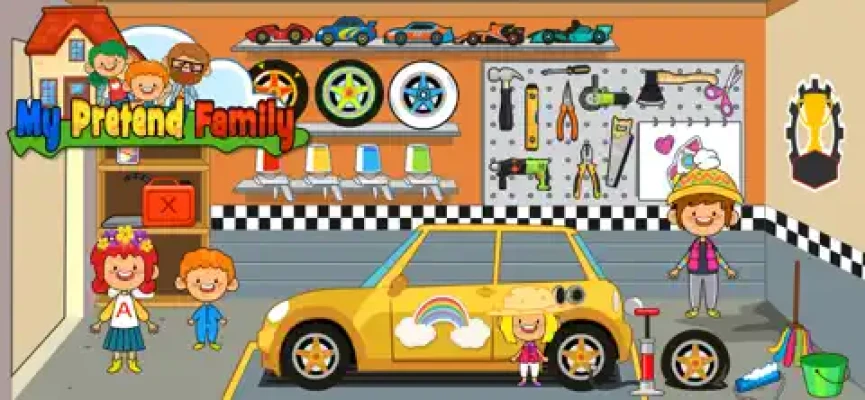
Players can work with the car, change its color, add stickers, use tools, and fuel the vehicle.
This makes the garage more than just a decorative location.
Backyard Pool
The backyard includes a pool with fun floats.
You can create pool-party scenarios, relaxing afternoons, or family activities around the backyard.
Have a Barbecue
The backyard can also become a family barbecue area.
Set up a casual outdoor meal and create your own story around the characters.
Explore the Town
One of the biggest developments in My Pretend Home & Family is the expansion beyond the original home.
The current game includes a larger town with homes and various businesses and destinations. The developer's version history says the major town expansion introduced more than 20 rooms and locations including a pharmacy, grocery store, hair salon, candy shop, toy store, and post office.
The current listing also highlights:
Post Office
Salon
Coffee Shop
Pet Shop
Kitty Town
Airport
Additional homes
Other town locations
This gives players much more freedom to create stories that extend beyond the family house.
Full My Pretend Home & Family Strategy Guide
There is no traditional combat or competitive strategy system in the game. Instead, the best way to approach My Pretend Home & Family is to organize your pretend-play sessions around different activities and stories.
Step 1: Start at Home
Begin your story in the main family house.
Choose the characters who will participate and decide what kind of day you want to create.
For example:
Morning → Breakfast → School Preparation → Shopping → Lunch → Home → Family Dinner
Having a simple plan makes the open-ended gameplay feel more structured.
Step 2: Give Every Character a Role
Create roles for your family members.
For example:
Parent
Child
Older sibling
Younger sibling
Pet
Visitor
Neighbor
Then use those roles to create interactions between characters.
This works particularly well because the game provides multiple characters that can be used throughout the different rooms. The developer has also expanded the character system through previous updates.
Step 3: Start With Breakfast
Take everyone into the kitchen.
Prepare food and create a breakfast scene before sending the characters into the rest of the town.
This provides a natural beginning to a family story.
Step 4: Explore the House
After breakfast, visit different rooms.
Try to use every room rather than spending the entire session in one location.
Move characters upstairs, visit the bedrooms, play with toys, and use the available interactive objects.
Step 5: Visit the Garage
Before leaving the house, take the family to the garage.
Change the vehicle's color, add stickers, use the tools, and make sure the car is ready for the day's trip.
Step 6: Explore the Neighborhood
Once the family is ready, head into the town.
Visit different homes and businesses.
You can turn this into a family shopping trip, a salon visit, a coffee break, or an adventure with friends.
Step 7: Visit the Shops
Use the town's shops to create different stories.
For example:
Grocery Store: Buy food for dinner.
Toy Store: Pick up toys for the children.
Salon: Give a character a new look.
Candy Shop: Plan a sweet treat.
Pet Shop: Create a pet-shopping story.
Coffee Shop: Have a family or friends' meeting.
Step 8: Try Kitty Town
The game has an expanded Kitty Town area with additional characters and venues. The developer added a new Kitty Town map and new cat characters in a previous update.
Use this area as a separate adventure for the family.
Step 9: Visit the Airport
The airport gives you another opportunity to create travel stories.
You can pretend the family is going on vacation, visiting relatives, or taking their first trip together.
Step 10: Finish the Day at Home
Return to the family house and create an evening routine.
Prepare dinner, play in the bedrooms, use the backyard, and eventually settle the characters down for the night.
This creates a complete beginning-to-end family story.
Best My Pretend Home & Family Story Ideas
Family Morning
Start with everyone waking up.
Move the family into the kitchen for breakfast, prepare food, and then get everyone ready for the day.
Weekend Family Day
Create a relaxed weekend routine:
Breakfast → Garage → Shopping → Coffee Shop → Home → BBQ → Pool
Birthday Party
Use the house and town to create a birthday scenario.
Prepare food, invite family members, decorate the area, and finish the celebration with a meal.
Shopping Trip
Take the family into town and visit the grocery store, toy shop, candy shop, or other available locations.
Family Vacation
Start by packing at home, move to the airport, and pretend the family is traveling to another destination.
Pet Adventure
Begin at the pet shop and create a story about choosing a pet and bringing it back home.
Kitty Town Adventure
Take the family into Kitty Town and create a story around the cat characters and locations.
Family BBQ
Use the backyard for an outdoor meal.
Prepare food, invite other characters, and let the children play around the pool.
Home Decorating and Organization Tips
The game allows players to move items around rooms, and the developer has previously added a save feature for moved items.
When arranging a room:
Keep Similar Objects Together
Place kitchen objects together, toys together, and bedroom items around the areas where they make sense.
Create Activity Zones
A bedroom can have:
Sleeping area
Toy area
Drawing area
Clothing area
Make Rooms Match Their Purpose
Try to make each room feel different.
This makes exploring the house more interesting.
Kitchen and Cooking Guide
The kitchen is ideal for creating food-related stories.
Try different scenarios:
Breakfast
Prepare food for the whole family.
Baking Day
Use the kitchen tools and create a pretend baking session.
Family Dinner
Bring everyone into the kitchen and prepare an evening meal.
Cooking Lesson
Have an older character teach a younger family member how to prepare food.
The developer specifically describes cooking and baking as activities within the home.
Garage and Car Guide
The garage offers several customization options.
You can:
Change the vehicle's color
Add stickers
Use tools
Fuel the vehicle
Create travel stories
Car Trip Story
Create a family road trip:
Garage → Fuel → Family Gets In → Town → Coffee Shop → Shopping → Home
This turns several separate locations into one continuous activity.
Town Exploration Guide
The town is where My Pretend Home & Family becomes much larger than a simple home game.
Instead of visiting locations randomly, create themed trips.
Shopping Day
Visit:
Home → Grocery Store → Toy Store → Candy Shop → Home
Self-Care Day
Try:
Home → Salon → Coffee Shop → Home
Pet Day
Try:
Home → Pet Shop → Kitty Town → Home
Travel Day
Try:
Home → Garage → Airport → Home
This approach gives each play session a different purpose.
Beginner Tips
1. Start With a Story
Rather than randomly moving characters around, decide what the family is doing first.
2. Explore Every Room
The house contains many interactive areas, so check each room carefully.
3. Use the Town
The town expansion adds many locations beyond the main home.
4. Change Character Roles
The same characters can participate in different stories.
5. Customize the Car
The garage is easy to overlook, but it adds another layer of pretend play.
6. Try Cooking
The kitchen is one of the most useful areas for creating family scenarios.
7. Create Full-Day Stories
Start in the morning and finish at night.
8. Mix Indoor and Outdoor Activities
Move between bedrooms, kitchen, garage, backyard, shops, and town locations.
My Pretend Home & Family Atmosphere
The game has a colorful, relaxed, family-friendly atmosphere centered around everyday life and imaginative play.
Instead of fighting enemies or completing difficult missions, players decide what their characters should do.
A normal play session might involve cooking breakfast, fixing the family car, going shopping, visiting the salon, stopping at a coffee shop, playing in the pool, and returning home for dinner.
This makes the game particularly suitable for players who enjoy pretend-play games, family simulation, dollhouse games, virtual home games, role-playing games, and creative storytelling.
Game Information
| Feature | Details |
|---|---|
| Game | My Pretend Home & Family |
| Developer | Beansprites LLC |
| Category | Education |
| Style | Pretend play / family simulation |
| Platforms | iPhone, iPad |
| Age Rating | 4+ |
| Language | English |
| App Size | 458.7 MB |
| iPhone Requirement | iOS 12.0 or later |
| iPad Requirement | iPadOS 12.0 or later |
| In-App Purchases | Yes |
| Current Listed Version | 2.3 |
| Latest Listed Update | July 17, 2025 |
The current App Store listing identifies Beansprites LLC as the developer, lists an age rating of 4+, and supports iPhone and iPad. The listed size is 458.7 MB.
The latest listed version is 2.3, with the July 17, 2025 update described as updates and improvements to the city map.
Is My Pretend Home & Family Free?
Yes. The App Store lists the game as Free with optional in-app purchases.
The current listing includes a My Pretend Home Town Pack that unlocks the entire town and removes ads, while the game's premium-content system also covers additional homes, shops, characters, family members, Kitty Town, the airport, and future additions.
Is My Pretend Home & Family Suitable for Kids?
The current App Store age rating is 4+. It is listed in the Education category and is designed around family, home, town, and pretend-play activities.
Parents should still review the game's in-app purchase options if the app is being used by a child.
Can You Explore More Than One Home?
Yes. The current listing describes more than 21 different homes in the neighborhood, along with the main family house and other locations around town.
Can You Cook in My Pretend Home & Family?
Yes. The kitchen includes interactive cooking tools, and players can bake and prepare food as part of their pretend-play stories.
Can You Customize the Car?
Yes. Players can change the vehicle's color, add stickers, use tools, and fuel the car in the garage.
Does the Game Have a Pool?
Yes. The backyard has a pool with floats that characters can use.
Can You Visit a Salon?
Yes. The town includes a salon, alongside locations such as a coffee shop, pet shop, post office, Kitty Town, and airport.
Does My Pretend Home & Family Have an Airport?
Yes. The airport is one of the destinations included in the expanded town experience.
Does the Game Have Kitty Town?
Yes. Kitty Town was added as a dedicated area with new cat characters and additional venues in a previous update.
Does My Pretend Home & Family Have Multiplayer?
The App Store listing does not describe it as an online multiplayer game. Its gameplay centers on single-device pretend play with the game's characters and locations.
Pros and Cons
Pros
Large open-ended pretend-play experience
More than 21 neighborhood homes
Main family house with many rooms
Cooking and baking activities
Garage and car customization
Backyard pool
BBQ activities
Toys and drawing
Shops and town locations
Kitty Town
Airport
Many characters
Family-oriented gameplay
iPhone and iPad support
4+ age rating
Cons
Some homes, shops, characters, and locations are premium content
In-app purchases are available
The gameplay has no traditional competitive progression
Players who prefer structured missions may find the open-ended format less goal-oriented
Some App Store reviews have raised concerns about character behavior and how objects or character positions persist between rooms; these are individual user experiences rather than universal findings.
Frequently Asked Questions
What is My Pretend Home & Family?
It is a family-oriented pretend-play game where players explore homes, interact with characters, cook, play, customize a car, visit shops, and create their own stories.
Who developed My Pretend Home & Family?
The game was developed by Beansprites LLC.
How many homes are available?
The current App Store description says there are over 21 different homes in the neighborhood.
Can you cook and bake?
Yes. The kitchen contains cooking tools and supports cooking and baking activities.
Can you customize a car?
Yes. You can change its color, add stickers, use tools, and fuel it.
Can you swim?
Yes. The backyard contains a pool with floats.
What locations are in the town?
The current listing mentions homes, a post office, salon, coffee shop, pet shop, Kitty Town, airport, and additional locations.
Is My Pretend Home & Family free?
Yes. It is available as a free download with optional in-app purchases.
Is My Pretend Home & Family on iPad?
Yes. The game supports both iPhone and iPad.
What age rating does it have?
The current App Store listing gives it a 4+ rating.
What iOS version is required?
The current listing states that the game requires iOS 12.0 or later for iPhone and iPadOS 12.0 or later for iPad.
Final Thoughts
My Pretend Home & Family is a creative family role-playing and pretend-play game built around homes, characters, everyday activities, and an expanding virtual town.
Its strongest feature is the freedom to create your own stories. You can start with breakfast at home, take the family to the garage, drive into town, visit a salon or shop, stop at a coffee shop, explore Kitty Town, visit the airport, and eventually return home for dinner.
The game's evolution from a home-focused experience into a larger town with additional homes, shops, characters, Kitty Town, and an airport gives players considerably more room for imaginative play.
For fans of My Pretend games, pretend home games, family simulation games, dollhouse games, kids' role-playing games, virtual family games, cooking games, and creative storytelling, My Pretend Home & Family offers a large collection of activities to explore.
Rate the Game
User Reviews















Popular Games



















 Android
 iOS
iOS Windows
 Xbox
Xbox