



Latest Version
February 16, 2026
My Town Games Ltd
Educational
Android
0
Report a Problem
More About :game
Step into a classroom designed for the digital age with Math Kids HomeSchool Learning. Developed by the experts at My Town Games Ltd, this app provides a structured, comprehensive curriculum for students of all ages—from 1st-grade basics to advanced 11th-grade challenges.
What sets this app apart is its advanced Handwriting Recognition. Instead of tapping buttons, students write their answers directly on the screen, mimicking real-world paper and pencil practice. This tactile approach improves memory retention and prepares kids for traditional testing. To turn practice into a game, every correct answer earns coins for the Virtual Fish Tank, allowing students to build a vibrant underwater world as a reward for their academic progress.
3. Key Features
Handwriting Input: Natural writing interface helps with number formation and retention.
K-11 Curriculum: Over 1,000+ levels covering elementary basics through high school difficulty.
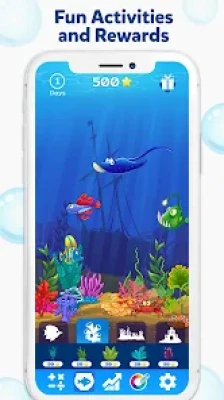
Fish Tank Reward System: Motivation through gamification—collect rare fish and decor as you solve problems.
Dynamic Lesson Scaling: Problems adapt to your child's pace, ensuring they are challenged but never overwhelmed.
Detailed Progress Reports: Parents can monitor performance across different operations and grade levels.
Offline Readiness: No internet connection required for practice sessions, perfect for on-the-go learning.
4. How to Play
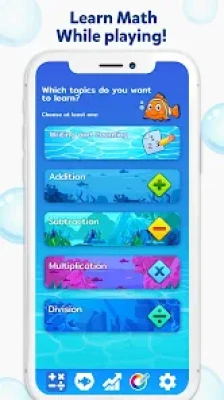
Select Your Level: Choose from easy 1st-grade questions to challenging 11th-grade arithmetic.
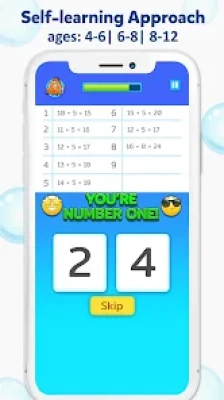
Solve with Your Finger: When a math problem appears, write the answer directly on the workspace.
Collect Your Reward: Hear the "Correct" chime and receive fish coins for your aquarium.
Visit the Shop: Head to the virtual pet store to buy new fish, plants, and decorations for your tank.
Track Growth: Visit the dashboard to see your child's streak and mastered skills.
5. How to Win: Strategy
Master the Stroke: Encourage your child to write numbers clearly. The AI is designed to learn their handwriting, so consistent strokes lead to faster recognition and fewer errors.
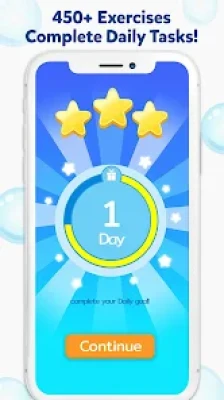
The "Two-a-Day" Rule: Complete at least two full lessons daily. This keeps the math logic fresh in the child's mind and ensures a steady flow of fish for their tank.
Parental Override: If a student finds a level too easy, parents can manually jump to the next operation or grade in the settings to maintain engagement.
6. Tips & Tricks
The Stylus Advantage: Using a tablet stylus mimics a real pencil grip, making it a dual-purpose tool for math and handwriting practice.
Aquarium Ambition: Use the "Locked Fish" in the shop as a goal-setting tool. Show your child a specific rare fish they can unlock by completing a certain number of lessons.
Review Missed Problems: The app highlights errors; spend 5 minutes at the end of a session reviewing why an answer was marked wrong to build deeper logic.
7. Player Experience
Parents and homeschoolers trust Math Kids HomeSchool Learning because it avoids the "distraction trap" of many educational games. While the fish tank provides an incentive, the core experience remains focused on academic rigor. The handwriting recognition is frequently cited in reviews as the "game-changer" that makes digital learning feel as effective as traditional homeschooling.
8. Tech Details
App Name: Math Kids HomeSchool Learning (Math Games HomeSchool Learning)
Developer: My Town Games Ltd / Hiperion Games
App Size: ~160 MB
Requirements: iOS 13.0+ / Android 5.0+
Subscription: Part of the My Town+ program (No ads, all levels unlocked for members).
Safety: COPPA and GDPR compliant; no third-party data sharing.
9. Comparison Section
| Feature | Math Kids HomeSchool | Generic Math Apps |
| Input Tech | Handwriting Recognition | Multiple Choice / Keypad |
| Grade Range | 1st Grade to 11th Grade | Usually K-5 Only |
| Rewards | Interactive Fish Tank | Star/Point Tally |
| Pedagogy | Global Proven Methodology | Randomized Quiz Engine |
10. FAQ
Q: Does it support Apple Pencil?
A: Yes! It is fully optimized for Apple Pencil and other active styluses for high-precision handwriting practice.
Q: Is there an ad-free version?
A: Yes. You can remove ads with a one-time purchase or enjoy the game completely ad-free as part of a My Town+ subscription.
Q: Can I reset my child's progress?
A: Yes, parents can reset the progress data in the settings menu if they want the child to repeat a grade level or operation.
Q: Does it work on iPhones or just Tablets?
A: It is a universal app that works on iPhone, iPad, and Android phones, though a larger screen is recommended for handwriting practice.
Rate the Game
User Reviews








Popular Games



















 Android
 iOS
iOS Windows
 Xbox
Xbox