
Latest Version
September 14, 2026
VERTIGOGAMES
Action
iOS
0
Report a Problem
More About :game
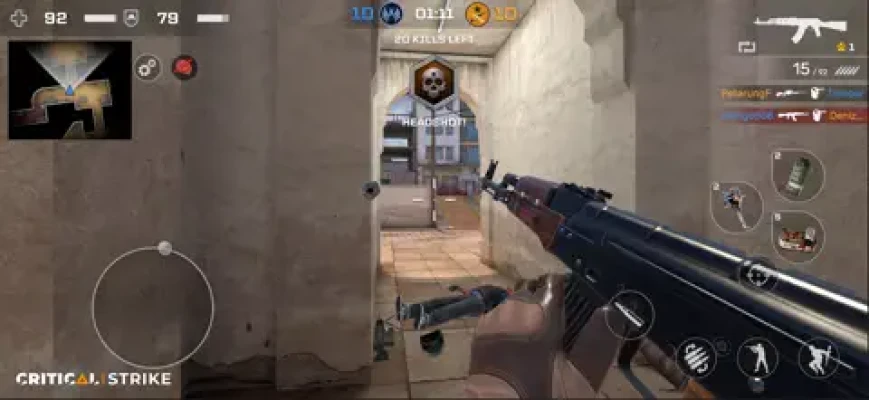
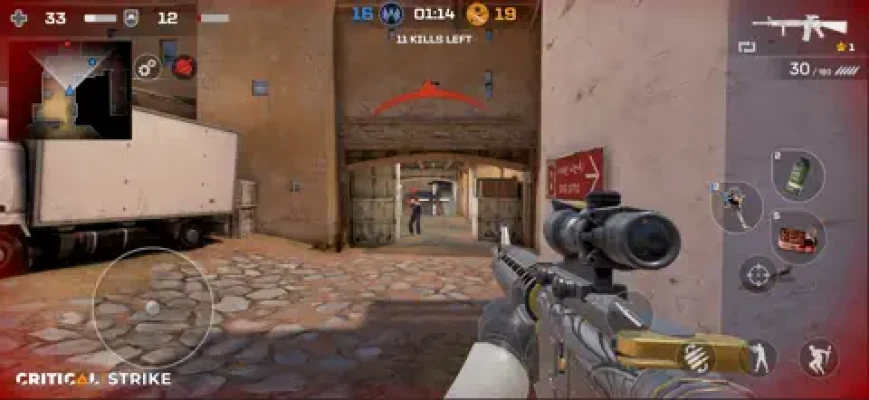
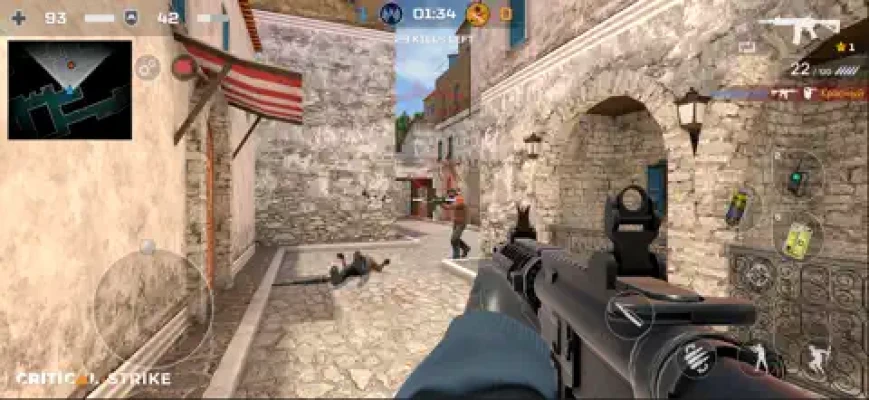
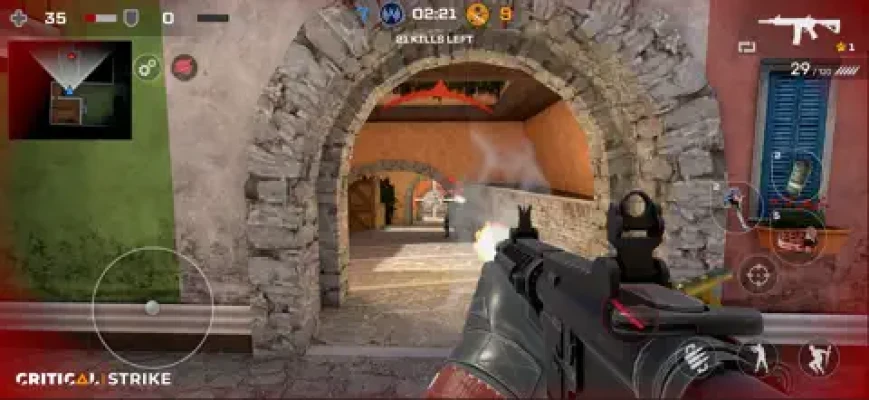
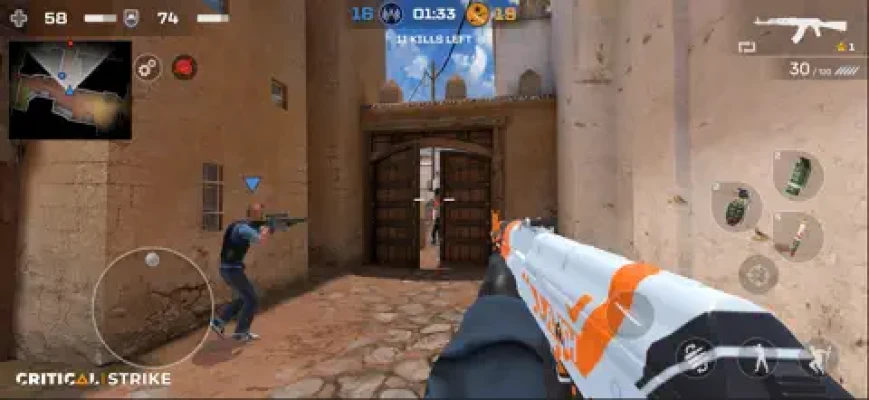
Matches are designed to get players into combat quickly, with the App Store describing matchmaking of around 10 seconds and battles that can last under four minutes. The game supports up to 5v5 online PvP and is built around quick reactions, accurate shooting, positioning, and teamwork.
Rather than relying only on reflexes, successful players need to understand map layouts, weapon strengths, movement, cover, reload timing, and the objective of each mode.
What Is Critical Strike CS: Online FPS?
Critical Strike CS: Online FPS is a mobile multiplayer gun game developed by VERTIGOGAMES for iPhone and iPad.
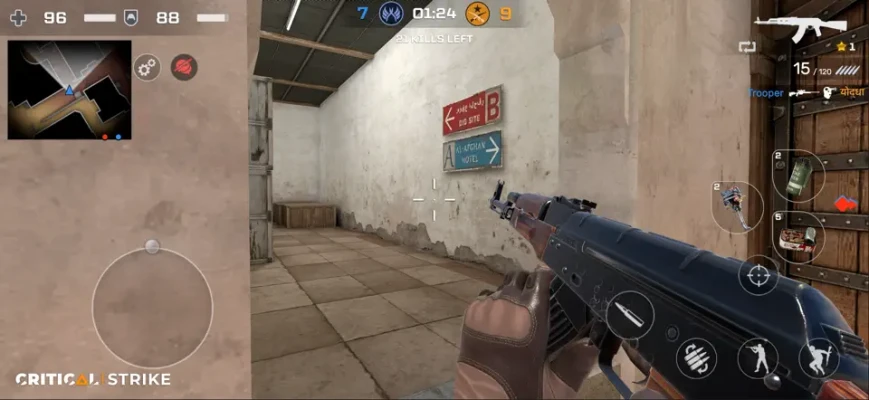
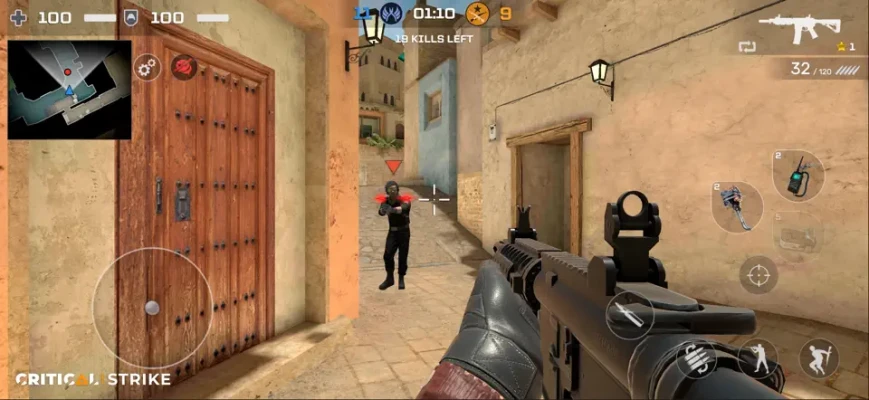
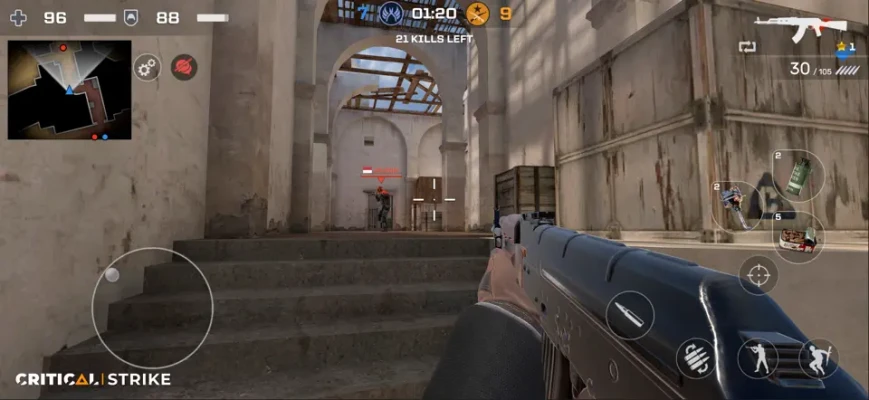
The game combines classic counter-terrorist-style combat with modern mobile FPS features. Players can select different weapons, compete in multiple PvP modes, earn trophies through the league system, join clans, and customize their characters with weapon and equipment skins.
The current App Store listing reports more than 50,000 ratings with a 4.7-star rating, although ratings and game content can change over time.
Critical Strike CS: Online FPS Features
The main features include:
- Real-time multiplayer FPS combat
- 8+ maps
- 40+ weapons
- Pistols, assault rifles, sniper rifles, shotguns and grenades
- 250+ weapon skins
- Up to 5v5 multiplayer battles
- Multiple competitive game modes
- Clan system
- League progression
- Trophy system
- Voice and text chat
- Private rooms
- Seasonal and special events
- Mobile-optimized graphics and controls
- Regular updates and new content
Critical Strike CS Game Modes
Team Deathmatch
Team Deathmatch is the easiest mode for learning the basic combat system.
Two teams compete against each other, with the goal of eliminating opposing players.
The key to winning is not simply getting the highest number of kills. Staying alive and supporting teammates can be just as important.
Best strategy:
- Stay near teammates.
- Avoid running into open areas alone.
- Use cover whenever possible.
- Watch common enemy routes.
- Reload before entering another fight.
- Move after getting a kill so enemies cannot easily predict your location.
Free for All
Free for All removes team protection and turns the match into an individual battle.
Every player is an enemy.
This mode is excellent for improving aim because encounters happen frequently, but it can also punish players who move without checking their surroundings.
Best strategy:
Keep moving, but avoid predictable movement patterns. After eliminating an opponent, immediately check your surroundings before reloading.
Defuse the Bomb
Defuse the Bomb introduces an objective-based tactical element.
The attacking side must plant the bomb while the defending side attempts to prevent the plant or defuse it.
This mode rewards communication and positioning more than simply chasing kills.
Attackers should:
- Move together.
- Avoid revealing the entire team too early.
- Protect the bomb carrier.
- Watch flanking routes.
- Defend the bomb after planting.
Defenders should:
- Protect important entry routes.
- Avoid chasing individual enemies unnecessarily.
- Listen for movement.
- Retake the bomb site as a team.
- Prioritize the objective over unnecessary kills.
Arms Race Tournament
Arms Race changes the normal weapon-selection strategy because the mode gives players access to weapons during the competition.
This is a useful environment for practicing weapons you would not normally select.
Focus on learning recoil, firing distance, reload behavior, and weapon switching.
Control Point
Control Point is about capturing and defending strategic areas.
Kills matter, but controlling the objective is the real priority.
A team can lose this mode even while winning the kill count if players abandon the capture zone.
Best strategy:
Have some players defend the objective while others watch likely enemy approaches.
Don't push too far away from the control point unless there is a clear tactical reason.
Kill Confirmed
Kill Confirmed adds another layer to normal elimination combat.
After eliminating an opponent, players need to collect tags to score.
This creates an important tactical choice: getting a kill is only part of the job.
Before collecting a tag, check whether enemies are nearby.
A player who rushes toward a tag without checking the area can easily become the next elimination.
Private Rooms
Private rooms allow friends to play together in the same room.
This is particularly useful for practicing movement, testing weapons, learning maps, and playing organized matches with people you know.
Full Critical Strike CS Strategy Guide
1. Learn the Maps Before Chasing Kills
Map knowledge is one of the biggest advantages in any multiplayer FPS.
Don't only memorize where the objective is.
Learn:
- Main entrances
- Side routes
- Narrow corridors
- Open areas
- High-risk corners
- Common hiding locations
- Respawn areas
- Bomb sites
- Control points
- Popular sniper positions
After several matches, you should begin predicting where opponents are likely to appear.
2. Stop Running Into Open Areas
One of the easiest mistakes for new FPS players is crossing an open area without checking for enemies.
Before moving across an exposed location, look for:
- Windows
- Corners
- Elevated positions
- Long sightlines
- Enemy movement
If there is cover available, use it.
3. Don't Reload Automatically
Reloading after every short burst can create unnecessary deaths.
If you have enough ammunition to win another fight, keep your weapon ready.
Reload when:
- You are behind cover.
- You have enough distance from enemies.
- You know the immediate area is safe.
- You have finished an engagement.
The worst time to reload is when an enemy is already approaching.
4. Learn Each Weapon Category
Critical Strike includes a large weapon selection covering pistols, sniper rifles, assault rifles, shotguns, and grenades.
Assault Rifles
Assault rifles are generally versatile.
Use them when you want a weapon capable of handling both medium-range engagements and closer fights.
Sniper Rifles
Sniper rifles reward patience and accuracy.
Don't stand in the same position after every shot.
Fire, relocate, and change your angle when possible.
Shotguns
Shotguns are strongest when fighting at close range.
Avoid challenging a distant opponent when your weapon is designed for close combat.
Pistols
Pistols are useful when your primary weapon is unavailable or during situations where quick weapon handling matters.
Learn to switch efficiently rather than attempting a long reload in the middle of a close fight.
Grenades
Grenades can be especially valuable around objectives, narrow passages, and predictable enemy positions.
Don't throw them randomly.
Use them to force enemies away from useful positions or disrupt an objective push.
5. Aim for the Upper Body
For beginners, consistently aiming around the upper chest is often more reliable than trying to land perfect headshots immediately.
Once your aim becomes more consistent, start practicing controlled head-level crosshair placement.
The goal is to reduce the amount of correction needed when an enemy appears.
6. Keep Your Crosshair Ready
Don't aim at the floor while moving around the map.
Keep your crosshair around the height where an opponent's upper body or head is likely to appear.
This reduces reaction time dramatically.
Instead of moving your crosshair from the floor to the enemy, you only need to make a small adjustment.
7. Use Short Bursts at Medium Range
Holding the trigger continuously can make recoil harder to control.
At medium range:
- Fire a short burst.
- Correct your aim.
- Fire again.
- Adjust according to the opponent's movement.
This is usually more reliable than spraying continuously.
8. Don't Chase Every Enemy
A damaged opponent running away can be a trap.
If you chase around a corner without checking the area, you may walk directly into another enemy.
Ask yourself:
Do I need this kill?
If the answer is no, maintain your position.
9. Move After Getting a Kill
Enemies often remember where they were eliminated.
If you remain in exactly the same position, the next opponent may pre-aim that location.
After a successful elimination:
- Reload if safe.
- Change your position.
- Check another angle.
- Prepare for the next attack.
10. Play the Objective
In objective modes, kills aren't everything.
For Control Point, protect the zone.
For Defuse the Bomb, prioritize the bomb.
For Kill Confirmed, collect tags safely.
A player with fewer kills can still make the biggest contribution to the team by playing the objective correctly.
How to Improve Your Aim in Critical Strike
Improving aim isn't about moving your finger faster.
It is about making your movements more controlled.
Practice Crosshair Placement
Keep the crosshair at approximately enemy head or upper-body height.
Reduce Unnecessary Movement
Constantly dragging the aim around makes it harder to react accurately.
Learn Recoil
Spend time with one weapon instead of constantly switching between different guns.
Learn how it behaves during:
- First shot
- Short burst
- Long spray
- Close-range combat
- Medium-range combat
Practice Tracking
When an opponent moves sideways, don't repeatedly flick toward them.
Try smoothly following their movement.
Learn to Stop Before Shooting
Accurate shooting becomes easier when your movement and aim are controlled.
Don't panic-fire simply because an opponent appears.
Best Beginner Strategy
If you're new to Critical Strike CS, don't immediately focus on reaching the highest league.
Start with the fundamentals.
First Matches
Focus on:
- Learning controls
- Understanding maps
- Finding comfortable weapons
- Practicing aiming
- Learning enemy routes
After You Understand the Basics
Start working on:
- Crosshair placement
- Recoil control
- Movement
- Grenade timing
- Objective play
- Team positioning
Once You Become Comfortable
Work on:
- Predicting enemy movement
- Holding strategic angles
- Rotating between objectives
- Supporting teammates
- Winning disadvantaged fights
- Adapting your loadout to the map
How to Win More Team Deathmatch Games
A good Team Deathmatch player shouldn't constantly sprint toward the enemy spawn.
Instead, create favorable fights.
Stay near cover and maintain an escape route.
If you eliminate one enemy, expect another player to arrive shortly afterward.
The best approach is:
Kill → reposition → reload → check angles → repeat.
This is safer than:
Kill → stay still → reload in the open → get eliminated.
How to Win Defuse the Bomb Matches
Defuse the Bomb requires more discipline.
Attacking Side
Move together and avoid giving defenders easy one-on-one fights.
Once the bomb is planted, your objective changes.
You no longer need to hunt every defender.
Protect the bomb and force defenders to approach you.
Defending Side
Don't abandon the site simply because you see one enemy.
Watch for rotations and coordinated pushes.
If the bomb is planted, regroup before attempting the retake whenever possible.
The most important rule is:
The objective is more valuable than a kill.
How to Play Control Point
Control Point rewards teamwork.
One player shouldn't always be the first person into the zone.
Use different roles:
- Entry player: approaches the objective.
- Support player: helps eliminate defenders.
- Defender: stays near the captured zone.
- Flanker: attacks enemies from another direction.
If your team captures the point, don't automatically leave it to chase enemies.
Make the enemy come to you.
How to Use Sniper Rifles
Snipers are strongest when you control distance.
Find a position with:
- Long sightlines
- Cover
- A retreat route
- Visibility of common enemy paths
Avoid repeatedly using the exact same angle.
After firing, consider moving to another position.
A predictable sniper becomes much easier to counter.
How to Use Shotguns
Shotguns require a completely different mindset.
Stay close to:
- Corridors
- Doorways
- Corners
- Small rooms
- Objective areas
Avoid long-range firefights.
Let opponents come into your effective range.
How to Build a Better Loadout
Don't choose equipment simply because it has the highest number.
Consider your play style.
Aggressive Player
Choose weapons that perform well in close and medium-range combat.
Defensive Player
Choose a versatile weapon that allows you to hold an angle and respond to pushes.
Sniper Player
Build around long-range engagements and mobility.
Objective Player
Choose weapons that allow you to survive close encounters around capture zones or bomb sites.
League and Trophy Progression
Critical Strike includes a league system where victories help players earn trophies and progress through leagues.
Don't become obsessed with winning every match.
Instead, measure improvement through:
- Better accuracy
- More useful kills
- Fewer unnecessary deaths
- Better positioning
- More objective contributions
- Improved map knowledge
If these improve, your league progress will naturally become easier.
Clans and Team Play
Clans are useful for players who prefer coordinated multiplayer.
Playing repeatedly with the same teammates makes it easier to develop:
- Communication
- Map strategies
- Rotation plans
- Objective setups
- Defensive positions
- Team attacks
Voice and text chat are also available for communication.
A coordinated average team can often outperform a group of individually strong players who never communicate.
Common Mistakes to Avoid
Reloading in the Open
Move behind cover before reloading.
Chasing Low-Health Enemies
The opponent may be trying to lure you into an ambush.
Ignoring the Objective
Kills don't automatically win objective modes.
Using One Weapon Everywhere
Different maps and situations favor different weapon types.
Standing Still After a Kill
Enemies can quickly learn your position.
Running Alone
Especially in team modes, isolated players are easier targets.
Shooting Without a Plan
Controlled bursts are usually better than panic spraying.
Ignoring the Mini-Map or Surroundings
Awareness is as important as aim.
Advanced Critical Strike Tips
Pre-Aim Common Angles
If you know an enemy is likely to appear from a doorway, position your crosshair there before they arrive.
Use Sound
Footsteps and weapon sounds can provide valuable information.
If you hear an enemy before seeing them, prepare your crosshair before they enter your view.
Watch Enemy Habits
Players often repeat the same routes.
If someone repeatedly attacks through the same doorway, prepare for them.
Change Your Strategy When It Stops Working
If an aggressive approach results in repeated deaths, slow down.
If the enemy is holding defensive positions, use another route.
Good FPS players adapt instead of repeating the same mistake.
Think About the Next Fight
Don't only think about the enemy directly in front of you.
Ask:
Where will the next enemy come from?
This simple question can dramatically improve survival.
Critical Strike CS: Online FPS Pros and Cons
Pros
- Fast multiplayer matches
- Multiple PvP modes
- Large weapon selection
- Numerous weapon skins
- Several maps
- League and trophy progression
- Clan system
- Private rooms
- Voice and text communication
- Designed for mobile devices
- Frequent updates and events
Cons
- Competitive progression can become difficult against stronger players
- Equipment progression can create noticeable differences between players
- Some players have reported concerns about matchmaking, progression, ads, and monetization
- Online performance can vary depending on connection quality and device
- The large number of weapons and upgrades can make the progression system feel complicated for beginners
Recent App Store reviews show that while many players enjoy the game, some have criticized progression, weapon balance, matchmaking, advertising, and monetization. These are individual player opinions rather than universal problems, but they are worth considering when evaluating the game.
Is Critical Strike CS: Online FPS Worth Playing?
If you enjoy fast mobile FPS games and want short multiplayer matches, Critical Strike CS: Online FPS offers a substantial amount of content.
Its biggest strength is variety. Players can switch between Team Deathmatch, Free for All, Defuse the Bomb, Control Point, Kill Confirmed, and Arms Race instead of playing the same type of match repeatedly.
The game is especially appealing to players who enjoy competitive shooting, weapon customization, quick matches, and online progression.
However, players who dislike aggressive monetization or equipment-based progression should approach the upgrade system with realistic expectations.
Critical Strike CS: Online FPS Beginner Checklist
Before starting a serious climb, make sure you can:
- Control your aim comfortably
- Keep your crosshair at enemy height
- Use cover effectively
- Reload safely
- Recognize common map routes
- Control your preferred weapon
- Understand each game mode
- Avoid unnecessary fights
- Communicate with teammates
- Play the objective
- Change tactics when necessary
Critical Strike CS: Online FPS FAQs
Is Critical Strike CS: Online FPS free?
Yes. The iOS version is listed as free with optional in-app purchases.
Is Critical Strike an online multiplayer game?
Yes. It is primarily a real-time multiplayer FPS with PvP battles against other players.
How many players can play together?
The game supports multiplayer battles of up to 5v5 according to the current App Store description.
How many weapons are in Critical Strike?
The current listing advertises more than 40 weapons, including pistols, sniper rifles, assault rifles, shotguns, and grenades.
Does Critical Strike have weapon skins?
Yes. The game advertises more than 250 weapon skins with different visual styles.
What game modes are available?
The listed modes include Team Deathmatch, Free for All, Defuse the Bomb, Arms Race Tournament, Control Point, Kill Confirmed, and Private Room.
Does Critical Strike have clans?
Yes. Players can create or join clans and play with friends.
Does Critical Strike have a ranking system?
Yes. The game has a league system where players earn trophies through victories and progress through leagues.
Is Critical Strike available on iPhone and iPad?
Yes. The current App Store listing supports iPhone and iPad.
How long are Critical Strike matches?
The App Store description says matchmaking can take around 10 seconds and battles can last under four minutes, although actual match times can vary by mode and circumstances.
How can I improve at Critical Strike?
Start by learning the maps, keeping your crosshair at enemy height, using cover, mastering one or two weapons, avoiding unnecessary fights, and playing the objective. Once those fundamentals become automatic, work on movement, recoil control, positioning, and enemy prediction.
Final Verdict
Critical Strike CS: Online FPS is built for players who want quick, competitive multiplayer shooting on mobile.
Its combination of multiple game modes, a large weapon collection, maps, skins, leagues, clans, and short PvP matches gives the game plenty of room for experimentation.
The best way to become a stronger player is not to chase kills blindly. Learn the maps, keep your crosshair ready, choose weapons that suit your style, use cover, communicate with teammates, and understand what each game mode actually asks you to accomplish.
Once those fundamentals become second nature, the fast pace of Critical Strike becomes much easier to control.
<iframe width="560" height="315" src="https://www.youtube.com/embed/4Sthyc1VqrY?si=1toTz0yw9FjODEAu" title="YouTube video player" frameborder="0" allow="accelerometer; autoplay; clipboard-write; encrypted-media; gyroscope; picture-in-picture; web-share" referrerpolicy="strict-origin-when-cross-origin" allowfullscreen></iframe>
Game Information
Game: Critical Strike CS: Online FPS
Developer: VERTIGOGAMES
Platform: iPhone, iPad
Genre: Action / First-Person Shooter / Multiplayer
Price: Free with in-app purchases
Age Rating: 18+ on the current U.S. App Store listing
Multiplayer: Online PvP
Team Size: Up to 5v5
Maps: 8+
Weapons: 40+
Weapon Skins: 250+
Modes: Team Deathmatch, Free for All, Defuse the Bomb, Arms Race Tournament, Control Point, Kill Confirmed, Private Room
Progression: Leagues and trophies
Social Features: Clans, voice chat and text chat
Rate the Game
User Reviews









Popular Games



















 Android
 iOS
iOS Windows
 Xbox
Xbox