


Latest Version
November 28, 2026
WebVentures B.V.
Casual
0
com.martinmagni.fancade
Report a Problem
More About :game
Fancade is a unique arcade and game-creation platform originally created by Swedish developer Martin Magni. It combines a large collection of mini games with an accessible development environment that allows players to create and share their own gaming experiences.
Unlike traditional mobile games that focus on a single gameplay concept, Fancade offers an entire universe of different experiences. Players can switch between puzzles, racing challenges, action games, physics-based activities, platforming adventures, and many other genres.
The main attraction is its variety. Instead of downloading multiple applications to enjoy different types of entertainment, players can explore numerous games from a single platform.
Fancade also introduces a creative dimension that makes it particularly interesting. The games available within the platform are built using Fancade's own development tools. This means players can move beyond simply enjoying existing challenges and begin designing their own interactive experiences.
The game provides voxel-inspired building blocks, visual scripting, reusable kits, and level-editing tools. These features allow beginners to experiment with game development without needing to learn a traditional programming language.
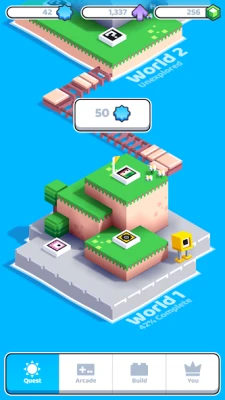
Another important feature is its Quest mode, where players guide a small robot named Odd through different worlds. Completing challenges and collecting stars helps unlock additional content and discover more mini games.
For players who enjoy competition, Arcade and Battle activities provide additional opportunities to test their skills and compare their performance with others.
Whether you prefer solving puzzles, driving vehicles, completing difficult platforming stages, or designing your own games, Fancade offers a flexible experience with something different to explore.
Main Features of Fancade
More Than 100 Mini Games
Fancade brings together more than 100 mini games across different genres.
Each game introduces its own objectives, mechanics, and challenges. Players can move between experiences depending on their interests and discover new ways to enjoy the platform.
The collection includes several types of entertainment:
Puzzle and logic games.
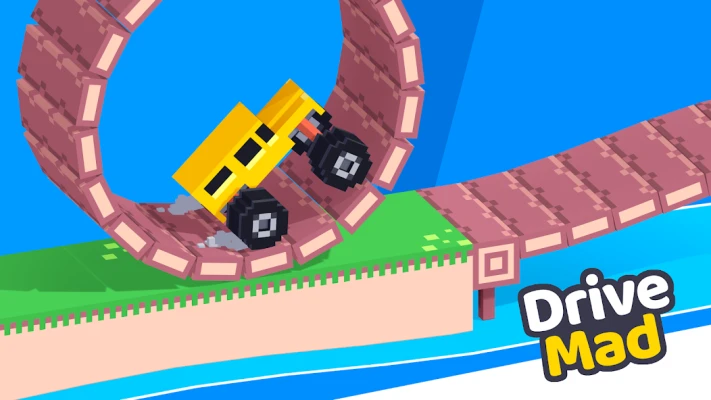
Racing and driving challenges.
Arcade action games.
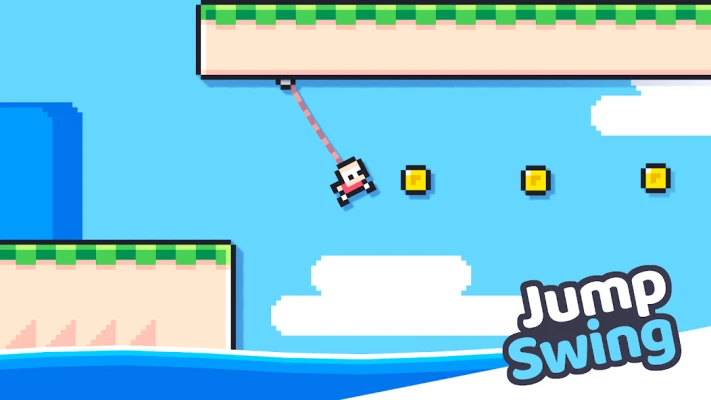
Platforming adventures.
Physics-based challenges.
Skill and reaction games.
Casual strategy experiences.
Creative building activities.
This variety makes Fancade suitable for players who enjoy experimenting with different gameplay styles.
Quest Mode and Unlockable Worlds
Quest mode provides a structured way to explore the platform.
Players control Odd, a small robot who travels through a collection of worlds filled with mini games and challenges.
Completing objectives and collecting stars helps unlock additional areas and experiences.
Quest mode is particularly useful for newcomers because it introduces the platform gradually while providing clear progression goals.
Arcade Mode
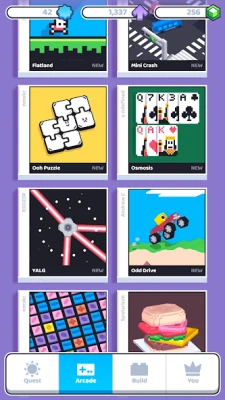
Arcade mode gives players access to a wider selection of games and competitive challenges.
It encourages players to improve their performance, achieve better scores, and discover experiences created by the community.
The constantly changing selection makes this mode especially appealing to people who enjoy trying something new.
Battle Mode and Competition
Fancade also offers competitive experiences through its Battle features.
Players can test their skills against other participants and work toward better results.
These activities introduce additional excitement because success depends on understanding each game's mechanics and performing consistently.
Create Your Own Games
One of Fancade's most distinctive features is its built-in game editor.
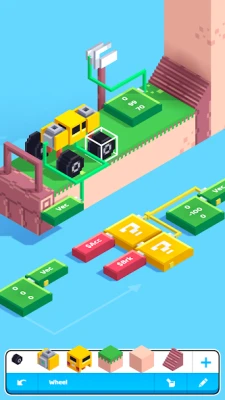
Players can design their own games using voxel-inspired building blocks and visual development tools.
You do not need traditional programming knowledge to begin experimenting with game creation.
The editor makes it possible to build simple levels, develop interactive mechanics, and gradually explore more advanced projects.
Visual Scripting System
Fancade uses a visual scripting approach that allows creators to build game logic through connected blocks.
Instead of writing conventional code, users can organize instructions and interactions visually.
This makes the creative process more approachable for beginners while still providing opportunities to develop increasingly complex mechanics.
Kits and Remixing
Players can use existing kits as starting points for their projects.
These reusable elements make it easier to experiment with different gameplay ideas without building every component from scratch.
Remixing also provides a useful way to understand how existing games are structured.
Share Your Creations
Creating a game is only part of the experience.
Fancade allows players to publish their creations within the platform and share them with the community.
Other users can play these games, provide feedback, and interact with the creator's work.
Popular creations can receive additional attention and become part of the broader arcade experience.
Offline Gameplay
Many Fancade experiences support offline play, making the platform useful when an internet connection is unavailable.
Players can enjoy supported mini games during travel, breaks, or other situations where connectivity is limited.
Some community and online features naturally require an internet connection.
Colorful Voxel Graphics
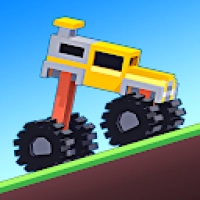
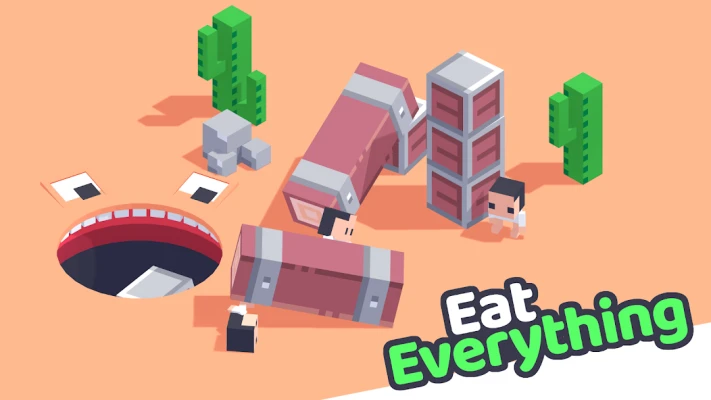
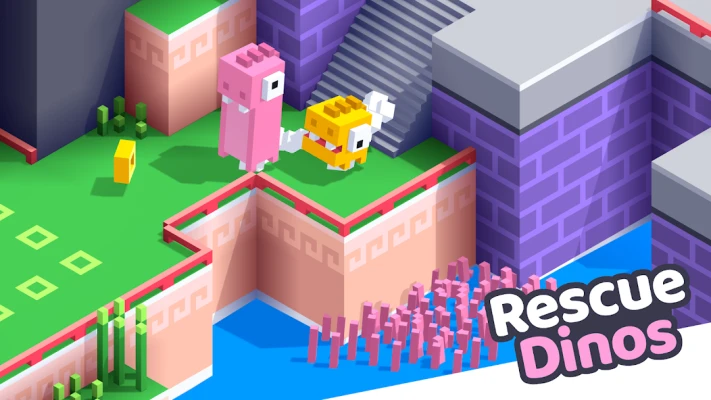
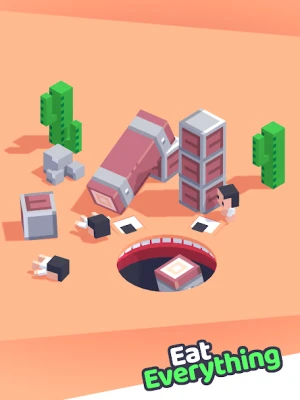
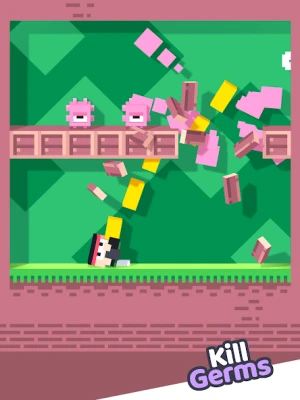
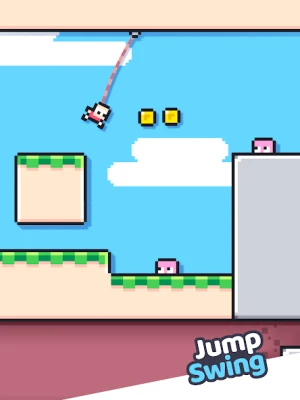
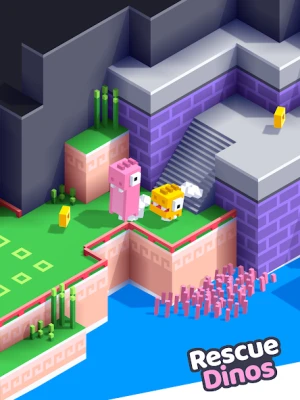
Fancade uses a distinctive visual style based on colorful voxel-inspired environments.
The simple graphics make individual games easy to understand while giving the entire platform a recognizable appearance.
Its visual presentation also supports the creative tools, allowing players to construct their own worlds using the same basic style.
Important Game Information
Category | Details |
|---|---|
Game title | Fancade |
Package name | com.martinmagni.fancade |
Developer / creator | Martin Magni |
Current Google Play publisher | WebVentures B.V. |
Genre | Casual arcade |
Secondary genres | Puzzle, action, racing, platformer |
Gameplay | Mini games and game creation |
Main character | Odd |
Main progression | Quest mode |
Game collection | 100+ mini games |
Challenges | Thousands |
Game editor | Built-in visual editor |
Graphics | Voxel-inspired 3D style |
Competitive features | Arcade and Battle |
Multiplayer features | Competitive experiences |
Offline support | Supported games |
Platform | Android |
Monetization | Advertisements and in-app purchases |
Gameplay and Core Mechanics
Exploring Different Mini Games
The central gameplay experience revolves around discovering and completing different mini games.
Each experience introduces its own rules and objectives. Some require precise timing, while others focus on logic, movement, driving, or problem-solving.
Players should take time to understand each game's mechanics before attempting difficult challenges.
Collecting Stars in Quest Mode
Quest mode provides a structured progression system.
Players guide Odd through different worlds and complete available challenges to collect stars.
These stars help unlock additional content and encourage exploration.
Improving Arcade Scores
Arcade activities encourage players to improve their performance.
Learning the mechanics of individual games, recognizing patterns, and practicing difficult sections are important for achieving better scores.
Competing Against Other Players
Competitive activities provide additional objectives beyond ordinary single-player challenges.
Players can compare results, improve their skills, and work toward better rankings.
Building Levels and Games
The creation system allows players to experiment with game development.
You can start with an existing kit, modify its components, and gradually create more original experiences.
The visual editor makes it possible to build interactive projects without relying on traditional coding.
Sharing Creative Projects
Once a game is ready, players can publish it for others to enjoy.
This creates a continuous cycle of playing, creating, sharing, and discovering new experiences.
Complete Fancade Strategy Guide
How to Progress Faster in Fancade
Start With Quest Mode
Quest mode is an excellent starting point for new players.
Rather than immediately exploring every available feature, begin by following Odd through the different worlds.
This introduces the platform's gameplay variety and helps you become familiar with its progression system.
Focus on completing available challenges and collecting stars.
Learn Each Mini Game's Mechanics
Fancade contains games with very different control systems and objectives.
A strategy that works in a racing game may not be useful in a puzzle or platforming challenge.
Before attempting to achieve high scores, understand the basic rules of the specific game.
Pay attention to:
Movement and control sensitivity.
Timing requirements.
Obstacles and environmental hazards.
Scoring conditions.
Available power-ups.
Level completion objectives.
Understanding these details will make difficult challenges easier to approach.
Collect Stars Consistently
Stars are important for unlocking additional Quest content.
Try to complete available objectives instead of rushing through every world.
If a particular challenge becomes difficult, spend some time practicing its mechanics before moving forward.
Consistent progress is more effective than repeatedly attempting challenges without understanding their requirements.
Explore Different Game Genres
One of the biggest advantages of Fancade is the variety of its mini games.
Do not concentrate exclusively on one type of experience.
Try different categories to discover which games match your interests and abilities.
Exploring different genres also helps you develop a broader understanding of the platform.
Improve Your Arcade Performance
Arcade mode rewards practice and consistency.
Instead of focusing only on finishing a game, learn how its scoring system works.
Try to understand which actions produce better results and which mistakes reduce your performance.
Repeat difficult sections when possible and gradually improve your results.
Use Competitive Modes to Test Your Skills
Competitive activities provide an opportunity to measure your performance.
Before focusing on rankings, become familiar with the individual game's mechanics.
Improving your understanding of movement, timing, and scoring can make a significant difference.
Complete Beginner's Guide to Creating Games
Fancade's game editor is one of its most valuable features. You can use it to transform simple ideas into playable experiences.
Begin With a Small Project
Your first project should be simple.
Instead of attempting to create a complicated adventure immediately, start with a basic game concept.
Examples include:
A character collecting objects.
A simple obstacle course.
A small racing challenge.
A platforming level.
A basic puzzle.
A short survival game.
Small projects make it easier to understand the editor and learn how its components interact.
Understand the Building Blocks
Fancade uses voxel-inspired blocks to construct environments and objects.
Experiment with the available shapes and components to understand how they affect your game world.
Start by building a small environment with a clear beginning and ending.
Once you become comfortable with the building system, gradually introduce additional objects and interactions.
Learn Visual Scripting
Visual scripting is essential for creating interactive experiences.
It allows you to connect logical instructions without writing conventional programming code.
Start by experimenting with simple interactions, such as moving objects, detecting collisions, and triggering actions.
Understanding these basic concepts will make it easier to build more advanced mechanics later.
Use Existing Kits
Kits are useful starting points for beginners.
They provide reusable components and structures that can help you understand how different games are organized.
Rather than building every feature independently, examine existing kits and experiment with modifying them.
This is an effective way to learn through practical experience.
Build One Mechanic at a Time
Avoid adding too many features to your first project.
Begin with one core mechanic and make sure it works properly.
For example, if you are building a platforming game, focus on movement and jumping before introducing enemies, collectibles, or complex obstacles.
Adding features gradually makes debugging easier.
Test Your Game Frequently
Testing is an important part of game development.
After adding a new feature, play your project and check whether it behaves as expected.
Look for problems involving:
Character movement.
Collision detection.
Level boundaries.
Object interactions.
Game progression.
Win and failure conditions.
Fixing problems early prevents them from becoming more difficult to manage later.
Publish and Share Your Creation
Once your project is ready, consider publishing it within Fancade.
A good game should have clear objectives, understandable controls, and an enjoyable difficulty curve.
Pay attention to player feedback and use it to improve future versions.
Advanced Tips and Tricks
Master Timing-Based Challenges
Some mini games depend heavily on precise timing.
Practice identifying movement patterns and understanding when to perform specific actions.
Avoid rushing through difficult sections. Controlled movements are often more effective than unnecessary speed.
Study the Level Before Acting
In puzzle and platforming games, taking a moment to examine the environment can reveal useful solutions.
Look for obstacles, movable objects, hidden paths, and possible interactions before committing to an action.
Improve Your Problem-Solving Skills
Many Fancade challenges reward logical thinking.
When you encounter a difficult puzzle, divide it into smaller problems.
Identify the objective, understand the available resources, and test possible solutions one step at a time.
Experiment With Different Control Approaches
Different games require different levels of precision.
Some favor quick reactions, while others reward careful movement.
Adjust your playing style according to the specific challenge instead of relying on the same approach everywhere.
Learn From Community Creations
Community games provide valuable inspiration.
Explore how other creators organize their levels, introduce mechanics, and build interesting challenges.
You can learn a great deal by studying different projects and experimenting with similar ideas in your own creations.
Keep Your Game Designs Simple and Clear
When creating games, complexity does not automatically mean quality.
A small project with a well-designed mechanic can be more enjoyable than a complicated game with confusing controls.
Focus on making your main gameplay idea entertaining before adding extra features.
Use Remixing to Develop Your Skills
Remixing existing projects can help you understand game structure.
Experiment with changing objects, modifying level layouts, and adjusting gameplay elements.
Gradually move from simple modifications toward creating original projects.
Common Mistakes to Avoid
Ignoring Quest mode
Quest mode provides structured progression and helps introduce the platform's different games. Explore it rather than immediately overlooking its challenges.
Rushing through mini games
Understanding the rules of each game is essential. Take time to learn the mechanics before attempting difficult levels.
Ignoring scoring requirements
Some challenges require more than simply reaching the finish. Understand how points and performance are evaluated.
Starting with an overly complicated game project
Beginners should avoid creating large projects before learning the editor. Small projects provide a better foundation.
Adding too many mechanics at once
Introduce new features gradually and test each one before continuing.
Skipping testing
Always play your creation before publishing it. Testing helps identify problems that might negatively affect the experience.
Ignoring community feedback
Other players can provide useful suggestions. Consider their feedback when improving your projects.
Concentrating on only one game category
Exploring different genres is one of Fancade's greatest advantages. Try new experiences instead of limiting yourself to a single type of game.
Frequently Asked Questions
What is Fancade?
Fancade is a mobile arcade platform that combines more than 100 mini games with tools for creating and sharing original games.
Who created Fancade?
Fancade was originally created by Swedish game developer Martin Magni. Its current Google Play publisher is WebVentures B.V.
How many games are available in Fancade?
The platform features more than 100 mini games, along with thousands of challenges and additional community-created experiences.
Can you create your own games in Fancade?
Yes. Fancade includes a built-in game editor that allows players to build levels and games using voxel-inspired components and visual scripting.
Do you need programming knowledge to create games?
No traditional programming knowledge is required to begin. The visual scripting system allows users to create interactions through connected visual blocks.
What is Quest mode?
Quest mode is a progression experience in which players guide Odd through different worlds, complete challenges, and collect stars to unlock additional content.
Who is Odd in Fancade?
Odd is a small robot character who appears in Quest mode and guides players through the platform's different worlds and challenges.
Can you play Fancade offline?
Many mini games support offline gameplay. However, online features such as community interactions and competitive activities may require an internet connection.
Does Fancade have multiplayer?
Fancade includes competitive features that allow players to compare their performance and compete through supported activities.
Can you share games created in Fancade?
Yes. Players can publish their creations within the platform, allowing other users to discover and play them.
Is Fancade suitable for beginners?
Yes. Its simple controls, accessible mini games, and visual game-building tools make it suitable for beginners and experienced players.
Is Fancade free to play?
Fancade is available as a free-to-install game with advertisements and optional in-app purchases.
What types of games can you play in Fancade?
Players can discover puzzles, racing games, arcade challenges, platformers, physics-based experiences, and many other casual genres.
What makes Fancade different from other mobile games?
Its biggest difference is the combination of a large mini-game collection and a built-in development environment. Players can enjoy existing games and create original experiences within the same application.
Final Verdict
Fancade is much more than an ordinary mobile arcade game. It is a creative entertainment platform that combines a huge selection of mini games with accessible tools for designing original experiences.
Its greatest strength is variety. Players can enjoy racing challenges, puzzles, platforming adventures, action games, and countless other experiences without constantly switching between different applications.
Quest mode adds a structured progression system through Odd's adventures, while Arcade and Battle features provide additional opportunities for competition.
The built-in game editor makes Fancade particularly special. Players can move beyond consuming content and become creators themselves, using voxel-inspired building tools, visual scripting, and reusable kits to develop their own games.
The ability to share creations also helps keep the platform interesting because players can discover experiences designed by other members of the community.
Whether you are looking for quick casual entertainment, challenging puzzles, offline mini games, or an introduction to game development, Fancade offers an impressive variety of possibilities.
Overall, Fancade is an excellent choice for players who enjoy arcade games, creative building, puzzle challenges, and discovering new gaming experiences. Its combination of playing and creating makes it a distinctive addition to the mobile gaming world.
Rate the Game
User Reviews







Popular Games
















 Android
 iOS
 Windows
 Xbox