


Latest Version
April 16, 2024
Piggy Panda Inc
Educational
190
com.boys.drawing.coloring.games
Report a Problem
More About :game
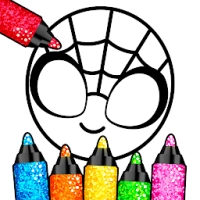
Drawing Games: Paint & Color introduces young children to drawing in a playful environment. Instead of complicated tools, children can easily create colorful artwork using brushes, crayons, markers, glitter, stickers, and other child-friendly painting tools.
The game focuses on creativity rather than competition. Children can freely experiment with colors while improving hand-eye coordination, color recognition, and fine motor skills through interactive activities.
Game Atmosphere
The game offers a warm, cheerful, and relaxing atmosphere featuring:
- Bright colorful artwork
- Friendly cartoon animals
- Fun animations
- Calm background music
- Positive sound effects
- Child-safe interface
- Easy navigation
Everything is designed to make children feel comfortable while encouraging creative exploration.
Educational Benefits
Parents often appreciate that the game helps children develop:
- Creativity
- Imagination
- Color recognition
- Shape recognition
- Pencil control
- Fine motor skills
- Hand-eye coordination
- Early artistic confidence
The activities are simple enough for preschoolers while remaining enjoyable for slightly older children.
Gameplay Overview
Players can enjoy various creative activities, including:
- Drawing on a blank canvas
- Coloring cute characters
- Painting animals
- Decorating artwork with stickers
- Using glitter effects
- Learning to trace simple shapes
- Experimenting with different art tools
There are no difficult objectives, making it an ideal stress-free experience.
Main Features
- Hundreds of colorful drawing activities
- Kid-friendly interface
- Multiple paint brushes
- Crayons and markers
- Glitter paint
- Animated coloring pages
- Cute animals and objects
- Educational activities
- Smooth touch controls
- Designed especially for young children
Controls Guide
Children can easily learn the controls.
- Tap to select colors
- Drag to draw
- Tap stickers to place them
- Swipe across the canvas
- Erase mistakes instantly
- Switch drawing tools with one tap
The interface is intentionally simple for preschool users.
Best Ways to Enjoy the Game
Parents can help children by:
- Encouraging creativity instead of perfection
- Letting children choose their own colors
- Exploring different brush styles
- Talking about colors and shapes together
- Saving favorite artwork
- Practicing drawing regularly
The game works best as a fun learning activity rather than a competitive game.
Beginner Guide
For new players:
- Start with simple coloring pages.
- Try every drawing tool.
- Use large color areas first.
- Experiment with stickers.
- Encourage free drawing on blank pages.
- Save completed artwork.
Children quickly become comfortable using the app after only a few minutes.
Creative Tips
To make artwork more exciting:
- Mix different brush styles.
- Add glitter for highlights.
- Combine stickers with coloring.
- Try unusual color combinations.
- Use larger brushes for backgrounds.
- Finish drawings with decorative effects.
Visual Design
The graphics feature:
- Bright colors
- Friendly cartoon characters
- Smooth animations
- Large buttons
- Clean layouts
- Child-friendly artwork
Everything is designed to capture children's attention without becoming overwhelming.
Audio Experience
The game includes:
- Gentle background music
- Cheerful sound effects
- Positive interaction sounds
- Calm overall presentation
Parents who prefer quiet play can usually reduce or mute the audio.
Accessibility
Suitable for:
- Toddlers
- Preschool children
- Kindergarten learners
- Parents
- Teachers
- Early childhood education
Its simple design allows even first-time users to enjoy drawing independently.
Helpful Tips for Parents
- Limit screen sessions to healthy durations.
- Encourage children to explain their artwork.
- Praise creativity rather than accuracy.
- Explore every coloring category.
- Save memorable creations.
- Draw together for extra fun.
Difficulty Level
Overall Difficulty: Very Easy
Learning Curve: ★☆☆☆☆
Drawing Skills Required: ★☆☆☆☆
Creativity: ★★★★★
Perfect for very young children.
What Players Usually Like
Parents and families often enjoy:
- Easy controls
- Bright colorful graphics
- Safe environment
- Educational value
- Cute animations
- Variety of drawing tools
- Relaxing gameplay
The app is particularly appreciated as a creative activity for toddlers and preschoolers.
Honest Feedback
Drawing Games: Paint & Color succeeds by keeping everything simple and enjoyable. Instead of overwhelming children with complicated mechanics, it focuses on imagination and creativity.
The colorful animations and easy drawing tools help young players stay engaged while learning basic artistic skills. Older children may eventually outgrow the content, but it is an excellent choice for toddlers and preschoolers who are just beginning to explore drawing and coloring.
Pros
- Excellent for young children
- Very easy controls
- Educational value
- Bright colorful graphics
- Encourages creativity
- Fun drawing tools
- Family-friendly design
- Smooth gameplay
Cons
- Limited challenge for older kids
- Some additional content may require purchases
- Repetitive for experienced artists
- Primarily designed for preschool-aged children
Game Information
Genre: Educational
Developer: Piggy Panda Inc.
Platform: Android
Target Audience: Children (Ages 1–5)
Game Style: Drawing & Coloring
Why This Game Stands Out
Unlike many coloring apps that simply offer static images, Drawing Games: Paint & Color combines drawing, painting, stickers, animation, and interactive educational elements. The result is a creative experience that encourages children to experiment while developing important early learning skills.
Is Drawing Games: Paint & Color Worth Playing?
Yes. For parents searching for a safe, colorful, and educational drawing app, this is an excellent choice. The game successfully combines fun with learning, making it ideal for toddlers and preschoolers who enjoy expressing themselves through art.
Overall Rating: ⭐⭐⭐⭐☆ (4.5/5)
Similar Games
If your child enjoys Drawing Games: Paint & Color, they may also like:
- Coloring Games: Color & Paint
- Baby Coloring Book
- Kids Doodle
- Drawing for Kids
- Bimi Boo Coloring
- Kids Painting Game
- Toddler Drawing Academy
- Preschool Learning Games
Final Verdict
Drawing Games: Paint & Color provides a creative, relaxing, and educational experience for young children. Its easy-to-use controls, colorful visuals, and engaging art tools encourage imagination while supporting early childhood development. It is a strong option for families looking for a fun and educational drawing game.
Frequently Asked Questions
Is Drawing Games: Paint & Color free?
Yes. The game is free to download and play, with optional in-app purchases available.
What age group is the game designed for?
It is primarily designed for toddlers and preschool children between 1 and 5 years old.
Does the game help children learn?
Yes. It supports creativity, fine motor skills, hand-eye coordination, and color recognition through interactive drawing activities.
Is the game safe for children?
The content is designed to be child-friendly with simple gameplay and educational activities.
Can children draw freely?
Yes. Players can use a blank canvas as well as themed coloring pages to create their own artwork.
YouTube Gameplay
Rate the Game
User Reviews



Popular Games



















 Android
 iOS
iOS Windows
 Xbox
Xbox