
Latest Version
April 08, 2026
Bimi Boo Kids Learning Games for Toddlers FZ-LLC
Educational
0
com.bimiboo.kids.drawing
Report a Problem
More About :game
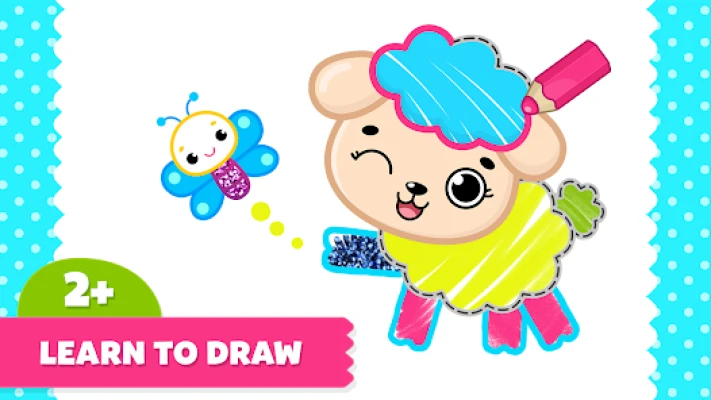
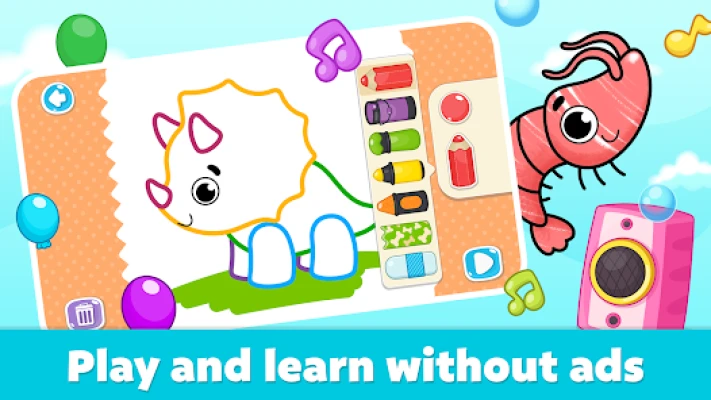
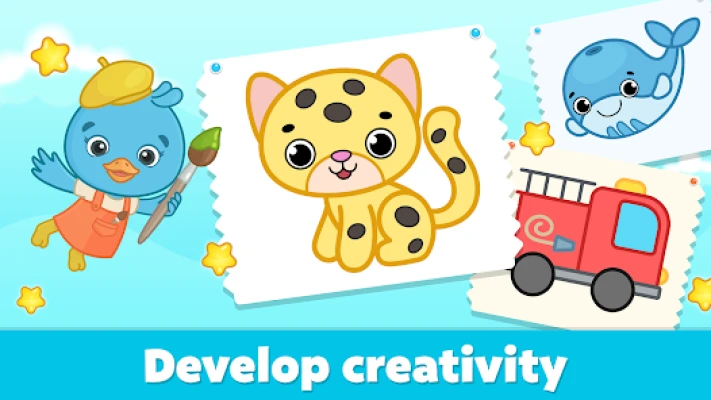
The app features more than 160 coloring pages covering themes such as animals, dinosaurs, cars and ocean creatures. Children can use different colors and drawing tools to create artwork while developing creativity, imagination, fine motor skills and hand-eye coordination.
What Is Coloring for Kids: Drawing 2-6?
Coloring for Kids: Drawing 2-6 is a child-friendly art application focused on drawing, tracing and coloring.
Instead of complicated drawing software, it provides young children with a simple interface and activities that are easy to understand.
Children can select a picture, trace dotted lines, color an illustration or experiment with freeform drawing.
The app is designed around learning through creative play, making it suitable for preschool and kindergarten-age children. The developer says the app was created with experts in preschool education.
<iframe width="560" height="315" src="https://www.youtube.com/embed/i364NUdHjC8?si=plxWHs_whUjAnAVR" title="YouTube video player" frameborder="0" allow="accelerometer; autoplay; clipboard-write; encrypted-media; gyroscope; picture-in-picture; web-share" referrerpolicy="strict-origin-when-cross-origin" allowfullscreen></iframe>
Drawing and Coloring for Toddlers
The main attraction is the combination of drawing and coloring.
Young children can move between guided activities and more open-ended creative modes. This means the app can be used both as an introduction to drawing and as a digital coloring book.
The simple controls are intended to let children explore without needing advanced reading or technical skills.
160+ Coloring Pages
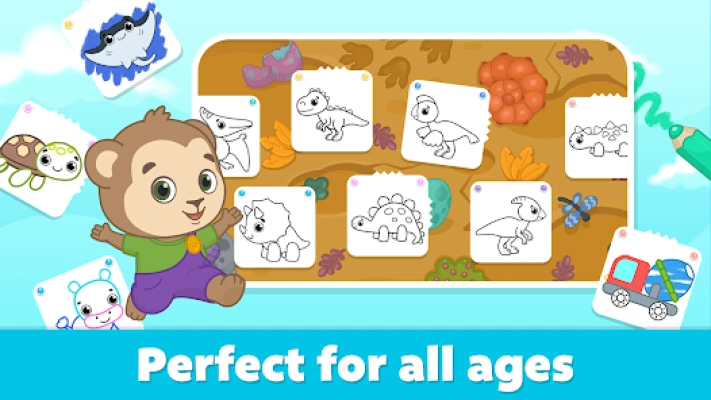
The app offers 160+ coloring pages across a variety of themes.
The current Google Play description highlights subjects including:
- Animals
- Dinosaurs
- Cars
- Ocean creatures
- Cute characters
- Other playful themes
The variety gives children plenty of opportunities to return to the app and choose a different picture.
Tracing Activities
Tracing is an important part of the drawing experience.
Children can follow dotted lines to create pictures, giving them a structured introduction to drawing.
This approach can be particularly useful for younger children who are still learning how to control drawing movements.
Freeform Drawing
The app also includes freeform sketching, giving children more freedom to draw without following a predefined outline.
This mode changes the experience from simply coloring pictures into a more open-ended digital art activity.
Children can experiment with shapes, lines and colors and create their own drawings.
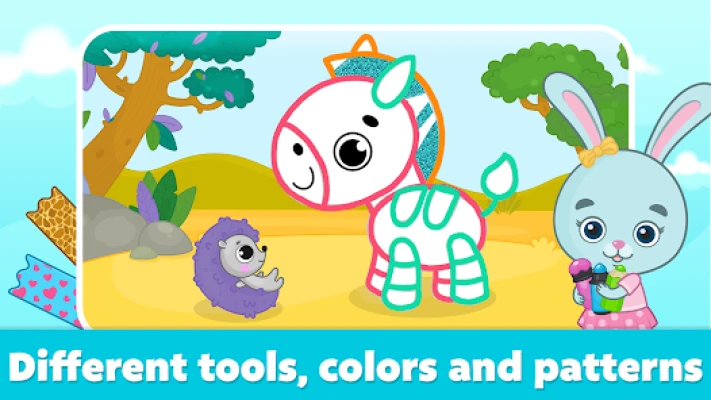
Creative Drawing Modes
The Google Play listing identifies several creative modes, including:
- Outline coloring
- Freeform sketching
- Kaleidoscopic mirror effects
- Neon-glitter magic
- Additional artistic surprises through updates
These modes provide different ways for children to interact with the drawing tools.
Animated Pictures
One of the more playful features is the use of animated pictures.
Children can color illustrations and then see their artwork brought to life with animations, sounds and visual reactions.
This adds a sense of reward to the creative process and encourages children to experiment with the artwork.
Fun Sounds and Animations
The drawing tools are accompanied by playful sounds and animations.
These small effects make the coloring experience more interactive than a traditional digital coloring book.
The developer describes the app as using funny sounds and animations to keep young children engaged.
Animals Coloring Pages
Animal-themed pictures provide an easy starting point for younger children.
Kids can choose colors for different animals and create their own interpretations rather than having to follow realistic color schemes.
Dinosaur Coloring
Dinosaur-themed coloring pages add another popular category for young children.
Kids can experiment with different colors and create imaginative dinosaur designs.
Cars and Vehicles
Vehicle-themed pictures give children another collection of illustrations to explore.
Cars are specifically identified among the drawing and coloring topics available in the app.
Ocean-Themed Coloring
Ocean creatures are another featured category.
Children can color underwater-themed illustrations while exploring different combinations of colors.
Fine Motor Skill Development
Drawing and coloring require children to make controlled movements with their fingers.
The developer says the app is designed to help children develop fine motor skills through drawing and painting activities.
These activities can provide practice with:
- Finger control
- Movement accuracy
- Hand positioning
- Visual tracking
- Hand-eye coordination
Hand-Eye Coordination
Children need to coordinate what they see on the screen with their finger movements.
Tracing lines, filling areas and selecting tools naturally involve visual and physical coordination.
The developer specifically identifies hand-eye coordination as one of the skills supported by its drawing activities.
Creativity and Imagination
There is no single correct color for many of the pictures.
A child can make an animal blue, a car purple or a dinosaur any color they like.
This freedom encourages experimentation and allows children to create artwork based on their own imagination.
Self-Expression Through Art
Digital drawing gives young children a simple way to express preferences through colors, shapes and designs.
The developer describes the app as supporting creativity and allowing children to express themselves through art.
Learning Through Play
The app combines entertainment and early learning rather than presenting traditional lessons.
Children learn by interacting with pictures, tracing lines, selecting colors and experimenting with drawing tools.
This makes the experience particularly suitable for preschool-age children who learn effectively through hands-on activities.
Preschool and Kindergarten Preparation
The Google Play listing says the drawing activities can help prepare children for preschool and kindergarten.
Tracing and controlled drawing can provide practice that complements early handwriting and drawing activities.
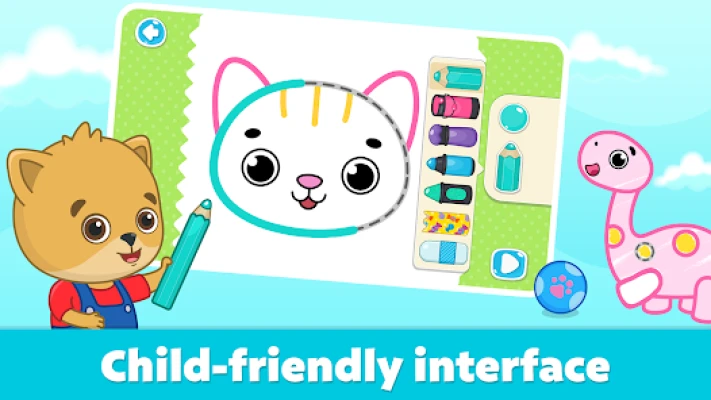
Simple Interface
The interface is designed to be straightforward for young users.
Children can focus on the artwork rather than navigating complicated menus.
This is important for an app aimed at children as young as two years old.
Child-Friendly Design
The app is built specifically around young children's interaction abilities.
The developer states that its content was developed with preschool education experts and that the app is intended to provide a safe environment for children.
Offline Drawing and Coloring
The Google Play listing identifies the app as Offline.
This means children can use the drawing and coloring experience without requiring an active internet connection, which can be useful during travel or in places without Wi-Fi.
Ad-Free Experience
The Google Play description states that the app contains no ads or external links.
For parents, this helps keep the creative activity focused on drawing and coloring rather than advertising.
Gameplay Overview
A typical session can be as simple as:
- Open the drawing app.
- Choose a coloring page.
- Select a color or drawing tool.
- Trace an outline or begin coloring.
- Experiment with different colors.
- Add creative effects.
- Complete the picture.
- Watch the artwork come to life.
- Choose another picture or start a freeform drawing.
The open-ended structure allows children to spend as much or as little time as they want on each artwork.
How to Use the Drawing App
Choose a Picture
Start by selecting a favorite theme such as animals, dinosaurs, cars or ocean creatures.
Trace the Picture
Younger children can follow dotted lines to practice controlled movements.
Add Colors
Choose different colors and fill the artwork.
Try Different Tools
Experiment with the available drawing and painting tools.
Explore Creative Effects
Try mirror effects, neon and glitter-style options for a different visual result.
Create Your Own Drawing
Move to freeform mode when your child wants to draw without a template.
Beginner's Guide for Parents
Start With Tracing
Tracing can be easier for children who are just learning to control drawing movements.
Let Children Choose the Colors
There is no need to insist on realistic colors. Creative freedom is part of the experience.
Try One Theme at a Time
Animals, cars and dinosaurs can provide simple starting points.
Encourage Storytelling
Ask your child to tell a story about the picture they have colored.
Explore Freeform Drawing
Once your child is comfortable with coloring, try the freeform tools.
Avoid Correcting Every Picture
The purpose is creative exploration, so unusual colors and shapes are perfectly fine.
Creative Activities for Kids
Parents can make the drawing experience more interactive by asking children:
- What is your picture?
- What colors did you choose?
- Where does your character live?
- What happens next?
- Can you draw another character?
- Can you create a different version of the same picture?
These questions can turn coloring into a broader storytelling activity.
Main Features
160+ Coloring Pages
A large collection of illustrations provides plenty of subjects to color.
Tracing
Dotted-line activities introduce children to guided drawing.
Freeform Sketching
Children can create their own drawings without a template.
Outline Coloring
Kids can color within guided illustrations.
Kaleidoscopic Effects
Mirror-style visual effects add another creative way to draw.
Neon and Glitter Effects
Special effects give children additional artistic options.
Animated Pictures
Finished artwork can feature animations and sounds.
Multiple Themes
Animals, dinosaurs, cars and ocean creatures are among the featured subjects.
Offline Play
The app can be used without an internet connection.
No Ads or External Links
The Google Play description states that the children's drawing experience contains no ads or external links.
Game Atmosphere
The atmosphere is colorful, playful and relaxed.
There are no enemies to defeat, races to win or difficult levels to complete. Instead, the focus remains on creating artwork and exploring different drawing possibilities.
The cartoon presentation and playful sounds make the experience approachable for younger children.
Visual Style
Google Play categorizes the app as:
- Educational
- Drawing
- Casual
- Single player
- Stylized
- Cartoon
- Cute
- Offline
This combination reflects the app's focus on simple creative activities rather than traditional game mechanics.
Age Range
The app is designed for children ages 2–6.
This makes it primarily suitable for toddlers, preschoolers and children beginning kindergarten.
Who Is This App For?
Coloring for Kids: Drawing 2-6 is suitable for children who enjoy:
- Coloring books
- Drawing games
- Painting games
- Tracing activities
- Art apps
- Preschool games
- Toddler games
- Animal coloring
- Dinosaur coloring
- Car coloring
- Ocean coloring
- Creative play
- Digital art
- Educational activities
- Fine motor skill activities
Why Children May Enjoy It
The app gives children a chance to create something themselves.
Instead of simply watching animations, they actively choose colors, trace pictures and experiment with drawing tools.
The animated responses also provide a satisfying result after completing an artwork.
Why Parents May Like It
Parents looking for a drawing app for young children may appreciate the combination of guided tracing and freeform creativity.
The app is also listed as offline and single-player, while Google Play's description states that it contains no ads or external links.
The developer also emphasizes preschool education expertise and developmental skills such as fine motor control and hand-eye coordination.
Educational Value
Coloring for Kids: Drawing 2-6 is best understood as a creative learning app rather than a traditional academic game.
Its educational value comes from practicing controlled movements, visual coordination, creativity and independent decision-making through art.
The developer specifically says that drawing and coloring can help children develop imagination, creativity, fine motor skills and hand-eye coordination.
Skills Children Can Practice
Fine Motor Control
Tracing and coloring encourage controlled finger movements.
Hand-Eye Coordination
Children coordinate their movements with what they see on screen.
Creativity
Freeform drawing gives children the opportunity to create original artwork.
Imagination
Unusual colors and creative designs encourage imaginative thinking.
Concentration
Completing a picture requires children to focus on the activity.
Visual Recognition
Coloring and tracing involve identifying outlines, shapes and different areas of an image.
Subscription and In-App Purchases
Google Play currently identifies in-app purchases for the app.
The current Google Play description states that the drawing app offers monthly and yearly membership options and that subscriptions automatically renew unless auto-renewal is turned off according to the stated subscription terms.
Parents should review the current Google Play purchase information before subscribing because prices and subscription terms can change.
Google Play Details
| Feature | Details |
|---|---|
| App Name | Coloring for Kids: Drawing 2-6 |
| Developer | Bimi Boo Kids Learning Games for Toddlers FZ-LLC |
| Platform | Android |
| Additional Availability | Windows |
| Category | Educational |
| Subcategory | Drawing / Casual |
| Age Range | 2–6 |
| Multiplayer | No |
| Single Player | Yes |
| Offline | Yes |
| Visual Style | Stylized / Cartoon / Cute |
| Content Rating | Everyone |
| In-App Purchases | Yes |
| Coloring Pages | 160+ |
| Latest Listed Update | July 24, 2026 |
The current Google Play listing provides the platform, category, rating, gameplay and update information.
Latest Update
Google Play currently lists the app as updated on July 24, 2026. The latest update notes mention stability and performance improvements, bug fixes and other minor optimizations.
Ratings and Reviews
The current Google Play page shows a 4.6-star rating with 19.9K reviews at the top of the listing, while the detailed device-specific review section displays a 4.7 rating with 11.9K reviews.
Recent reviews also show that some parents have concerns about paid content and subscriptions, while the developer has responded to some reports about pricing and technical problems.
This is worth mentioning on a transparent game page because parents may want to understand both the creative features and the purchase model before installing the app.
Data Safety
Google Play currently states that the app may share app information and performance and device or other IDs with third parties. It also states that the app may collect app activity, app information and performance, and device or other IDs, with data encrypted in transit.
The listing also states that the app is committed to following the Google Play Families Policy.
Parents should check the current Google Play Data Safety section before installation because developer-provided privacy information can change.
Pros and Cons
Pros
- Designed for children ages 2–6
- 160+ coloring pages
- Drawing and coloring activities
- Guided tracing
- Freeform sketching
- Outline coloring
- Kaleidoscopic effects
- Neon and glitter effects
- Animated pictures
- Funny sounds
- Animal themes
- Dinosaur themes
- Car themes
- Ocean themes
- Fine motor skill activities
- Hand-eye coordination practice
- Creativity and imagination
- Offline play
- No ads
- No external links
- Single-player experience
- Preschool-focused design
- Developed with preschool education expertise
Cons
- In-app purchases are present
- Subscription options are available
- Some content is paid
- Very young children may need parental guidance with purchases
- Children seeking more traditional game challenges may find the experience too simple
- The app is primarily focused on drawing and coloring rather than broader gameplay
Coloring for Kids vs Traditional Drawing Apps
Traditional drawing software can be overwhelming for toddlers because it often contains complex tools and interfaces.
Coloring for Kids: Drawing 2-6 takes a simpler approach.
It combines:
Tracing + Coloring + Drawing + Animation + Creative Effects
This makes it more suitable for preschool-age children who are still developing basic drawing skills.
Who Should Try It?
The app is particularly suitable for parents searching for:
- Drawing games for toddlers
- Coloring games for kids
- Coloring apps for preschoolers
- Drawing apps for 2-year-olds
- Drawing apps for 3-year-olds
- Drawing apps for 4-year-olds
- Drawing apps for 5-year-olds
- Drawing apps for 6-year-olds
- Educational art games
- Preschool coloring books
- Kids painting games
- Tracing games for children
- Fine motor skill games
- Creative learning apps
Expert Rating
Overall Rating: 9.0/10
Creative Play: 9.3/10
Child-Friendly Interface: 9.2/10
Drawing Variety: 9.1/10
Coloring Content: 9.3/10
Educational Value: 8.9/10
Fine Motor Practice: 9.1/10
Ease of Use: 9.4/10
Replay Value: 8.8/10
Offline Convenience: 9.2/10
Final Verdict
Coloring for Kids: Drawing 2-6 is a thoughtfully designed creative app for toddlers and preschoolers who enjoy drawing, painting and coloring.
Its strongest feature is the combination of 160+ coloring pages with tracing, freeform sketching and playful artistic effects.
The app also goes beyond basic coloring by bringing finished pictures to life with animations and sounds. Offline functionality and the absence of ads or external links, as stated in the Google Play description, make it a particularly straightforward option for creative screen time.
The main consideration for parents is the presence of in-app purchases and subscription options, so purchase settings should be reviewed before allowing a child to use the device independently.
For families searching for drawing games for kids, coloring games for toddlers, preschool art apps, tracing games, children's coloring books or creative educational apps, Coloring for Kids: Drawing 2-6 offers a broad collection of age-appropriate art activities in one package.
Frequently Asked Questions
What is Coloring for Kids: Drawing 2-6?
It is a drawing and coloring app from Bimi Boo designed for children ages 2–6, with coloring pages, tracing, freeform drawing and creative effects.
What age is the drawing app for?
The app is designed for children ages 2 to 6.
How many coloring pages are included?
The developer currently advertises 160+ coloring pages.
Does the app include tracing?
Yes. Children can trace dotted lines to create different pictures.
Can children draw freely?
Yes. The app includes a freeform sketching mode.
What themes are available?
The listed themes include animals, dinosaurs, cars and ocean creatures, among others.
Does the app have animated pictures?
Yes. The app includes animated pictures with playful sounds and visual effects.
Does it have special drawing effects?
Yes. The Google Play listing mentions outline coloring, freeform sketching, kaleidoscopic mirror effects and neon-glitter magic.
Is Coloring for Kids: Drawing 2-6 educational?
It is designed as a learning-through-play creative experience. The developer highlights fine motor skills, hand-eye coordination, creativity and imagination.
Can the app help with fine motor skills?
The developer specifically says its drawing activities are designed to help children develop fine motor skills and hand-eye coordination.
Does the game work offline?
Yes. Google Play lists it as Offline.
Does the app contain ads?
The Google Play description states that the app contains no ads or external links.
Does Coloring for Kids have in-app purchases?
Yes. Google Play identifies in-app purchases, and the listing describes monthly and yearly membership options.
Is the app suitable for preschool children?
Yes. The developer specifically positions it for ages 2–6 and says the activities are suitable for preschool and kindergarten-age children.
Is the app available on Android?
Yes. It is available through Google Play for Android devices.
Is Coloring for Kids available on Windows?
The current Google Play listing identifies Windows availability powered by Intel technology.
Is the app multiplayer?
No. Google Play lists it as a single-player experience.
What is the content rating?
Google Play currently gives the app an Everyone content rating.
When was the app last updated?
Google Play currently lists July 24, 2026 as the update date.
What did the latest update improve?
The latest update notes mention stability and performance improvements, bug fixes and minor optimizations.
Rate the Game
User Reviews




Popular Games



















 Android
 iOS
iOS Windows
 Xbox
Xbox