




Latest Version
October 16, 2024
Skyloft Games
Simulation
iOS
0
Report a Problem
More About :game
You need to manage inventory, purchase and sell automotive parts, satisfy customers, expand your store, unlock new technologies and make smart financial decisions. The game includes everything from everyday maintenance items such as oil filters, tires and brake pads to more advanced components involving engines, suspension and vehicle electronics.
The result is a game where mechanical knowledge helps, but good business management is just as important.
What Is Car Mechanic Shop Simulator 3D?
At its core, Car Mechanic Shop Simulator 3D is a car mechanic and business management simulation.
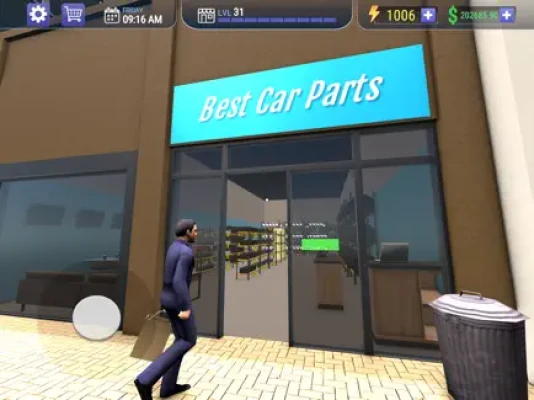
You begin with a relatively modest operation and gradually build a larger automotive business. Your responsibilities include keeping products available, responding to demand, managing prices, expanding your shop and providing the services customers expect.
The game also allows you to customize your shop and progressively unlock more advanced automotive parts and technologies.
This makes it particularly appealing to players who enjoy games such as:
- Car mechanic simulators
- Auto repair games
- Business management games
- Tycoon-style simulators
- Car dealership and vehicle trading games
- Garage management games
Main Gameplay Features
Run Your Own Automotive Business
Your shop is more than a repair garage. It is a business that depends on good purchasing, organization and customer service.
You need to balance what you spend against what you can earn.
Manage Car Parts
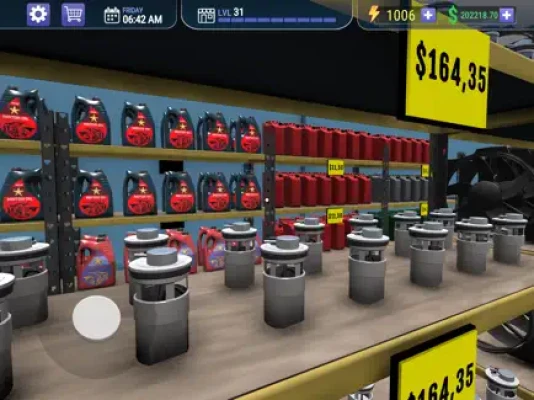
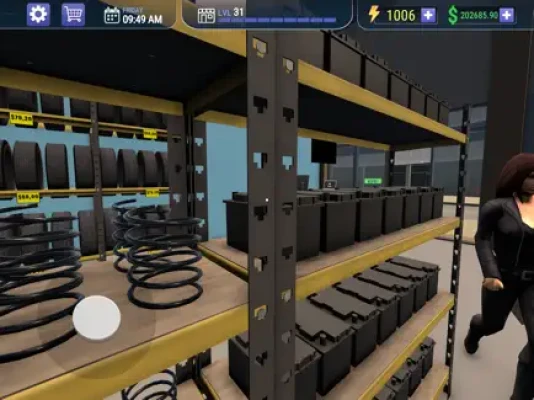
The game includes a broad selection of automotive components, including:
- Oil filters
- Tires
- Brake pads
- Alternators
- Clutch kits
- Radiators
- Exhaust systems
- Engine components
- Suspension systems
- Electronic components
More advanced technologies become available as you progress.
Expand the Shop
As your business grows, you can expand the physical space of your shop, increase your inventory and offer a wider range of automotive services.
Shop expansion should be approached as an investment rather than simply a cosmetic upgrade.
Customize Your Store
The game allows you to customize your business environment with different layouts, themes and decorations. This gives you the freedom to create a garage that fits your preferred style.
Unlock Advanced Parts
Progression eventually takes you beyond basic maintenance.
Advanced engine components, suspension technology, electronics and newer automotive systems become part of the business as you unlock additional licenses and technologies.
Manage Customers
Customer satisfaction is an important part of running the shop.
Keeping customers happy means paying attention to their requirements and making sure your store can provide the parts and services they need.
Complete Beginner's Guide
If you are starting Car Mechanic Shop Simulator 3D for the first time, resist the temptation to spend all of your early money on expansion.
Your first priority should be building a stable source of income.
A good early-game routine is:
- Check your current inventory.
- Identify the parts customers are requesting.
- Replenish important stock.
- Complete available work.
- Avoid unnecessary purchases.
- Save money for useful upgrades.
- Expand when your existing shop can comfortably support it.
The goal is to create a business that generates enough income to fund its own growth.
How to Manage Your Inventory
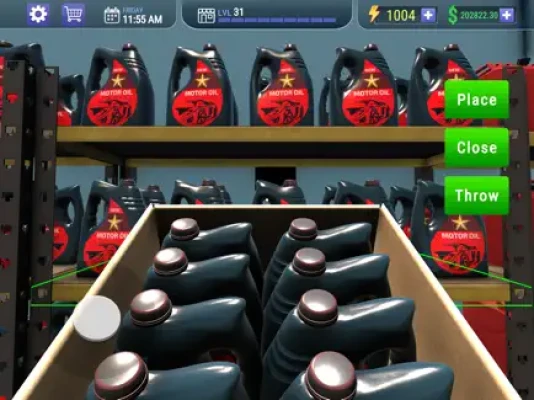
Inventory management is one of the most important mechanics in the game.
Running out of an important part can prevent you from completing customer requests. On the other hand, buying too much stock ties up your money.
Keep essential parts available
Basic maintenance items should receive particular attention because they are useful throughout the early stages of the game.
Keep an eye on:
- Tires
- Brake pads
- Oil filters
- Common engine components
- Frequently requested service parts
Avoid overstocking
Having a large inventory may look impressive, but unused parts represent money that cannot be used elsewhere.
A better strategy is to maintain enough stock to handle regular demand while keeping cash available for expansion and higher-value opportunities.
Watch demand
Customer requests provide useful information about what your business actually needs.
If the same type of part repeatedly disappears from your inventory, increase the amount you keep available.
Best Money-Making Strategy
The most important financial principle is simple:
Do not confuse spending with progress.
Buying everything immediately can leave you with an impressive shop but very little cash.
Instead, divide your money into three categories:
Operating money
Keep enough cash available for everyday purchases and inventory replenishment.
Growth money
Save for shop expansion, new equipment and new business opportunities.
Opportunity money
Keep a reserve for particularly valuable purchases or vehicle deals.
This financial buffer can prevent one expensive purchase from disrupting your entire business.
How to Expand Your Shop
Shop expansion increases your ability to operate, but timing matters.
Before purchasing a major expansion, ask:
- Is my current shop generating consistent income?
- Am I regularly running out of space?
- Do I have enough money left for inventory?
- Will the expansion help me access more profitable opportunities?
- Can I afford to operate after paying for it?
If the answer to several of these questions is no, continue improving the current shop first.
Vehicle Trading Strategy
Vehicle trading is an important part of the game's later development. The update history confirms that vehicle trading was added to the game, while later updates improved the car-selling and negotiation systems.
This creates another potential source of income beyond ordinary parts and workshop activity.
Don't rush every vehicle purchase
A vehicle is only valuable if the final transaction makes financial sense.
Before committing money, consider:
Purchase cost → improvement/repair cost → expected selling value → final profit
Do not look only at the selling price.
A vehicle that sells for a large amount can still be a poor investment if you spent too much acquiring and preparing it.
Use negotiation intelligently
The improved car-selling and negotiation system makes the final transaction an important part of the process.
Avoid accepting every offer immediately.
Think about your costs first and determine the minimum price that still gives you a worthwhile return.
Car Repair Strategy
When dealing with automotive components, think in terms of customer requirements rather than buying random upgrades.
A customer request should tell you what your immediate priority is.
Step-by-step repair approach
1. Identify the requested service.
Know exactly what needs to be supplied or repaired.
2. Check your inventory.
Before purchasing anything, make sure you do not already have the required component.
3. Calculate the cost.
Consider whether the job is financially worthwhile.
4. Complete the task efficiently.
Avoid wasting time and resources.
5. Replenish important stock.
If completing the order consumed a frequently requested part, replace it before the next wave of customers.
Advanced Parts and Technology
As you progress, the game introduces more sophisticated automotive technology.
The App Store description specifically mentions advanced suspension systems, high-performance V8 OHV engine parts, electronics, hybrid engine components and autonomous vehicle systems.
This creates a natural progression from basic maintenance to more specialized automotive services.
How to handle advanced technology
Don't unlock advanced components simply because they are available.
First make sure your business has enough cash flow to support them.
Advanced inventory is most useful when there is sufficient customer demand to justify the investment.
Customer Satisfaction Tips
A successful mechanic shop needs customers.
That means customer satisfaction should be treated as a financial asset.
Keep popular parts available
Nothing is more frustrating than being unable to fulfill a request because a common item is missing.
Avoid unnecessary delays
Organize your workflow so that you can move between ordering, stocking and customer service efficiently.
Pay attention to feedback
Customer feedback can reveal problems in your current business strategy.
If customers repeatedly need something you do not stock, that is useful information about future inventory decisions.
How to Organize Your Shop
Good organization becomes increasingly important as the store grows.
Keep frequently used products easy to access and avoid creating an unnecessarily complicated layout.
When customizing the shop, prioritize functionality before decoration.
A beautiful shop is nice.
A beautiful shop that is easy to operate is better.
Storage Room Strategy
The game added a storage room for boxes and products during an early update.
Use additional storage intelligently.
Instead of filling it with random products, treat storage as a reserve system.
Keep:
- Extra popular parts
- Recently purchased products
- Items needed for upcoming jobs
- Useful stock that you do not want occupying the main shop
This helps prevent unnecessary trips and keeps your main operation organized.
Daily Shop Routine
A simple daily routine can make the game much easier.
Start of the day
Check:
- Current cash
- Inventory
- Available orders
- Customer requirements
- Vehicle opportunities
During business hours
Focus on:
- Completing profitable work.
- Restocking important products.
- Serving customers.
- Watching inventory levels.
- Avoiding unnecessary spending.
Before ending the day
Review your business.
Ask:
- What sold today?
- Which parts are running low?
- Did I make enough profit?
- Should I order more stock?
- Is the next upgrade affordable?
This short review can prevent expensive mistakes.
Best Early-Game Upgrades
There is no universal upgrade that is always the best because your needs depend on how your business is developing.
Generally, prioritize upgrades that improve one of these areas:
Capacity
More room allows you to handle more products and activities.
Efficiency
Anything that reduces unnecessary work can improve your effective income.
Inventory
More useful stock means fewer missed opportunities.
New services
Additional services can open new revenue opportunities.
Common Beginner Mistakes
Spending all your money
This is probably the easiest way to slow down your progress.
Always keep an operating reserve.
Buying parts without demand
Not every available part needs to be sitting in your inventory.
Expanding too early
A larger shop is not automatically a more profitable shop.
Ignoring vehicle opportunities
Once vehicle trading becomes available, it can provide another path to making money.
Forgetting to restock
Finishing a profitable job but forgetting to replace an important part can create problems later.
Focusing only on repairs
The game is also a business simulator. Inventory, pricing, expansion and customer satisfaction matter just as much as automotive work.
Advanced Money Management
Once your business becomes established, start thinking in terms of profit per investment.
For every significant purchase, ask:
How quickly can this investment pay for itself?
For example, if an upgrade costs a large amount but generates very little additional income, it may be better to save for another opportunity.
This mindset becomes particularly valuable when deciding between:
- Shop expansion
- Inventory
- Advanced licenses
- Vehicle purchases
- Vehicle improvements
- Cosmetic upgrades
Vehicle Buying and Selling Tips
When trading vehicles, calculate the complete transaction.
Don't simply think:
"I can sell this car for more than I paid."
Instead think:
Selling price − purchase price − expenses = actual profit
This simple calculation can prevent many bad deals.
Keep a cash reserve
Never invest your entire balance into one vehicle.
You still need money for shop operations, inventory and unexpected opportunities.
Learn from failed deals
If a vehicle does not produce the profit you expected, determine why.
Was the purchase price too high?
Were preparation costs excessive?
Was the final offer too low?
Use that information when evaluating the next vehicle.
Progression Guide
A strong long-term progression path looks like this:
Stage 1: Establish the shop
Learn the basic systems and maintain reliable inventory.
Stage 2: Improve cash flow
Focus on profitable jobs and avoid unnecessary expenses.
Stage 3: Expand carefully
Increase shop capacity when demand justifies it.
Stage 4: Unlock advanced parts
Move into more specialized automotive products and services.
Stage 5: Explore vehicle trading
Use vehicle deals as an additional revenue stream.
Stage 6: Optimize the business
Improve inventory, pricing, layout and customer satisfaction.
Stage 7: Build an automotive empire
At this stage, your objective becomes maximizing efficiency and profitability rather than simply unlocking the next feature.
Latest Updates and Improvements
The App Store currently lists version 1.4.4, with recent updates described as bug fixes and quality-of-life improvements. Earlier updates introduced or improved several important systems.
Notable changes include:
- Improved car selling and negotiation
- A simplified selling interface
- Cloud saves
- New reward orders
- Cashier functionality
- Vehicle trading
- Storage-room functionality
- Bug fixes and performance improvements
This is useful for returning players because some systems have changed significantly since the game's initial release.
Game Information
Game: Car Mechanic Shop Simulator 3D
Developer: Skyloft Games
Genre: Simulation
Platforms: iPhone, iPad, iPod touch, compatible Apple silicon Mac and Apple Vision
Price: Free with in-app purchases
Age Rating: 13+
Current listed version: 1.4.4
App size: 306.4 MB
Required iOS: iOS 15.0 or later
Game Center: Supported
Languages: English plus 31 additional languages
Pros and Cons
Pros
- Combines car mechanics with business management
- Large selection of automotive parts
- Shop customization
- Inventory management
- Vehicle trading
- Car-selling and negotiation mechanics
- Progressive technology unlocks
- Cloud saves
- Game Center achievements
- Frequent bug-fix and quality-of-life updates
Cons
- The amount of inventory management can become demanding
- Advertising can interrupt the experience
- Some systems require patience before becoming profitable
- Advanced progression requires careful financial planning
- Players looking for a purely hands-on mechanic simulator may find the business side more prominent
The App Store currently shows a 4.7/5 rating from about 5.2K ratings, although individual reviews also mention concerns around advertising and requests for additional automation or staff-management features.
Frequently Asked Questions
What is Car Mechanic Shop Simulator 3D?
It is a mobile simulation game where you manage an automotive business, handle car parts, serve customers, expand your shop and participate in vehicle trading.
Can you repair cars in Car Mechanic Shop Simulator 3D?
Yes. Car maintenance and repair are central parts of the game, alongside inventory and business management.
Can you buy and sell vehicles?
Yes. Vehicle trading was added through an update, and later updates improved the car-selling and negotiation system.
Can you customize your mechanic shop?
Yes. The game provides different layouts, themes and decorations for customizing your business.
What kind of car parts are available?
The game includes items such as tires, oil filters, brake pads, alternators, clutch kits, radiators, exhaust systems, engine components, suspension systems and electronics.
Does the game have advanced automotive technology?
Yes. Progression includes more advanced components and technologies, including hybrid and autonomous vehicle-related systems.
Is Car Mechanic Shop Simulator 3D free?
Yes. The App Store lists it as free with optional in-app purchases.
Does it support Game Center?
Yes. The App Store lists Game Center support and achievements.
What iOS version is required?
The current App Store listing requires iOS 15.0 or later for iPhone and iPadOS 15.0 or later for iPad.
Final Verdict
Car Mechanic Shop Simulator 3D works best when you treat it as both a mechanic game and a business simulator.
The key to progression is not simply repairing more cars. You need to manage your inventory, control spending, recognize customer demand, expand at the right time and eventually use vehicle trading and advanced automotive technology to create additional income.
For beginners, the smartest approach is to build a reliable cash flow first. Once your shop is stable, invest in expansion and higher-value opportunities. Avoid spending everything on a single upgrade or vehicle, and always keep enough money available to maintain your everyday operation.
If you enjoy car mechanic games, garage simulators, auto repair games, vehicle trading and business management, Car Mechanic Shop Simulator 3D offers a broad combination of these mechanics in one mobile simulation.
Rate the Game
User Reviews















Popular Games



















 Android
 iOS
 Windows
 Xbox