




Latest Version
June 16, 2024
iKame Games - Zego Studio
Educational
0
com.ig.color.car.coloring
Report a Problem
More About :game
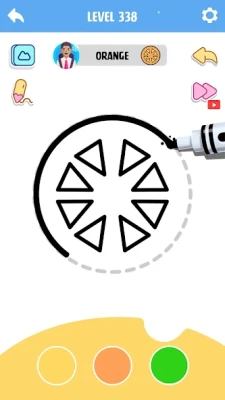
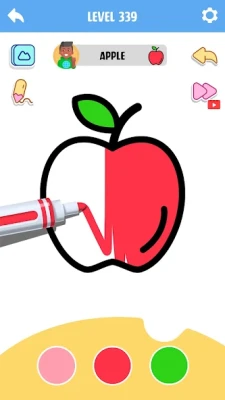
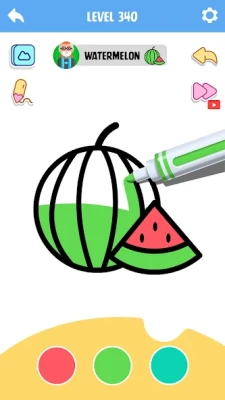
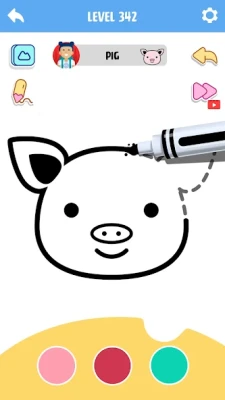
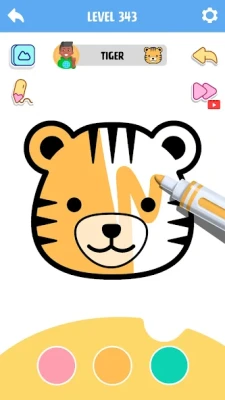
Coloring Game: Little Artist is designed for players who enjoy drawing, painting, and relaxing creative activities. Instead of challenging players with fast action or complicated objectives, it focuses on selecting colors, filling illustrations, and watching pictures gradually come together.
The game is associated with the package name com.ig.color.car.coloring and has also appeared under the name Coloring Game: Color ASMR. Its main appeal is the simple coloring experience, where players can explore illustrations and create colorful results at their own pace.
The experience is suitable for short play sessions. You can open the game, choose an illustration, spend time coloring, and enjoy the finished result without needing to master complicated controls.
Main Features of Coloring Game: Little Artist
1. Relaxing Coloring Gameplay
The central activity is coloring illustrations using an easy-to-understand interface. Players can focus on the picture and the colors they choose rather than managing complicated mechanics.
This makes the game a good option for people looking for a calm mobile activity.
2. A Variety of Illustrations
The game offers different designs to color, providing opportunities to experiment with different color combinations and artistic styles. The available selection may vary with the installed version and updates.
Choosing a new picture can also help keep the experience fresh when you want something different from your previous artwork.
3. Simple Touch Controls
Coloring is designed to be accessible through straightforward touch interactions. You do not need professional drawing skills to get started, making it easy for beginners to experiment with colors.
4. Colorful Artistic Results
One of the most satisfying parts of a coloring game is watching a plain illustration become a finished picture. Different color choices can give the same design a different mood and appearance.
You can experiment with bright colors, softer shades, contrasting combinations, and coordinated palettes.
5. ASMR-Inspired Relaxation
The game's association with Color ASMR highlights the appeal of a soothing coloring experience. The combination of visual progress and a calm pace can make coloring an enjoyable way to take a break.
The experience is best approached as casual entertainment rather than a timed challenge.
6. Suitable for Different Skill Levels
Beginners can start with simpler illustrations and gradually explore designs that require more attention. Players who already enjoy coloring can use the game to experiment with color harmony and different artistic choices.
How to Play Coloring Game: Little Artist
Getting started is straightforward.
Step 1: Choose an illustration. Browse the available designs and select a picture that interests you.
Step 2: Explore the color options. Look through the available palette and decide which shades suit the illustration.
Step 3: Begin coloring. Use the touch controls to apply colors to the picture. Follow any visual prompts provided by the selected mode.
Step 4: Pay attention to details. Work through the different areas of the illustration, choosing colors that complement one another.
Step 5: Review your artwork. Once you have finished coloring the picture, take a moment to enjoy the result.
Step 6: Choose another design. Try a different illustration or experiment with another color scheme to keep the experience interesting.
The exact controls and available options may differ between versions, so follow the instructions shown in the game.
Complete Coloring Strategy Guide
Although Coloring Game: Little Artist is not a competitive game, a few simple techniques can make coloring more enjoyable and help your finished pictures look more balanced.
1. Start With a Color Plan
Before filling the illustration, consider the overall appearance you want to create. A small color plan can make the finished picture look more coordinated.
For example, you might choose a warm palette with red, orange, and yellow, or a cooler palette with blue, green, and purple.
You do not need to plan every detail in advance. Even choosing two or three colors that work well together can help create a consistent style.
2. Use Contrasting Colors Carefully
Contrast helps different parts of an illustration stand out. A dark shade beside a lighter one can make an object easier to distinguish, while complementary colors can create a more vivid appearance.
Avoid using too many competing colors in a small area. When every part of a picture uses a different bright shade, the overall design may feel less balanced.
Instead, choose a few main colors and use additional shades for variety.
3. Match Colors to the Subject
Think about the subject of the illustration before choosing a palette. Natural scenes may look appealing with greens, blues, and earthy shades, while playful designs may suit brighter colors.
You can also deliberately ignore realistic colors and create a fantasy-style picture. A purple tree, blue animal, or multicolored vehicle can give an illustration a distinctive personality.
The goal is to make choices that you find visually pleasing.
4. Work Through the Picture Methodically
A simple routine can make longer coloring sessions easier.
Start with the areas that are easiest to identify.
Choose colors that fit your overall palette.
Continue through the remaining sections without rushing.
Check whether neighboring colors look good together.
Review the complete picture before moving on.
A steady approach is especially useful when an illustration contains many small areas.
5. Experiment With Different Artistic Styles
Do not feel that every illustration needs to look realistic. You can try different styles depending on your mood.
Bright and playful: Use vivid colors and strong contrasts for a cheerful result.
Soft and gentle: Choose pastel shades and colors that blend visually without strong contrast.
Bold and dramatic: Combine darker shades with a few bright accents.
Nature-inspired: Use greens, blues, browns, and warm natural colors.
Experimenting with different palettes is one of the easiest ways to make repeated coloring sessions feel fresh.
6. Pay Attention to Small Details
Small sections can have a surprisingly large effect on the finished illustration. Take your time with details rather than choosing colors randomly just to complete the picture.
If the game offers visual prompts or numbered areas in a particular mode, follow those instructions. In free-coloring activities, use nearby colors and the subject itself as a guide.
Do not worry about making every choice perfect. The purpose is to enjoy the creative process.
7. Use Coloring as a Relaxing Break
You do not need to finish many pictures in one session. Choosing a single illustration and completing it at a comfortable pace can be more enjoyable than rushing through several designs.
Try playing when you want a quiet activity, such as during a short break or while winding down after a busy day.
If you find yourself becoming frustrated with a detailed picture, switch to a simpler design or take a break.
8. Keep Your Approach Flexible
There is no single correct way to color every illustration. Some pictures may look better with a carefully coordinated palette, while others benefit from unusual combinations.
If your first color choices do not look as expected, use the available editing options if the game provides them. Otherwise, treat the result as an experiment and apply what you learned to the next picture.
The more you explore different combinations, the easier it becomes to recognize which styles you enjoy.
Common Coloring Mistakes to Avoid
Using too many unrelated colors: A large palette can be fun, but a few coordinated shades often create a more consistent result.
Rushing through the illustration: Taking a little more time can make the finished picture feel more satisfying.
Ignoring the overall composition: Individual colors may look attractive on their own but clash when placed together. Review the whole illustration as you work.
Being afraid to experiment: Realistic colors are only one option. Unusual combinations can produce interesting and playful artwork.
Treating every picture the same way: Different illustrations may suit different palettes and approaches.
Expecting professional results immediately: Coloring is a creative activity. Enjoy learning which combinations and styles work best for you.
Graphics, Sound, and Atmosphere
Coloring Game: Little Artist focuses on the visual satisfaction of filling illustrations with color. Its appeal comes from the contrast between an unfinished picture and the completed artwork.
The simple coloring format makes the game accessible to players who do not want complex controls or demanding challenges. Its ASMR-inspired presentation also fits the broader appeal of relaxing coloring games.
The experience is primarily about creativity and personal enjoyment rather than a deep story, competitive rankings, or advanced progression systems.
Pros and Cons
Pros
Easy-to-understand coloring gameplay.
A relaxing alternative to action-heavy mobile games.
A variety of illustrations to explore.
Simple controls that are approachable for beginners.
Opportunities to experiment with color combinations.
Suitable for short, casual play sessions.
Cons
Players looking for fast-paced action may find it too quiet.
The basic coloring loop may become repetitive for some players.
The creative challenge depends on how much you enjoy coloring.
Available designs and features may vary by version.
Advertisements or optional purchases may affect the experience, depending on the current app listing.
Is Coloring Game: Little Artist Worth Playing?
Coloring Game: Little Artist is worth considering if you enjoy casual creativity, colorful illustrations, and simple mobile games that do not demand constant attention.
Its strongest appeal is accessibility. You can start coloring without advanced artistic skills and gradually discover which palettes and styles you prefer. The game can also suit players who want a quieter alternative to racing, combat, or time-management games.
However, players who need complex objectives, extensive character progression, or challenging gameplay may find the experience limited. Its value depends on whether you enjoy the process of coloring itself.
Frequently Asked Questions
What is Coloring Game: Little Artist?
Coloring Game: Little Artist is a casual coloring game that lets players choose illustrations, apply colors, and create finished artwork through simple touch controls.
Who developed Coloring Game: Little Artist?
The game is associated with iKame Games – Zego Studio.
Is Coloring Game: Little Artist free to play?
The game has been listed as a free-to-play mobile game. Check the current store listing for the latest details about advertisements and optional in-app purchases.
Do you need drawing skills to play?
No advanced drawing skills are required. The game is designed around coloring existing illustrations, making it accessible to beginners.
Is Coloring Game: Little Artist a relaxing game?
Yes. Its simple coloring activities and ASMR-inspired presentation make it suitable for players looking for a calm, creative mobile experience.
What is the best strategy for coloring pictures?
Choose a small group of colors that work well together, pay attention to contrast, and color at a comfortable pace. Experiment with different palettes to discover your preferred style.
Can children enjoy coloring games?
Coloring games can appeal to children as well as adults. Parents should review the current age rating, advertising, in-app purchases, and privacy information before allowing a child to play.
Does the game include different pictures?
The game offers a selection of illustrations to color. The exact collection and available modes may change with updates.
Is Coloring Game: Little Artist suitable for short sessions?
Yes. Coloring individual illustrations makes it convenient for brief sessions when you want a simple creative activity.
Is Coloring Game: Little Artist an action game?
No. Its main focus is coloring and creative relaxation rather than combat, racing, or competitive action.
Final Verdict
Coloring Game: Little Artist offers a straightforward way to enjoy digital coloring without the pressure of difficult objectives or complicated controls. Its simple format encourages players to explore colors, complete illustrations, and enjoy the visual reward of creating finished artwork.
For the best experience, experiment with coordinated palettes, take your time with details, and treat each illustration as an opportunity to try something different. If you enjoy relaxing coloring games and casual creative activities, this game may be a pleasant addition to your mobile collection.
Rate the Game
User Reviews













Popular Games



















 Android
 iOS
iOS Windows
 Xbox
Xbox