
Latest Version
Visit PageMore About :game
Art Drawing 3D, developed by Supercent, Inc., is a casual art simulation game designed around the enjoyment of creating colorful designs with simple touch controls. Instead of requiring advanced drawing skills, the game focuses on accessible interactions that let players follow drawing paths and complete different artistic designs.
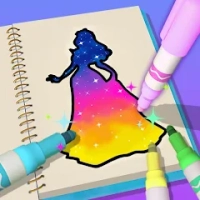
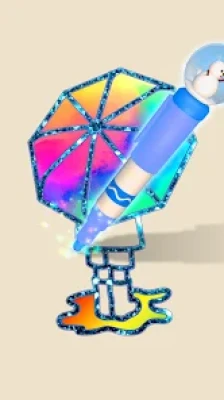
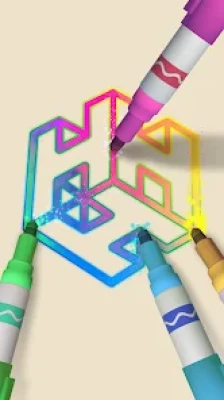
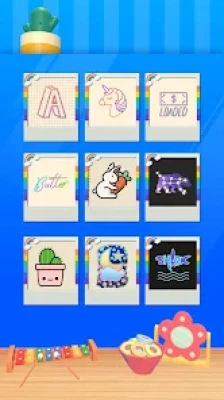
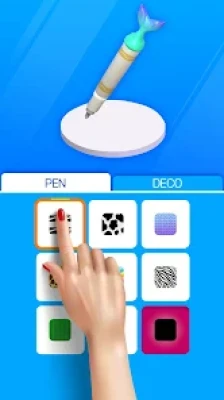
The main attraction is the variety of drawing styles and visual effects. Gel pens create smooth, colorful lines, neon pens add bright glowing effects, and glitter pens give artwork a sparkling finish. These tools make even simple designs visually appealing.
The game also features typography, graphics, and calligraphy, providing variety beyond ordinary line drawing. Players can work through different designs and enjoy the visual satisfaction of watching an image take shape.
Art Drawing 3D is particularly suited to short gaming sessions. Its straightforward controls make it easy to begin, while the different pen effects and artistic patterns provide a reason to continue exploring the available drawings.
Although it is presented as a drawing game, the experience is more guided than a professional digital art application. Players looking for a freeform drawing canvas with advanced layers, brushes, and editing tools should understand this distinction before playing.
Main Features of Art Drawing 3D
Simple Tap-to-Draw Controls
The game uses straightforward touch interactions to make drawing accessible to beginners. Rather than learning complicated tools, players can focus on following the required lines and completing the design.
Gel Pen Effects
Gel pens provide smooth, colorful strokes that help bring the artwork to life. Their clean appearance makes them suitable for designs that emphasize outlines, lettering, and decorative details.
Neon Drawing Tools
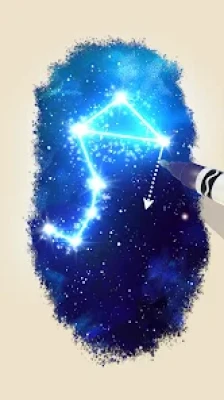
Neon pens add bright, luminous colors to selected designs. These effects create a distinctive appearance and make certain drawings stand out against their backgrounds.
Glitter Pens and Sparkling Effects
Glitter pens introduce shimmering visual details that make completed artwork more eye-catching. They are especially appealing to players who enjoy colorful effects and decorative designs.
Typography and Lettering
Art Drawing 3D includes typography-based activities that focus on forming attractive letters and text designs. These stages provide an alternative to drawing objects and shapes.
Calligraphy-Inspired Designs
Calligraphy introduces more decorative lettering styles. These activities encourage careful attention to line direction, curves, and the overall appearance of the finished design.
Graphics and Creative Patterns
The game features different graphics and illustrations to keep the drawing activities varied. Players can experience a range of designs rather than repeating a single drawing pattern throughout the entire game.
Relaxing Casual Gameplay
The accessible controls and visual feedback make Art Drawing 3D suitable for short breaks. Players can focus on completing a design without needing to learn complex game mechanics.
Reward-Based Progression
Completing drawings provides a sense of progress as players move through the available content. The exact rewards and unlock conditions can vary depending on the current version of the game.
How to Play Art Drawing 3D
The core gameplay is simple: select an available design, follow the drawing instructions, and use the on-screen controls to complete the artwork.
Depending on the stage, you may need to trace a line, follow a particular path, or control your movement to produce the intended result. Timing and accuracy can matter when the game evaluates how closely your actions follow the expected drawing pattern.
As you progress, you encounter different types of artwork and visual effects. Some designs emphasize lettering, while others focus on graphics, decorative lines, or colorful shapes.
The objective is not necessarily to create an original illustration from a blank canvas. Instead, the game offers guided drawing activities that reward players for following the required process and completing each design.
Complete Strategy Guide for Art Drawing 3D
1. Study the Drawing Before You Start
Before beginning a level, look carefully at the shape or design you need to complete. Identify its overall direction, curves, corners, and any areas that may require a change in movement.
Understanding the design beforehand helps you avoid rushing into the first stroke without a clear idea of what comes next.
2. Follow the Intended Path
Accuracy is important in guided drawing challenges. Keep your attention on the intended line and try to maintain a consistent movement.
Avoid unnecessary swerves or sudden changes in direction. Smooth, controlled actions are often more effective than moving your finger quickly without considering the shape.
3. Control Your Drawing Speed
Do not assume that moving faster will always produce a better result. If a stage depends on timing or precise movement, rushing can reduce accuracy.
Start with a comfortable pace and adjust it according to the challenge. When the game requires a quick action, react promptly; when it requires precision, prioritize control.
4. Pay Attention to Curves and Corners
Straight lines are generally easier to follow than intricate shapes. Curves and corners require you to adjust your finger movement carefully.
Look ahead to where the line is going instead of concentrating only on the exact point beneath your finger. Anticipating the next turn can help you maintain a smoother path.
5. Learn From Your Previous Attempts
If a drawing does not turn out as expected, identify where your movement went wrong. You may have changed direction too sharply, moved too quickly, or missed part of the required path.
Use that information to improve your next attempt rather than repeating the same movement.
6. Explore the Different Pen Styles
Gel, neon, and glitter pens give drawings different visual qualities. Take time to understand how each style affects the appearance of the finished artwork.
If the game provides a choice of tools, select the one that suits the design or the visual effect you prefer. Do not assume that every pen style behaves identically.
7. Approach Lettering With Care
Typography and calligraphy require attention to the structure of letters. Pay attention to the direction of each stroke and the way individual lines connect.
Decorative lettering often looks more polished when curves and connecting strokes are handled smoothly. Follow the design carefully instead of making abrupt movements.
8. Keep Your Finger Movements Comfortable
A comfortable grip can help you control the drawing path more consistently. Avoid covering the entire design with your hand, particularly when you need to see an upcoming turn.
If you are playing on a smaller screen, use controlled movements rather than large gestures that make it difficult to stay on the intended path.
9. Focus on Completing One Design at a Time
It can be tempting to rush through several levels to unlock more content. However, concentrating on the current drawing helps you learn the mechanics and improve your accuracy.
Finish each stage carefully, understand what it taught you, and then move on to the next design.
10. Be Patient With Difficult Drawings
Some patterns may require more precise movements than others. If you struggle, pause and examine the design again.
Break a complicated shape into smaller sections mentally. Focus on the next curve or line rather than worrying about the entire drawing at once.
11. Manage Rewards and Optional Features
If the game offers rewards, extra attempts, or optional purchases, consider whether they are necessary for your progress.
Enjoy the available drawing activities before spending resources on convenience features. Remember that optional purchases can involve real money, so review the terms carefully.
12. Set Realistic Expectations
Art Drawing 3D is primarily a guided drawing simulation, not a complete professional art studio. Its strengths lie in simple interactions, colorful effects, and satisfying visual presentation.
If your goal is to practice drawing freely, use the game as a casual introduction to line control and visual patterns rather than as a replacement for a dedicated drawing application.
Best Tips for Beginners
Examine the design before making your first move.
Follow the intended drawing path as closely as possible.
Use a comfortable, controlled drawing speed.
Pay extra attention to corners, curves, and connected lines.
Practice lettering and calligraphy carefully.
Experiment with gel, neon, and glitter effects.
Learn from unsuccessful attempts.
Keep your hand positioned so you can see the artwork.
Complete each design before rushing to the next level.
Remember that guided drawing is different from freehand digital illustration.
Graphics, Colors, and Visual Effects
Art Drawing 3D focuses on the visual appeal of creating artwork through simple interactions. Bright colors, smooth strokes, glowing neon effects, and sparkling glitter details help make the drawing process more engaging.
The combination of different pen styles adds variety to the experience. A design created with a neon effect can feel very different from one using a smooth gel pen or a glitter finish.
Typography and calligraphy also give the game an artistic identity beyond ordinary coloring activities. These elements make it appealing to players who enjoy decorative lettering and visually satisfying patterns.
Is Art Drawing 3D Difficult?
Art Drawing 3D is easy to begin because its basic controls are straightforward. Most of the challenge comes from following the intended drawing path and controlling movement accurately.
Players who enjoy casual activities should find the basic concept accessible. More intricate designs may require additional attention, especially when curves, connected lines, or timing-based mechanics are involved.
The game is best approached as a relaxed drawing challenge rather than a demanding art competition.
Advantages and Disadvantages
Advantages
Simple touch controls that are easy to learn.
Colorful gel, neon, and glitter pen effects.
Includes typography, graphics, and calligraphy.
Provides a satisfying visual drawing experience.
Suitable for short casual gaming sessions.
Does not require professional drawing skills.
Offers a different experience from traditional match-3 and arcade games.
Disadvantages
Guided drawing may feel restrictive to players who want complete creative freedom.
Repeated drawing patterns may become predictable over time.
The game is not a full-featured digital art application.
Advertisements can interrupt the experience.
Players who finish the available designs quickly may want more content.
Some activities may emphasize following a predetermined path rather than developing original artwork.
Game Information
Game Title: Art Drawing 3D
Developer: Supercent, Inc.
Package Name: io.supercent.kdrawing
Genre: Simulation, Casual, Drawing, and Creative Art
Platform: Android, with Windows availability also indicated in the store listing.
Core Gameplay: Complete guided drawing activities using colorful pens and visual effects.
Drawing Styles: Gel pens, neon pens, glitter pens, typography, graphics, and calligraphy.
Controls: Touch-based drawing interactions.
Price: Free to download, with advertisements and optional in-app purchases.
Content Rating: Everyone on Google Play.
Compatibility: Check the current Google Play listing for the latest Android requirements and device compatibility.
Who Should Play Art Drawing 3D?
Art Drawing 3D may appeal to players who enjoy colorful casual games, guided drawing activities, decorative lettering, and satisfying visual effects.
It is suitable for people who want a simple creative activity without the learning curve of professional illustration software. Players who enjoy neon colors, glitter effects, and typography may find the range of styles particularly appealing.
However, artists looking for unrestricted sketching, advanced brush settings, layers, or detailed image editing may prefer a dedicated digital art tool.
Frequently Asked Questions
What is Art Drawing 3D?
Art Drawing 3D is a casual drawing simulation game developed by Supercent, Inc. Players complete guided artwork using simple touch controls and different visual effects.
Is Art Drawing 3D free to play?
The game is free to download on Google Play. It contains advertisements and optional in-app purchases.
How do you play Art Drawing 3D?
Choose an available design and follow the drawing instructions using the on-screen controls. Your objective is to complete the required artwork as accurately as possible.
What types of pens are available?
The published game description highlights gel pens, neon pens, and glitter pens. Each offers a different visual appearance for the artwork.
Does Art Drawing 3D include calligraphy?
Yes. The game's description identifies calligraphy, typography, and graphics among its creative drawing activities.
Is Art Drawing 3D suitable for beginners?
Yes. Its simple controls make it accessible to players without advanced drawing skills. Guided activities help players focus on following shapes and completing designs.
Can I draw anything I want?
The game focuses on guided drawing activities and predetermined designs rather than functioning as a completely freeform drawing canvas. The available creative options depend on the current version.
Is Art Drawing 3D a professional drawing application?
No. It is primarily a casual drawing simulation game. It is designed for accessible, guided activities rather than advanced illustration and image editing.
Does Art Drawing 3D contain advertisements?
Yes. Google Play identifies advertisements and optional in-app purchases. The frequency of advertisements may affect the experience, so check the current version and available options.
Who developed Art Drawing 3D?
Art Drawing 3D was developed by Supercent, Inc., a publisher known for casual mobile games.
Final Thoughts
Art Drawing 3D offers a colorful take on casual drawing games, combining simple touch controls with gel pens, glowing neon strokes, glitter effects, typography, and calligraphy. Its accessible gameplay makes it suitable for players who want a short creative activity without learning complicated software or drawing techniques.
The best way to enjoy the game is to focus on the drawing in front of you, control your movements, and experiment with the different visual styles. If you appreciate guided art activities and satisfying visual effects, Art Drawing 3D provides a straightforward way to add a little creativity to your gaming routine.
Rate the Game
User Reviews








Popular Games








 Android
 iOS
 Windows
 Xbox