

Latest Version
October 09, 2024
Amanotes Pte Ltd
Music
iOS
0
Report a Problem
More About :game
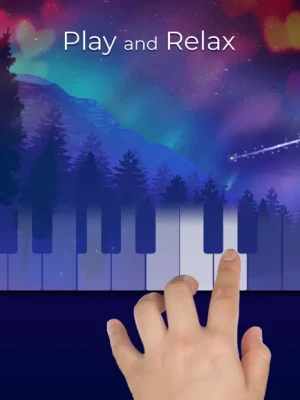
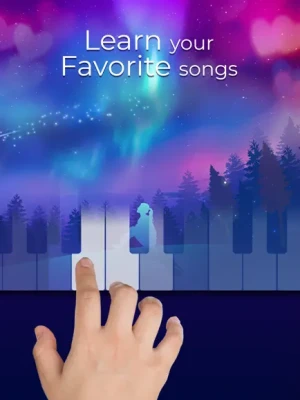
The game features a collection of popular and classical songs and uses calming visual effects to create a peaceful atmosphere. The App Store specifically highlights a Nordic night sky and a midnight-rain setting, giving the game a noticeably different mood from many fast-paced piano games.
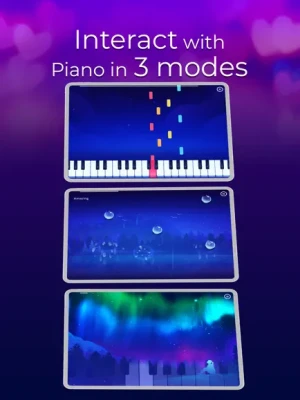
There are three key ways to play:
- Relax for a more casual music experience
- Challenge for players who want to test their timing
- Keyboard for a more direct piano-playing experience
The game is developed by Amanotes Pte. Ltd. and is listed in the Music category for iPhone and iPad.
What Is Piano Sky?
Piano Sky is designed around the simple pleasure of playing piano melodies on a mobile device.
Rather than making every session feel like a competition, the game gives players the freedom to choose how they want to interact with the music. You can choose an easier song when you want a relaxing session or select more demanding content when you're in the mood for a challenge.
This balance between relaxation and skill-based play is one of the game's strongest features.
Main Features
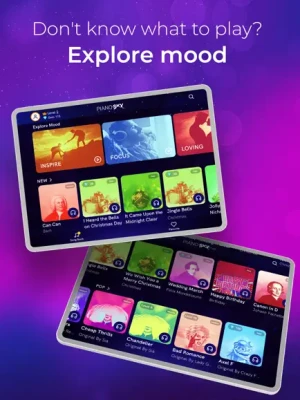
Popular and Classical Piano Songs
The game offers access to a selection of popular songs as well as classical pieces. This gives players different musical styles to explore instead of limiting the experience to one type of soundtrack.
Relax Mode
Relax mode is ideal when you don't want to concentrate on difficult patterns.
Choose a suitable song, settle into the rhythm and enjoy the visual atmosphere. This mode is particularly well suited to short sessions when you simply want some background music and calming gameplay.
Challenge Mode
Challenge mode is designed for players who want more interaction and difficulty.
Instead of simply enjoying the melody, you need to pay closer attention to timing and accuracy. As songs become more demanding, your ability to react consistently becomes increasingly important.
Keyboard Mode
Keyboard mode gives players another way to interact with the music and is intended to help players explore piano-style play. The App Store describes this mode as a way to learn piano while enjoying the game's songs.
Nordic Night-Sky Atmosphere
The visual presentation is a major part of Piano Sky's identity.
The game combines piano music with a Nordic night sky and calming effects. A midnight-rain environment adds another layer to the peaceful atmosphere.
How to Play Piano Sky
The basic idea is simple: choose your preferred mode, select a song and follow the musical interaction required by that mode.
For beginners, Relax mode is a good place to start. It lets you become familiar with the interface without immediately worrying about difficult sequences.
Once you're comfortable, move into Challenge mode and begin paying more attention to timing and accuracy.
If you want to explore the piano side of the game more directly, try Keyboard mode.
A simple progression is:
Relax → Learn the controls → Challenge → Improve accuracy → Explore Keyboard
Full Strategy Guide
1. Start With Easier Songs
Don't immediately choose the most difficult song available.
The earlier and easier songs give you an opportunity to learn how the game responds to your touches. Once the basic timing feels natural, harder songs become much less intimidating.
The game's version history specifically mentions easy songs for relaxation and difficult songs for players who want more of a challenge.
2. Listen Before You React
Music games become easier when you use your ears as well as your eyes.
Pay attention to the melody and rhythm. Instead of treating every note as an isolated action, try to understand the musical pattern behind it.
This can help you anticipate what is coming next.
3. Don't Rush Your Inputs
Fast fingers aren't necessarily accurate fingers.
If you're struggling with a song, slow your thinking down. Focus on making each input deliberate and correctly timed.
Accuracy should come before speed.
4. Use Relax Mode as Practice
Relax mode isn't only useful when you want to unwind.
It can also help you become familiar with songs and the game's interface before attempting more challenging content.
Use it as a low-pressure warm-up before moving into Challenge mode.
5. Learn the Rhythm Pattern
Many musical sequences contain repeating structures.
Instead of thinking:
Note → note → note → note
try to recognize:
Pattern A → repeat → variation → pattern A
Pattern recognition makes difficult sequences much easier to understand.
6. Keep Your Attention Ahead
When playing a challenging song, don't focus exclusively on the note you're currently handling.
Look slightly ahead and prepare yourself for the next part of the sequence.
This is particularly useful when several inputs arrive close together.
7. Practice Difficult Songs Repeatedly
If a particular song is giving you trouble, repetition is more useful than constantly switching to something else.
Play it again and identify where the mistakes happen.
Ask yourself:
- Did I react too early?
- Did I lose the rhythm?
- Did I become distracted?
- Was the sequence too fast?
- Did I stop anticipating the next note?
Once you identify the problem, your next attempt becomes more productive.
How to Improve Your Timing
Good performance in a piano rhythm game depends heavily on timing.
Try this simple method:
Listen → anticipate → react → maintain rhythm
Don't stare only at the visual elements. Let the music guide your sense of timing.
If a song has a repeating beat, use that beat as your internal reference point.
With enough practice, you will begin to anticipate the timing instead of reacting at the last possible moment.
How to Approach Challenge Mode
Challenge mode is where the game's rhythm mechanics become more important.
A good strategy is to divide your practice into three stages.
Stage 1: Learn
Play the song without worrying about a perfect performance.
Your objective is simply to understand its structure.
Stage 2: Correct
Identify the sections where you consistently make mistakes.
Focus on those sections rather than replaying the entire song without changing your approach.
Stage 3: Perfect
Once the difficult sections feel familiar, work toward a cleaner complete run.
This method is more efficient than repeatedly playing a song from beginning to end without analyzing your mistakes.
Using Keyboard Mode
Keyboard mode offers a different experience from the more rhythm-focused challenge gameplay.
Treat it as an opportunity to explore the melodies and become more familiar with piano-style interaction.
If you're new to piano games, don't worry about playing complicated sequences immediately.
Start with simple melodies and concentrate on accuracy.
Over time, you'll become more comfortable moving between notes.
Unlocking More Songs
The game's version history states that players can level up to earn gems and unlock popular songs.
This gives progression a useful purpose.
Instead of simply playing random songs, keep an eye on your available progression and rewards.
A sensible approach is:
- Play available songs regularly.
- Complete easier content first.
- Build experience through repeated play.
- Collect available gems.
- Use progression rewards to access additional music.
- Return to older songs to improve your performance.
Gem Management
Gems are an important part of the game's progression system.
Since gems can be connected with unlocking popular songs, avoid treating every reward as something that should immediately be spent.
If there is a particular song you're interested in, consider saving your gems toward that goal.
This makes progression feel more intentional.
Best Beginner Tips
Tip 1: Begin With Relax Mode
It provides a low-pressure introduction to the game.
Tip 2: Learn the Interface
Become comfortable with the controls before attempting difficult songs.
Tip 3: Listen to the Music
The rhythm itself can help you predict what comes next.
Tip 4: Don't Chase Speed
Correct timing is more important than frantic movement.
Tip 5: Repeat Difficult Songs
Practice turns unfamiliar sequences into familiar patterns.
Tip 6: Use Keyboard Mode
It provides another way to experience the game's music and piano mechanics.
Tip 7: Save Your Gems
Think about which songs you want to unlock before spending progression resources.
Tip 8: Take Breaks
Because Piano Sky emphasizes relaxation, there is no reason to turn every session into a grind.
Common Mistakes to Avoid
Trying Difficult Songs Too Early
A challenging song can be frustrating if you haven't learned the basic rhythm mechanics.
Ignoring the Music
Watching the screen without listening can make timing harder.
Moving Too Quickly
Rapid inputs don't help if they're inaccurate.
Repeating the Same Mistake
If you fail at the same section repeatedly, stop and identify why.
Spending Gems Without a Goal
If you're saving for a particular song, unnecessary spending can slow your progression.
Treating Every Mode the Same
Relax, Challenge and Keyboard are intended to provide different experiences. Use each according to what you're trying to accomplish.
Piano Sky Visuals and Atmosphere
The visual atmosphere is one of the game's defining characteristics.
Instead of using a loud or aggressive presentation, Piano Sky places its music against a Nordic night sky. The game also uses calming visual effects and a midnight-rain environment to complement the soundtrack.
This makes the game feel closer to a relaxing musical experience than a conventional high-pressure arcade title.
Difficulty Guide
Piano Sky supports different levels of intensity.
Easy
Good for beginners and relaxed sessions.
Medium
Useful for players who understand the basic mechanics and want more active gameplay.
Difficult
Designed for players who want to test their timing and reaction skills.
The game's earlier updates explicitly described easy songs for relaxation and difficult songs for players looking for a challenge.
Who Should Play Piano Sky?
Piano Sky is a good choice for players who enjoy:
- Piano games
- Music games
- Relaxing mobile games
- Rhythm games
- Classical music
- Popular songs
- Casual games
- Virtual piano experiences
- Simple touch controls
- Calm visual environments
It is especially appealing if you want a music game that doesn't force every session to be competitive.
Game Information
Game: Piano Sky: Piano Magic Games
Developer: Amanotes Pte. Ltd.
Genre: Music
Platform: iPhone and iPad
Price: Free
Age Rating: 4+
Language: English
App Size: Approximately 209.9 MB on the current US App Store listing
Compatibility: iOS 10.0 or later
Main Modes: Relax, Challenge and Keyboard
Music: Popular and classical songs
Visual Theme: Nordic night sky and calming effects
Progression: Level up and earn gems to unlock popular songs
Update History
The App Store lists version 1.2 as the latest version in its displayed version history, released on March 9, 2021. Previous updates added songs, introduced Relax and Challenge options, included a help feature, added Christmas content and made other improvements.
Because the displayed App Store version history is old, avoid publishing claims that the game currently receives frequent updates unless you independently verify a newer release.
Piano Sky: Pros and Cons
Pros
- Relaxing piano gameplay
- Popular and classical music
- Three different ways to play
- Beautiful Nordic night-sky setting
- Calming visual effects
- Easy songs for casual players
- More difficult songs for experienced players
- Gem-based progression
- Suitable for short sessions
Cons
- Players looking for an extremely competitive rhythm game may find it too relaxed
- The displayed App Store version history is relatively old
- The song selection and availability can change over time
- Keyboard mode may feel simpler than a dedicated piano-learning application
Piano Sky vs. Typical Piano Games
Many piano games focus almost entirely on speed and accuracy.
Piano Sky takes a softer approach.
Its main difference is the balance between music, atmosphere and challenge. You can play simply to relax, switch to Challenge mode when you want something harder, or explore the Keyboard experience.
That makes it a better fit for players who want flexibility rather than nonstop difficulty.
Frequently Asked Questions
What is Piano Sky: Piano Magic Games?
Piano Sky is a mobile music game where players can enjoy piano melodies while interacting with popular and classical songs in relaxing or challenging modes.
Is Piano Sky a piano game?
Yes. It is a piano-focused music game featuring piano melodies, a Keyboard mode and rhythm-oriented gameplay.
What modes are available in Piano Sky?
The game features Relax, Challenge and Keyboard modes.
Can I play classical songs in Piano Sky?
Yes. The App Store description specifically mentions both popular and classical songs.
Does Piano Sky have difficult songs?
Yes. The game's version history mentions easy songs for relaxation and difficult songs for players who want to challenge themselves.
How do I unlock more songs?
The displayed game information says that players can level up, earn gems and use progression to unlock popular songs.
Is Piano Sky good for beginners?
Yes. Its multiple modes and straightforward gameplay make it approachable for beginners, while Challenge mode provides additional difficulty for experienced players.
Does Piano Sky have relaxing visuals?
Yes. Its presentation centers around a Nordic night sky with calming effects and a midnight-rain setting.
What devices support Piano Sky?
The current App Store listing supports iPhone and iPad and states that iOS 10.0 or later is required.
Final Verdict
Piano Sky: Piano Magic Games is a relaxing alternative to more intense rhythm and piano games. Its combination of popular and classical music, three gameplay styles, calming visuals and straightforward progression gives it a distinctive atmosphere.
The best way to enjoy it is not to treat every song as a competition. Start with Relax mode, become familiar with the music, then move into Challenge mode when you're ready to test your timing. Keyboard mode provides another way to explore the game's piano experience.
If you enjoy piano games, relaxing music games, classical melodies and atmospheric mobile games, Piano Sky is worth exploring.
Rate the Game
User Reviews





Popular Games
















 Android
 iOS
 Windows
 Xbox