


Latest Version
April 10, 2024
IDZ Digital Private Limited
Educational
Android
8
com.iz.first.grade.educational.learning.kids.games
Report a Problem
More About :game
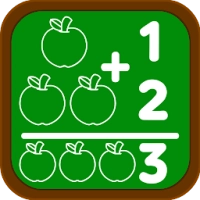
Primary School Learning Games transforms school subjects into exciting educational adventures. Instead of traditional worksheets, children learn through engaging mini-games, quizzes, puzzles, and interactive challenges that encourage curiosity and independent learning.
The lessons are organized to support first-grade students as they practice essential academic skills including addition, subtraction, reading, spelling, vocabulary, telling time, geometry, science, and geography.
Its structured progression allows children to strengthen classroom knowledge while learning at their own pace, making it useful for home learning, homeschooling, and classroom reinforcement.
Game Atmosphere
The game offers a cheerful classroom-inspired environment filled with colorful illustrations, playful animations, friendly voice narration, and encouraging sound effects.
Every lesson feels rewarding thanks to interactive characters, positive feedback, and bright educational visuals that help children stay focused and motivated throughout each activity.
The atmosphere encourages confidence rather than pressure, making learning enjoyable for young students.
Gameplay Overview
Players explore a wide variety of educational activities across multiple school subjects.
Activities include:
- Math games
- Reading exercises
- Spelling practice
- Vocabulary challenges
- Science activities
- Geography quizzes
- Number games
- Shape recognition
- Telling time
- Measurement activities
- Graph interpretation
- Sight word practice
- Grammar games
- Logic puzzles
Each lesson gradually becomes more challenging as children improve their skills.
Main Features
- More than 290 educational games
- Over 170 interactive math activities
- English language lessons
- Reading and writing practice
- Sight word learning
- Phonics and spelling exercises
- Science games
- Geography lessons
- Countries and continents
- Capitals and landmarks
- Voice-guided learning
- Colorful animations
- Child-friendly controls
- Teacher-approved educational content
- Suitable for children aged 6–8 years
Subjects Covered
Mathematics
Children learn:
- Number sense
- Addition
- Subtraction
- Odd and even numbers
- Comparing numbers
- Geometry
- Shapes
- Time
- Graphs
- Measurement
English
Activities include:
- Alphabet review
- Reading
- Vocabulary
- Spelling
- Sight words
- Nouns
- Verbs
- Tenses
- Word families
- Homophones
- Singular and plural nouns
Science
Children explore:
- Life science
- Physical science
- Earth science
- Space
- Food science
Geography
Lessons include:
- Countries
- Continents
- National flags
- Capitals
- Famous monuments
- Landmarks
Educational Benefits
The game helps improve:
- Reading comprehension
- Vocabulary
- Spelling
- Mathematical thinking
- Problem-solving
- Logical reasoning
- Memory
- Observation
- Concentration
- General knowledge
- Critical thinking
- Independent learning
How to Play
- Select a school subject.
- Choose a lesson or mini-game.
- Follow the voice instructions.
- Complete educational challenges.
- Earn rewards for correct answers.
- Unlock additional learning activities.
- Continue practicing different subjects.
Controls Guide
Designed especially for young learners.
- Tap answers
- Drag objects
- Match pictures
- Solve puzzles
- Select numbers
- Navigate using large colorful buttons
The interface allows children to play independently after a short introduction.
Learning Progression
Students begin with basic first-grade concepts before progressing toward more advanced lessons.
As children continue playing, they gradually strengthen:
- Math fluency
- Reading confidence
- Grammar skills
- Scientific understanding
- Geography knowledge
- Independent thinking
The structured learning path keeps children challenged without becoming overwhelming.
Tips for Parents
- Encourage daily practice for 15–20 minutes.
- Let children complete activities independently before offering help.
- Celebrate progress rather than perfect scores.
- Review difficult topics together.
- Connect game lessons with school homework.
- Practice reading aloud after vocabulary activities.
- Reinforce math concepts using everyday situations.
Beginner Guide
New players should:
- Begin with basic math lessons.
- Explore simple reading activities.
- Practice sight words regularly.
- Complete easy quizzes before moving to advanced topics.
- Repeat favorite educational games for better retention.
Advanced Learning Tips
As children gain confidence, encourage them to:
- Solve math problems mentally.
- Read complete sentences independently.
- Learn country capitals.
- Practice multiplication foundations.
- Improve grammar and sentence building.
- Complete challenging quizzes without hints.
Accessibility
Suitable for:
- Grade 1 students
- Ages 6–8
- Homeschool learners
- Classroom support
- Parents
- Teachers
- After-school learning
The child-friendly interface makes learning comfortable and engaging.
Difficulty Level
⭐⭐⭐⭐☆ Easy to Moderate
Lessons start with simple concepts and gradually introduce more advanced educational challenges.
Visual Design
The game includes:
- Bright educational graphics
- Friendly cartoon artwork
- Interactive animations
- Large icons
- Colorful classrooms
- Attractive lesson screens
The clean visual style keeps children focused on learning.
Audio Experience
Children benefit from:
- Friendly voice narration
- Positive sound effects
- Cheerful background music
- Clear pronunciation
- Encouraging feedback
The audio helps reinforce understanding while making lessons more enjoyable.
Why Children Enjoy This Game
Children often enjoy:
- Learning through play
- Colorful educational games
- Fun quizzes
- Interactive lessons
- Unlocking new activities
- Friendly animations
- Rewarding progress
Every lesson feels like a game instead of homework.
Player Feedback
Parents appreciate the game's broad curriculum, interactive activities, and engaging presentation. Many mention that it helps reinforce classroom learning while keeping children interested through colorful visuals and fun challenges. Positive feedback frequently highlights the variety of math and reading exercises. Some users note that advertisements remain visible in parts of the free version, even after purchasing ad removal, which can be distracting for younger children.
Pros
- Over 290 educational games
- Covers four major school subjects
- Curriculum-based learning
- Excellent math practice
- Strong reading activities
- Voice-guided lessons
- Colorful graphics
- Suitable for home and school
- Gradual learning progression
- High educational value
Things to Consider
- Some premium content requires purchase.
- Younger learners may benefit from occasional parental guidance.
- Short, regular learning sessions often produce the best educational results.
Game Modes
Players can enjoy:
- Mathematics Games
- English Learning
- Reading Practice
- Science Activities
- Geography Lessons
- Educational Quizzes
- Interactive Mini-Games
Similar Games
Children who enjoy Primary School Learning Games may also like:
- Second Grade Learning Games
- Third Grade Learning Games
- Khan Academy Kids
- ABC Kids
- Duolingo ABC
- KidloLand
- Preschool Learning Games
Is It Worth Playing?
Primary School Learning Games is an excellent educational companion for first-grade students. Its wide selection of curriculum-based activities, engaging presentation, and structured progression make it a valuable learning resource for children, parents, and teachers. Whether used to reinforce classroom lessons or support homeschooling, it offers an enjoyable way to build confidence across multiple academic subjects.
Frequently Asked Questions
What age group is Primary School Learning Games designed for?
The game is designed primarily for children aged 6 to 8 years who are studying in Grade 1.
How many educational games are included?
The app includes more than 290 educational games, with over 170 math activities and additional lessons covering English, science, and geography.
Which school subjects are covered?
Children can study mathematics, English, reading, spelling, science, geography, vocabulary, grammar, time, shapes, and much more.
Can the game be used alongside school lessons?
Yes. The activities are designed to reinforce first-grade classroom concepts and help children practice what they learn at school.
Why do parents recommend this game?
Parents value its curriculum-based lessons, engaging activities, wide variety of subjects, colorful presentation, and ability to make learning enjoyable for young students.
Rate the Game
User Reviews







Popular Games



















 Android
 iOS
iOS Windows
 Xbox
Xbox