QR Code
Word Search - Word Puzzle Game

Word Search Journey Complete Guide, Tips & Winning Tricks

by Playvalve
(0 Reviews) February 24, 2024
Word Search - Word Puzzle Game Word Search - Word Puzzle Game Word Search - Word Puzzle Game Word Search - Word Puzzle Game Word Search - Word Puzzle Game

Latest Version

Update
February 24, 2024
Developer
Playvalve
Categories
Word
Platforms
Android Windows
Views
0
Package Name
com.playvalve.wsjourney
Visit Page

More About :game

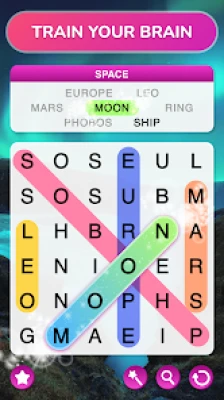
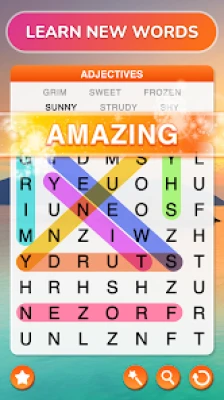
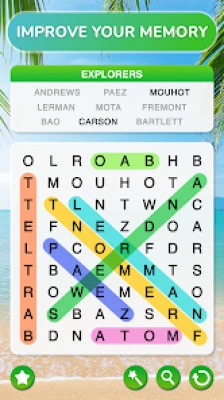
Word Search Journey is a relaxing word puzzle game that combines classic word-search mechanics with beautiful travel-themed environments. Players discover hidden words, improve vocabulary, train their brains, and progress through increasingly challenging levels while exploring virtual destinations around the world.

Word Search Journey – Complete Game Guide

What Is Word Search Journey?

Word Search Journey is a destination-themed word puzzle game developed by Playvalve. Players search for hidden words inside letter grids while unlocking new locations and increasing the difficulty over time.

The game is designed for players of all ages, combining educational benefits with relaxing gameplay. Unlike traditional word games, Word Search Journey adds visual travel elements and progressive challenges to maintain long-term engagement.


Main Features

Brain Training Gameplay

  • Hidden word puzzles
  • Vocabulary expansion
  • Pattern recognition exercises
  • Memory enhancement
  • Focus improvement

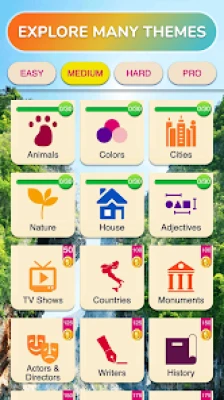
Multiple Difficulty Levels

Players gradually advance through:

  • Easy
  • Medium
  • Hard
  • Expert
  • Pro challenges

Difficulty increases naturally as players progress.

Travel-Themed Experience

Explore beautiful destinations while solving puzzles.

Themed environments create a relaxing atmosphere that makes long gaming sessions enjoyable.

Offline Support

Many levels can be played without an internet connection, making it ideal for travel and commuting.


How To Play Word Search Journey

Step 1: Analyze The Letter Grid

Observe all letters before making your first move.

Avoid randomly swiping.

Step 2: Search For Easy Words First

Look for:

  • Short words
  • Unique letters
  • Common prefixes

Examples:

  • ING
  • TION
  • ER
  • EST

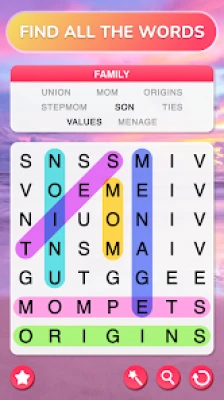
Step 3: Swipe To Select Words

Drag your finger across letters.

Words may appear:

  • Horizontally
  • Vertically
  • Diagonally
  • Backward

Step 4: Complete The Entire Board

Find every hidden word to unlock the next puzzle.


Beginner Walkthrough Guide

Early Levels (1-50)

Goal:

Build scanning habits.

Focus on:

  • 3-letter words
  • 4-letter words
  • Common vocabulary

Do not rush.

Speed develops naturally.


Mid Game (50-200)

At this stage:

  • Word lengths increase
  • Grids become larger
  • Hidden patterns become harder

Start using advanced scanning methods.


Advanced Levels (200+)

Expect:

  • Complex words
  • Rare vocabulary
  • Larger puzzle boards
  • Longer solving times

This is where strategy becomes essential.


Best Strategies To Solve Puzzles Faster

1. Scan The Corners First

Many hidden words start near edges.

Check:

  • Top row
  • Bottom row
  • Left side
  • Right side

2. Search For Unique Letters

Letters like:

  • Q
  • Z
  • X
  • J

quickly reveal word locations.


3. Break The Grid Into Sections

Mentally divide the board into four parts.

This prevents missing hidden words.


4. Find Common Word Endings

Look for:

  • ING
  • ION
  • ED
  • LY
  • ER

These often reveal entire words.


5. Slow Down

Rushing causes mistakes.

Careful scanning is more efficient.


Daily Brain Training Routine

Spend 15 minutes daily.

First 5 Minutes

Find words naturally.

Next 5 Minutes

Focus on speed.

Last 5 Minutes

Challenge yourself without hints.

Consistent practice improves:

  • Memory
  • Focus
  • Vocabulary
  • Concentration

Advanced Hidden Word Techniques

The Snake Method

Move your eyes in a zigzag pattern.

Advantages:

  • Covers the entire board
  • Reduces missed words
  • Improves speed

The Anchor Letter Method

Find rare letters first.

Examples:

Q → Quickly

X → Extra

Z → Puzzle

Build surrounding words.


The Border Sweep Method

Search all outer rows before entering the center.

Many hidden words appear along borders.


Common Mistakes To Avoid

❌ Random swiping

❌ Ignoring diagonal words

❌ Overusing hints

❌ Rushing difficult puzzles

❌ Repeating the same scanning pattern

❌ Focusing on one area too long


How To Use Hints Effectively

Save hints for:

  • Final 2 words
  • Difficult expert stages
  • Large puzzle boards

Avoid using hints immediately.

Train your observation skills first.


User Feedback Insights

Players frequently praise:

✅ Relaxing gameplay

✅ Beautiful backgrounds

✅ Educational value

✅ Vocabulary improvement

✅ Stress-free sessions

Common user criticisms include:

⚠️ Frequent advertisements

⚠️ Upgrade prompts

⚠️ Some levels feeling repetitive over long sessions.


Who Should Play Word Search Journey?

Perfect for:

  • Puzzle fans
  • Students
  • Adults
  • Seniors
  • Travelers
  • Language learners
  • Casual gamers
  • Brain-training enthusiasts

Frequently Asked Questions

Is Word Search Journey good for brain training?

Yes. It helps improve concentration, vocabulary, and pattern recognition.

Is it suitable for all ages?

Yes. The game is designed for both children and adults.

Can beginners enjoy the game?

Absolutely. The early stages are very beginner-friendly.

Does the difficulty increase?

Yes. Levels become progressively more challenging over time.

Is internet required?

Offline gameplay is supported for many situations.


Final Verdict

Word Search Journey successfully transforms classic word search puzzles into an engaging travel adventure. Its relaxing pace, educational benefits, and gradually increasing challenge make it an excellent choice for players looking to improve their vocabulary while enjoying stress-free gameplay.

Unlike fast-paced mobile games, Word Search Journey rewards patience, observation, and consistency, making it ideal for daily brain training sessions.

Rate the Game

Add Comment & Review

User Reviews

Based on 0 reviews
5 Star
0
4 Star
0
3 Star
0
2 Star
0
1 Star
0
Add Comment & Review
We'll never share your email with anyone else.