

Latest Version
October 16, 2024
Skyloft Games
Family
iOS
0
Report a Problem
More About :game
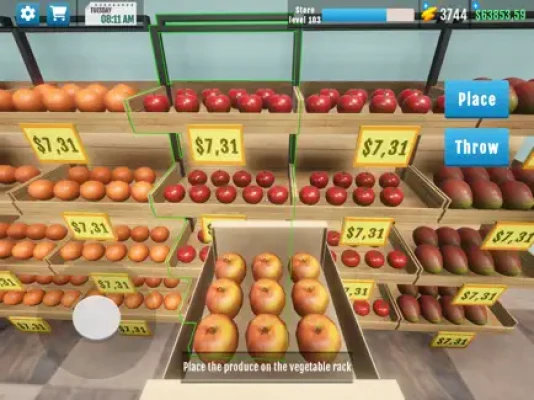
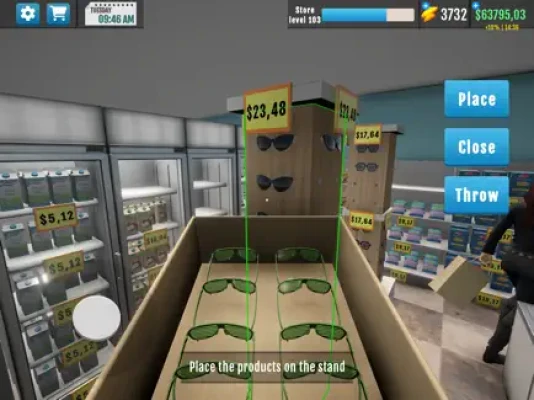
The game combines supermarket management with hands-on simulation. You can order products, collect deliveries, stock shelves, operate the checkout, clean the store, deal with unexpected fires, customize your shop and expand its facilities.
As your business develops, you can unlock additional products, improve your store's appearance, introduce decorations, recruit workers and use new management features to increase efficiency. The current version also includes level-up rewards, gift boxes, day summaries and improvements to the shopping interface.
The ultimate goal is simple: turn a small neighborhood store into a successful supermarket.
What Is Store Manager Simulator 3D?
Store Manager Simulator 3D is a supermarket business and management simulation game developed by Skyloft Games.
You start by renting a small shop and selling basic products. As your profits increase, you can expand the store, unlock more products and create a larger retail business.
The game lets you manage many parts of a supermarket, including:
- Fruits and vegetables
- Eggs
- Cheese
- Breakfast cereals
- Milk
- Juice
- Chips
- Frozen products
- Meat
- Burgers
- Sushi
- Crab sticks
- Other grocery products
- Store decorations
- Product licenses
- Employees
- Checkout operations
- Cleaning
- Security
- Store expansion
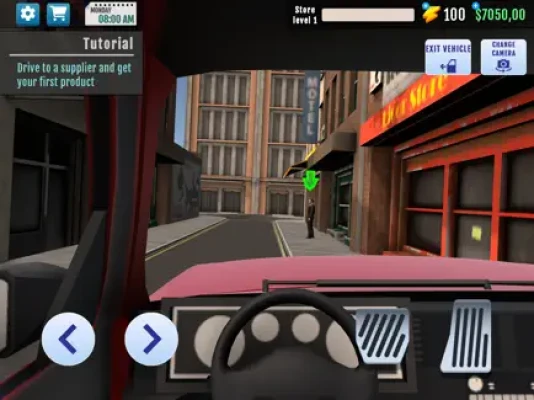
The App Store also describes an open-world element where you can drive to locations such as the farmer to obtain products.
Main Gameplay Features
Build Your Own Supermarket
The central objective is to transform a small shop into a much larger supermarket.
Expansion gives you more room for products and equipment, but it also increases the complexity of running the business.
A larger store means:
More products → more customers → more sales → more work → greater management responsibility
The key is making sure your income grows faster than your operating costs.
Manage Inventory
Inventory management is one of the most important parts of the game.
You need to order products before shelves become empty while avoiding excessive purchases that tie up your money.
The basic inventory cycle is:
Order → receive → stock → sell → reorder
Learning this cycle early makes the rest of the game much easier.
Set Competitive Prices
You can adjust product prices and use promotions to encourage sales.
The objective is not simply to charge the highest possible price.
Instead, find a balance between:
- Product cost
- Selling price
- Customer demand
- Sales volume
- Profit margin
A product with a smaller margin can still be extremely profitable if it sells quickly.
Manage Customers
Customers are the engine of your supermarket.
They arrive looking for products, browse your shelves and eventually pay at the checkout.
Keeping popular products available and maintaining a clean, organized shop helps create a better shopping experience.
Hire and Manage Staff
Staff can help reduce the amount of manual work required to operate the store.
The game includes employee-management mechanics involving recruitment, training and motivation.
As your supermarket grows, employees become increasingly valuable because you cannot efficiently handle every task yourself.
Beginner's Guide
When you first start Store Manager Simulator 3D, don't spend your money as quickly as possible.
Your first objective should be to establish stable cash flow.
Follow this basic routine:
- Check your available money.
- Look at your current inventory.
- Order products that customers actually need.
- Stock the shelves.
- Set reasonable prices.
- Open the store.
- Handle checkout and customer needs.
- Clean the shop when necessary.
- Monitor your sales.
- Reinvest part of your profits.
Don't worry about having the biggest supermarket immediately.
A profitable small store is much more useful than a huge store with poor cash flow.
How to Make Money Faster
The strongest money-making strategy is to increase profit per business day rather than simply trying to expand as quickly as possible.
Focus on products that:
- Sell consistently
- Have a healthy margin
- Do not remain on shelves for too long
- Customers frequently request
Then reinvest those profits into upgrades that increase your ability to sell.
The basic profit cycle
Buy cheaply → price intelligently → sell consistently → reorder → expand
The App Store specifically highlights buying products cheaply, setting competitive prices and following customer trends.
Best Pricing Strategy
Pricing is one of the most important management decisions.
Don't automatically maximize the price
A high price means more profit per item only if customers are still willing to buy it.
If sales collapse, the higher margin may actually produce less total profit.
Use promotions strategically
Promotions can help move products faster.
They are particularly useful when:
- You have excess inventory
- Demand has slowed
- You want to increase sales volume
- You need to free shelf space for new products
Monitor results
After changing a price, pay attention to whether the product sells faster or slower.
Think of pricing as an experiment rather than a permanent decision.
Inventory Management Guide
Inventory is your working capital.
Every box sitting in your shop represents money that has already been spent.
Keep best sellers stocked
Popular products should rarely remain unavailable.
An empty shelf means a lost sale.
Avoid over-ordering
Don't fill your store with products simply because you can afford them.
Slow-moving stock reduces the money available for expansion.
Use a simple inventory system
Divide products into:
Fast sellers
Keep a healthy supply.
Average sellers
Maintain moderate stock.
Slow sellers
Buy cautiously and consider promotions.
This makes inventory management much easier.
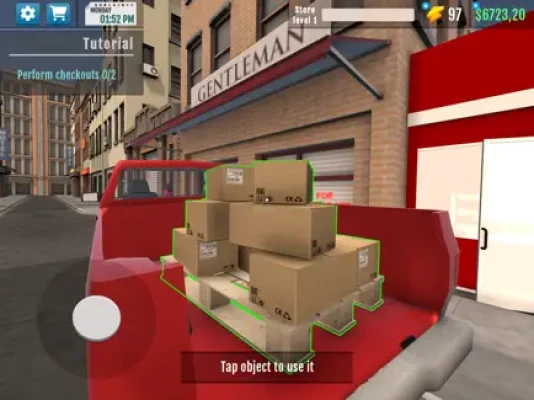
How to Handle Deliveries
Ordering is only part of the process.
You also need to receive and organize your products.
The game has evolved its delivery and ordering systems through several updates, including improvements to box distribution and the shopping interface.
A useful routine is:
- Place your order before opening the store.
- Receive the delivery.
- Organize the boxes.
- Stock the most important shelves first.
- Keep remaining products organized.
- Open the store once you're ready.
This is particularly useful early in the game when you are handling most tasks yourself.
Storage Strategy
Storage becomes increasingly important as your store grows.
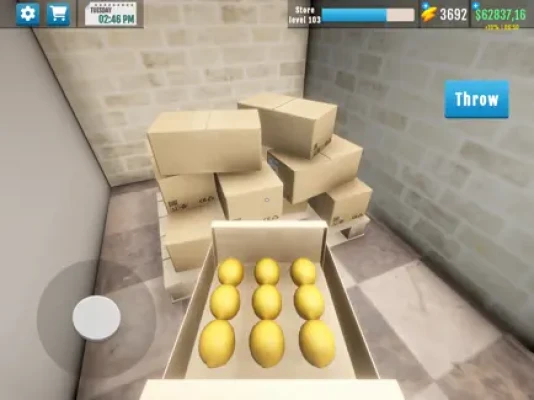
The game introduced storage functionality that allows goods to be placed on pallets and moved around more conveniently.
Use storage to prevent your shop floor from becoming cluttered.
A good system is:
Store floor: Products ready for customers.
Storage: Extra stock and recently delivered goods.
This separation makes restocking faster and keeps the supermarket easier to manage.
How to Stock Shelves Efficiently
Don't randomly fill shelves.
Prioritize products according to demand.
Step 1
Check which products are selling fastest.
Step 2
Keep those products closest to full capacity.
Step 3
Move slower products only when necessary.
Step 4
Use spare inventory for future restocking.
Step 5
Keep boxes organized so you can quickly find what you need.
The physical act of stocking is one of the game's most hands-on mechanics, so organization saves considerable time.
Store Expansion Strategy
Expanding your store is one of the most satisfying parts of Store Manager Simulator 3D.
But expansion should be treated as an investment.
Before buying an expansion, ask:
- Is my current store consistently profitable?
- Are customers buying most of my inventory?
- Do I need more shelf space?
- Do I have enough money left to restock?
- Will the additional space create additional revenue?
If the answer is yes, expansion is much more likely to pay off.
When Should You Expand?
Expand when your current store starts limiting your revenue.
For example, if you frequently run out of shelf space for products that sell quickly, additional capacity can make sense.
Don't expand simply because you have enough money.
Expansion should solve a problem.
Product Licenses
Product licenses allow you to unlock additional merchandise.
The game's updates have introduced additional licenses and new product categories over time.
Licenses should be purchased strategically.
Before unlocking one, consider:
License cost + product cost + expected demand = potential return
If a newly unlocked product has weak demand, buying large quantities immediately may not be worthwhile.
Product Variety Strategy
A strong supermarket needs variety.
The game includes everything from basic grocery products to newer categories such as sushi, crab sticks and other products added through updates.
A useful product mix contains:
Essential products
Everyday groceries that provide reliable sales.
Specialty products
Items that attract customers looking for something specific.
Premium products
More expensive goods that can increase the value of individual transactions.
New products
Recently unlocked items that allow you to test changing demand.
Customer Satisfaction
Customer satisfaction is closely connected to sales.
A customer who cannot find the product they want may leave without purchasing.
Focus on:
- Product availability
- Reasonable prices
- Clean floors
- Organized shelves
- Efficient checkout
- Good store layout
The game specifically emphasizes monitoring customer needs and responding to feedback.
Store Cleanliness
Cleanliness is not merely cosmetic.
The game includes floor cleaning and special equipment such as a mop. Customer reviews also describe dirty floors as something that can negatively affect the shopping experience.
Develop a simple habit:
Restock → clean → check checkout → open
Keeping the shop clean can prevent problems from building up while you're focused on other tasks.
Fire Safety Guide
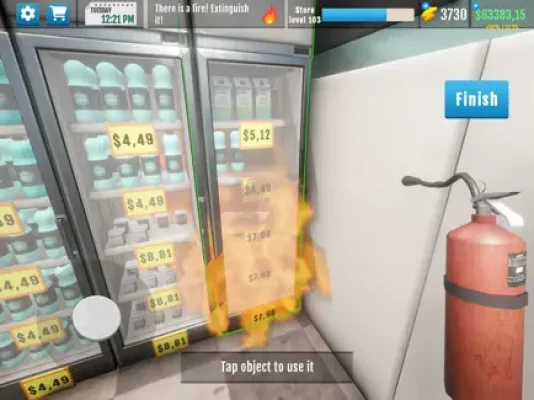
One unusual challenge is the possibility of fires inside the store.
Fire extinguishers were introduced as special equipment, and the game also provides the option to install an automatic fire-suppression system.
What to do when a fire starts
- Locate the fire immediately.
- Use the fire extinguisher.
- Deal with the problem before returning to normal tasks.
- Keep replacement equipment available.
- Consider automatic protection as your store grows.
Fires can disrupt customer activity and cause you to lose valuable time.
Security and Theft
The game also incorporates the possibility of theft.
That means managing a supermarket isn't only about selling products.
You also need to protect your inventory.
The App Store description specifically mentions watching out for thieves and the possibility of using protection for your store.
As your inventory becomes more valuable, security becomes increasingly important.
Cash and Card Payments
Store Manager Simulator 3D includes both cash and card-payment interactions.
This makes the checkout more hands-on than a typical idle supermarket game.
During busy periods, prioritize keeping the checkout moving.
A customer who has finished shopping should not be left waiting unnecessarily.
Employee Strategy
Employees become more useful as the store grows.
At the beginning, handling many tasks yourself helps you understand the game's systems.
Later, delegation becomes more important.
Early game
Do most tasks yourself.
Mid game
Hire help for repetitive activities.
Larger store
Use employees to maintain customer service while you focus on ordering, expansion and management.
The game describes recruiting, training and motivating staff as part of the management experience.
Best Employee Strategy
Don't hire employees simply because you can.
Instead, identify the task consuming the most of your time.
For example:
Too much checkout work → prioritize cashier assistance.
Too much stocking → prioritize operational help.
Too much cleaning → prioritize cleaning-related efficiency.
The best employee is the one who removes your biggest bottleneck.
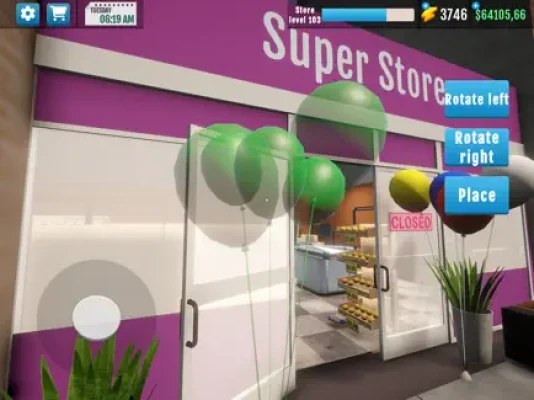
Store Customization
Store Manager Simulator 3D allows you to customize the appearance of your supermarket with themes, colors and decorations.
Customization is not only about making the shop attractive.
Some decorations can also contribute to profits, according to the App Store description and update history.
This means cosmetic improvements can potentially have a business purpose.
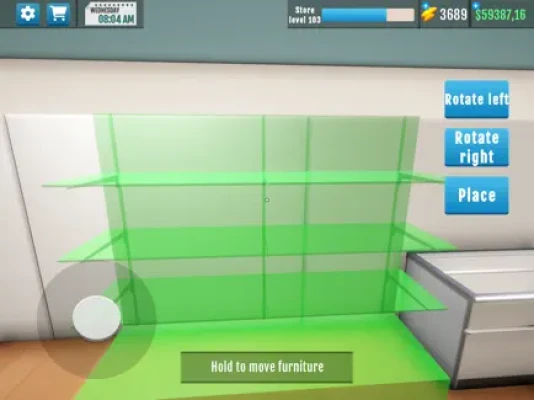
Store Layout Tips
A good supermarket should be easy to navigate.
Try grouping similar products together.
For example:
Produce section
- Fruits
- Vegetables
Dairy
- Milk
- Cheese
- Eggs
Breakfast
- Cereals
- Juice
Frozen and prepared foods
- Fries
- Burgers
- Ready meals
Specialty foods
- Sushi
- Crab sticks
- New licensed products
This makes restocking easier and creates a more natural shopping experience.
How to Use Promotions
Promotions are especially useful when inventory begins to accumulate.
Instead of allowing slow-moving products to occupy valuable shelf space indefinitely, use discounts to increase their sales rate.
Promotions can also be useful when introducing new products.
A new product may require a lower initial price to encourage customers to try it.
Once demand becomes established, you can adjust the price.
Level-Up Rewards
Recent updates added level-up rewards, giving progression an additional incentive.
Don't ignore these rewards.
As you progress, check what becomes available and consider whether the reward can improve your current business strategy.
The best rewards are those that help you:
- Increase revenue
- Improve efficiency
- Unlock products
- Expand the store
- Reduce repetitive work
Gift Boxes
The current game also includes claimable gift boxes.
Make a habit of checking for available rewards rather than leaving them unclaimed.
Small bonuses can add up over a long play session.
Day Summary Strategy
A Day Summary feature was added in a recent update.
Use it as a management report.
At the end of a business day, look at:
- Revenue
- Expenses
- Product performance
- Overall profit
- Problems during the day
Then use that information to decide what to change tomorrow.
This turns the game into a much more deliberate management experience.
Best Daily Routine
A strong routine can save a lot of time.
Before opening
- Check inventory
- Receive deliveries
- Stock shelves
- Clean the store
- Check equipment
- Adjust prices
- Prepare the checkout
During the day
- Serve customers
- Restock empty shelves
- Handle fires
- Watch for theft
- Clean when necessary
- Monitor product demand
After closing
- Review the day
- Order new inventory
- Reorganize the store
- Prepare for tomorrow
- Check available rewards
Best Early-Game Progression
Follow this general progression:
Stage 1: Small shop
Learn ordering, stocking and checkout.
Stage 2: Stable income
Identify your best-selling products.
Stage 3: Product expansion
Unlock additional licenses and categories.
Stage 4: Store improvements
Invest in useful equipment and expansion.
Stage 5: Staff
Reduce the amount of repetitive work you perform yourself.
Stage 6: Advanced management
Optimize pricing, promotions and inventory.
Stage 7: Large supermarket
Focus on efficiency, customer satisfaction and maximum profit.
Advanced Money Management
Always keep some cash available.
Divide your money mentally into three categories:
Operating cash
Used for regular inventory and necessary expenses.
Expansion fund
Reserved for store improvements.
Emergency reserve
Money you deliberately don't spend.
This prevents a large purchase from leaving you unable to restock your most important products.
Common Beginner Mistakes
Spending everything on expansion
A larger building doesn't guarantee more profit.
Overstocking
Too much inventory ties up your money.
Ignoring prices
Small pricing differences can significantly affect sales volume.
Forgetting promotions
Slow products can occupy valuable shelf space.
Neglecting cleaning
A dirty store can hurt customer satisfaction.
Ignoring fires
A small fire can quickly become a major disruption.
Ignoring theft
Losing products reduces your real profit.
Hiring too early
Staff should solve a real operational problem rather than simply increase expenses.
Expanding without inventory
A larger store with empty shelves doesn't generate much additional revenue.
Advanced Profit Strategy
The most important concept for experienced players is stock turnover.
Suppose Product A gives you $10 profit but sells once.
Product B gives you $3 profit but sells ten times.
Product B produces $30 total profit from those ten sales.
Therefore, don't judge a product only by its profit per unit.
Look at:
Profit per unit × number of sales
This is a much better measure of the product's value to your supermarket.
How to Identify Your Best Products
Use your sales history and day summaries.
Look for products that:
- Sell quickly
- Frequently need restocking
- Maintain demand over several days
- Produce a healthy margin
These products deserve more shelf space and a reliable inventory supply.
How to Handle Slow-Moving Products
When a product doesn't sell, don't immediately throw it away or stop stocking it.
First test:
- Lower the price.
- Create a promotion.
- Move it to a better location.
- Reduce the quantity ordered.
- Compare its performance with similar products.
If demand remains weak, redirect your investment elsewhere.
How to Expand Without Going Broke
Use this rule:
Never spend the money you need to keep the store operating.
Before a major expansion, calculate:
Current cash − expansion cost − next inventory order = remaining reserve
If the remaining reserve is too small, wait.
A few more profitable business days may make the expansion much safer.
Advanced Store Management Tips
Keep your fastest sellers closest to convenient restocking areas
This reduces unnecessary movement.
Maintain organized storage
You will save time when deliveries arrive.
Order before opening
This gives you more time to prepare the store.
Use staff to remove repetitive work
Your time is more valuable when spent on strategic tasks.
Keep an emergency fund
Fires, inventory shortages and upgrades can appear at inconvenient times.
Review each business day
The Day Summary can help identify what worked and what needs improvement.
Store Manager Simulator 3D Game Information
Game: Store Manager Simulator 3D
Developer: Skyloft Games
Genre: Simulation
Platforms: iPhone, iPad, Mac, Apple Vision
Price: Free with in-app purchases
Current listed version: 1.2.26
App Size: 341.9 MB
Required iOS: iOS 15.0 or later
Required iPadOS: iPadOS 15.0 or later
Age Rating: 13+
Languages: English plus 32 additional languages
Game Center: Supported
The U.S. App Store currently lists a 4.6/5 rating from about 34K ratings. The current listing identifies Skyloft Games as the developer.
Latest Updates
The current App Store version history lists version 1.2.26, with visual and tutorial improvements. Recent updates have also introduced or improved:
- Level-up rewards
- Claimable gift boxes
- Day Summary
- Shopping Cart improvements
- Shop UI improvements
- Bug fixes
- Performance improvements
- Tutorial improvements
Earlier updates also introduced storage, additional licenses, new products, store customization, income bonuses, car-driving mechanics, farmer visits, fire equipment and worker-related features.
Pros and Cons
Pros
- Detailed supermarket management
- Inventory and pricing systems
- Product licenses
- Store expansion
- Promotions
- Customer management
- Staff management
- Store customization
- Storage system
- Cleaning mechanics
- Fire-safety mechanics
- Theft and security elements
- Open-world driving
- Level rewards
- Day summaries
- Large selection of grocery products
Cons
- Restocking can become repetitive
- Deliveries can require waiting
- Larger stores increase management workload
- Some players report glitches involving objects and customer movement
- Fires can disrupt normal operations
- Some players would like more product variety and larger customer capacity
Current App Store reviews are generally positive, although recent reviews still mention occasional bugs and customer/pathing problems.
Frequently Asked Questions
What is Store Manager Simulator 3D?
It is a supermarket management simulation game where you build a small shop into a larger supermarket by managing products, prices, customers, staff and store expansion.
Can you expand the supermarket?
Yes. Store expansion is one of the game's central progression systems.
What products can you sell?
The game includes fruits, vegetables, eggs, cheese, cereal, milk, juice, chips, fries, meat, burgers and additional products such as sushi and crab sticks.
Can you hire employees?
Yes. Staff management includes recruiting, training and motivating employees.
Can you customize the store?
Yes. You can change the store's appearance using themes, colors and decorations.
Can you drive a vehicle?
Yes. An earlier update introduced car-driving mechanics and the ability to visit the farmer to buy fruits and vegetables.
Are there fires in the supermarket?
Yes. Fire extinguishers and automatic fire-suppression equipment are part of the game's management systems.
Does the game have storage?
Yes. The game introduced storage functionality for organizing goods outside the main retail area.
Does the game have rewards?
Yes. Recent updates added level-up rewards, claimable gift boxes and a Day Summary system.
Is Store Manager Simulator 3D free?
Yes. The App Store lists the game as free with optional in-app purchases.
What iOS version is required?
The current listing requires iOS 15.0 or later.
Final Verdict
Store Manager Simulator 3D is much more than a basic supermarket game. Its strongest feature is the combination of hands-on retail work and long-term business management.
You begin by ordering products and filling shelves, but eventually you are dealing with pricing, promotions, inventory, licenses, employees, store expansion, cleaning, security, fires, storage and customer satisfaction.
The smartest approach is to grow gradually. Keep your best-selling products in stock, avoid tying too much money up in slow inventory, use promotions when necessary and expand only when your current store can support the investment.
As the supermarket gets larger, efficiency becomes more important than simply making more money. Let employees handle repetitive tasks, keep your store organized and use daily summaries to identify where your business is performing well or losing money.
If you enjoy supermarket simulator games, store management games, retail tycoon games, business simulation and 3D shop management, Store Manager Simulator 3D offers a satisfying progression from a tiny shop to a much larger supermarket business.
Rate the Game
User Reviews














Popular Games



















 Android
 iOS
iOS Windows
 Xbox
Xbox