

Latest Version
October 16, 2026
Game District LLC
Simulation
Android
0
com.playspare.supermarket.store.simulator
Report a Problem
More About :game
About My Supermarket Simulator 3D
In My Supermarket Simulator 3D, you take responsibility for running your own supermarket. What begins as a modest grocery shop can gradually become a larger and more attractive store through careful planning, smart spending, and consistent customer service.
Your job involves much more than selling groceries. You must decide which products to order, keep shelves stocked, choose suitable prices, manage payments, and make sure customers can shop comfortably. Every part of the business contributes to your progress, so neglecting inventory or spending too much on upgrades can slow your expansion.
The game combines hands-on supermarket tasks with management mechanics. You can personally handle checkout duties, organize merchandise, and maintain the store while gradually building a team to assist you. As new sections and products become available, the challenge shifts from operating a small shop to managing a more complex retail business.
For fans of grocery store games, shop simulators, and business management games, My Supermarket Simulator 3D provides a straightforward progression system with plenty of opportunities to improve your store.
Main features of My Supermarket Simulator 3D
1. Build and expand your supermarket
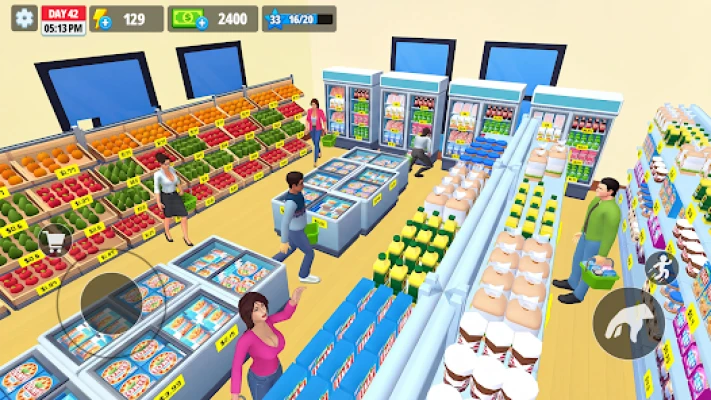
Start with a small store and develop it into a larger shopping destination. Store expansion gives you more room to organize products, introduce additional merchandise, and serve a growing number of customers. Plan your spending so that you can afford future improvements without running short of operating money.
2. Stock shelves and manage inventory
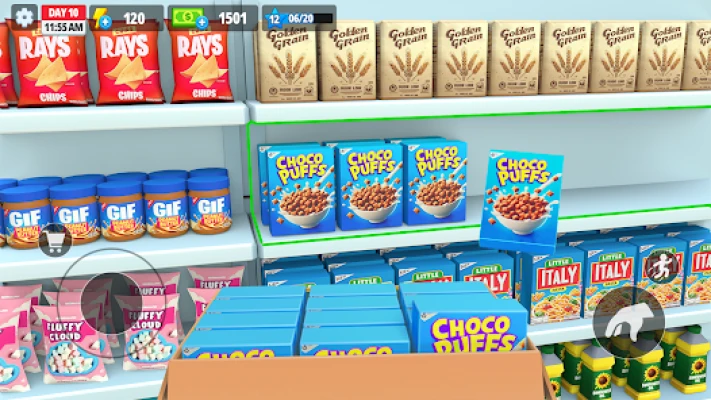
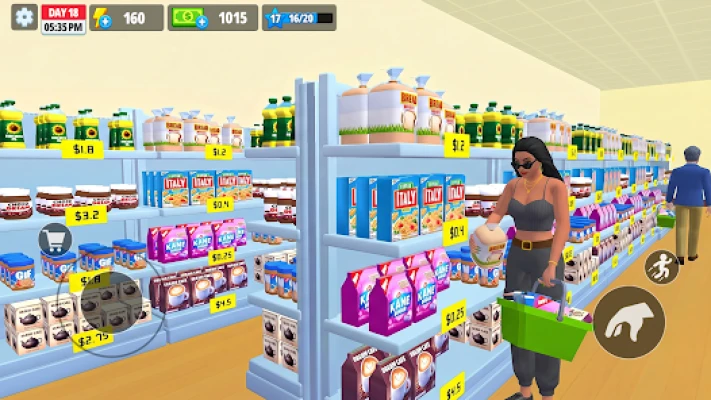
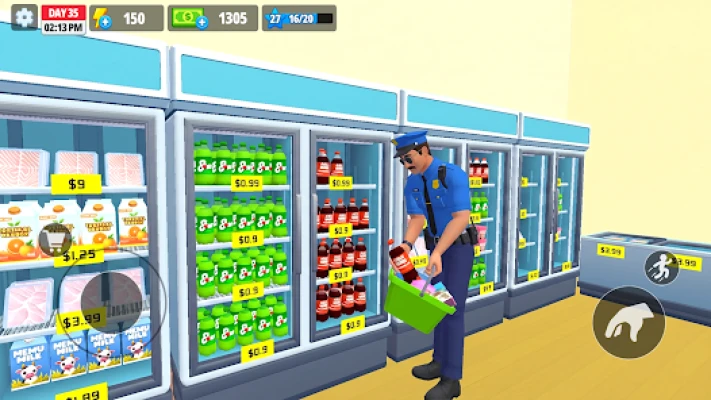
Ordering products is one of the most important parts of the game. You need to purchase merchandise, receive deliveries, and place items on the appropriate shelves or displays. Empty shelves can mean missed sales, so maintaining a reliable stock of popular goods is essential.
3. Set prices and earn profits
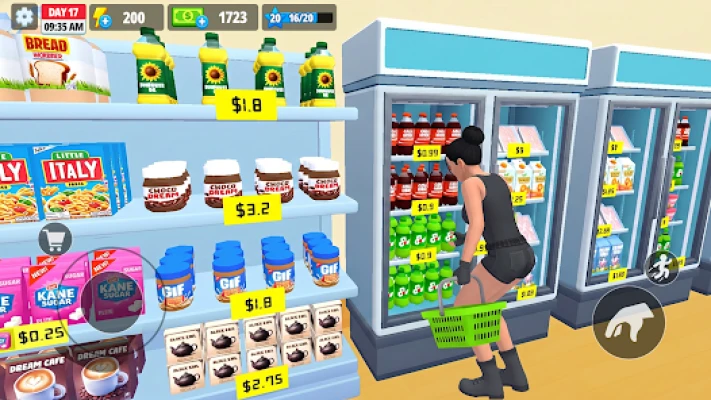
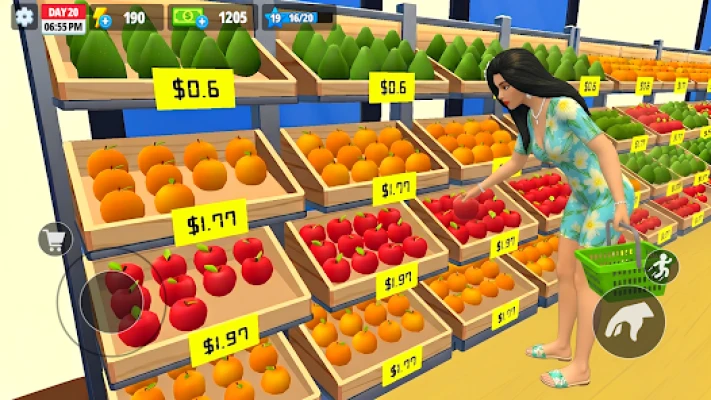
Choose selling prices for the products in your supermarket. Higher prices may increase the amount earned per sale, but pricing should remain sensible if you want customers to keep buying. Learning to balance sales volume and profit is a central part of successful store management.
4. Serve customers at the checkout
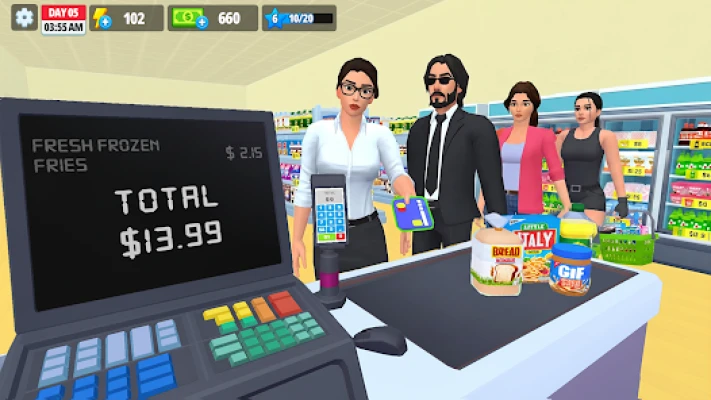
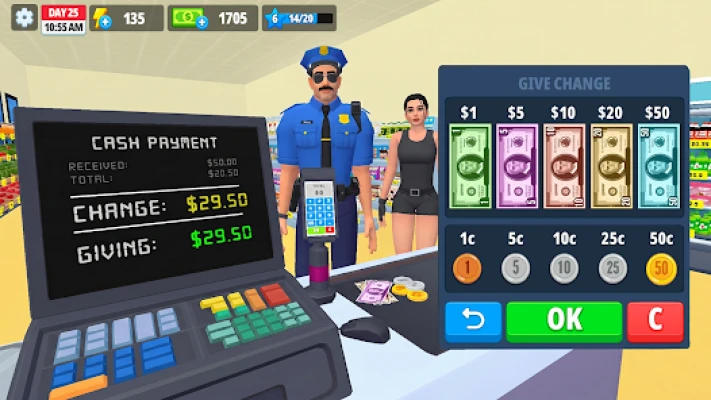
You can operate the checkout yourself, process customer purchases, and handle cash and card payments. Efficient checkout service helps keep the shopping process moving and can provide opportunities to earn tips.
5. Hire and upgrade employees
As your supermarket grows, you can recruit different types of workers.
Cashiers: Help handle customer payments.
Stockers: Assist with replenishing merchandise.
Cleaners: Help maintain a tidy shopping environment.
Upgrading employee speed and skills can reduce the amount of work you need to perform manually, leaving you more time to focus on expansion and inventory decisions.
6. Organize storage and deliveries
The storage room gives you space to manage merchandise before placing it on display. Keeping deliveries organized makes restocking more manageable and helps prevent boxes from becoming a constant obstacle during busy periods.
7. Customize your store
Personalize your supermarket by changing its name and decorating its interior and exterior. Different decorations and layout choices help give your business its own identity while making expansion more enjoyable.
8. Seasonal events and rewards
Seasonal content and the Manager Pass provide additional rewards, themed decorations, and progression opportunities. Depending on the active event, you may be able to collect special items or earn useful in-game resources.
9. Progression and management upgrades
Unlocking additional products, expanding the store, and improving your employees gives you ongoing goals to work toward. Each improvement should support a clear purpose, whether it is increasing sales, reducing repetitive tasks, or preparing the business for more customers.
Gameplay overview
My Supermarket Simulator 3D revolves around a repeating but rewarding management cycle:
Check which products need replenishing.
Order merchandise for your supermarket.
Receive deliveries and stock the shelves.
Open or continue operating your store.
Serve customers and complete transactions.
Collect earnings and review your business needs.
Invest in useful upgrades, new products, and expansion.
Hire employees to make daily operations more efficient.
The satisfaction comes from seeing a small shop gradually develop into a functioning supermarket. Early progress depends heavily on your own effort, while later stages become more about coordinating stock, workers, available space, and finances.
Beginner's strategy guide
Step 1: Learn the basic store routine
At the beginning, focus on understanding the ordering system, product shelves, checkout process, and store progression. Avoid purchasing upgrades simply because they are available. First, learn which tasks consume the most time and which products sell consistently.
A reliable routine is more valuable than an expensive store that cannot afford to keep its shelves stocked.
Step 2: Keep essential products available
Make inventory checks part of your regular routine. Look for empty shelves, products that are running low, and merchandise that needs to be reordered.
Do not order every product in large quantities just to fill the storage room. Excessive stock ties up money that could be used for more important improvements.
Beginner tip: Replenish frequently needed products first, then spend any remaining budget on additional merchandise.
Step 3: Price products carefully
Product pricing affects how much money your supermarket earns from each sale. Avoid automatically setting every item to the highest possible price.
Instead, use a consistent approach:
Start with reasonable prices.
Observe how your products sell.
Adjust prices gradually when appropriate.
Avoid changing too many prices at once.
Keep enough money available for future orders.
If a price change appears to hurt sales, reconsider it rather than assuming that a larger margin always means greater overall profit.
Step 4: Handle checkout efficiently
When you operate the checkout yourself, stay focused on completing each transaction correctly. Learn how the game handles cash and card payments so that you can avoid unnecessary delays.
During busy periods, prioritize serving the waiting customers before returning to less urgent activities. If checkout queues regularly interrupt your other tasks, consider hiring or upgrading a cashier when your finances allow it.
Step 5: Reinvest your earnings wisely
It is tempting to spend profits on decorations or every available upgrade. However, your first priority should be keeping the business operational.
A sensible investment order is:
Maintain sufficient inventory.
Purchase useful product licenses or unlocks when available.
Improve bottlenecks that slow down daily operations.
Hire staff to reduce repetitive work.
Expand the store when your current space limits progress.
Spend extra money on appearance and optional customization.
The exact order can change depending on your current progression and the prices of available upgrades.
Step 6: Avoid running out of working capital
Your available cash is not the same as your long-term profit. Money spent on inventory, staff, upgrades, and expansion may take time to recover through sales.
Before making a major purchase, check whether you will still have enough funds to restock your most important products. Keeping a reserve makes it easier to recover from slow sales or an unexpectedly expensive delivery.
Advanced strategy guide: How to grow a profitable supermarket
1. Identify your biggest operational bottleneck
As your store expands, different problems can slow your progress. You might have enough products but not enough checkout capacity, or enough customers but too few workers to keep shelves full.
Before buying an upgrade, ask yourself which problem is costing you the most time or sales.
If shelves frequently become empty, improve your restocking routine or invest in stockers.
If customers spend too long waiting, consider improving checkout capacity.
If the store becomes difficult to maintain, invest in cleaning support.
If you regularly run out of products, review ordering quantities and delivery planning.
If you cannot afford new merchandise, temporarily reduce optional spending.
Fixing the biggest bottleneck usually provides more value than upgrading several unrelated systems.
2. Build an efficient store layout
A well-organized supermarket makes routine management easier. Place merchandise in logical groups, keep frequently used areas accessible, and leave enough room to move between shelves and storage.
Avoid making the store unnecessarily crowded as you add new displays. A layout that looks attractive but makes restocking awkward can create more work during every operating session.
Review the layout whenever you unlock new space or introduce additional product categories.
3. Use employees to save time
Hiring workers is most valuable when they take over tasks that repeatedly interrupt your progress.
For example, a stocker can help maintain product availability while you manage prices or prepare for expansion. A cashier can reduce the need to remain behind the register, while a cleaner can take care of routine maintenance.
However, hiring too early may put pressure on a limited budget. Make sure your business can support the additional expense before building a large team.
4. Expand at the right time
Store expansion should solve a real problem. If your shelves are constantly full and you have no space for new products, additional room can support further growth. If your current supermarket is poorly stocked or financially unstable, expanding may simply increase your workload.
Before expanding, check three things:
Your regular sales provide a reasonable source of income.
You can afford to stock the additional space.
Your current operations are running smoothly enough to support a larger store.
Expansion works best when your existing supermarket is already functioning efficiently.
5. Manage product licenses and new merchandise
Unlocking products can broaden your inventory and give customers more shopping options. Nevertheless, each new product introduces another item to order, store, and replenish.
Unlock merchandise in stages rather than trying to add everything at once. After introducing a new category, make sure you can maintain its stock without neglecting established products.
6. Make the most of rewards and events
Check available challenges, event rewards, and Manager Pass progression when these features are active. Rewards such as cash, energy, and decorations can support your development without requiring every improvement to come directly from ordinary sales.
Prioritize rewards that fit your current needs. Useful resources may be more valuable during early expansion, while exclusive decorations become more appealing once the business is financially stable.
7. Improve your daily management routine
A consistent routine reduces the risk of forgetting important tasks.
Recommended supermarket routine:
Inspect the shelves and identify urgent shortages.
Check available funds before placing orders.
Restock the most important products.
Make sure the checkout and store maintenance are under control.
Review employee performance and upgrade opportunities.
Invest in expansion only when the business can support it.
Following this sequence helps prevent the common cycle of spending money on upgrades, running out of stock, and then struggling to earn enough to continue.
Common mistakes to avoid
Ordering too much merchandise
Buying large quantities of every product can leave you without cash for other expenses. Order according to your needs and available budget.
Expanding before you are ready
More floor space does not automatically mean more profit. Make sure you can stock and manage the additional area.
Hiring without a clear purpose
Employees are most useful when they solve a recurring operational problem. Match each hire to a specific need.
Spending all your available cash
Keep enough money for essential orders instead of investing every coin in decorations or upgrades.
Ignoring store organization
A cluttered layout can make stocking and maintenance less convenient. Leave room for routine tasks as the supermarket grows.
Best tips for faster progress
Focus on inventory before optional purchases.
Learn the checkout process early so you can serve customers efficiently.
Upgrade workers when their tasks are taking too much of your time.
Unlock new merchandise gradually.
Avoid spending money simply because an upgrade is available.
Keep the storage room organized to simplify restocking.
Use seasonal rewards when they offer useful benefits.
Reconsider your product prices if sales or profits appear weak.
Expand when your current space genuinely limits your business.
Maintain a cash reserve for unexpected expenses and future orders.
Is My Supermarket Simulator 3D worth playing?
My Supermarket Simulator 3D is a good choice for players who enjoy building businesses through small, steady improvements. Its main appeal is the combination of hands-on grocery store tasks and long-term management. You can move between ordering products, filling shelves, serving customers, upgrading employees, and improving the store.
The game is particularly appealing if you enjoy watching a small business grow through your decisions rather than competing against other players in fast-paced matches.
However, players looking for a deep business strategy game with extensive financial modeling may find the management systems relatively straightforward. Some tasks also become repetitive, especially when you are still handling much of the work yourself.
Advantages
A clear progression path from a small shop to a larger supermarket.
A combination of stocking, checkout, pricing, and business management.
Employee hiring and upgrades that reduce manual work.
Product unlocks and store expansion goals.
Store naming and decoration options.
Seasonal events and additional rewards.
Things to consider
Repeated restocking and checkout duties can become repetitive.
Expansion requires careful spending and inventory planning.
Progress can feel slower when essential products are frequently unavailable.
Some rewards and seasonal features depend on the current game version.
Optional purchases and advertising may be part of the free-to-play experience.
Game information
Game title
Genre
Developer / publisher
Platform
Business type
Main activities
Business progression
The game is available as a free-to-play Android title with additional in-game features. Availability, device requirements, advertising, and optional purchases may vary by region and version.
Frequently asked questions
What is My Supermarket Simulator 3D?
My Supermarket Simulator 3D is a grocery store management game where you order products, stock shelves, set prices, serve customers, hire employees, and expand your supermarket.
How do you make money in My Supermarket Simulator 3D?
You earn money by selling products to customers. Maintain stock, use sensible prices, serve customers efficiently, and manage expenses to help your supermarket generate enough income for future upgrades.
How do you expand your supermarket?
Progress through the game's available upgrades and expansion options. Save enough money to unlock additional space, then make sure you can afford to stock and maintain the larger store.
How can you restock shelves faster?
Keep track of low-stock products, organize deliveries in the storage room, and prioritize essential merchandise. Hiring and upgrading stockers can also help reduce the amount of manual restocking required.
Which employees should you hire first?
Choose employees based on the problem you face most often. A stocker is useful when shelves frequently become empty, while a cashier can help when checkout duties interrupt other management tasks.
How do you increase supermarket profits?
Maintain product availability, review prices carefully, avoid unnecessary expenses, and invest in upgrades that improve daily operations. Stronger profits depend on balancing sales with inventory and staffing costs.
Can you customize your supermarket?
Yes. The game offers store naming and decoration options, allowing you to personalize its appearance as you develop your business.
Does My Supermarket Simulator 3D have seasonal events?
The game has featured seasonal events and a Manager Pass with rewards, decorations, and other progression benefits. The available content depends on the current event and version.
Is My Supermarket Simulator 3D suitable for casual players?
Yes. Its straightforward management cycle and gradual progression make it suitable for players who enjoy relaxed simulation games. Those who prefer constant action or complex business challenges may find its gameplay less engaging.
What is the best strategy for beginners?
Focus on keeping shelves stocked, learning checkout duties, and maintaining enough cash for new orders. Hire staff and expand the store only when those investments solve a genuine problem.
Final thoughts
My Supermarket Simulator 3D turns the everyday work of running a grocery store into a gradual business-building challenge. Its appeal comes from balancing product availability, pricing, customer service, staffing, and expansion while watching your supermarket develop.
The most effective approach is to build a stable business before pursuing rapid growth. Keep essential products available, spend money carefully, improve the tasks that consume the most time, and expand only when your current operations are ready. With a consistent strategy, each improvement can help turn a small grocery shop into a more organized and profitable supermarket.
Rate the Game
User Reviews















Popular Games



















 Android
 iOS
iOS Windows
 Xbox
Xbox