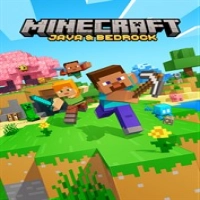
Minecraft Java & Bedrock Edition for PC is the definitive PC version of Minecraft, offering access to both Java Edition and Bedrock Edition through the Minecraft Launcher. Developed by Mojang Studios and published by Xbox Game Studios, this package allows players to enjoy two distinct Minecraft ecosystems in one purchase.
Java Edition is the original PC version known for extensive modding, community servers, advanced Redstone mechanics, and technical gameplay systems. Bedrock Edition focuses on smoother performance, cross-platform multiplayer, Marketplace content, controller support, and accessibility across consoles and mobile devices.
Players can:
-
Build massive cities and structures
-
Survive dangerous nights and hostile mobs
-
Explore infinite procedural worlds
-
Create Redstone machines and automation systems
-
Join multiplayer servers and Realms
-
Install mods and shaders (Java Edition)
-
Play cross-platform with friends (Bedrock Edition)
The bundle includes:
-
Minecraft Launcher
-
Minecraft for Windows (Bedrock Edition)
-
Minecraft: Java Edition
Gameplay Overview
Survival Gameplay
Gather resources, craft tools, mine underground, build shelters, and survive against enemies like Creepers, Zombies, Skeletons, and Endermen.
Creative Mode
Unlimited blocks and flying allow players to focus entirely on construction and creativity.
Java Edition Gameplay
Java Edition is designed for advanced PC users interested in:
-
Mods
-
Custom servers
-
Technical Redstone builds
-
Community-created content
-
Experimental gameplay systems
Bedrock Edition Gameplay
Bedrock Edition focuses on:
-
Crossplay with Xbox, mobile, and consoles
-
Marketplace content
-
Better optimization
-
Controller support
-
Easier multiplayer access
Multiplayer Adventures
Players can join:
-
Public servers
-
PvP mini-games
-
Realms private worlds
-
Co-op survival servers
-
Creative building communities
Features
-
Includes Java Edition and Bedrock Edition
-
Cross-platform multiplayer support
-
Java mod support
-
Community multiplayer servers
-
Infinite procedural worlds
-
Marketplace content support
-
Character customization
-
Split-screen support on Bedrock consoles
-
Frequent free updates
-
Realms multiplayer hosting
-
RTX ray tracing support in Bedrock Edition
-
Controller support in Bedrock Edition
Controls & Interface Guide
| Action | PC Control |
|---|
| Move | WASD |
| Attack / Mine | Left Mouse |
| Place Block | Right Mouse |
| Jump | Space |
| Sprint | Ctrl |
| Sneak | Shift |
| Inventory | E |
| Drop Item | Q |
| Chat | T |
| Hotbar Selection | Mouse Wheel |
Interface Elements
-
Health bar
-
Hunger meter
-
Armor bar
-
XP bar
-
Hotbar inventory
-
Crafting system
-
Coordinates system
Java and Bedrock interfaces are slightly different but maintain similar core mechanics.
Game Progression System
Players progress by:
-
Upgrading tools and armor
-
Exploring deeper caves
-
Discovering villages and structures
-
Building farms and automation systems
-
Defeating bosses
-
Unlocking enchantments
-
Expanding multiplayer worlds
-
Completing achievements
Minecraft uses open-ended progression rather than traditional levels.
Characters
Steve
Minecraft’s classic playable character.
Alex
Alternative default character with slimmer animations.
Villagers
Trading NPCs that provide enchanted gear, food, and rare resources.
Ender Dragon
The primary boss of The End dimension.
The Warden
A powerful underground enemy introduced in newer updates.
Creepers
Minecraft’s most iconic hostile mob.
Weapons / Items
Weapons
-
Diamond Sword
-
Netherite Sword
-
Crossbows
-
Tridents
-
Bows
Tools
-
Pickaxes
-
Axes
-
Shovels
-
Fishing Rods
Armor
-
Iron Armor
-
Diamond Armor
-
Netherite Armor
Special Items
-
Elytra wings
-
Totem of Undying
-
Potions
-
Ender Pearls
Java Edition Mods
Java supports thousands of community-made mods, shaders, and gameplay expansions.
How to Play
-
Gather wood immediately
-
Craft tools and weapons
-
Build shelter before nightfall
-
Mine resources underground
-
Upgrade to iron gear quickly
-
Explore villages and caves
-
Prepare for Nether exploration
-
Defeat the Ender Dragon
Accessibility
Minecraft includes:
-
Subtitle support
-
Text-to-speech options
-
Adjustable UI scaling
-
Controller support (Bedrock)
-
Difficulty settings
-
Peaceful mode
-
Cross-platform accessibility features
How to Win: Strategy Guide
Prioritize Early Shelter
Nighttime enemies can quickly overwhelm new players.
Upgrade Gear Fast
Iron tools and armor dramatically improve survivability.
Learn Enchantments
Enchantments are essential for late-game progression.
Use Farms Efficiently
Automated farms create sustainable resources.
Prepare for The End
Strong armor, potions, and ranged weapons are critical for defeating the Ender Dragon.
Tips & Tricks
-
Carry water buckets for emergency escapes
-
Use shields against Skeletons
-
Light caves with torches to prevent spawns
-
Organize storage systems early
-
Trade with villagers for rare enchantments
-
Always keep spare tools available
-
Use coordinates for navigation
Beginner’s Guide
New players should:
-
Start on Easy difficulty
-
Learn crafting basics first
-
Avoid deep caves early on
-
Build simple starter homes
-
Focus on food management
-
Practice in Creative mode
Advanced Pro Strategy
Experienced players can:
-
Create advanced Redstone systems
-
Build automated XP farms
-
Optimize villager trading halls
-
Use Java mods for advanced gameplay
-
Speedrun Ender Dragon fights
-
Design mega-build survival worlds
Trophy & Achievement Guide
Popular achievements include:
-
Acquiring diamonds
-
Entering the Nether
-
Defeating the Ender Dragon
-
Brewing potions
-
Enchanting gear
-
Exploring rare biomes
-
Building beacons
Bedrock supports Xbox achievements while Java uses its own advancement system.
Players Experience
Players consistently praise:
-
Unlimited creativity
-
Massive replay value
-
Huge multiplayer communities
-
Java modding freedom
-
Bedrock crossplay support
-
Relaxing sandbox gameplay
Community discussions often clarify that Java and Bedrock are separate ecosystems with different multiplayer compatibility.
“Java is pc only.”
Pros & Cons
Pros
-
Includes both Minecraft editions
-
Massive replayability
-
Endless creativity
-
Huge multiplayer support
-
Strong modding community
-
Crossplay in Bedrock Edition
-
Frequent updates
Cons
-
Java and Bedrock worlds are incompatible
-
Java can be hardware intensive
-
Marketplace purchases cost extra
-
Multiplayer differences may confuse beginners
Tech Details
| Feature | Details |
|---|
| Genre | Sandbox / Survival |
| Developer | Mojang Studios |
| Publisher | Xbox Game Studios |
| Modes | Single-player / Multiplayer |
| Platforms | PC |
| Java Platforms | Windows, macOS, Linux |
| Bedrock Platforms | Windows |
| Multiplayer | Online Multiplayer |
| Release Date | June 6, 2022 |
| ESRB Rating | Everyone 10+ |
System Requirements
Java Edition Minimum
-
2 GB RAM
-
Intel Core i3 CPU
-
OpenGL-compatible graphics
Bedrock Edition Minimum
-
4 GB RAM
-
Windows 10/11
-
Integrated graphics support
Recommended
-
8 GB RAM or higher
-
SSD storage
-
Dedicated GPU for shaders/mods
Game Modes Overview
Survival Mode
Traditional survival gameplay.
Creative Mode
Unlimited building freedom.
Hardcore Mode
Permadeath survival mode available in Java Edition.
Adventure Mode
Designed for custom maps and player-created experiences.
Multiplayer Servers
Mini-games, PvP, roleplay, and community worlds.
Realms
Private multiplayer servers hosted by Mojang.
Updates & What's New
Recent updates introduced:
-
Cave & terrain improvements
-
Archaeology systems
-
Ancient Cities
-
New mobs and biomes
-
RTX graphical improvements
-
Upcoming Vibrant Visuals enhancements for Java Edition
Mojang also announced a future transition of Java Edition toward Vulkan graphics support for improved rendering performance.
Comparison Section
| Feature | Java Edition | Bedrock Edition |
|---|
| Mods | Extensive | Limited |
| Crossplay | No | Yes |
| Marketplace | No | Yes |
| Performance | More demanding | Better optimized |
| Controller Support | Limited | Full |
| Community Servers | Extensive | Featured servers |
| Hardcore Mode | Yes | No |
| RTX Support | Via mods | Official support |
User Ratings & Social Proof
Minecraft remains one of the best-selling games ever made with a massive global player base. Community discussions regularly recommend the Java & Bedrock PC bundle because it gives access to both Minecraft ecosystems in a single purchase.
Players especially value:
-
Java’s modding flexibility
-
Bedrock’s cross-platform multiplayer
-
Frequent updates and community support
Why This Game Stands Out
Minecraft stands out because it delivers:
-
Infinite procedural worlds
-
Unlimited creativity
-
Massive multiplayer communities
-
Deep survival systems
-
Modding freedom
-
Long-term replayability
-
Cross-generational appeal
Few games remain relevant and popular for as many years as Minecraft.
Is It Worth Playing? Honest Verdict
Absolutely. Minecraft Java & Bedrock Edition for PC is one of the best gaming purchases available for sandbox and survival fans. The package combines Java’s advanced modding ecosystem with Bedrock’s smooth cross-platform multiplayer, giving players the flexibility to enjoy both styles of gameplay. Whether you enjoy building, survival, automation, multiplayer servers, or creative projects, Minecraft offers nearly endless gameplay possibilities.
Competitor Games
-
Terraria
-
Roblox
-
Valheim
-
LEGO Worlds
-
Core Keeper
-
No Man’s Sky
Similar Games
-
Minecraft Dungeons
-
Minecraft Legends
-
Dragon Quest Builders 2
-
Stardew Valley
-
Portal Knights
-
Trove
Final Summary / Conclusion
Minecraft Java & Bedrock Edition for PC provides the ultimate Minecraft experience by combining two of the most important versions of the game into one package. Java Edition offers unparalleled modding freedom and community creativity, while Bedrock Edition delivers accessible cross-platform multiplayer and optimized performance. Together, they create one of the most versatile, replayable, and creative gaming experiences ever made.
FAQ
Does this version include both Java and Bedrock Editions?
Yes. The PC bundle includes Minecraft: Java Edition and Minecraft for Windows (Bedrock Edition).
Can Java and Bedrock players play together?
Normally no. They use separate multiplayer ecosystems.
Is Java Edition available on Xbox consoles?
No. Java Edition is PC-only.
Which edition is better?
Java is better for mods and technical gameplay, while Bedrock is better for crossplay and smoother performance.
Does Bedrock support cross-platform multiplayer?
Yes. Bedrock supports crossplay across Xbox, PC, mobile, Nintendo Switch, and PlayStation.
Is Minecraft included with Xbox Game Pass?
Minecraft for PC has been included with Xbox Game Pass PC subscriptions.
Does Java support mods?
Yes. Java Edition supports extensive community mods, shaders, and custom servers.





























 Android
 iOS
iOS Windows
 Xbox
Xbox