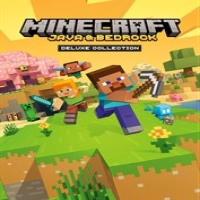
Minecraft Java & Bedrock Edition Deluxe Collection is the most complete Minecraft package available for PC players. Developed by Mojang Studios and published by Xbox Game Studios, the collection includes both Minecraft: Java Edition and Minecraft: Bedrock Edition in a single purchase, alongside bonus Deluxe content.
This bundle allows players to enjoy the best features of both Minecraft versions. Java Edition provides extensive modding support, community servers, and advanced customization, while Bedrock Edition delivers cross-platform multiplayer, Marketplace content, smoother optimization, and console/mobile compatibility.
The Deluxe Collection adds premium bonus content including:
-
Minecoins
-
Add-ons
-
Skin packs
-
Texture packs
-
Character creator items
-
Emotes
-
Marketplace maps and worlds
Depending on the release version and region, included bonus content may vary slightly.
Players can build massive cities, survive dangerous caves, automate Redstone systems, fight bosses, join multiplayer servers, and explore infinite procedurally generated worlds with nearly unlimited creative freedom.
Gameplay Overview
Survival Mode
Gather resources, craft tools, build shelters, and survive against hostile mobs including Creepers, Zombies, Skeletons, and Endermen.
Creative Mode
Unlimited blocks and flight abilities allow players to create anything imaginable without survival restrictions.
Java Edition Gameplay
Java Edition focuses heavily on modding, advanced technical gameplay, private servers, and community-created experiences.
Bedrock Edition Gameplay
Bedrock Edition supports cross-platform multiplayer, Marketplace content, smoother performance, and controller support.
Multiplayer Adventures
Players can join Realms, public servers, mini-games, PvP arenas, and custom community worlds.
Features
-
Includes Java Edition and Bedrock Edition
-
Cross-platform multiplayer support
-
Java modding support
-
Marketplace add-ons and cosmetics
-
Deluxe bonus Minecoins
-
Texture packs and skin packs
-
Community servers and Realms
-
Split-screen multiplayer (Bedrock)
-
Redstone engineering systems
-
Infinite procedural worlds
-
Frequent content updates
-
Character creator customization
-
Online co-op support
Controls & Interface Guide
| Action | PC / Xbox Control |
|---|
| Move | WASD / Left Stick |
| Attack / Mine | Left Click / RT |
| Place Block | Right Click / LT |
| Jump | Space / A |
| Sneak | Shift / B |
| Inventory | E / Y |
| Crafting | Inventory Menu |
| Hotbar | Mouse Wheel / D-Pad |
| Chat | T |
Interface Elements
-
Health bar
-
Hunger meter
-
Experience bar
-
Armor indicator
-
Crafting interface
-
Coordinates system
-
Hotbar inventory
The interface differs slightly between Java and Bedrock versions.
Game Progression System
Minecraft progression includes:
-
Gathering stronger materials
-
Crafting advanced gear
-
Exploring new dimensions
-
Defeating bosses
-
Building farms and automation systems
-
Unlocking achievements
-
Expanding multiplayer worlds
-
Acquiring cosmetic and Marketplace content
The game’s open-ended design allows essentially endless progression.
Characters
Steve
Minecraft’s classic default protagonist.
Alex
Alternative default character with slimmer model styling.
Villagers
Trading NPCs offering gear, enchantments, and rare items.
Ender Dragon
The primary boss battle in The End dimension.
The Warden
One of Minecraft’s deadliest underground enemies.
Deluxe Collection Cosmetics
Additional skins, creator items, and emotes expand customization.
Weapons / Items
Weapons
-
Diamond Sword
-
Netherite Sword
-
Bow & Crossbow
-
Trident
-
Axes
Tools
-
Pickaxes
-
Shovels
-
Hoes
-
Fishing Rods
Armor
-
Iron Armor
-
Diamond Armor
-
Netherite Armor
Special Items
-
Elytra wings
-
Totem of Undying
-
Ender Pearls
-
Potions
Deluxe Extras
-
Minecoins
-
Add-ons
-
Character creator items
-
Skin packs
-
Texture packs
-
Bonus maps
How to Play
-
Gather wood immediately after spawning
-
Craft tools and weapons
-
Build shelter before nighttime
-
Mine resources underground
-
Upgrade gear continuously
-
Explore villages and structures
-
Prepare for Nether exploration
-
Defeat the Ender Dragon
Accessibility
Minecraft includes strong accessibility support:
-
Subtitle options
-
Text-to-speech support
-
Adjustable UI scaling
-
Controller support
-
Cross-platform accessibility
-
Difficulty customization
-
Peaceful mode for casual gameplay
How to Win: Strategy Guide
Upgrade to Iron Quickly
Iron equipment significantly improves survival chances early-game.
Build Farms Early
Food and XP farms create long-term sustainability.
Use Enchantments
Enchantments massively improve gear performance.
Learn Both Editions
Java excels for mods and servers, while Bedrock offers smoother multiplayer and accessibility.
Prepare for Bosses
Bring strong armor, potions, and ranged weapons before fighting the Ender Dragon or Warden.
Tips & Tricks
-
Carry water buckets everywhere
-
Use shields against Skeletons
-
Build organized storage systems
-
Trade with villagers for enchantments
-
Always keep backup tools
-
Explore caves carefully
-
Use coordinates for navigation
-
Experiment with Redstone automation
Beginner’s Guide
New players should:
-
Start on Easy difficulty
-
Learn crafting recipes gradually
-
Build simple shelters first
-
Avoid deep caves early on
-
Practice farming and food management
-
Try Creative mode for building practice
Advanced Pro Strategy
Experienced players can:
-
Build advanced Redstone computers
-
Create automated XP farms
-
Speedrun Ender Dragon kills
-
Host multiplayer servers
-
Optimize villager trading halls
-
Use Java mods for custom gameplay
-
Design mega-build survival worlds
Trophy & Achievement Guide
Popular achievements include:
-
Acquiring diamonds
-
Entering the Nether
-
Defeating the Ender Dragon
-
Brewing potions
-
Enchanting equipment
-
Exploring biomes
-
Building beacons
Both Java and Bedrock support achievement/progression systems, though features differ slightly between versions.
Players Experience
Players praise:
-
Unlimited creativity
-
Endless replay value
-
Multiplayer freedom
-
Modding possibilities
-
Cross-platform support
-
Strong community content
Some community discussions mention confusion regarding which editions are included on specific platforms, especially regarding Java availability on consoles.
“Java is pc only.”
Pros & Cons
Pros
-
Includes both Minecraft editions
-
Huge replay value
-
Massive modding community
-
Cross-platform multiplayer
-
Endless creativity
-
Frequent free updates
-
Excellent multiplayer support
Cons
-
Java and Bedrock worlds are incompatible
-
Some platform confusion exists
-
Marketplace purchases can become expensive
-
Java requires stronger hardware for large mods
Tech Details
| Feature | Details |
|---|
| Genre | Sandbox / Survival |
| Developer | Mojang Studios |
| Publisher | Xbox Game Studios |
| Modes | Single-player / Multiplayer |
| Crossplay | Bedrock Edition only |
| Platforms | PC, Xbox, Mobile, Switch, PlayStation |
| Java Platforms | Windows, Mac, Linux |
| Bedrock Platforms | Windows, Xbox, Mobile, Switch, PS5 |
| Release Date | December 6, 2022 |
| ESRB Rating | Everyone 10+ |
System Requirements
Java Edition Minimum
-
2 GB RAM
-
Intel Core i3 CPU
-
OpenGL-compatible GPU
Bedrock Edition Minimum
-
4 GB RAM
-
Windows 10/11
-
Mid-range integrated graphics
Recommended
-
8 GB RAM or higher
-
SSD storage
-
Dedicated GPU for shaders/mods
Game Modes Overview
Survival Mode
Traditional survival gameplay.
Creative Mode
Unlimited resources and building freedom.
Hardcore Mode
Permadeath survival mode (Java only).
Adventure Mode
Community map-focused gameplay.
Multiplayer Servers
PvP, mini-games, roleplay, and community worlds.
Realms
Private multiplayer servers hosted by Mojang.
Updates & What's New
Recent updates introduced:
-
Cave & Cliffs improvements
-
Archaeology systems
-
Ancient Cities
-
New mobs and biomes
-
Additional Marketplace content
-
Deluxe cosmetic expansions
-
Cross-platform multiplayer improvements
Comparison Section
| Feature | Minecraft Java Edition | Minecraft Bedrock Edition |
|---|
| Mods | Extensive support | Limited add-ons |
| Crossplay | Limited | Full cross-platform |
| Performance | More demanding | Optimized |
| Marketplace | No | Yes |
| Servers | Community servers | Featured servers |
| Controller Support | Limited | Full support |
| Split-Screen | No | Yes |
| Platforms | PC only | PC + Consoles + Mobile |
User Ratings & Social Proof
Minecraft remains one of the highest-selling video games ever made, with millions of active players worldwide. Community discussions consistently recommend the Java & Bedrock bundle because it provides access to both gameplay ecosystems.
Many Reddit users also clarify that Java Edition remains PC-only, while Xbox uses Bedrock Edition.
Why This Game Stands Out
Minecraft stands out because it offers:
-
Unlimited player creativity
-
Infinite world generation
-
Massive multiplayer communities
-
Cross-generational appeal
-
Modding freedom
-
Educational and creative potential
-
Endless replayability
Very few games provide this level of player freedom and longevity.
Is It Worth Playing? Honest Verdict
Absolutely. Minecraft Java & Bedrock Edition Deluxe Collection is the definitive way to experience Minecraft on PC. The combination of Java’s modding ecosystem and Bedrock’s cross-platform multiplayer creates enormous long-term value. The Deluxe bonuses add useful cosmetics and Marketplace content for players who enjoy customization and community worlds. It is highly recommended for builders, survival players, families, creators, and multiplayer fans alike.
Competitor Games
-
Terraria
-
Roblox
-
LEGO Worlds
-
Valheim
-
Core Keeper
-
No Man’s Sky
Similar Games
-
Minecraft Dungeons
-
Minecraft Legends
-
Dragon Quest Builders 2
-
Stardew Valley
-
Portal Knights
-
Trove
Final Summary / Conclusion
Minecraft Java & Bedrock Edition Deluxe Collection combines the best parts of Minecraft into one premium package. Whether you prefer Java’s advanced modding scene or Bedrock’s smooth cross-platform multiplayer, the bundle provides massive creative freedom, long-term replayability, multiplayer adventures, and nearly endless possibilities. For players wanting the most complete Minecraft experience available on PC, this collection is one of the best sandbox purchases possible.
FAQ
Does Minecraft Java & Bedrock Edition Deluxe Collection include both versions?
Yes. The bundle includes both Java Edition and Bedrock Edition for PC.
Is Java Edition available on Xbox consoles?
No. Java Edition is PC-only. Xbox consoles use Bedrock Edition.
What does the Deluxe Collection add?
The Deluxe Collection includes Minecoins, skins, maps, add-ons, emotes, and bonus cosmetic content.
Can Java and Bedrock players play together?
Generally no. Java and Bedrock use separate multiplayer ecosystems.
Which version is better?
Java is better for mods and advanced customization, while Bedrock is better for crossplay and smoother performance.
Is Minecraft good for kids?
Yes. Minecraft is considered family-friendly and supports parental controls.
Does the Deluxe Collection include Minecoins?
Yes. The included amount may vary depending on the edition version and region.































 Android
 iOS
iOS Windows
 Xbox
Xbox