
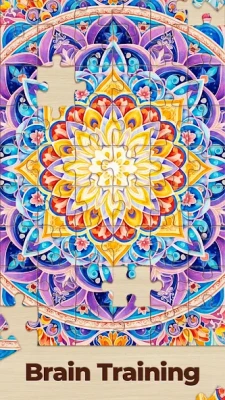
Latest Version
Visit PageMore About :game
The game is simple to learn but becomes surprisingly challenging when the number of pieces increases.
Jigsaw Puzzles HD Puzzle Games Overview
The basic idea is familiar: choose a picture, select a difficulty, and assemble the scattered pieces until the complete image is restored.
What makes the game interesting is the variety of images and solving options. A simple landscape may be relatively easy because of its clear colors and shapes, while a photograph containing sky, water, buildings, or large areas of similar color can require much more careful observation.
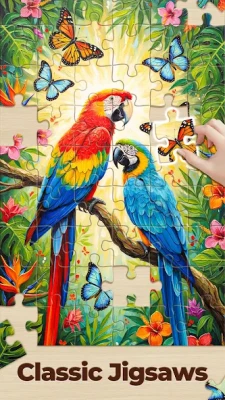
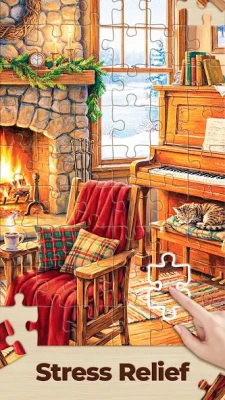
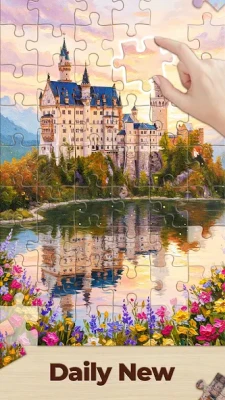
The current listing describes thousands of HD puzzles and includes features such as daily puzzles, mystery challenges, multiple difficulty levels, customizable backgrounds, rotation and border modes, achievements, and the ability to create puzzles from personal photos.
Game Information
Game: Jigsaw Puzzles HD Puzzle Games
Developer: Guru Puzzle Game
Genre: Puzzle / Casual
Game Type: Jigsaw puzzle
Mode: Single-player
Difficulty: Multiple levels
Puzzle Collection: HD images across numerous categories
Special Modes: Daily and mystery puzzles
Customization: Backgrounds and puzzle settings
Extra Features: Achievements, badges, statistics and personal-photo puzzles
Platform: Android
The listing has continued receiving updates, with version 10.6.1-26082064 reported as the August 21, 2026 release.
What Is Jigsaw Puzzles HD Puzzle Games?
Jigsaw Puzzles HD Puzzle Games is designed around traditional jigsaw solving with a large digital image collection.
Instead of working with a physical puzzle spread across a table, players arrange digital pieces on the screen. The goal is to identify where each piece belongs by studying:
Piece shape
Image color
Texture
Lines and borders
Objects
Patterns
Lighting
Neighboring pieces
As the puzzle becomes more complex, recognizing visual relationships becomes more important than simply matching colors.
Main Features
Thousands of HD Jigsaw Puzzles
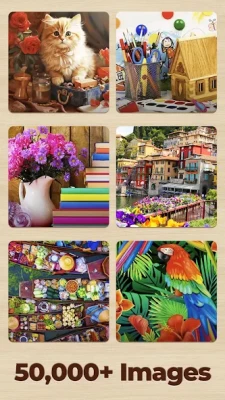
The game offers a large collection of pictures covering different themes and categories.
Daily Puzzles
Daily puzzles provide a reason to return regularly and practice with new images.
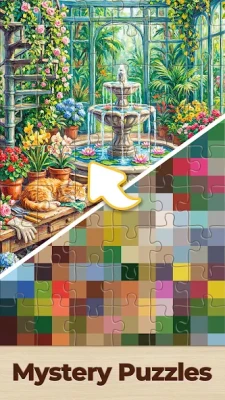
Mystery Puzzles
Mystery puzzles add another layer of challenge for players who want something less predictable.
Different Difficulty Levels
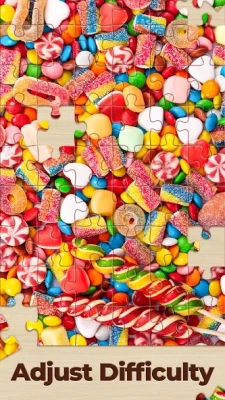
You can adjust the challenge depending on your experience and how much time you want to spend solving a puzzle.
Create Your Own Puzzles
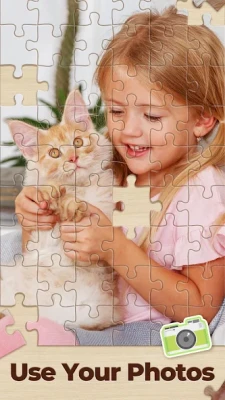
The game can turn personal images into jigsaw puzzles, giving you the opportunity to solve photographs rather than only using the built-in collection.
Rotation Mode
Rotation can make puzzles considerably harder because pieces cannot always be identified by orientation alone.
Border Mode
Border-focused gameplay provides another way to approach the puzzle and can be useful for learning systematic solving techniques.
Achievements and Badges
Progress-related achievements provide additional goals beyond simply completing individual pictures.
How to Play Jigsaw Puzzles HD
Choose a picture and difficulty, then begin organizing the available pieces.
The fastest way to improve is to stop treating every piece as an individual object.
Instead, divide the puzzle into groups.
For example:
Edge pieces → corners → obvious objects → strong colors → textures → difficult background
Once pieces are grouped logically, the puzzle becomes much easier to manage.
Complete Jigsaw Puzzle Strategy Guide
1. Start With the Corners
The four corner pieces are usually the easiest pieces to identify because they have two straight outer edges.
Find all four corners first.
Place them in their approximate positions before spending much time on detailed interior pieces.
This immediately gives you four fixed reference points.
2. Build the Border
After finding the corners, search for pieces with one straight edge.
These pieces form the outside border.
Completing the border gives you:
A clear puzzle boundary
A better idea of the image dimensions
A defined workspace
Easier reference points for interior pieces
For most standard puzzles, building the frame early is one of the most reliable strategies.
3. Sort Pieces by Color
After the border is established, group interior pieces according to dominant colors.
Useful groups might include:
Blue sky
Green vegetation
Water
Buildings
Skin tones
White objects
Dark shadows
Bright flowers
Text
Clothing
Do not try to solve the entire puzzle at once.
Reduce the number of possible matches by working within one visual group.
4. Look for Distinctive Objects
Large recognizable objects are excellent anchors.
A person's face, an animal, a vehicle, a building, a flower, or a brightly colored object may provide obvious connections.
Once you locate several pieces belonging to the same object, build that section separately.
5. Use Image Texture
Color alone is not always enough.
Pay attention to texture.
For example:
Clouds have soft gradients.
Grass has fine repetitive texture.
Brick walls have regular lines.
Wood often contains grain patterns.
Water may contain reflections.
Fur contains irregular fine detail.
Two pieces may have almost identical colors but completely different textures.
Texture can therefore reveal the correct location when color cannot.
The Best Order for Solving a Puzzle
A reliable general order is:
Corners → Border → Large objects → Strong colors → Distinctive patterns → Medium-detail areas → Similar-color backgrounds
This approach prevents you from spending too much time searching through hundreds of pieces for a tiny visual connection.
How to Solve Difficult Jigsaw Puzzles
Some images are naturally harder than others.
Large areas of sky, sand, snow, water, or plain walls can contain dozens of pieces that look almost identical.
When this happens, stop relying primarily on color.
Study Piece Shapes
Look at the tabs and gaps around each piece.
A piece may have:
Two outward tabs
Two inward gaps
One tab and three gaps
Three tabs and one gap
Other combinations
Shape becomes increasingly useful when visual information is limited.
Compare the Picture Gradually
Instead of trying to identify the exact location immediately, determine the general region first.
Ask:
Is this piece likely to belong to the sky, object, ground, or background?
Then compare it only against pieces in that region.
How to Handle Large Areas of the Same Color
This is one of the biggest challenges in digital jigsaw puzzles.
Suppose the image contains a large blue sky.
Do not attempt to solve the entire sky randomly.
Instead:
Find the border of the sky.
Locate clouds or other distinctive objects.
Build outward from those landmarks.
Compare subtle color changes.
Use piece shapes to confirm connections.
Work toward the remaining empty spaces.
This transforms an apparently impossible section into a series of smaller problems.
Use Straight Lines as Anchors
Strong visual lines are extremely useful.
Look for:
Building edges
Horizons
Road markings
Table edges
Window frames
Tree branches
Fences
Clothing seams
Architectural lines
If several pieces contain the same line, they can often be connected much faster than pieces from random textured areas.
How to Solve People and Portrait Puzzles
Human faces are usually strong visual anchors.
Start with:
Eyes
Mouth
Hairline
Clothing
Jewelry
Glasses
Distinctive facial features
Once the face is assembled, expand outward toward the surrounding hair, clothing, and background.
Avoid trying to assemble an entire portrait by skin tone alone because many pieces can appear nearly identical.
How to Solve Animal Puzzles
Animals often contain recognizable textures.
Look for:
Eyes
Nose
Ears
Fur patterns
Feathers
Stripes
Spots
Whiskers
Distinctive colors
Once you find the head or another recognizable section, build outward.
For patterned animals, matching stripes or spots can be much more useful than piece shape alone.
How to Solve Landscape Puzzles
Landscapes can contain large repetitive areas, so divide them into natural zones.
For example:
Sky → mountains → trees → buildings → water → foreground
A horizon line is particularly valuable because it separates two major sections of the image.
Build around the horizon and then expand upward and downward.
How to Solve Food Pictures
Food puzzles often contain strong color and texture differences.
Look for:
Plates
Cutlery
Fruit
Sauces
Bread
Meat
Vegetables
Table surfaces
Shadows
Edges of food items are usually easier to identify than pieces from a plain background.
Rotation Mode Strategy
Rotation mode adds another layer of difficulty because the correct piece may initially appear to have the wrong orientation.
When rotation is enabled:
Sort pieces by visual characteristics.
Identify likely neighbors.
Rotate pieces only when necessary.
Compare both shape and image continuation.
Keep confirmed sections together.
Do not rotate every piece randomly.
Instead, rotate only pieces that already have some evidence suggesting where they belong.
How to Use Hints Efficiently
Hints are most useful when you have narrowed the possibilities but cannot identify the final connection.
Before using a hint, spend a few seconds checking:
Piece shape
Dominant color
Image texture
Nearby objects
Straight lines
Orientation
Use the hint as confirmation rather than as your first response to every difficult piece.
How to Solve Faster
Speed comes from organization rather than rushing.
A strong fast-solving routine is:
1. Find corners.
2. Build the border.
3. Identify the biggest objects.
4. Separate pieces by color and texture.
5. Build recognizable sections.
6. Connect completed sections.
7. Solve difficult background areas last.
This approach reduces unnecessary searching.
Advanced Jigsaw Techniques
Technique 1: Two-Sided Matching
Do not inspect only the picture on a piece.
Compare both:
Image + Shape
A visual match without the correct shape may be misleading.
Likewise, a perfect shape match with an unrelated image is usually not useful.
The strongest matches satisfy both conditions.
Technique 2: Follow Continuous Lines
If a road, branch, building edge, or horizon crosses several pieces, follow that line from one piece to the next.
This can reveal a complete section much faster than comparing isolated pieces.
Technique 3: Build Clusters
A cluster is a group of connected pieces that can be assembled separately from the main puzzle.
Clusters are extremely useful.
Instead of placing every piece individually, build a recognizable section and then connect that section to the larger image.
Technique 4: Solve High-Contrast Areas First
High-contrast sections contain more visual information.
A black-and-white object, bright flower, colorful building, or sharply defined face is generally easier to solve than a plain blue sky.
Start where the image gives you the most information.
Technique 5: Leave Similar Backgrounds Until Later
There is little reason to spend five minutes trying to distinguish nearly identical blue pieces when a clearly recognizable object remains unsolved.
Solve the information-rich areas first.
Strategy for High Piece Counts
When the puzzle contains many pieces, organization becomes critical.
Divide the pieces into broad categories:
Edges
Dark
Light
Blue
Green
Red
Objects
Patterns
Unknown
Then create smaller groups inside those categories.
This reduces visual clutter and makes searching much faster.
Common Jigsaw Puzzle Mistakes
Starting Randomly
Random placement creates unnecessary confusion.
Ignoring the Border
The border gives you the framework for the entire image.
Sorting Only by Color
Color can be misleading when many pieces share similar shades.
Ignoring Texture
Texture often provides the final clue when colors are almost identical.
Trying to Finish Difficult Backgrounds First
Plain backgrounds usually contain the least information.
Rotating Everything Randomly
Random rotation makes pieces harder to recognize.
Moving Completed Clusters Apart
Keep confirmed sections together whenever possible.
Using Hints Too Quickly
Try visual and shape analysis before relying on assistance.
Beginner Tips
Start with the four corners.
Build the outer border.
Sort pieces by obvious colors.
Look for large recognizable objects.
Use strong lines as anchors.
Compare texture as well as color.
Keep completed sections together.
Leave repetitive backgrounds until later.
Use hints when genuinely stuck.
Increase difficulty gradually.
Advanced Tips
Analyze piece shape and image content together.
Build independent clusters.
Follow continuous lines across pieces.
Use high-contrast sections as anchors.
Separate similar-color pieces by texture.
Solve around recognizable objects.
Keep the main workspace organized.
Work from confirmed sections toward uncertain areas.
In rotation mode, establish orientation from nearby completed pieces.
Save the least distinctive pieces for the final stage.
How to Improve Your Jigsaw Skills
The best way to become faster is to develop visual recognition rather than simply memorizing solving patterns.
After every completed puzzle, think about what slowed you down.
Was it:
Poor sorting?
Too many pieces in the workspace?
Difficulty recognizing colors?
Rotation?
A repetitive background?
Failure to identify a useful anchor?
Once you identify the problem, adjust your method in the next puzzle.
For example, if you repeatedly struggle with sky pieces, start sorting them by subtle shades and edge shapes rather than treating every blue piece as identical.
Pros and Cons
Pros
Large collection of HD picture puzzles
Many different image categories
Daily puzzle content
Mystery puzzles
Multiple difficulty options
Personal-photo puzzle creation
Rotation mode
Border mode
Achievements and badges
Customizable backgrounds
Suitable for short or longer puzzle sessions
Cons
High piece counts can become challenging on smaller screens
Similar-color backgrounds require patience
Rotation mode can significantly increase difficulty
Some features may require additional progression or resources
Advertising may interrupt the free experience
Is Jigsaw Puzzles HD Puzzle Games Worth Playing?
Yes, particularly if you enjoy traditional jigsaw puzzles but want a large digital collection that can be played on a mobile device.
The biggest strength is variety. Instead of repeatedly solving the same style of picture, you can move between landscapes, animals, food, artwork, landmarks, portraits, and other subjects.
The game also gives experienced puzzle players enough options to make individual puzzles more challenging through higher difficulty, rotation, and other modes.
Who Should Play?
Jigsaw Puzzles HD Puzzle Games is suitable for:
Jigsaw puzzle fans
Casual puzzle players
Adults who enjoy picture puzzles
Players who prefer relaxing single-player games
People who enjoy solving photographs and artwork
Players looking for daily puzzle challenges
Puzzle fans who want to create puzzles from personal images
Tips at a Glance
Start with: Corners and border pieces.
Best early targets: High-contrast objects.
Best visual clues: Color, texture, lines and patterns.
Hardest areas: Large sections with similar colors.
Best strategy: Build recognizable clusters.
Rotation tip: Rotate only when you have a reason.
Speed tip: Sort before searching.
Background tip: Leave repetitive areas until later.
Advanced rule: Match both image content and piece shape.
Frequently Asked Questions
What is Jigsaw Puzzles HD Puzzle Games?
It is a digital jigsaw puzzle game from Guru Puzzle Game featuring a large collection of HD images, different difficulty options, daily puzzles, mystery challenges, customization, and additional puzzle modes.
How do you solve a jigsaw puzzle faster?
Start with corners and border pieces, then solve recognizable objects and high-contrast areas before tackling repetitive backgrounds.
What is the best jigsaw puzzle strategy?
The most reliable strategy is to organize pieces first, build the border, identify visual anchors, create connected clusters, and leave difficult low-detail sections until later.
Are difficult jigsaw puzzles worth trying?
Yes. Higher difficulty levels provide a useful challenge once you are comfortable with basic sorting and matching techniques.
Can you create a puzzle from your own photo?
Yes. The game includes an option to create puzzles using personal images.
Does the game have daily puzzles?
Yes. Daily puzzles are one of the features highlighted in the current game information.
What are mystery puzzles?
Mystery puzzles provide an additional challenge where solving requires more attention and observation than a straightforward familiar image.
What is rotation mode?
Rotation mode makes puzzles more difficult by changing the orientation of pieces, requiring you to consider both the image and the piece's correct direction.
What should you do when many pieces look the same?
Separate them by subtle color differences, texture, piece shape, and nearby image details. Then build from a distinctive anchor rather than guessing randomly.
Is Jigsaw Puzzles HD Puzzle Games good for beginners?
Yes. Beginners can start with easier puzzles and gradually increase the difficulty as they become more comfortable with sorting and visual matching.
Final Verdict
Jigsaw Puzzles HD Puzzle Games offers a large digital take on the traditional jigsaw experience, with enough variety to appeal to both casual players and dedicated puzzle fans.
The key to solving its harder puzzles is not speed. It is organization.
Start with the corners, construct the border, identify strong visual anchors, group pieces by color and texture, and build small sections before connecting them together. When the puzzle becomes dominated by similar colors, rely more heavily on piece shape, subtle texture, and continuous image patterns.
Once these techniques become familiar, even large and complicated jigsaw puzzles become much easier to manage.
Rate the Game
User Reviews




Popular Games










 Android
 iOS
 Windows
 Xbox