

Latest Version
Visit PageMore About :game
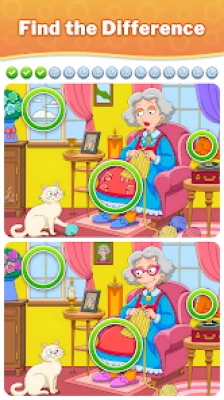
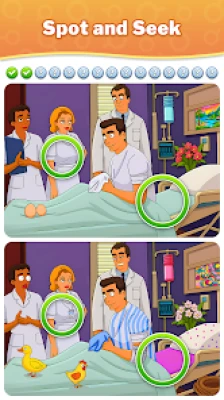
The game features thousands of puzzles ranging from easy scenes to more difficult visual challenges. Differences can involve colors, missing objects, altered shapes, positions, patterns or tiny details that are easy to overlook.
With more than 2,000 pictures, a zoom function, hints, unlimited play time and a wide variety of visual themes, the game combines casual puzzle solving with increasingly demanding observation challenges. The current listing also identifies it as a single-player, offline puzzle game.
Differences - Find & Spot It Overview
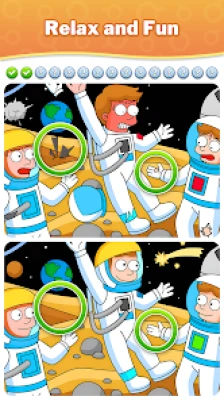
Differences - Find & Spot It takes the classic spot-the-difference formula and expands it into a large collection of picture-based puzzles.
Each level presents two images that look almost identical.
Your task is to examine both pictures carefully and locate the details that have been changed.
At first, the differences may be obvious.
As the difficulty increases, the changes become smaller and harder to notice. A slightly different color, a missing object, a changed shape or a tiny alteration in the background can become the final difference that prevents you from completing a puzzle.
The game is designed without a general time pressure in its main puzzle experience, allowing players to examine scenes at their own pace.
Game Information
Game: Differences - Find & Spot It
Developer: Guru Puzzle Game
Genre: Puzzle / Casual
Game Type: Find-the-difference picture puzzle
Main Gameplay: Compare two similar images
Puzzle Content: 2,000+ pictures
Difficulty: Easy to challenging
Tools: Zoom and hints
Play Style: Single-player
Offline: Yes
Platform: Android and Windows
Monetization: Free to play with ads and in-app purchases
Current Google Play Rating: Around 4.9 stars
Google Play Reviews: 500K+
Downloads: 10M+ on the current Google Play listing
The current listing shows 10M+ downloads and approximately 4.9 stars, while third-party Play tracking records substantially more cumulative download activity. Ratings and download figures naturally change over time.
What Is Differences - Find & Spot It?
The concept is easy to understand.
You receive two pictures that appear almost identical.
Somewhere inside those images are hidden changes.
Your objective is to find every difference and tap the correct locations.
Typical differences can include:
A missing object
A different color
A changed shape
An altered pattern
A moved object
A missing detail
A different background element
A small change in an otherwise identical scene
The challenge comes from resisting the temptation to look at the entire picture randomly.
A systematic search is much more effective.
Main Features
Thousands of Find-the-Difference Puzzles
The game offers a large collection of visual puzzles, with the current description advertising more than 2,000 pictures.
This provides considerable variety for players who enjoy picture comparison games.
Easy and Difficult Levels
The difficulty gradually increases.
Early puzzles can help new players understand the basic mechanics, while harder images require more careful observation.
Zoom Function
Small details can be difficult to see on a phone screen.
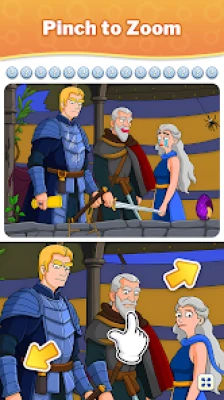
The zoom feature lets you enlarge parts of an image so you can inspect small objects and patterns more carefully.
Hint System
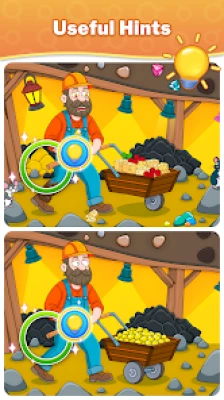
If you find most of the differences but become stuck on the final one, hints can help you locate difficult areas.
Unlimited Play Time
The main puzzle experience allows players to search without a strict general countdown, making the game suitable for a slower and more methodical approach.
Variety of Visual Themes
The game uses many different scenes and artistic styles, ranging from modern environments to colorful and imaginative pictures.
Offline Gameplay
The current Google Play listing identifies the game as offline, allowing its core puzzle experience to be played without a constant internet connection.
How to Play Differences - Find & Spot It
The basic process is:
Open a puzzle.
Examine both images.
Compare major objects first.
Search for obvious changes.
Move toward smaller details.
Zoom into suspicious areas.
Tap a difference when you are confident.
Use a hint if you are genuinely stuck.
Continue scanning until every difference is found.
Move to the next puzzle.
The most important skill is learning how to search systematically.
Complete Differences - Find & Spot It Strategy Guide
1. Start With the Biggest Objects
Do not immediately concentrate on tiny details.
Begin by comparing large objects and major areas of the scene.
Look at:
Buildings
Trees
People
Vehicles
Large furniture
Animals
Signs
Major decorations
Large changes are usually easier to identify and give you a quick understanding of the image.
2. Divide the Picture Into Sections
One of the best techniques is to mentally divide the image into several zones.
For example:
Top → Middle → Bottom
Then inspect each section from left to right.
This prevents you from repeatedly checking the same area while completely overlooking another.
3. Compare the Same Location in Both Images
Do not look at one image for a long time and then switch to the other.
Instead, compare corresponding areas.
Look at the upper-left section of one image and immediately compare it with the upper-left section of the other.
Then move across the image.
This makes small changes much easier to recognize.
4. Look for Missing Objects
Missing objects are among the easiest differences to understand.
If a picture contains a cup, lamp, flower, bird or sign in one version, check whether it exists in the corresponding position in the other.
Small objects can disappear into busy backgrounds, so inspect crowded areas carefully.
5. Check Colors
A difference does not always mean an object has disappeared.
Sometimes the object remains in exactly the same location but has a different color.
Look for:
Clothing colors
Wall colors
Vehicle colors
Flowers
Signs
Furniture
Background decorations
Color differences can be particularly difficult when the changed shade is subtle.
6. Look for Shape Changes
Compare the outline of objects.
A small change to the shape of:
A window
A roof
A cloud
A vehicle
An animal
A piece of furniture
can be the hidden difference.
7. Inspect Patterns and Repeated Objects
Repeated patterns are excellent places to search.
Look at:
Windows
Tiles
Books
Fences
Decorations
Clothing patterns
Building details
If several objects look similar, count them.
A missing or altered item can become much easier to identify through counting.
8. Use Zoom Strategically
Zoom should not replace observation.
First identify a suspicious region.
Then enlarge it.
This is faster than randomly zooming around the entire picture.
Use zoom particularly when:
An object appears slightly different
A small detail is difficult to identify
The final difference remains hidden
The image contains many tiny decorations
9. Do Not Waste Hints Too Early
Hints are most valuable when you have already found most of the differences.
If you immediately use a hint whenever something is difficult, you lose the opportunity to train your visual search technique.
Try several different scanning methods first.
Use a hint when you genuinely cannot progress.
10. Take a Short Visual Break
If you have been staring at the same puzzle for a long time, your eyes can become accustomed to the image.
Instead of forcing yourself to continue, look away briefly and then return.
The scene can appear surprisingly different when you look at it again with a fresh perspective.
11. Compare Edges Carefully
The outer areas of an image are easy to ignore.
Check:
Corners
Borders
Sky
Ground
Building edges
Tree branches
Background objects
A difference hidden near the edge can be easy to miss because players naturally concentrate on the center.
12. Search for Unusual Symmetry
If the image contains repeated or symmetrical objects, compare them carefully.
For example, if two windows should have the same shape but one is slightly different, the inconsistency may reveal the answer.
13. Count Similar Objects
Counting is an underrated technique.
If you see:
Five flowers in one image
Four flowers in the other
you immediately know where to investigate.
The same applies to windows, chairs, trees, clouds, lights, animals and other repeated objects.
14. Look at People Carefully
Characters often contain multiple potential differences.
Check:
Hair
Hats
Shoes
Clothing
Hands
Accessories
Facial details
Objects they are holding
Do not assume a person is identical simply because the overall character looks unchanged.
15. Check the Background Last
Backgrounds often contain the smallest and most difficult differences.
After checking major foreground objects, systematically inspect the environment behind them.
This is particularly important in crowded scenes.
A Fast Search Method
If you want to become faster, use a consistent scan:
Pass 1: Major Objects
Find obvious changes.
Pass 2: Colors
Look for altered colors and shades.
Pass 3: Shapes
Compare outlines and object structures.
Pass 4: Counts
Count repeated objects.
Pass 5: Small Details
Inspect tiny decorations and background elements.
Pass 6: Zoom
Use magnification on suspicious locations.
Pass 7: Hint
Only use a hint when you have exhausted your own search.
This method reduces random searching.
How to Find the Last Difference
The final difference is often the hardest because you have already examined the obvious areas.
When one difference remains, stop scanning randomly.
Instead, ask:
What areas have I not inspected carefully?
Then work systematically.
Check:
Corners
Edges
Small objects
Repeated patterns
Colors
Shadows
Background details
Character accessories
If necessary, zoom into each section and compare it directly.
Difficult Puzzle Strategy
When a level becomes particularly challenging, slow down.
Do not interpret difficulty as a reason to search faster.
Instead, make your search more organized.
Divide the scene into small areas and complete one area before moving to the next.
The objective is to eliminate possibilities.
Once you know an entire section contains no difference, stop looking there.
Beginner Tips
Compare matching areas of both images.
Start with large objects.
Search systematically.
Check colors.
Count repeated objects.
Inspect the corners.
Use zoom for tiny details.
Do not immediately use hints.
Take a short break when you become stuck.
Remember that the difference may be very small.
Advanced Spot-the-Difference Techniques
Peripheral Vision
Instead of staring at one object, look at the surrounding area.
Sometimes a changed object becomes easier to detect when viewed indirectly.
Rapid Comparison
Move your attention between the same location in both images.
The visual contrast can make small differences more noticeable.
Object Counting
Count repeated objects whenever possible.
This can reveal missing items faster than visual inspection alone.
Color Mapping
Mentally identify the dominant colors in one area and compare them with the other.
A single changed color can become obvious when you deliberately search for it.
Structural Comparison
Look at the overall shape of buildings, furniture, vehicles and other large objects before focusing on tiny details.
Common Mistakes
Looking at Only One Image
The game is about comparison.
Always switch between corresponding areas.
Searching Randomly
Random movement wastes time and causes you to revisit the same areas.
Ignoring the Background
The final difference is often hidden in a less noticeable part of the scene.
Using Hints Immediately
Give yourself an opportunity to solve the puzzle independently first.
Focusing Only on Objects
Differences can involve colors, shapes and patterns rather than missing objects.
Forgetting the Corners
Edges and corners are easy to overlook.
Staring Too Long
If your eyes become tired, take a brief break and return.
How to Improve Quickly
The best way to become better at Differences - Find & Spot It is to develop a consistent visual-search routine.
Do not simply try to "look harder."
Instead, make your search more structured.
Start with major objects.
Then check colors.
Then shapes.
Then repeated objects.
Finally, inspect small background details.
With practice, you will begin recognizing common difference patterns much faster.
Best Strategy for Hard Levels
When a difficult puzzle seems impossible, use this sequence:
Scan → Divide → Compare → Zoom → Recheck → Hint
Scan
Look at the entire image first.
Divide
Break the picture into manageable sections.
Compare
Compare corresponding sections directly.
Zoom
Magnify suspicious areas.
Recheck
Return to areas where you found nothing.
Hint
Use the hint only after completing a thorough search.
Pros and Cons
Pros
Simple and easy-to-understand gameplay
Thousands of visual puzzles
2,000+ pictures advertised
Easy and difficult challenges
Zoom functionality
Hint system
No general time pressure in the main puzzle experience
Wide variety of scenes
Single-player gameplay
Offline support
Suitable for casual puzzle sessions
Large amount of content
Cons
The basic gameplay formula remains similar from puzzle to puzzle
Some differences can be extremely subtle
Repeated visual searching may become familiar over time
Players who prefer action or competitive gameplay may find it too slow
Ads and optional in-app purchases are included
The current Google Play listing confirms advertisements and in-app purchases.
Is Differences - Find & Spot It Worth Playing?
Yes, especially if you enjoy relaxing visual puzzles and classic find-the-difference games.
The biggest strength is its straightforward design. There is no complicated control system to learn and no elaborate combat or progression system to understand.
You simply receive two pictures and start searching.
The large selection of images, multiple difficulty levels, zoom function and hints provide enough variety to make the basic formula work for extended play.
It is particularly suitable for short casual sessions because you can pick up a puzzle, search for the differences and stop whenever you want.
Who Should Play Differences - Find & Spot It?
This game is a good choice for players who enjoy:
Find-the-difference games
Picture puzzles
Hidden object games
Observation challenges
Casual puzzle games
Visual brain teasers
Offline games
Relaxing single-player games
Detective-style puzzles
Spot-the-difference challenges
Differences - Find & Spot It Tips at a Glance
Compare matching areas.
Start with large objects.
Scan from left to right.
Divide the image into sections.
Check colors carefully.
Look for missing objects.
Count repeated items.
Inspect shapes and patterns.
Check the corners.
Search the background.
Use zoom on suspicious areas.
Save hints for genuinely difficult moments.
Take a short break if you become stuck.
Never assume a tiny detail is unimportant.
Frequently Asked Questions
What is Differences - Find & Spot It?
Differences - Find & Spot It is a picture puzzle game where players compare two nearly identical images and find the hidden differences between them.
How many pictures are in Differences - Find & Spot It?
The current game description advertises more than 2,000 pictures, with thousands of easy and difficult puzzles.
Is Differences - Find & Spot It free?
The game is free to play but contains advertisements and optional in-app purchases.
Does Differences - Find & Spot It have hints?
Yes. The game includes a hint system designed to help when a difficult difference cannot be located.
Can you zoom into the pictures?
Yes. A zoom function allows players to enlarge sections of the images and inspect small details more closely.
Is there a time limit?
The main game experience is designed to let players search at their own pace rather than forcing them to complete every puzzle against a general countdown.
Can Differences - Find & Spot It be played offline?
Yes. The current Google Play listing identifies the game as offline.
What is the best way to find differences quickly?
Use a systematic method. Compare the same section in both images, then move across the picture in a fixed pattern. Check objects, colors, shapes, patterns and background details.
How do I find the last hidden difference?
Stop searching randomly. Divide the picture into sections and inspect each one carefully, paying special attention to corners, small objects, colors and background details.
Are all differences objects?
No. A difference can be a missing object, changed color, altered shape, moved element or small modification to the scene.
Final Verdict
Differences - Find & Spot It takes a familiar puzzle concept and builds it into a large collection of visual challenges.
The rules are simple, but difficult puzzles can demand considerable attention. The combination of thousands of pictures, varied scenes, zoom functionality, hints and increasingly difficult challenges gives the game a straightforward but effective progression.
The secret to becoming good at the game is not simply having sharp eyes.
Search systematically, compare matching areas, inspect small details and use zoom intelligently.
Once you develop a reliable scanning routine, those seemingly impossible final differences become much easier to discover.
Rate the Game
User Reviews











Popular Games

















 Android
 iOS
 Windows
 Xbox