QR Code
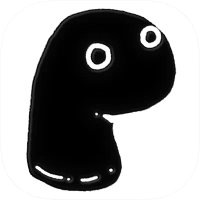
Brain Test: Tricky Puzzles

Brain Test: Tricky Puzzles

by Unico Studio
(0 Reviews) March 06, 2024
Brain Test: Tricky Puzzles Brain Test: Tricky Puzzles Brain Test: Tricky Puzzles Brain Test: Tricky Puzzles Brain Test: Tricky Puzzles

Latest Version

Update
March 06, 2024
Developer
Unico Studio
Categories
Puzzle
Platforms
Android
Views
0
Package Name
com.unicostudio.braintest
Visit Page

More About :game

Brain Test: Tricky Puzzles is the foundational game of Unico Studio’s puzzle empire. It redefined the "riddle" genre on mobile by focusing on subverting logic and rewarding creative thinking over standard trivia.

1. Description

Brain Test is a free, addictive puzzle game that features a massive collection of tricky brain teasers. The game is designed to trick the player's brain by presenting seemingly simple questions that require unconventional solutions. It uses a clean, cartoonish art style and focuses on individual, standalone puzzles rather than the character-driven "stories" found in its sequels.

2. Key Features

  • Subversive Logic: The solution is almost never the obvious one.

  • Varied Mechanics: Puzzles involve tapping, swiping, shaking, tilting, and dragging.

  • Humor-Centric: Each level concludes with a funny remark or a "punny" realization.

  • Accessibility: Simple UI and mechanics make it playable for all ages, from children to seniors.

  • Brain Training: Challenges memory, concentration, and cognitive flexibility.

  • Offline Mode: Playable without internet, making it a popular choice for commutes.

3. How to Play

  • Read Literally: Sometimes the answer is hidden in the text of the question itself.

  • Manipulate the Screen: Try dragging objects that look like background scenery. They are often essential to the solution.

  • Use Your Device: If a character is "hot," try blowing into the microphone or putting the phone face down. If someone is "sleeping," shake the phone to wake them.

  • Inventory Use: Some items can be combined or used on characters to trigger a reaction.

4. How to Win: Strategy & Tips

  • Think Outside the Box: If the prompt asks you to "find the biggest," don't look at the size of the drawings; think about real-world logic or look at the words in the prompt.

  • The "Shake Test": When stuck, physically shake or tilt your device. Often, hidden objects will fall out of containers or characters will move.

  • Click the Numbers: Sometimes the level number or the text "Brain Test" on the screen is part of the solution.

  • Zero-Risk Trial: There is no penalty for clicking the "wrong" thing. Tap everything on the screen to see what is interactive.

  • Don't Overthink: While the solutions are tricky, they are usually "common sense" in a funny way. If you are doing complex math, you are probably overthinking it.

5. Technical Details

  • Developer: Unico Studio.

  • Initial Release: 2019.

  • Size: Approximately 150 MB - 200 MB (varies by device and level updates).

  • Android Requirements: Android 7.0 and up.

  • iOS Requirements: iOS 15.0 or later (Compatible with iPhone, iPad, and Mac with M1 chip or later).

  • PC Support: Playable on Windows via Google Play Games (8GB RAM required).

  • Monetization: Free-to-play with ads. In-app purchases are available for "Bulbs" (hints) and removing ads.

  • Levels: The game is frequently updated and now features over 400+ levels.

Rate the Game

Add Comment & Review

User Reviews

Based on 0 reviews
5 Star
0
4 Star
0
3 Star
0
2 Star
0
1 Star
0
Add Comment & Review
We'll never share your email with anyone else.