
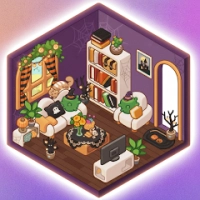








Tidy Home: Cozy Decor is a calming and creative simulation puzzle game that focuses on unpacking, organizing, and decorating beautiful living spaces. Players are given messy rooms filled with boxes and must carefully place furniture, decorations, and everyday items to transform them into cozy, stylish homes.
Each level offers a relaxing experience where creativity and organization matter more than speed. Players can experiment with layouts, design themes, and room arrangements while enjoying smooth animations and satisfying ASMR-style effects.
As the game progresses, rooms become larger and more detailed, introducing new decoration challenges and furniture styles. The gameplay is designed to reduce stress and encourage creativity, making it ideal for casual players who enjoy cozy and aesthetic design experiences.
Features
-
Relaxing unpacking and decorating gameplay
-
Cozy home interior design mechanics
-
Multiple rooms and house layouts
-
Satisfying organization system
-
Simple drag-and-drop controls
-
ASMR-style relaxing sounds
-
Offline-friendly gameplay
-
Stress-free, no timer design
-
Creative room customization
-
Smooth mobile performance
Characters
The game does not include traditional characters, but features:
-
Homeowner lifestyle progression (implied story)
-
Furniture and decor items
-
Room environments (bedroom, kitchen, living room)
-
Decorative objects and personal items
-
Moving boxes and unpacking items
Weapons / Items
No combat exists. Gameplay tools include:
-
Furniture placement system
-
Box unpacking mechanics
-
Drag-and-drop decorator tool
-
Room layout editor
-
Item sorting and placement logic
-
Decorative objects (sofa, bed, table, lamps, etc.)
How to Play
-
Enter a new room or house.
-
Open moving boxes.
-
Take out furniture and items.
-
Place objects in suitable or creative positions.
-
Complete room decoration to progress.
-
Unlock new homes and design styles.
How to Win: Strategy Guide
Winning is based on smart organization and design thinking.
Best Strategies
-
Plan room layout before placing items
-
Place large furniture first
-
Group similar decor styles together
-
Use empty space wisely
-
Balance aesthetics and functionality
-
Experiment with different layouts
Tips & Tricks
-
Don’t rush placements
-
Think in real interior design terms
-
Start with main furniture (bed, sofa, table)
-
Add small decorations last
-
Try symmetrical arrangements for balance
Beginner’s Guide
New players should focus on:
-
Learning unpacking mechanics
-
Understanding room layouts
-
Practicing simple decoration first
-
Avoiding random placement
-
Observing space before decorating
The game is designed to be easy and relaxing for all players.
Advanced Pro Strategy
Experienced players can improve by:
-
Designing themed rooms (minimalist, cozy, modern)
-
Maximizing space efficiency
-
Creating visual flow between objects
-
Using color coordination
-
Planning full-room layouts before unpacking
Trophy & Achievement Guide
Common achievements include:
-
Complete all rooms
-
Fully decorate houses
-
Unlock all furniture sets
-
Achieve perfect room layouts
-
Finish levels without mistakes
-
Unlock all design themes
Players Experience
Players describe Tidy Home: Cozy Decor as relaxing, calming, and satisfying. Many enjoy the slow-paced decorating and unpacking loop, especially for stress relief.
Some players mention repetition over time, but that is expected in cozy simulation-style games focused on relaxation rather than challenge.
Pros & Cons
Pros
-
Very relaxing gameplay
-
Creative decoration freedom
-
Satisfying unpacking mechanics
-
Easy controls
-
ASMR-style experience
-
Great for casual play
Cons
-
Repetitive gameplay loop
-
Low difficulty
-
Ads in many versions
-
Limited long-term challenge
Tech Details
| Feature | Details |
|---|
| Game Name | Tidy Home: Cozy Decor |
| Genre | Simulation / Puzzle / Decoration |
| Developer | TVC Global., Ltd |
| Platform | Android |
| Mode | Single Player |
| Graphics | Cozy 2D Style |
| Gameplay Style | Unpacking + Interior Design |
| Monetization | Ads + In-App Purchases |
System Requirements
Android
-
Android 7.0 or higher
-
~25–170 MB storage (varies by version)
-
2 GB RAM recommended
-
Stable performance on most devices
Game Modes Overview
Unpacking Mode
Open boxes and place items in rooms.
Decor Mode
Design and customize interiors freely.
Relax Mode
No pressure, just creative decoration.
Updates & What’s New
Recent updates typically include:
-
New rooms added
-
Bug fixes and performance improvements
-
UI enhancements
-
Additional furniture sets
-
Stability upgrades
Comparison Section
| Feature | Tidy Home: Cozy Decor | Traditional Puzzle Games |
|---|
| Gameplay Style | Unpacking & Decorating | Logic / Match Puzzles |
| Creativity Level | High | Medium |
| Relaxation Factor | Very High | Medium |
| Strategy Level | Low–Medium | Medium |
| Focus | Design & Organization | Problem Solving |
User Ratings & Social Proof
-
Over 1M+ downloads on Google Play
-
Generally positive feedback for relaxing gameplay
-
Popular in cozy simulation and ASMR gaming category
-
Strong appeal among casual mobile players
Is It Worth Playing? Honest Verdict
Yes—Tidy Home: Cozy Decor is worth playing if you enjoy relaxing, creative, and stress-free decoration games. It’s ideal for unwinding and casual play sessions.
However, if you prefer fast-paced gameplay or deep challenges, it may feel too simple and repetitive over time.
Competitor Games
-
Unpacking
-
Decor Life
-
Home Design Makeover
-
My Cozy Room
-
ASMR Organizing Games
Similar Games
-
Cozy Room Decoration Games
-
Relaxing Cleaning Simulator Games
-
Interior Design Puzzle Games
-
ASMR Home Makeover Games
-
Minimalist Organization Games
FAQ
Is Tidy Home: Cozy Decor free to play?
Yes, it is free with ads and optional purchases.
Can I play offline?
Yes, most gameplay works without internet.
Is the game hard?
No, it is designed to be relaxing and easy.
What is the main goal?
To unpack items and decorate cozy rooms.
Is it suitable for kids?
Yes, it is family-friendly and simple.
Why is it popular?
Because of its relaxing unpacking gameplay and creative home design freedom.