
Latest Version
November 13, 2026
Payge Ltd
Simulation
iOS
0
Report a Problem
More About :game
What Is Sandblox: City Sandbox?
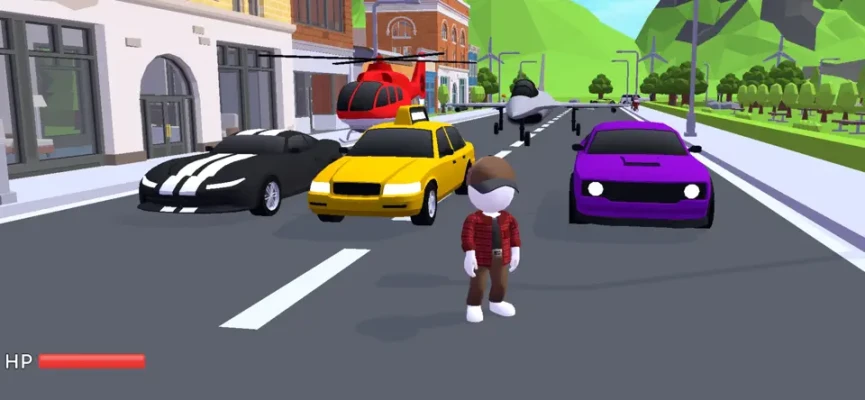
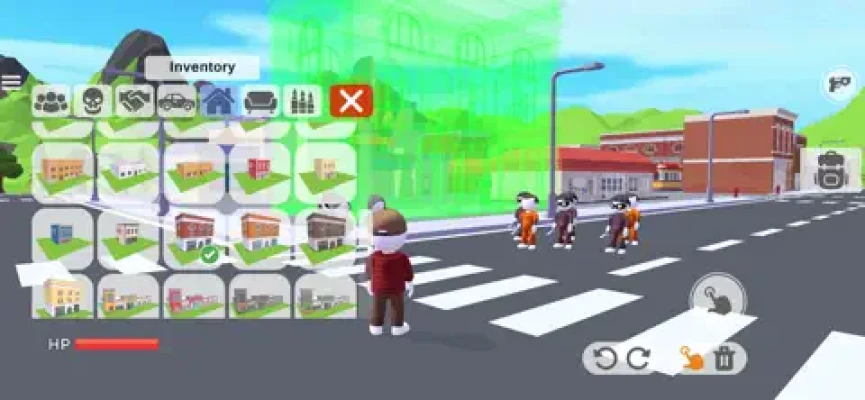
Sandblox: City Sandbox is a creative city-building and simulation game developed by Payge Ltd. It gives players the freedom to construct and explore their own urban environments without following a fixed storyline or traditional mission progression.
The main attraction is the ability to create a city according to your imagination. You can plan different neighborhoods, arrange buildings, develop commercial areas, and experiment with various layouts to produce a unique virtual environment.
Unlike traditional city management games that focus heavily on budgets, population statistics, and complicated economic systems, Sandblox emphasizes creativity and freedom. Players can decide what to build, how to organize their surroundings, and which activities to explore.
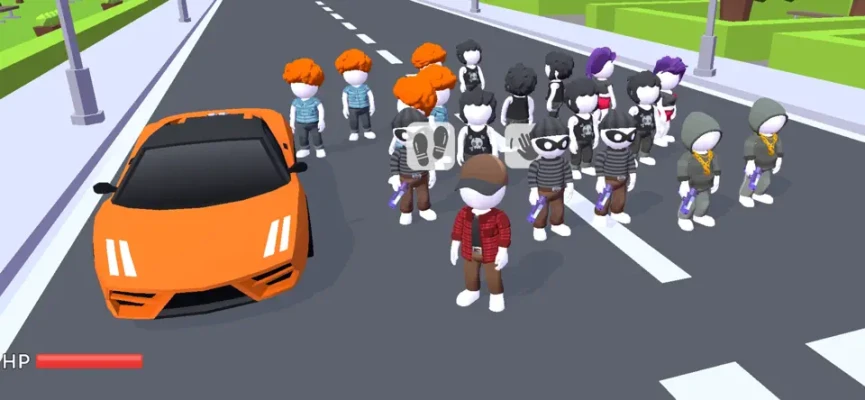
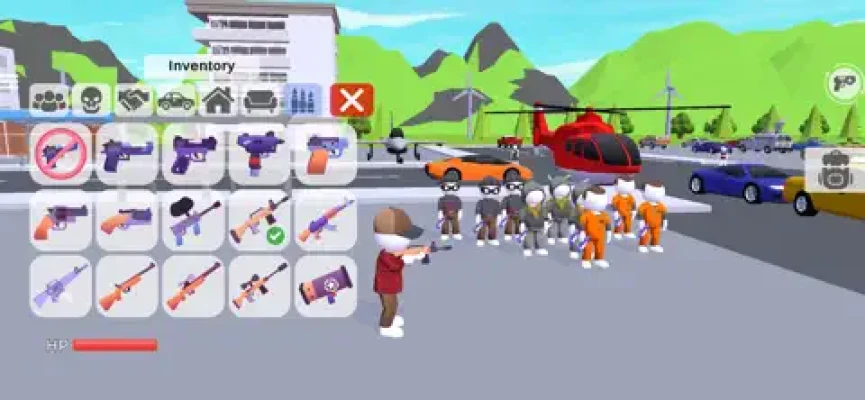
The game also provides interactive elements that allow you to experiment with different objects and create unique scenarios. This makes the experience suitable for players who enjoy sandbox environments where imagination is more important than following a specific objective.
Construction vehicles add another interesting dimension to the experience. The game's update history specifically mentions the introduction of construction vehicles and a construction map, expanding the opportunities available to players who enjoy building-related activities.
Whether you want to design a modern city, experiment with different structures, or simply explore a virtual environment, Sandblox offers a flexible creative playground.
Main Features of Sandblox: City Sandbox
Build Your Own City
City construction is the central feature of Sandblox. You can develop an urban environment from the ground up and decide how its different areas should look.
Create your own city layout and experiment with different arrangements. Every building placement contributes to the overall appearance of your virtual world.
Design Skyscrapers and Buildings
The game encourages players to imagine and construct different urban structures.
You can plan towering skyscrapers, organize residential areas, and create commercial zones. Combining different building styles allows you to develop a city with its own identity.
Create Residential Neighborhoods
Residential areas are an important part of any city design.
Experiment with neighborhood layouts and arrange buildings to create organized urban spaces. You can develop compact residential districts or create larger areas with more open space.
Develop Commercial Zones
Commercial districts add variety to your city.
You can plan areas dedicated to business and urban activity, creating a more complete environment that combines different types of development.
Creative Sandbox Gameplay
One of the biggest advantages of Sandblox is its open-ended design.
There is no fixed storyline or linear progression that forces you to follow a particular sequence. You can choose your activities and experiment with your own ideas.
This freedom makes every player's experience different.
Construction Vehicles
The game includes construction vehicles, which were introduced alongside a dedicated construction map in version 0.17.
These additions provide more opportunities to enjoy construction-themed activities and interact with the building environment.
Multiple Environments
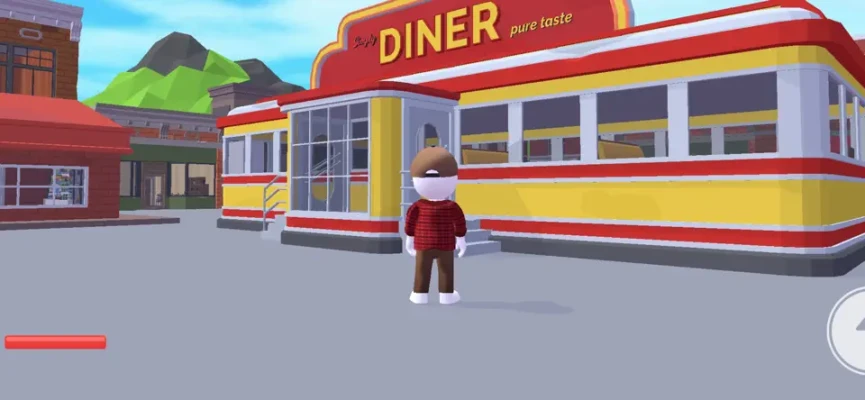
Sandblox offers different environments for players to explore and experiment with.
The construction map provides a dedicated setting for building-related activities, while the city sandbox allows players to focus on creative urban design.
Interactive Objects and Elements
The game features interactive elements that allow players to experiment with their surroundings.
You can use the available objects to create different situations, explore possibilities, and develop your own scenarios.
Easy Touch Controls
The game features a straightforward touch interface designed for mobile devices.
Its controls make it accessible to beginners while providing an opportunity for experienced sandbox players to experiment with different creative activities.
Freedom of Exploration
Sandblox does not require you to complete a traditional campaign before enjoying its main features.
You can explore your environment, experiment with objects, and develop your city at your own pace.
Complete Game Information
Game Title: Sandblox: City Sandbox
Developer: Payge Ltd
Provider: Payge Limited
Category: Entertainment
Game Genres: Sandbox, City Building, Simulation, Construction, Creative
Platform: iPhone, iPad, and iPod touch
Price: Free to download
Game Version Listed: 0.17
Game Size: Approximately 442.5 MB
Minimum iOS Requirement: iOS 13.0 or later
Minimum iPadOS Requirement: iPadOS 13.0 or later
Age Rating: 13+
Supported Languages: English, French, German, Japanese, Korean, Simplified Chinese, Spanish, and Traditional Chinese.
Main Objective: Create, design, and explore a virtual city using the available sandbox tools and interactive elements.
Core Activities: Building structures, designing neighborhoods, developing commercial areas, exploring maps, using construction vehicles, and creating custom scenarios.
Understanding the Gameplay
Sandblox is built around creative freedom rather than traditional progression.
When you enter the game, you can explore the available environment and become familiar with its controls and interactive elements.
The city-building aspect allows you to experiment with different urban layouts. You can imagine where residential neighborhoods should be placed, how commercial areas should be organized, and which structures will give your city a distinctive appearance.
The sandbox approach means that you are not restricted to one particular building strategy. You can try different designs, change your plans, and develop your environment according to your preferences.
Construction-related activities provide another way to interact with the game. The construction map and vehicles give players additional opportunities to explore building-themed gameplay.
The most enjoyable way to approach Sandblox is to establish a creative idea and gradually turn it into a complete virtual environment.
Full Sandblox: City Sandbox Strategy Guide
Getting Started With Your First City
When you first launch Sandblox, begin by exploring the available environment.
Take some time to understand the touch controls and learn how to interact with the objects around you.
Instead of immediately attempting to create a massive city, start with a small project. A simple neighborhood or compact urban district is a good way to become familiar with the building experience.
Experiment with different structures and observe how they fit together.
Once you understand the basic controls, you can gradually expand your ideas and create more complicated layouts.
Plan Your City Before Building
Planning is one of the most useful habits in a city-building sandbox.
Before placing structures, think about the overall appearance you want to achieve.
Decide where residential areas should be located, where commercial buildings would fit, and which spaces should remain open.
A simple plan can prevent your city from becoming overcrowded or disorganized.
You do not need to create a complicated blueprint. Even a basic idea of how different areas should connect can make the building process more enjoyable.
Start With a Residential Neighborhood
Residential districts are a good starting point for a new city.
Begin by arranging buildings in a consistent pattern and leaving enough room between different structures.
Try different layouts until you find one that looks natural.
You can create compact neighborhoods with closely arranged buildings or larger residential districts with more open spaces.
Experimenting with different arrangements helps you develop your own city-building style.
Build an Impressive Skyline
Skyscrapers can give your city a distinctive appearance.
When designing a skyline, avoid placing every tall building in exactly the same arrangement.
Instead, experiment with different building heights and positions to create a more interesting visual result.
You can concentrate taller structures in one district to create a central business area or distribute them throughout your city.
The important thing is to create a layout that looks balanced and visually appealing.
Design Commercial Areas
Commercial zones provide another opportunity to make your city feel complete.
Create a dedicated district for commercial buildings and experiment with different arrangements.
Consider how the commercial area should connect visually with nearby residential neighborhoods.
You can create a compact business district or a larger urban zone depending on the design you have in mind.
Combining different building types makes your city more visually diverse.
Use Construction Vehicles
Construction vehicles are an important addition to the game's building-related experience.
Explore the construction map and become familiar with the available vehicles.
Use this environment to experiment with construction-themed activities and enjoy a different side of the sandbox gameplay.
Rather than concentrating exclusively on the appearance of your city, spend some time exploring the construction-related content.
Experiment With Different City Layouts
One of the best ways to enjoy Sandblox is to try different urban designs.
You can create a modern metropolitan city, a compact residential town, or a large commercial district.
Try changing the arrangement of buildings and experimenting with different combinations.
Do not be afraid to modify your original plan if you discover a more interesting design.
The absence of a fixed progression system means that you are free to experiment whenever you want.
Create Unique Landscapes
A city is not defined only by its buildings.
The arrangement of open spaces and the overall appearance of the environment can also make a difference.
Experiment with different layouts to create interesting urban surroundings.
Think about how the structures fit into the available environment and whether your design looks balanced.
A well-organized landscape can make even a relatively simple city look impressive.
Explore Interactive Elements
Sandblox includes different interactive elements that allow players to create scenarios and experiment with their surroundings.
Spend time discovering what is available and how different elements can be used together.
You can use these features to develop your own creative activities instead of repeating the same building process every time you play.
Exploration is particularly valuable when you want to discover new ways to enjoy the sandbox environment.
Create Your Own Scenarios
The interactive sandbox design allows you to experiment with different situations.
Think of your city as a setting where you can create your own activities.
For example, you can design a busy metropolitan environment, organize a construction-themed scenario, or experiment with different urban arrangements.
There is no single correct way to play. Your imagination determines what kind of experience you create.
Use Different Maps for Different Projects
Different environments can provide inspiration for different creative activities.
Use the city environment when concentrating on urban development and explore the construction map when you want to experiment with building-related activities.
Separating your projects can make it easier to focus on specific creative goals.
It also gives you more variety when switching between different types of sandbox gameplay.
Improve Your Building Style
As you spend more time playing, experiment with increasingly detailed designs.
Instead of placing structures randomly, think about the overall composition of your city.
Try creating recognizable districts and combining different building styles.
You can also revisit older projects and reorganize them using ideas you have developed through experience.
Improving your building style is a continuous creative process rather than something that requires completing a specific objective.
Advanced Tips and Tricks
Start With a Small Project
A compact neighborhood is easier to organize than a massive city. Begin with a manageable design and expand gradually.
Think About the Overall Layout
Consider how different buildings and districts fit together before creating your final arrangement.
Experiment With Building Heights
Combining different building heights can create a more interesting skyline.
Keep Your City Organized
Avoid placing structures randomly. Give different areas a clear purpose and visual identity.
Explore the Construction Map
Do not overlook the construction environment and vehicles. They provide additional ways to enjoy the game.
Try Different Creative Ideas
Experiment with modern cities, residential towns, and commercial districts instead of repeating one design.
Make Use of Interactive Elements
Discover how available objects can be combined to create different scenarios.
Do Not Be Afraid to Change Your Design
If a city layout does not look the way you expected, experiment with a different arrangement.
Explore Before Starting Large Projects
Understanding the available environment can help you make better creative decisions.
Focus on Enjoyment Rather Than Speed
Sandblox is an open-ended creative experience. There is no need to rush through the building process.
Common Mistakes to Avoid
Building Without a Plan
Placing structures randomly can make your city look disorganized. Start with a simple layout before expanding.
Making Every District Look the Same
Using identical arrangements throughout the city can reduce its visual variety. Experiment with different building styles and layouts.
Ignoring Open Spaces
A city filled entirely with structures may look crowded. Consider leaving room for more balanced designs.
Overlooking Construction Vehicles
Concentrating only on city design means missing another interesting part of the experience.
Avoiding Exploration
Not exploring the available environment can limit your understanding of the game's interactive elements.
Expecting Traditional Mission Progression
Sandblox is designed as an open-ended sandbox rather than a conventional campaign. Enjoy creating your own objectives instead of waiting for a linear storyline.
Repeating the Same Building Style
Trying new arrangements and creative ideas can make every session more interesting.
Rushing Through Projects
Taking time to experiment often produces better results than placing structures without considering their appearance.
Is Sandblox: City Sandbox Worth Playing?
Sandblox: City Sandbox is an interesting choice for players who enjoy creative building games and open-ended simulation experiences.
Its biggest advantage is the freedom it provides. Instead of following a strict storyline or completing a long sequence of missions, players can decide what to build and how to explore their virtual world.
The city-building features allow you to create skyscrapers, residential neighborhoods, and commercial districts. Construction vehicles and the dedicated construction map add further variety.
The simple touch controls also make the experience accessible to players who want a straightforward sandbox game.
However, players looking for a highly detailed city management simulator with complex economic systems, population statistics, and extensive campaign objectives should understand that Sandblox focuses more on creative freedom than traditional management mechanics.
The App Store listing also identifies the game as free, and players should review the current in-game experience for advertising and any available optional purchases.
Overall, Sandblox is worth considering if you enjoy experimenting with virtual environments, designing cities, and creating your own sandbox activities.
Frequently Asked Questions
What is Sandblox: City Sandbox?
Sandblox: City Sandbox is a creative 3D simulation game where players can design cities, build structures, explore environments, and interact with different elements.
Who developed Sandblox: City Sandbox?
The game was developed by Payge Ltd and is distributed under the Payge Limited provider name.
Is Sandblox free to play?
Yes. Sandblox is listed as a free download on the Apple App Store.
What can you build in Sandblox?
You can design skyscrapers, residential neighborhoods, commercial zones, and different urban environments.
Does Sandblox have a story mode?
The game is designed without a fixed storyline or linear progression. Players can choose their own activities and development paths.
Does Sandblox include construction vehicles?
Yes. Construction vehicles were introduced in the game's version 0.17 update, alongside a dedicated construction map.
Can you explore different environments?
Yes. The game provides environments for city-building and construction-related activities.
Is Sandblox a city management game?
It is primarily a creative city-building sandbox. Its main emphasis is on designing environments and experimenting with interactive elements rather than managing a complicated city economy.
Can beginners play Sandblox?
Yes. The game features straightforward touch controls and an accessible design suitable for players who are new to sandbox building games.
Is Sandblox available on iPhone and iPad?
Yes. The game supports compatible iPhone and iPad devices running iOS 13.0 or iPadOS 13.0 and later.
What makes Sandblox different from other building games?
Its main difference is its open-ended sandbox approach. Players have freedom to create, explore, and interact with their virtual world without following a fixed progression path.
What is the best strategy for playing Sandblox?
Start with a small city project, plan your districts, experiment with different building arrangements, explore the construction map, and use the interactive elements to create original scenarios.
Final Verdict
Sandblox: City Sandbox provides a creative environment where players can turn their ideas into virtual cities and explore different construction activities.
With its flexible building experience, urban design possibilities, interactive elements, and construction vehicles, the game offers an alternative to traditional mission-based mobile games.
The best way to enjoy it is to experiment with different layouts, create distinctive neighborhoods, design impressive skylines, and explore the available environments.
For fans of sandbox games, city-building simulations, and creative mobile experiences, Sandblox offers an enjoyable opportunity to build a world according to their own imagination.
Rate the Game
User Reviews











Popular Games


















 Android
 iOS
 Windows
 Xbox