
Latest Version
February 15, 2026
My Town Games Ltd
Simulation
0
Report a Problem
More About :game
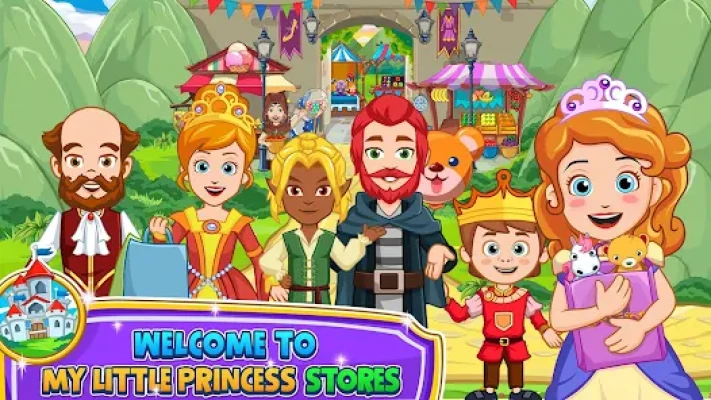
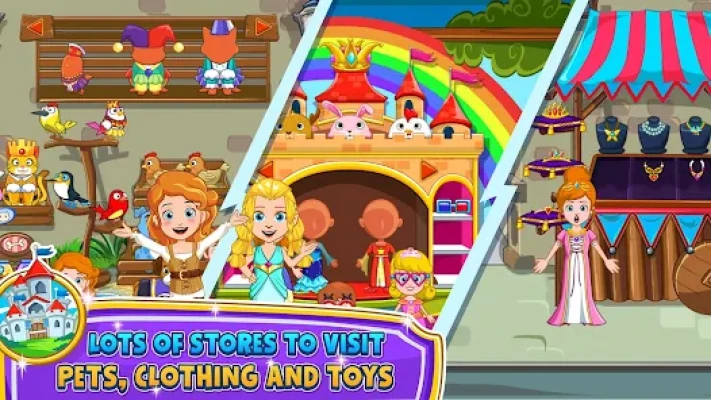
Step into the most magical shopping destination in the kingdom with My Little Princess: Stores! This digital dollhouse invites children to explore a bustling street filled with 10 unique and highly interactive stores. Whether you are picking out a new royal gown, visiting the local pet shop, or grabbing a magical snack at the cafe, there is a new story waiting around every corner.
Designed by the experts at My Town Games, this app provides a stress-free environment where imagination is the only limit. There are no timers, high scores, or difficult levels—just pure creative freedom. Children can interact with almost every object they see, from trying on sunglasses to feeding the animals. Best of all, this game is part of a connected world; you can bring your characters and items from the Princess Castle or Wizard games right into the shops to expand your fairy tale adventure!
3. Key Features
10 Unique Stores: Visit the Dress-up Shop, Pet Store, Supermarket, Toy Store, Hair Salon, and more.
Endless Dress-Up: Hundreds of new clothing items, hats, and accessories to style your favorite characters.
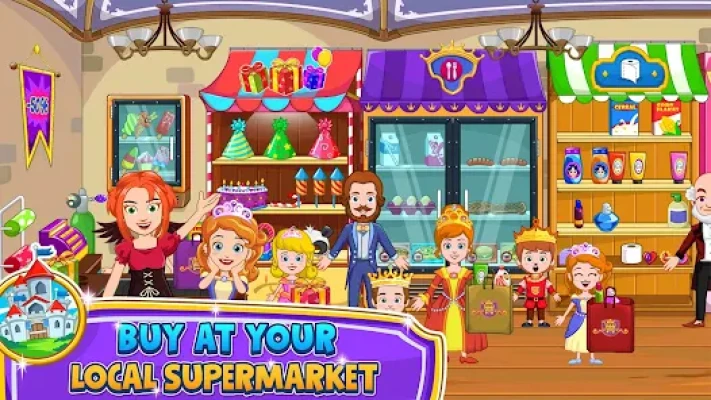
Interactive Marketplace: Buy groceries, pick out toys, and even visit the enchanted cafe for a royal treat.
Multi-Touch Support: Perfect for families! Multiple children can play together on the same screen at once.
Connected Play: Seamlessly move your characters and items between other My Little Princess games you own.
Safe & Secure: Fully compliant with child safety regulations, providing a secure space for independent play.
4. How to Play
Enter the Street: Tap on any of the 10 store fronts to start your shopping adventure.
Pick Your Characters: Drag and drop characters from the bottom menu into the store.
Start Shopping: Tap and drag items like clothes, toys, or food onto your characters.
Visit the Cafe: Head over to the food court to prepare a meal and sit down for a break.
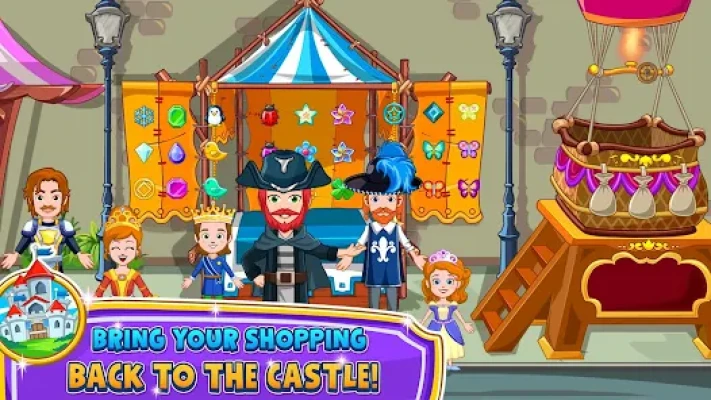
Travel: Use the map to bring characters from your Princess Castle game to the stores for a day out!
5. How to Win: Strategy
Cross-Game Styling: For the best experience, take the new outfits you find in the Stores back to the My Little Princess: Castle. It’s a great way to "refresh" your royal family's look.
Storytelling Mastery: Use the items in the Toy Store to create a "birthday party" story in the Cafe. The more items you interact with, the more hidden animations you’ll discover!
Find the Hidden Pets: The Pet Store has many small animals. Try placing different characters near the cages to see who makes the best animal trainer.
6. Tips & Tricks
The Shopping Bag: Look for shopping bags in the stores! You can place multiple items inside them to make it easier for your characters to "carry" their purchases home.
Instant Makeover: If you want to change a look quickly, head to the Hair Salon store to swap hairstyles and colors instantly.
The Secret Food Recipes: In the Cafe, try combining different food items on the tables to see what colorful royal feasts you can create.
Save Your Progress: The game automatically saves where you leave your characters, so you can pick up your story exactly where you left off.
7. Player Experience
Parents love My Little Princess: Stores because it offers a "quiet and creative" alternative to high-energy arcade games. It is highly rated for its vibrant visuals and the detailed level of interactivity. The ability to connect with other games in the series is a standout feature, providing massive replay value as children build their own interconnected fairy tale world.
8. Tech Details
App Name: My Little Princess : Stores
Developer: My Town Games LTD
Size: ~580 MB
Requirements: Android 5.0+ / iOS 12.0+ / Windows 10 (via Google Play Games).
Multi-Touch: Supported (Play together on one device).
Safety: No third-party ads; Play Families Policy certified.
9. Comparison Section
| Feature | My Little Princess: Stores | Generic Shopping Games |
| Store Variety | 10 Specialized Shops | Usually 1 or 2 rooms |
| Connectivity | Syncs with the Princess Ecosystem | Standalone only |
| Characters | Fully Customizable & Interactive | Static or Limited |
| Play Style | Open-Ended Sandbox | Task/Time-based |
10. FAQ
Q: Can I use the items I buy in the Princess Castle?
A: Yes! As long as both games are installed on the same device, you can use the map to transport items and characters between them.
Q: Is the game safe for a 4-year-old?
A: Absolutely. The game is designed specifically for kids aged 4-12 and contains no inappropriate content or external links.
Q: Do I need to pay to unlock all 10 stores?
A: The game includes a generous selection of free content. Some premium stores can be unlocked via a one-time purchase or through a My Town+ subscription.
Q: Does it work offline?
A: Yes. Once the game is downloaded, your child can shop and play anywhere without an internet connection.
Rate the Game
User Reviews










Popular Games



















 Android
 iOS
iOS Windows
 Xbox
Xbox